Git Config Change Url To Ssh Git Config Setup Git Environment Git Config How To Configure Git Settings To Improve Your Development How To Setup Multiple Git Accounts In The Same Machine How To Create Short URLs In Laravel Ash Allen Design Git Change Remote URL In Local Repository TecAdmin Web Nov 17 2021 nbsp 0183 32 git remote add origin git github user repo git Then push to origin as normal git fetch origin git push set upstream origin master If you re cloning a new repo you ll just need to make sure that it s set to quot SSH quot in the future and that the URI is configured as git github
Web English Topics Version 2 45 0 git config last updated in 2 45 0 NAME git config Get and set repository or global options SYNOPSIS git config lt file option gt type lt type gt comment lt message gt fixed value show origin show scope z null lt name gt lt value gt lt value pattern gt Web Jan 3 2020 nbsp 0183 32 Open a terminal and enter the following command ls al ssh If you ve already generated SSH keys you should see output similar to this rw 1 user name user name 1766 Jul 7 2018 id rsa rw r r 1 user name user name 414 Jul 7 2018 id rsa pub rw 1 user name user name 12892 Feb 5 18 39 known hosts
Git Change Remote URL In Local Repository TecAdmin How To Create Small URL Links 7 Steps with Pictures WikiHow How To Get Git Config Username And Email Git Config Studytonight How To Set A Different Username And Email For Each Repository In Git Git Config Konfiguracja Git Config Global Local StormIT pl Setup Git User Open Source Agenda Git Config How To Configure Git Settings To Improve Your Development Using Outbound Rules To Add Web Analytics Tracking Code Microsoft Learn
Git Config Change Url To Ssh
 Git Config Change Url To Ssh
https://initialcommit.com/img/initialcommit/git-config.png
Web Mac Windows Linux About SSH key passphrases Generating a new SSH key Adding your SSH key to the ssh agent Generating a new SSH key for a hardware security key About SSH key passphrases You can access and write data in repositories on GitHub using SSH Secure Shell Protocol
Templates are pre-designed files or files that can be used for different functions. They can conserve effort and time by supplying a ready-made format and layout for producing different kinds of content. Templates can be used for personal or professional projects, such as resumes, invites, flyers, newsletters, reports, presentations, and more.
Git Config Change Url To Ssh

How To Set Git Config Username And Email

How To Create Small URL Links 7 Steps with Pictures WikiHow
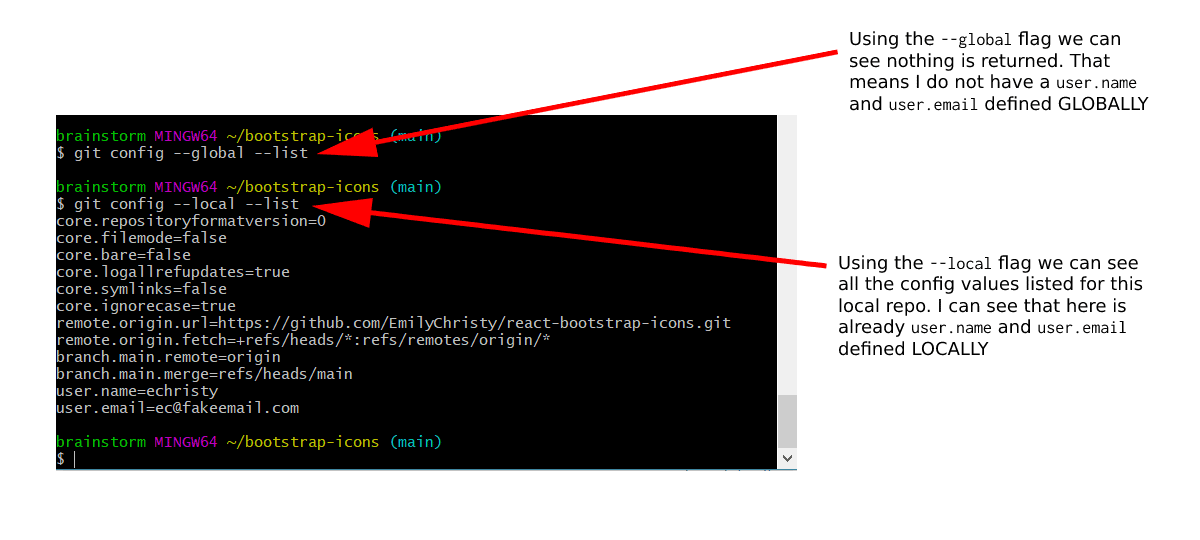
How To Get Git Config Username And Email
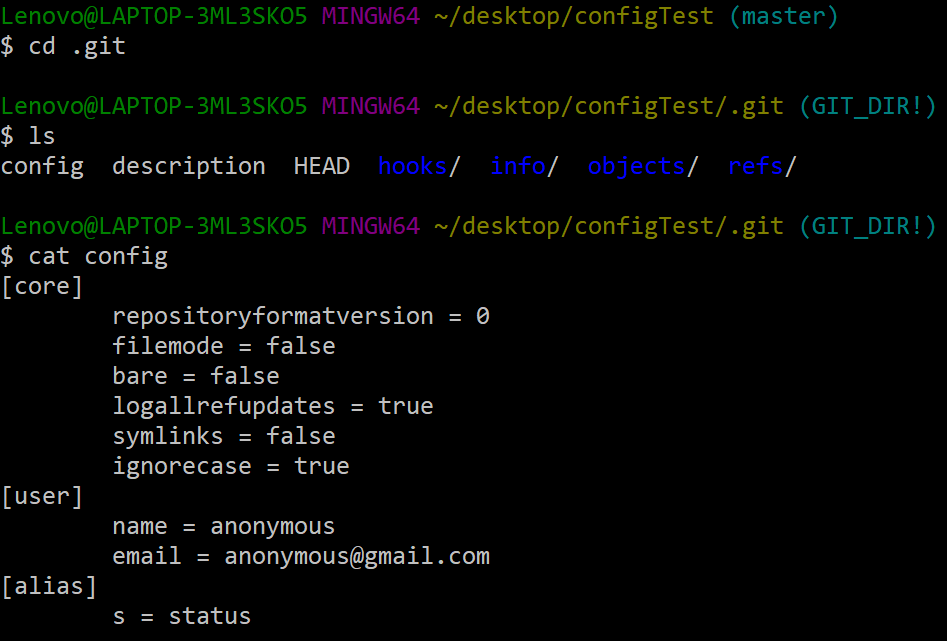
Git Config Studytonight

Git Config Konfiguracja Git Config Global Local StormIT pl

Setup Git User Open Source Agenda
Web For SSH command git remote set url origin lt ssh url gt example git remote set url origin email protected username rep name git For HTTPS command git remote set url origin lt https url gt example git remote set url origin https github username REPOSITORY git

Web Mar 20 2019 nbsp 0183 32 git config url ssh git github insteadOf https github This then instructs Git to rewrite your URLs as necessary when pulling pushing from your repos awesome However this may not be exactly what you want as you may only want to push over SSH but pull over HTTPS

Web Mar 19 2019 nbsp 0183 32 To permanently change the URL edit gitmodules and call git submodule sync and git submodule init again To temporarily change the URL make these two changes instead Change the URL in git config for the submodule Go inside the submodule and call git remote set url origin lt new url with https gt The second command will update the

Web The git remote set url command changes an existing remote repository URL Tip For information on the difference between HTTPS and SSH URLs see quot About remote

Web Connecting to GitHub with SSH You can connect to GitHub using the Secure Shell Protocol SSH which provides a secure channel over an unsecured network About SSH Using SSH agent forwarding Managing deploy keys Checking for existing SSH keys Generating a new SSH key and adding it to the ssh agent Adding a new SSH key to your
Web Jun 12 2023 nbsp 0183 32 First fetch the latest changes from the new remote repository using the following command git fetch origin Then if you have uncommitted changes in your local repository commit them using git add and git commit commands Finally push your changes to the new remote repository git push origin main Web Sep 28 2020 nbsp 0183 32 Run the following command to set the new Git URL and make the move to SSH auth Set remote URL for Git to SSH git remote set url origin lt ssh url gt The above screenshot shows various commands to verify this works as expected including git log online which is great for checking recent repo commits with a condensed output
Web Jul 27 2019 nbsp 0183 32 Change the remote URL to SSH gt git remote set url origin lt SSH url gt example git remote set url origin git github username repo name git Enter the passKey Verify your remote url has been changed git remote v edited Jan 20 2023 at 12 27 answered Jul 27 2019 at 9 51 Eldhopj 3 011 3 24 41