Git Command To See Remote Repo 2 Examples Of Git Add Remote Repository branch And Files How To Update Local Repository From Remote Repository In Git YouTube Git Why Can t I See Commited Files In My Shared Repo Stack Overflow How To Remove A Git Remote 2 Options PhoenixNAP KB Git Remote Javatpoint You can do so with the command below git init How to add a file to the staging area in Git The command below will add a file to the staging area Just replace filename here with the name of the file you want to add to the staging area git add filename here How to add all files in the staging area in Git
Syncing git remote git fetch git push git pull Making a Pull Request Using Branches Git branch git checkout For more information see a href removing a remote repository Removing a remote repository a below li n ul n h2 tabindex 1 dir auto a id user content changing a remote repositorys url class anchor aria hidden true tabindex 1 href changing a remote repositorys url svg class octicon octicon link
Git Remote Javatpoint Git Git Pull Git Fetch Hot Sex Picture Top 10 GIT Interview Questions And Answers For Experienced FAQ Git Work In Your Local Git Repository Manage Your Code Project With Git How To Change Git Remote Origin URL DevsDay ru How To Force Push To Remote Repository In Git YouTube Locoroco Mobile Opecpets Git Remove Multiple Deleted Files DiscoPosse
Git Command To See Remote Repo
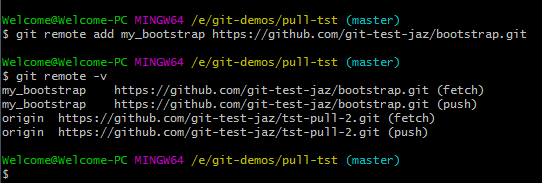 Git Command To See Remote Repo
https://www.jquery-az.com/wp-content/uploads/2018/07/7.0_2-Git-remote-add.png
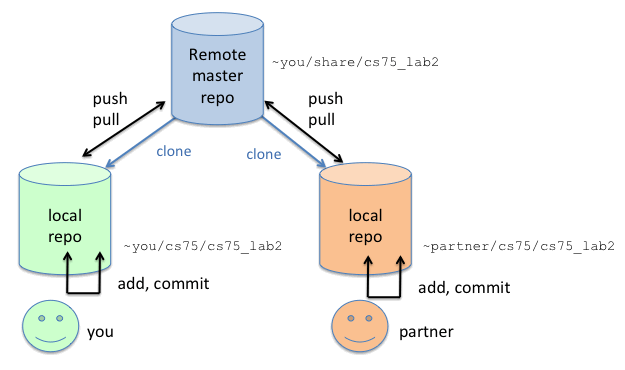
Options for getting changes These commands are very useful when interacting with a remote repository clone and fetch download remote code from a repository s remote URL to your local computer merge is used to merge different people s work together with yours and pull is a combination of fetch and merge Cloning a repository To grab a complete copy of another user s repository use git
Templates are pre-designed files or files that can be used for different functions. They can conserve effort and time by supplying a ready-made format and design for developing different sort of content. Templates can be used for personal or expert jobs, such as resumes, invitations, flyers, newsletters, reports, discussions, and more.
Git Command To See Remote Repo
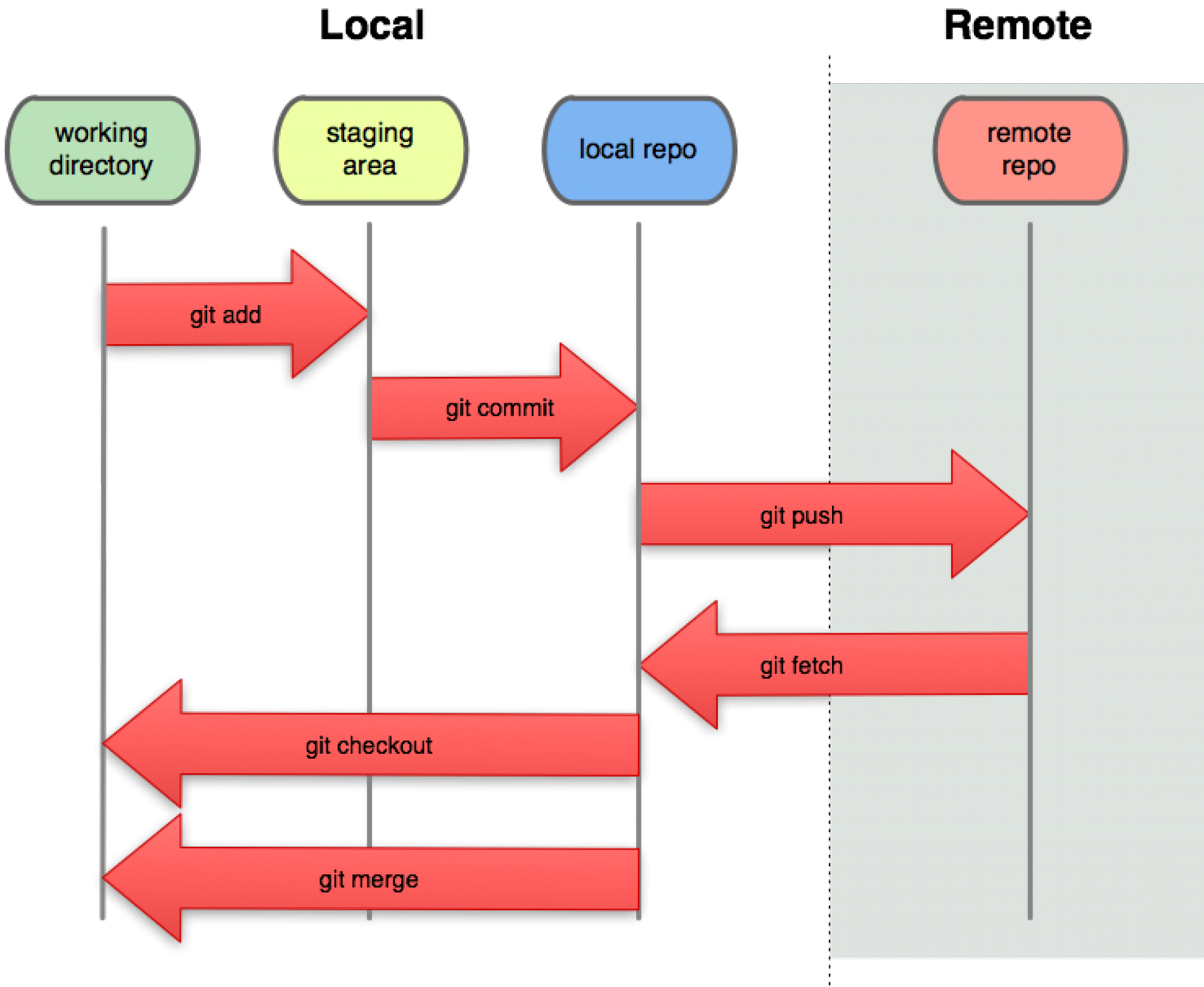
Manual Uso Git VR EVO Portfolio Time Be Virtual And Not Reality
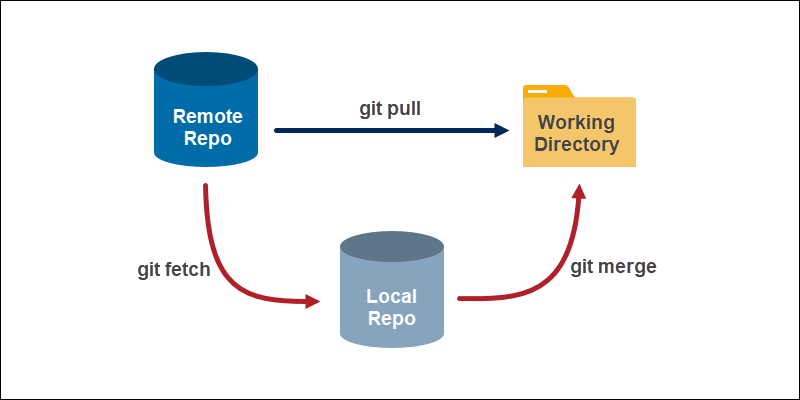
Git Git Pull Git Fetch Hot Sex Picture
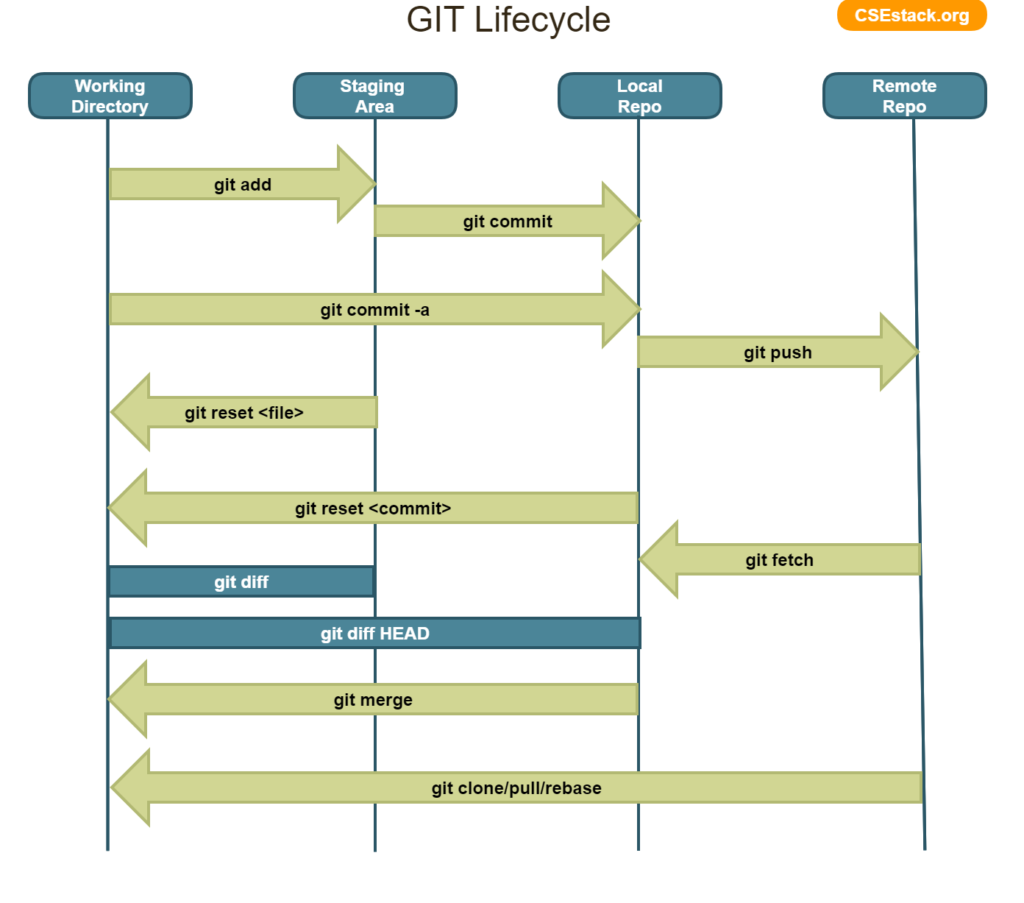
Top 10 GIT Interview Questions And Answers For Experienced FAQ
Git
How To Change Git Remote Origin URL DevsDay ru
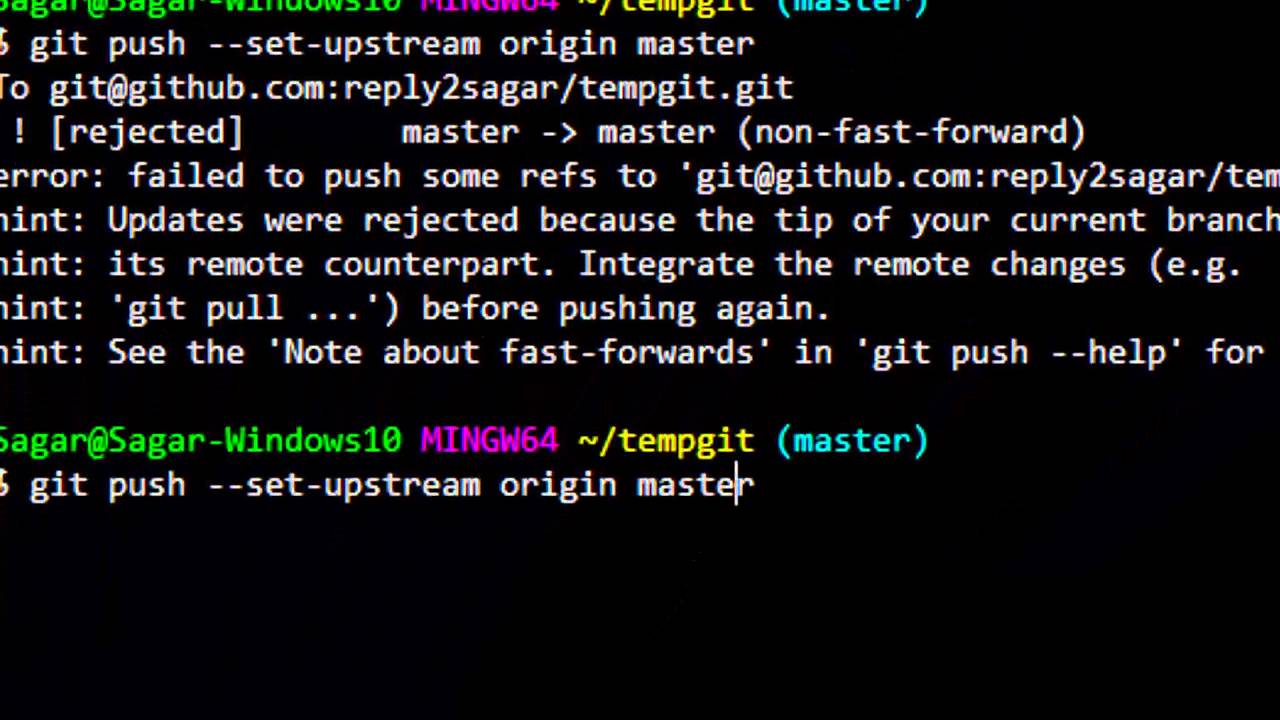
How To Force Push To Remote Repository In Git YouTube

Showing Your Remotes To see which remote servers you have configured you can run the git remote command It lists the shortnames of each remote handle you ve specified If you ve cloned your repository you should at least see origin that is the default name Git gives to the server you cloned from
The remote command helps you to manage connections to remote repositories It allows you to show which remotes are currently connected but also to add new connections or remove existing ones Important Options v Shows URLs of remote repositories when listing your current remote connections

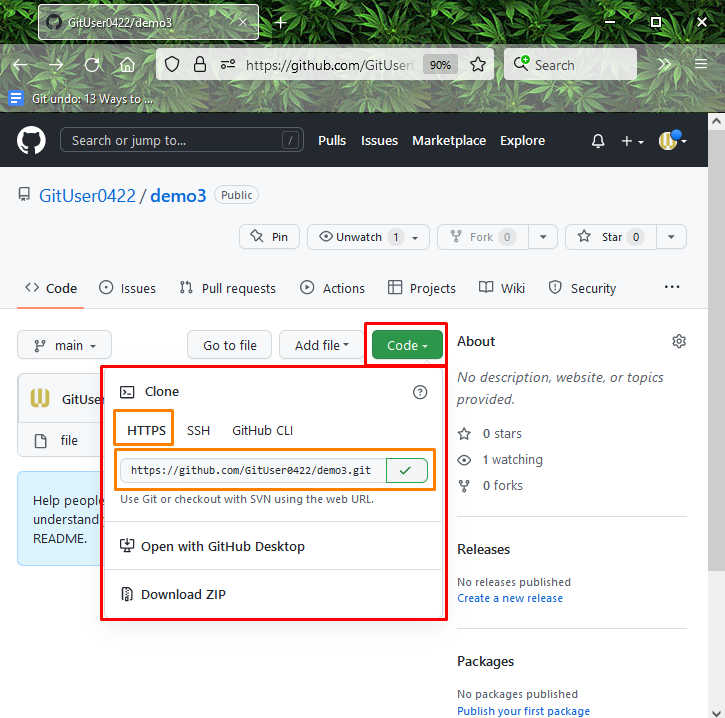
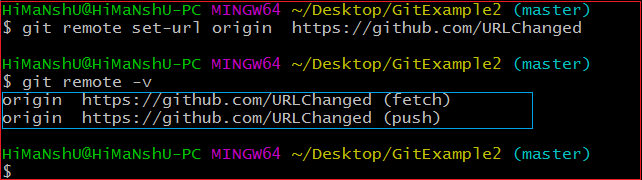
The git remote set url command takes two arguments An existing remote name For example origin or upstream are two common choices A new URL for the remote For example If you re updating to use HTTPS your URL might look like https github OWNER REPOSITORY git
You can use the command git remote set url to change a remote s URL Choosing a URL for your remote repository There are several ways to clone repositories available on GitHub When you view a repository while signed in to your account the URLs you can use to clone the project onto your computer are available below the repository details
COMMANDS With no arguments shows a list of existing remotes Several subcommands are available to perform operations on the remotes add Add a remote named name for the repository at URL The command git fetch name can then be used to create and update remote tracking branches name branch
The git fetch command downloads commits files and refs from a remote repository into your local repo Fetching is what you do when you want to see what everybody else has been working on The syntax to delete a branch is a bit arcane at first glance git push REMOTE NAME BRANCH NAME Note that there is a space before the colon The command resembles the same steps you d take to rename a branch However here you re telling Git to push nothing into BRANCH NAME on REMOTE NAME Because of this git push deletes the branch on the
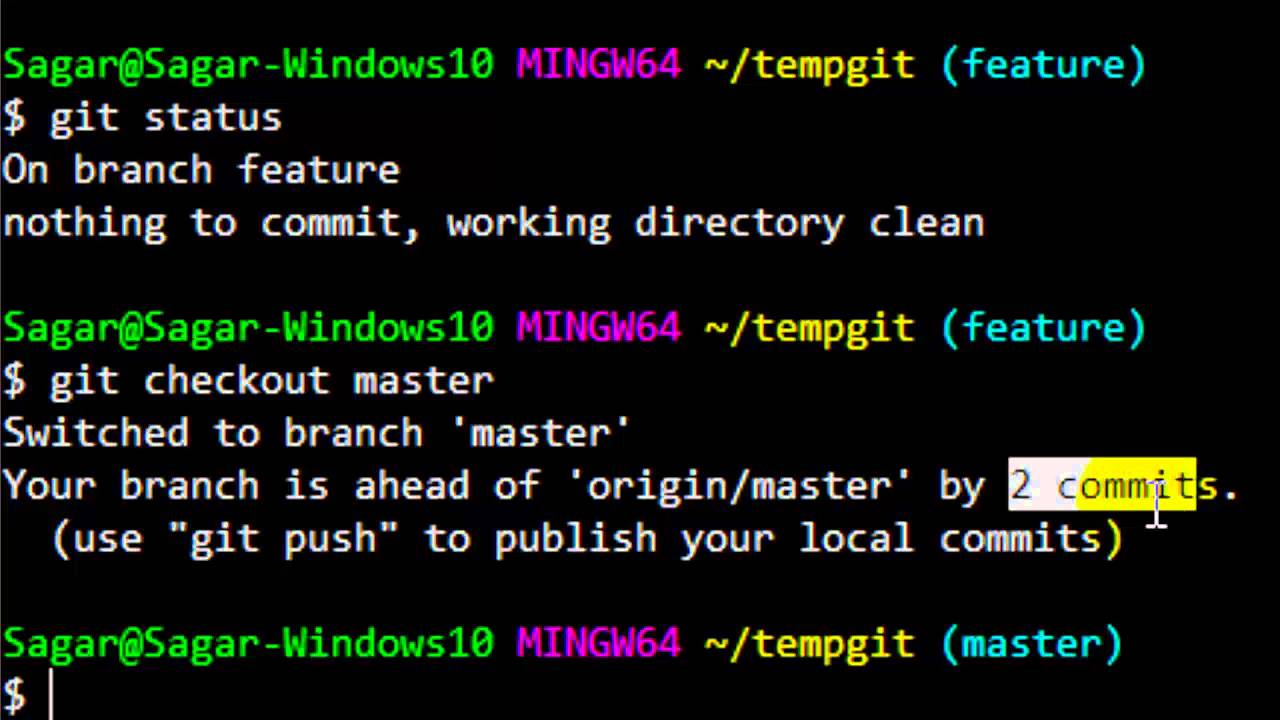
This command will push the local repo branch under local branch name to the remote repo at remote name For more in depth look at git remote see the Git remote page In addition to configuring a remote repo URL you may also need to set global Git configuration options such as username or email