Git Command To Create A New Branch From Develop What Is A Branch In Git And How To Use It Ultimate Guide CLOUD HOT GIRL Git blablabla Git Push Origin Myfeature How To Create A New Branch In Git Git Create Branch From Terminal Lasopachristian Create A Branch From A Previous Commit In Git Techie Delight To create a new branch from a develop branch you can run the following command git checkout b myFeature develop This short command is the same as if you were running git checkout develop git branch myFeature git checkout myFeature To push the current branch and set the remote as upstream you can use git push set upstream
1 The simple answer is to use the following to create a new branch from master without switching git branch newBranch master git branch accepts a second argument of the source branch Alternatively you can use git stash or more thoroughly git stash save name description to save your code in a pseudo commit 2 Answers Sorted by 13 If you haven t committed yet git checkout b new branch name create and checkout the new branch git commit a commit to the new branch If you have already committed master contains your changes git branch new branch name create the new branch git reset hard HEAD rewind master git
Create A Branch From A Previous Commit In Git Techie Delight GIT Commands Basic To Advanced GIT Commands List That You Should Know Example Git Branching Diagram Github Gambaran How To Create New Branch Git Support To Create Local Branch From Specific Remote Branch Issue Creating A New Branch And Switching To It With Just One Command Git Create Branch From Another Popdase Git Branch Command To Create New Branch BEST GAMES WALKTHROUGH Git Cheat Sheet 10 Git Commands Every Developer Should Know How To Create A New Branch In Git YouTube
Git Command To Create A New Branch From Develop
 Git Command To Create A New Branch From Develop
https://www.junosnotes.com/wp-content/uploads/2021/07/How-To-Create-a-Git-Branch-1024x576.png
The easiest way to create a Git branch is to use the git checkout command with the b option for a new branch Next you just have to specify the name for the branch you want to create git checkout b branch name As an example let s say that you want to create a new Git branch from the master branch named feature
Templates are pre-designed documents or files that can be used for numerous purposes. They can save time and effort by offering a ready-made format and design for developing various kinds of content. Templates can be used for personal or professional jobs, such as resumes, invitations, leaflets, newsletters, reports, discussions, and more.
Git Command To Create A New Branch From Develop
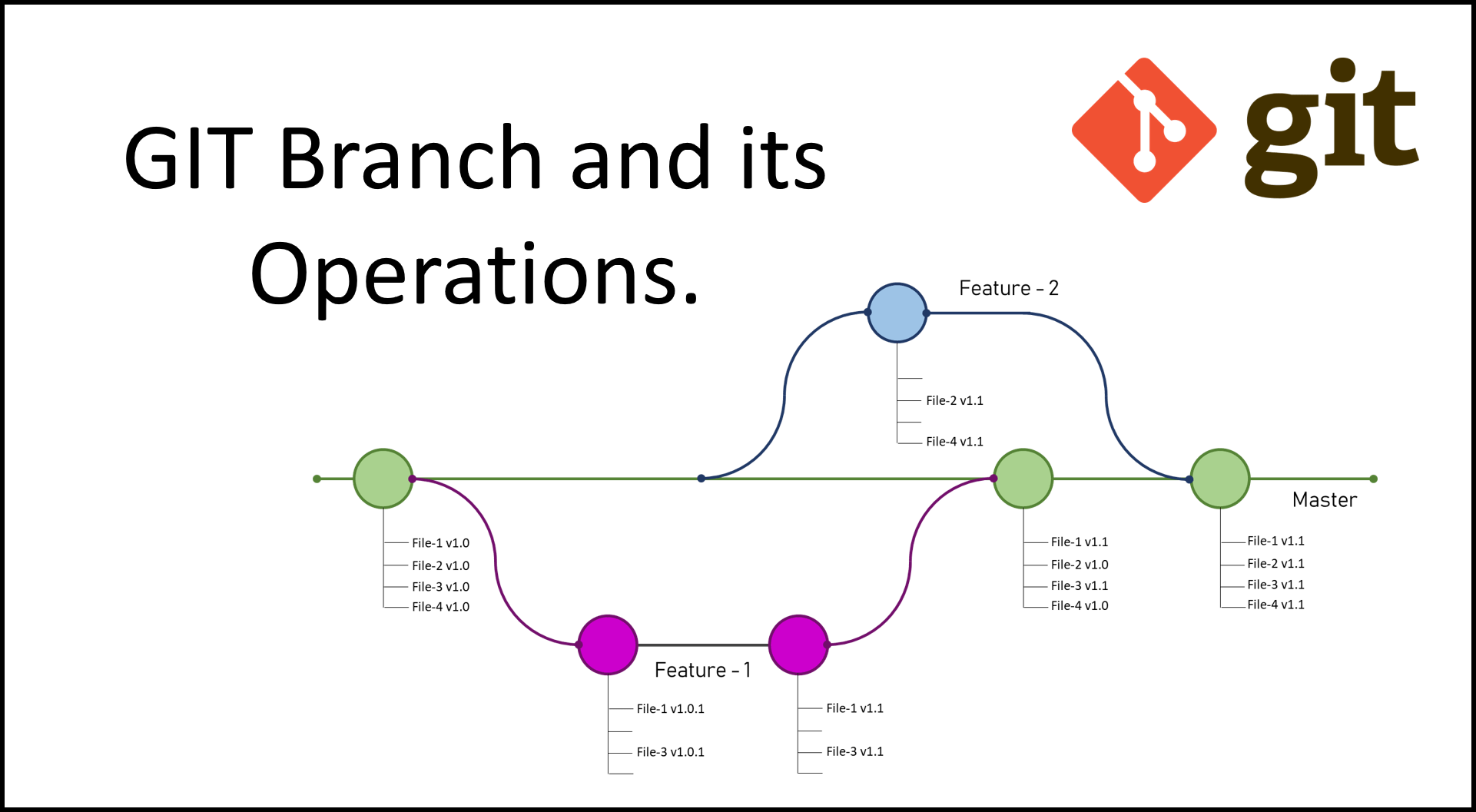
GIT Branch And GIT Merge
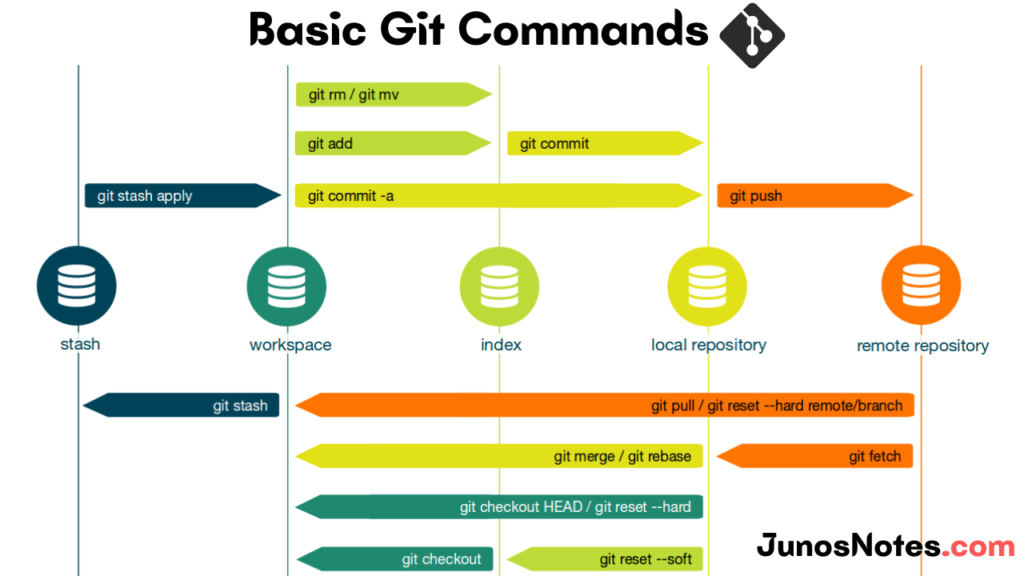
GIT Commands Basic To Advanced GIT Commands List That You Should Know

Example Git Branching Diagram Github Gambaran How To Create New Branch

Git Support To Create Local Branch From Specific Remote Branch Issue
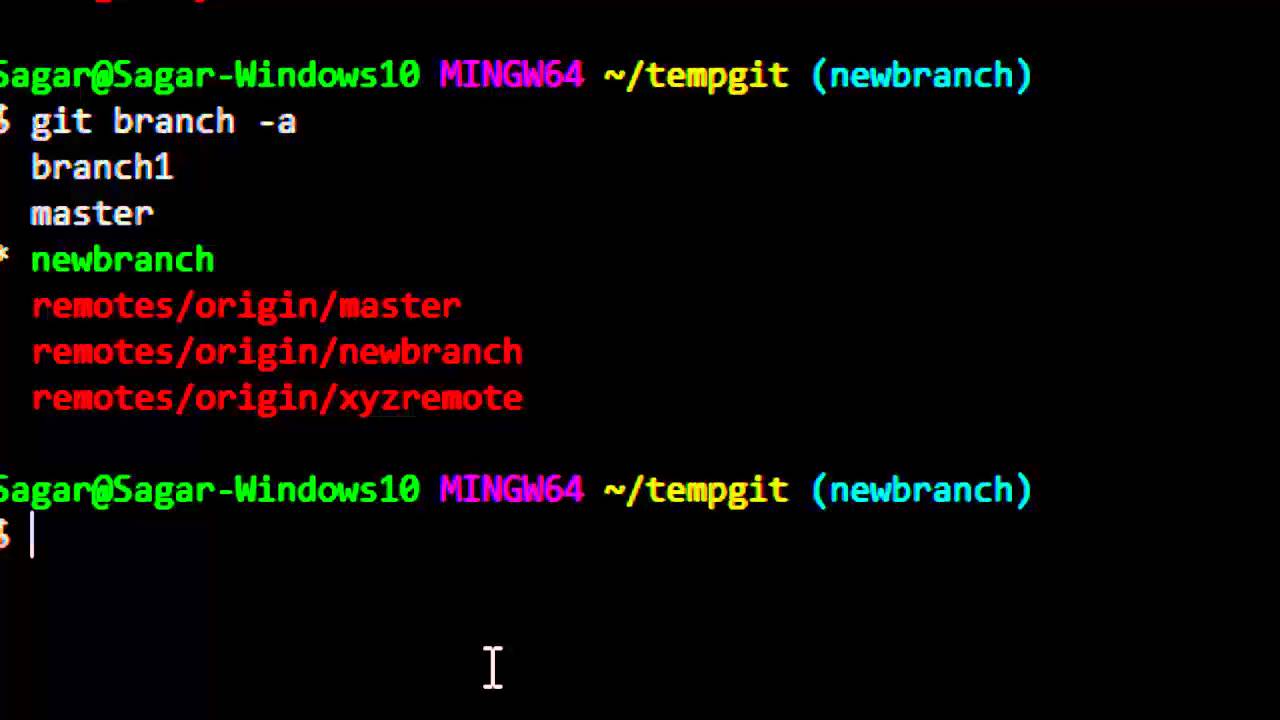
Git Create Branch From Another Popdase
Git Branch Command To Create New Branch BEST GAMES WALKTHROUGH

You ve decided that you re going to work on issue 53 in whatever issue tracking system your company uses To create a new branch and switch to it at the same time you can run the git checkout command with the b switch git checkout b iss53 Switched to a new branch iss53 This is shorthand for git branch iss53 git checkout iss53

If you want to base your new branch on a different existing branch simply add that branch s name as a starting point git branch new branch base branch If you re using the Tower Git client you can simply use drag and drop to create new branches and to merge cherry pick etc You can learn more about Tower s drag and drop

Create a Branch from a Remote Branch To create a new branch locally based on an existing remote branch use the git branch command with the track option git branch track new branch remote repository remote branch Replace new branch with the name you want to give to the local branch

Detailed explanation To create a branch called FEATURE git branch FEATURE However this does not change your current branch You can then checkout the newly created branch which means make to it the branch you re currently working on git checkout FEATURE You can see the current branch marked with a in the output of git branch list

Follow the steps mentioned below to create an branch in GitHub Navigate to the GitHub repository in which the new branch is to be created Click the Code tab Under the Branches dropdown menu click New branch In the Branch name field enter a name for your new branch Click Create branch
The most common way to create a new branch is the following git checkout b branch name This is most commonly used because it will create the branch for you from your current branch and it will switch you to that branch in a single command You can also optionally specify a different branch from which the new one will be created So let s create a new branch from the terminal called develop by typing the following commands github repo git checkout b develop github repo git push origin develop The above code creates a new branch moves you to that branch and then copies and pushes the existing project files into the newly created develop branch
In the repository click on the Commits on the commit you want to branch from click on to browse the repository at this point in the history Click on the Tree xxxxxx in the upper left Just type in a new branch name there Click Create branch xxx as shown below