Git Command Set Username And Email How To Configure Git Username And Email Address Linuxize 3 How To Install Git And Set Username And Email YouTube How To Set Your User name And User email In Git YouTube How To Set Up User Name And Email In Git YouTube How To Set Git Config Username And Email Run the following commands to set Git username and email address for user git config global user name Your Name git config global user email your email address domain The Global configurations are stored in gitconfig file You can edit this file and view the details ADVERTISEMENT Run the same command to view the changes
It s simple Use the following command to set up the global username git config global user name Your Username You have to replace Your Username with your own username of course Similarly use the following command to set up the global email address git config global user email user email Note that it doesn t have to be an First switch the repository root directory cd Projects myapp Set a Git username and email address git config user name Your Name Verify that the changes were made correctly git config list user name Your Name user email youremail yourdomain
How To Set Git Config Username And Email Git Config Username And Email Configuration Mazer dev How To Set A Different Username And Email For Each Repository In Git Setup Git User Open Source Agenda How To Get Git Config Username And Email GIT Commands Basic To Advanced GIT Commands List That You Should Know How To Configure Git Username And Email Address DevsDay ru What Is Git And How It Works An Overview And Its Use Cases Github Command Line Cheat Sheet Italiangai
Git Command Set Username And Email
 Git Command Set Username And Email
https://linuxize.com/post/how-to-configure-git-username-and-email/featured.jpg
1 The git config command Here s the git config command to show your Git username git config user name which in my case returns Alvin Alexander 2 The git config list command Another way to show your Git username is with this git config command git config list which returns this output
Pre-crafted templates provide a time-saving service for developing a varied range of files and files. These pre-designed formats and layouts can be utilized for numerous individual and expert tasks, consisting of resumes, invites, leaflets, newsletters, reports, discussions, and more, enhancing the material production process.
Git Command Set Username And Email
Git Tutorial 3 Config Your Username Email YouTube

Git Config Username And Email Configuration Mazer dev
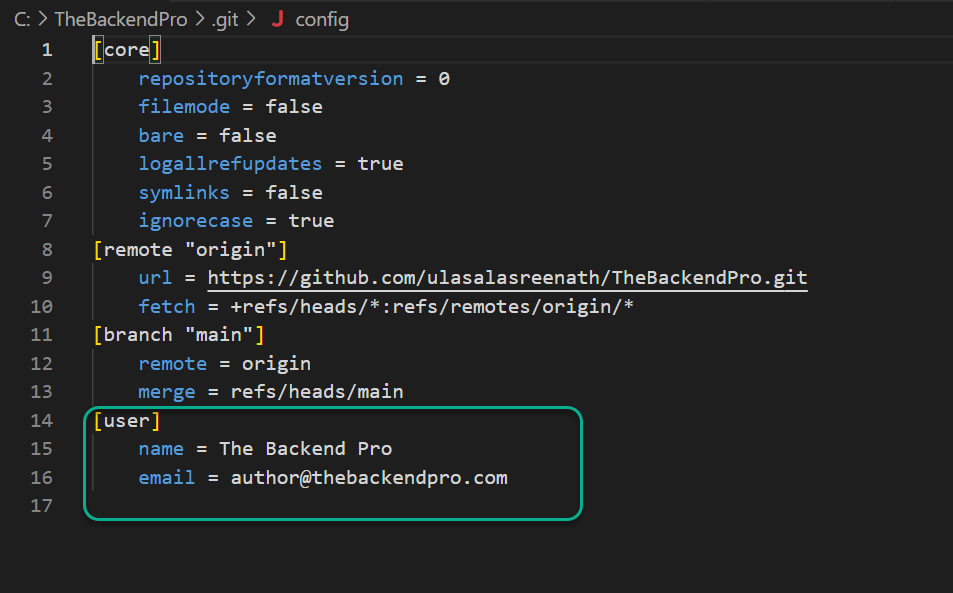
How To Set A Different Username And Email For Each Repository In Git

Setup Git User Open Source Agenda
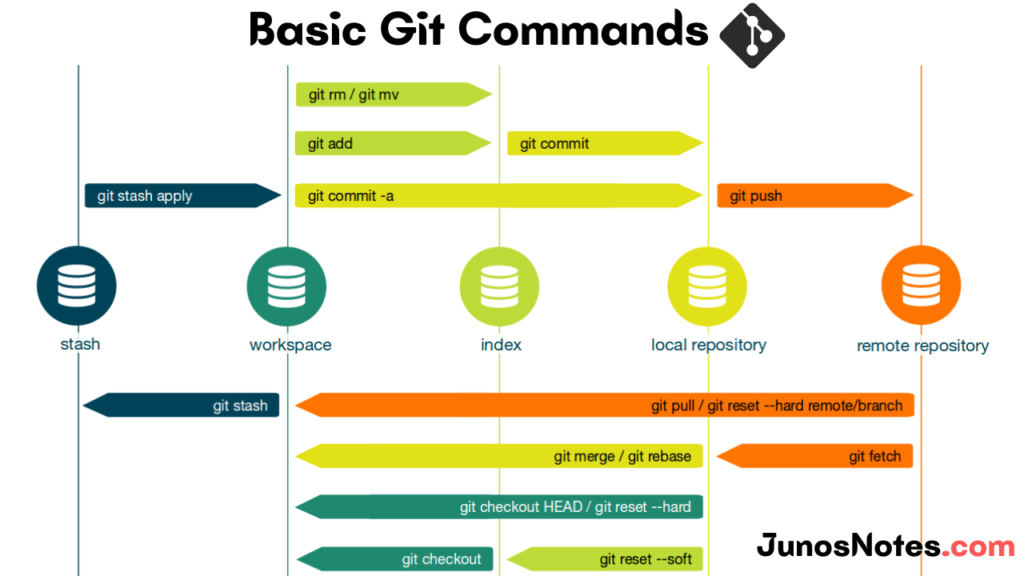
GIT Commands Basic To Advanced GIT Commands List That You Should Know
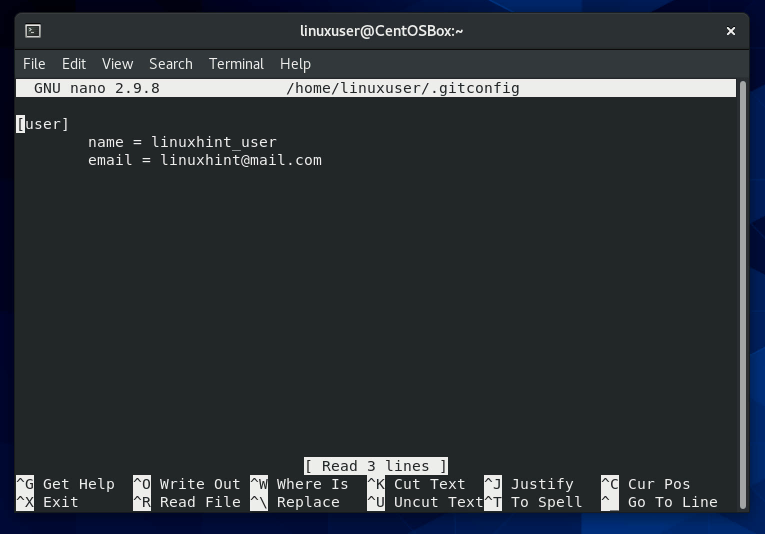
How To Configure Git Username And Email Address DevsDay ru
Change the current working directory to the local repository where you want to configure the name that is associated with your Git commits Set a Git username git config user name Mona Lisa Confirm that you have set the Git username correctly git config user name Mona Lisa Further reading Setting your commit email address

How can I fix this git jenkins Share Follow edited Jun 24 2022 at 10 01 Stephen Ostermiller 24 4k 14 89 110 asked Jun 14 2016 at 7 29 mani nz 4 742 3 29 37 Try Editable Email Notification in Post build Actions You can define the recipient list by literal strings or variables of email addresses

The first thing you should do when you install Git is to set your user name and email address This is important because every Git commit uses this information and it s immutably baked into the commits you start creating git config global user name John Doe git config global user email johndoe example

Some common Git config global configurations can be used to set your username email address default editor commit message template terminal colors autocorrect and more To view a comprehensive list of your Git config global settings in the terminal run git config global list Git Config Local

One of the first things you did was set up your name and email address git config global user name John Doe git config global user email johndoe example Now you ll learn a few of the more interesting options that you can set in this manner to customize your Git usage
To set the global commit username and email enter the commands git config global user name ldquo Username rdquo git config global user email example email Once the commands execute successfully verify the set variables using the command git config list After running this command you should get an output similar to the one 14 Answers Sorted by 112 Make sure you are using the SSH URL for the GitHub repository rather than the HTTPS URL It will ask for username and password when you are using HTTPS and not SSH You can check the file git config or run git config e or git remote show origin to verify the URL and change it if needed
To begin change the repository s root directory to cd Code myapp Create a username and email address for Git git config user name Your Name git config user email youremail yourdomain Check to see if the modifications were made properly git config list