Git Command Line Create New Branch Create VirtualBox SnapShots From Command Line Paul Ligocki GitHub Mlange 42 git graph Command Line Tool To Show Clear Git Graphs Arranged For Your Til Git Switch Git Restore Pawelgrzybek Com Riset Create A New Branch Github Command Line Hot Sex Picture How To Upload Project Files On Github First open any browser go to GitHub and then open the repository that you d like to create a branch in Once you ve accessed the repository you ll automatically be in the Code tab A bit below this click the button that says Main A small window will appear
The name of the branch to create or delete The new branch name must pass all checks defined by git check ref format 1 Some of these checks may restrict the characters allowed in a branch name start point The new branch head will point to this commit It may be given as a branch name a commit id or a tag The most common way to create a new branch is the following git checkout b branch name This is most commonly used because it will create the branch for you from your current branch and it will switch you to that branch in a single command You can also optionally specify a different branch from which the new one will be created
How To Upload Project Files On Github Git Create Branch From A Branch Vseraselling How To Create A Git Branch Learn Git Create New Branch From Current Branch Junos Notes Git Push Local Branch To Remote How To Publish A New Branch In Git Git Branch Cheatsheet Git Create Branch Local Vseraregistry Creating A New Branch And Switching To It With Just One Command Jessica Temporal Create A Branch From A Previous Commit In Git Techie Delight How To Create A New User On Ubuntu 20 04 Kirelos Blog
Git Command Line Create New Branch
 Git Command Line Create New Branch
https://www.paulligocki.com/wp-content/uploads/2020/05/TuxLinux.png
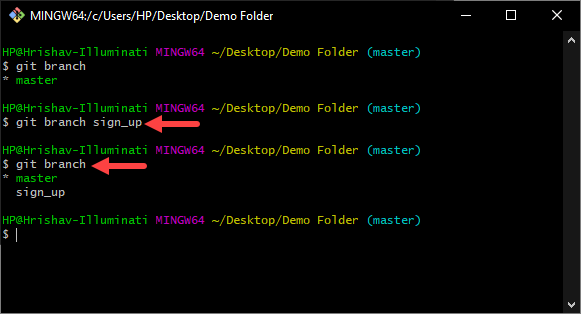
Creating a New Branch on the Command Line The command line Git program offers the most power and flexibility but there s a lot to learn If you re comfortable digging around the man pages and make heavy use of Git it s a great option Use the git branch branchname command to create a new branch with the given name git branch dev
Pre-crafted templates provide a time-saving service for producing a diverse variety of documents and files. These pre-designed formats and designs can be utilized for numerous personal and expert projects, consisting of resumes, invitations, leaflets, newsletters, reports, discussions, and more, enhancing the content production process.
Git Command Line Create New Branch
LDAP With OpenManage Grant Curell s Dell Projects
Git Create Branch From A Branch Vseraselling

How To Create A Git Branch Learn Git Create New Branch From Current Branch Junos Notes
Git Push Local Branch To Remote How To Publish A New Branch In Git
Git Create Branch Local Vseraregistry
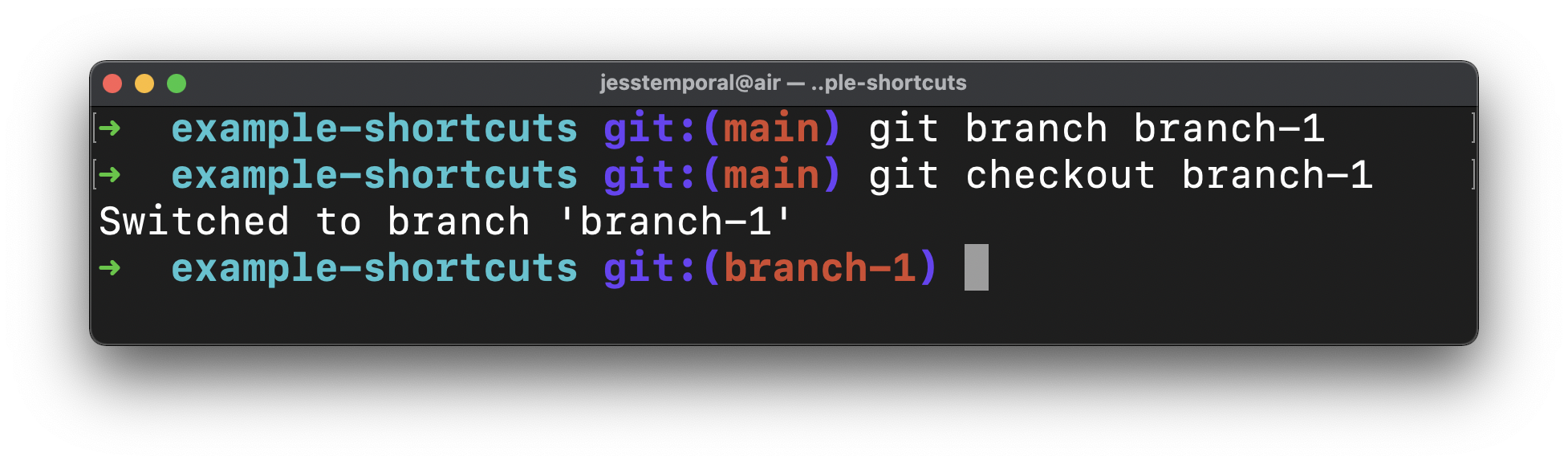
Creating A New Branch And Switching To It With Just One Command Jessica Temporal

To create a new branch that is based on your currently checked out HEAD branch simply use git branch with the name of the new branch as the only parameter git branch new branch How do I create a new branch based on some existing one
Create a new branch Ask Question Asked 4 years 4 months ago Modified 1 year 2 months ago Viewed 44k times 4 I want to create new branch B Currently I have a master branch local and remote and feature branch A local Feature branch A is deleted in remote Also I have some files committed and unstaged files in my local feature branch

There are many ways to create a new Git branch In most cases it comes down to whether you are creating a branch from the main master branch or for example a new commit or tag One common method of creating a new branch is to use the syntax below git branch new branch name
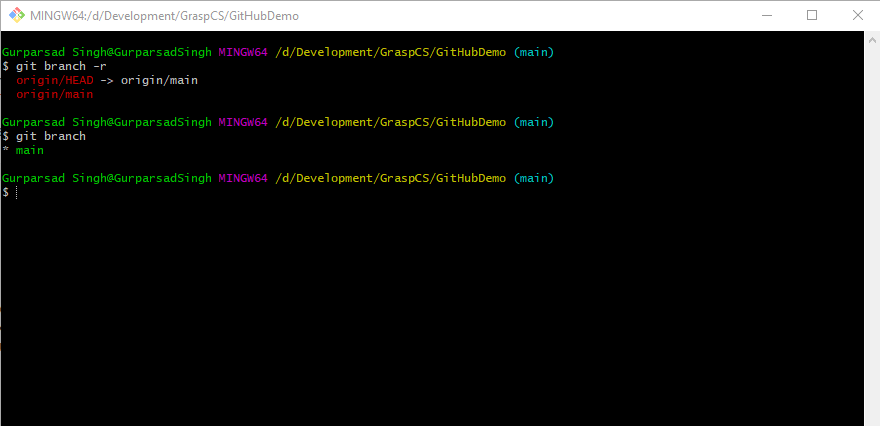
In order to create a new Git branch without switching to this new branch you have to use the git branch command and specify the name of the Git branch to be created git branch branch name You can later on switch to your new Git branch by using the git checkout function git checkout branch name

The git branch command lets you create list rename and delete branches It doesn t let you switch between branches or put a forked history back together again For this reason git branch is tightly integrated with the git checkout and git merge commands Common options git branch List all of the branches in your repository
Change Platform GitHub Bitbucket GitLab Working with Git Branches In Git a branch is a new separate version of the main repository Let s say you have a large project and you need to update the design on it How would that work without and with Git Without Git Make copies of all the relevant files to avoid impacting the live version To create a new branch there is a git branch command After you have created a branch you need to switch in this branch using a git checkout command But it is also possible to create a new Git branch and switch in this branch using only one git checkout command with b option Cool Tip Delete remote and local Git branches easily Read More
Git checkout works hand in hand with git branch The git branch command can be used to create a new branch When you want to start a new feature you create a new branch off main using git branch new branch Once created you can then use git checkout new branch to switch to that branch Additionally The git checkout command accepts a b argument that acts as a convenience method which will