Git Clean Delete Untracked Files How To Remove Untracked Files In Git Developer s Coffee Git Tutorials Deleting Untracked Files Directory And Ignored Files How To Remove Untracked Files Directories From Git How To Use Git Delete File For Git Users EaseUS Git Remove Untracked Files YouTube Web Mar 18 2022 nbsp 0183 32 The git clean command is the fastest safest and easiest way to delete these files This guide explains how to use Git to remove untracked files and provides many examples demonstrating how to use git clean
Web Remove untracked files After you have executed a dry run with the n flag you can delete all untracked files in your working directory using Terminal git clean f The f flag stands for quot force quot which will forcibly remove all of the untracked files in your repository Web Nov 22 2021 nbsp 0183 32 To remove untracked files from git run bash git clean f or bash git clean fd to remove both untracked files and directories from git Topics we will cover hide Set up a lab environment Key terms to understand before attempting git remove untracked files How to properly git remove untracked files step by step
Git Remove Untracked Files YouTube How To Remove Untracked Files With Git clean Git Commands Concepts Demystified part 2 Removing Untracked Files Using Git Clean Command DevsDay ru Install Git On Windows How To Properly Remove Untracked Files With Git CloudBees Git Restore All Unstaged And Untracked Files Back To Their Latest Git Clean Remove Untracked Files From Git By Mahmood Al Rayhan Medium Remove Untracked Files Git Scaler Topics
Git Clean Delete Untracked Files
 Git Clean Delete Untracked Files
https://www.developerscoffee.com/wp-content/uploads/2022/08/3W563.png
Web Jun 5 2023 nbsp 0183 32 To remove all untracked files run the quot git clean f quot command Run quot git clean i quot to start git clean in interactive mode a safer way to delete untracked files Method 1 Removing All Untracked Files Download Article 1 Navigate to
Pre-crafted templates offer a time-saving option for producing a varied series of documents and files. These pre-designed formats and layouts can be used for various personal and professional jobs, consisting of resumes, invitations, flyers, newsletters, reports, discussions, and more, simplifying the material creation process.
Git Clean Delete Untracked Files

How To Remove Untracked Files With Git Clean
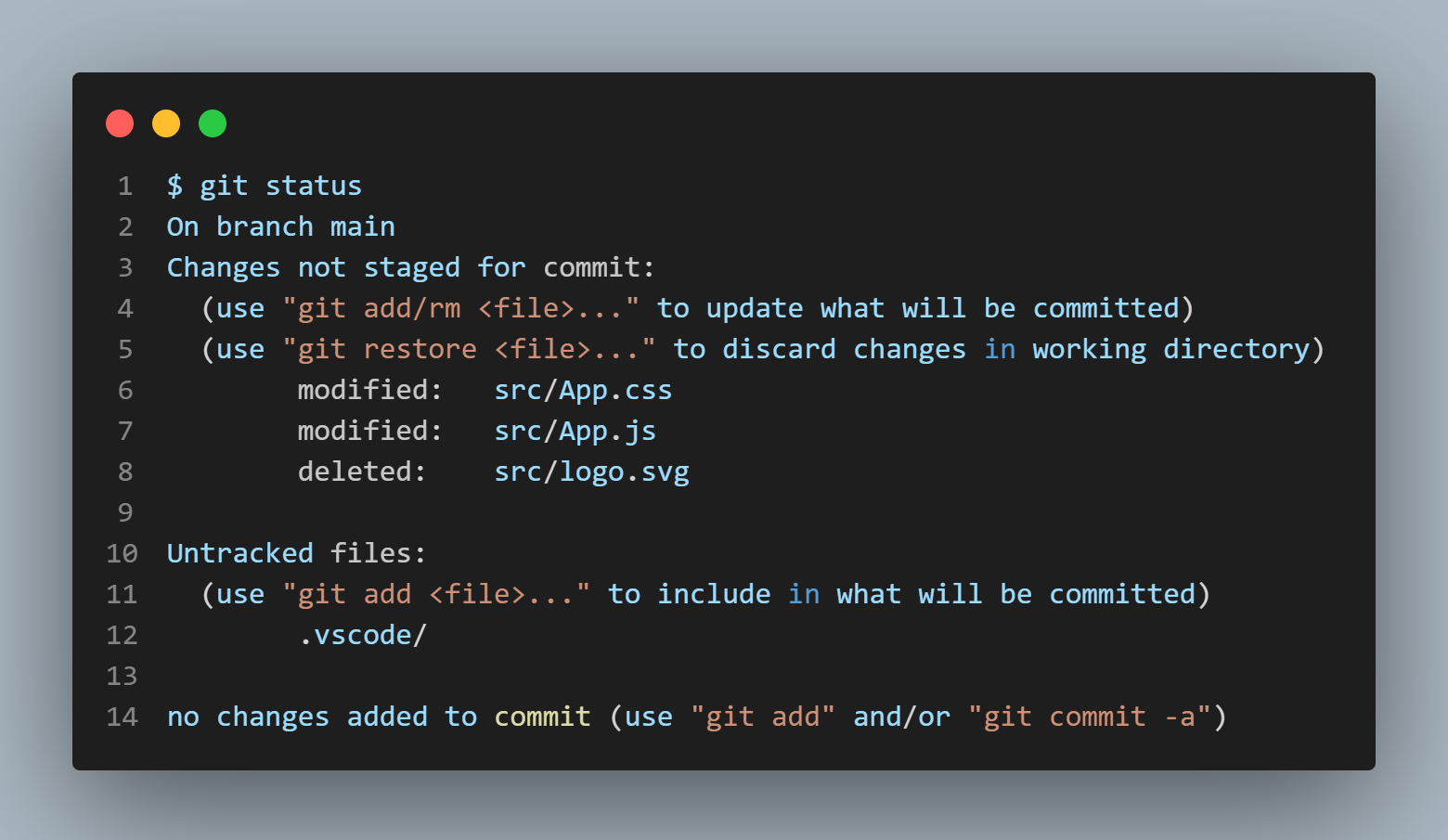
How To Remove Untracked Files With Git clean
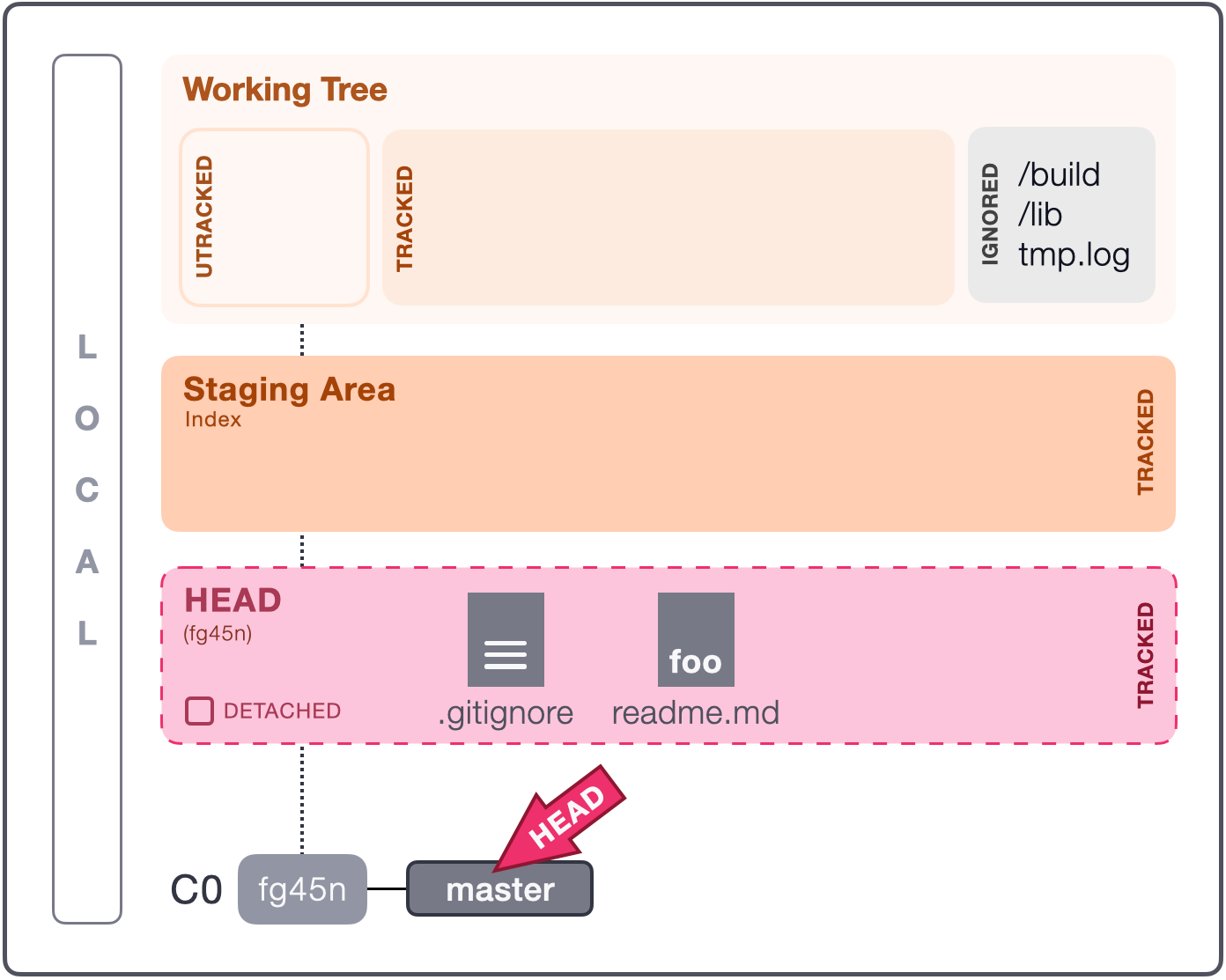
Git Commands Concepts Demystified part 2
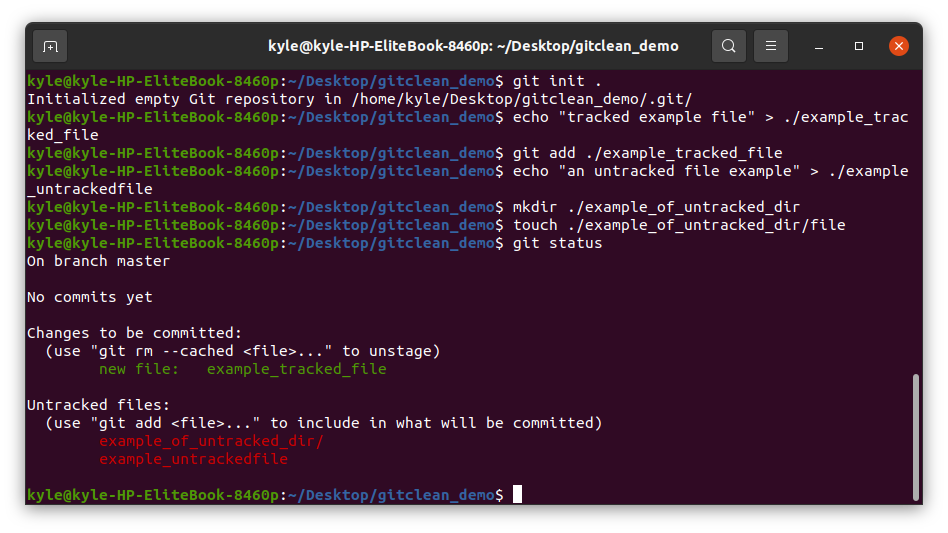
Removing Untracked Files Using Git Clean Command DevsDay ru
How To Properly Remove Untracked Files With Git CloudBees

Git Restore All Unstaged And Untracked Files Back To Their Latest

Web Deleting Files with the f Option To actually allow git clean to delete files in your working copy you ll have to use the quot force quot option git clean f If you want to only delete untracked files in a certain subdirectory of your project you can additionally specify a path git clean f folder subfolder

Web For deleting untracked files git clean f For deleting untracked directories as well use git clean f d For preventing any cardiac arrest use git clean n f d

Web git clean Remove untracked files from the working tree SYNOPSIS git clean d f i n q e lt pattern gt x X lt pathspec gt DESCRIPTION Cleans the working tree by recursively removing files that are not under version

Web I always use this command to remove those untracked files One line Unix style clean output git ls files ignored exclude standard sed s quot amp quot xargs git rm r cached It lists all your ignored files replaces every output line with a quoted line instead to handle paths with spaces inside and passes everything to git rm r

Web Jul 9 2020 nbsp 0183 32 1 clean 2 filter by pattern 3 select by numbers 4 ask each 5 quit 6 help Select one of the choices and hit Enter If you want to limit the clean operation to given directories pass the paths to the directories to be checked for untracked files as arguments to the command
Web Feb 5 2021 nbsp 0183 32 To do that run the code below git clean d n The command returns all untracked folders and files that Git will remove from your working tree To remove these files and directories run git clean d f To remove files Web Git clean is to some extent an undo command Git clean can be considered complementary to other commands like git reset and git checkout Whereas these other commands operate on files previously added to the Git tracking index the git clean command operates on untracked files
Web Feb 3 2010 nbsp 0183 32 git clean Remove untracked files from the working tree SYNOPSIS git clean d f i n q e lt pattern gt x X lt path gt DESCRIPTION Cleans the working tree by recursively removing files that are not under version control starting from the current directory