Git Checkout Specific Commit Part 6 Git Tutorial Git Commands Undo Changes With Git Checkout What Is The Difference Between checkout And reset Git FAQ Git Checkout Git Git Revert File Reverting A File To A Previous Commit Git Revert Studytonight Web We can check out specific commits by using the following command git checkout lt commit hash gt The commit hash is 40 alphanumeric characters long We don t necessarily need to write all 40 characters We just need to include the first few characters to allow Git to identify that commit
Web About checking out a commit Checking out a commit allows you to view your repository in a previous state without needing to create a new branch or modify an existing branch This can be helpful when debugging since it allows you to see if a bug exists in your repository at a previous commit Web The git checkout command lets you navigate between the branches created by git branch Checking out a branch updates the files in the working directory to match the version stored in that branch and it tells Git to record all new commits on that branch
Git Revert Studytonight Source Control 4 7 Git Get A Specific Version Or Commit Git Tips Continuous Integration And DevOps Tools Setup And Tips Git Workflow Hochland Erkl rung Hurrikan How To Roll Back In Git Eisig Vesuv Blendung Git Checkout Documentation Usage Examples Coding Lesson Create A Branch From A Previous Commit In Git Techie Delight GitHub Nicoleguido tut git
Git Checkout Specific Commit
 Git Checkout Specific Commit
https://i.ytimg.com/vi/IsekWDRsSqE/maxresdefault.jpg
Web 08 Jul 2023 Git Checkout Commit How to retrieve a specific previous commit Posted in Git Programming Coding By Gabriel Ramuglia On July 8 2023 Navigating through the labyrinth of coding can sometimes lead you to a dead end At such moments the ability to go back in time and revisit a previous version of your project can be a game changer
Pre-crafted templates offer a time-saving option for producing a diverse series of documents and files. These pre-designed formats and layouts can be made use of for different personal and expert tasks, consisting of resumes, invites, leaflets, newsletters, reports, presentations, and more, simplifying the content production procedure.
Git Checkout Specific Commit
How To Checkout A Specific Commit In Git
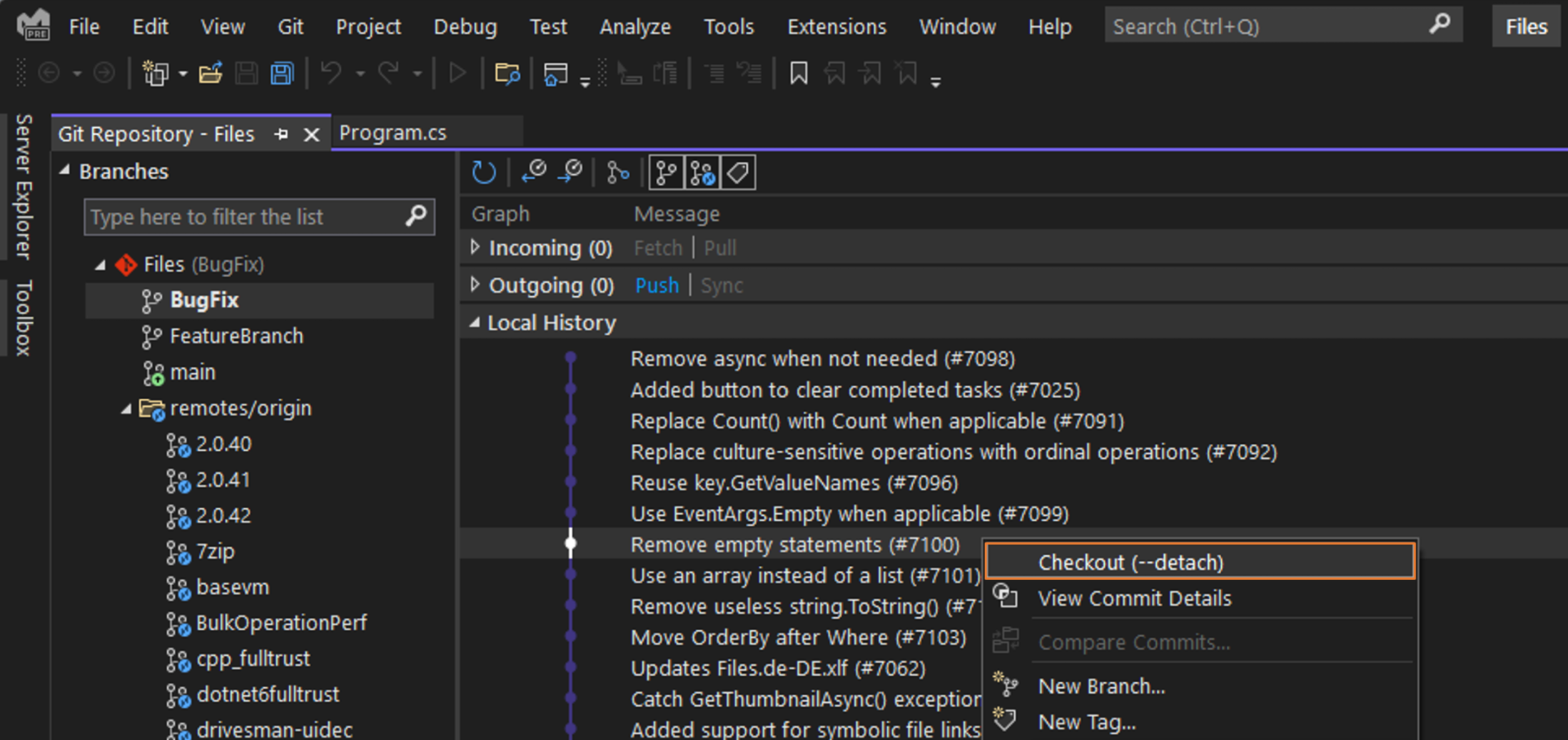
Source Control 4 7 Git Get A Specific Version Or Commit

Git Tips


Hochland Erkl rung Hurrikan How To Roll Back In Git Eisig Vesuv Blendung
Git Checkout Documentation Usage Examples Coding Lesson

Web Jun 20 2018 nbsp 0183 32 You cannot pull a commit you can only checkout a commit Pulling a commit would defy the whole branch commit structure saving memory You pull all commits in a branch or repository and if you want to check out a specific one then well check it out git checkout 9ce920d

Web How to Checkout a Commit in Git In Git quot checking out quot means making a certain state your current working state the actual files in your Working Copy will be the ones from that exact point in time In this short article we ll discuss how you can checkout branches and specific revisions in Git

Web You can checkout a commit hash and then create a branch from it if you want You ll be interacting with the tree at that point in the history If you run git checkout lt hash gt you ll update the tree to that point in the history Depending on the git client you re using you ll get a message like gt git checkout lt hash gt You are in detached HEAD state

Web Rather than checking out a branch to work on it check out a commit for inspection and discardable experiments This is the default behavior of git checkout lt commit gt when lt commit gt is not a branch name See the quot DETACHED HEAD quot section below for details orphan lt new branch gt

Web Mar 2 2021 nbsp 0183 32 How to Checkout Clone From a Specific Git Commit Id SHA Checkout From Specific Git Commit ID Follow the steps to checkout from a specific commit id Step 1 Clone the Git Clone From Specific Commit ID There is no direct way to clone directly using the commit ID But you can clone from Set
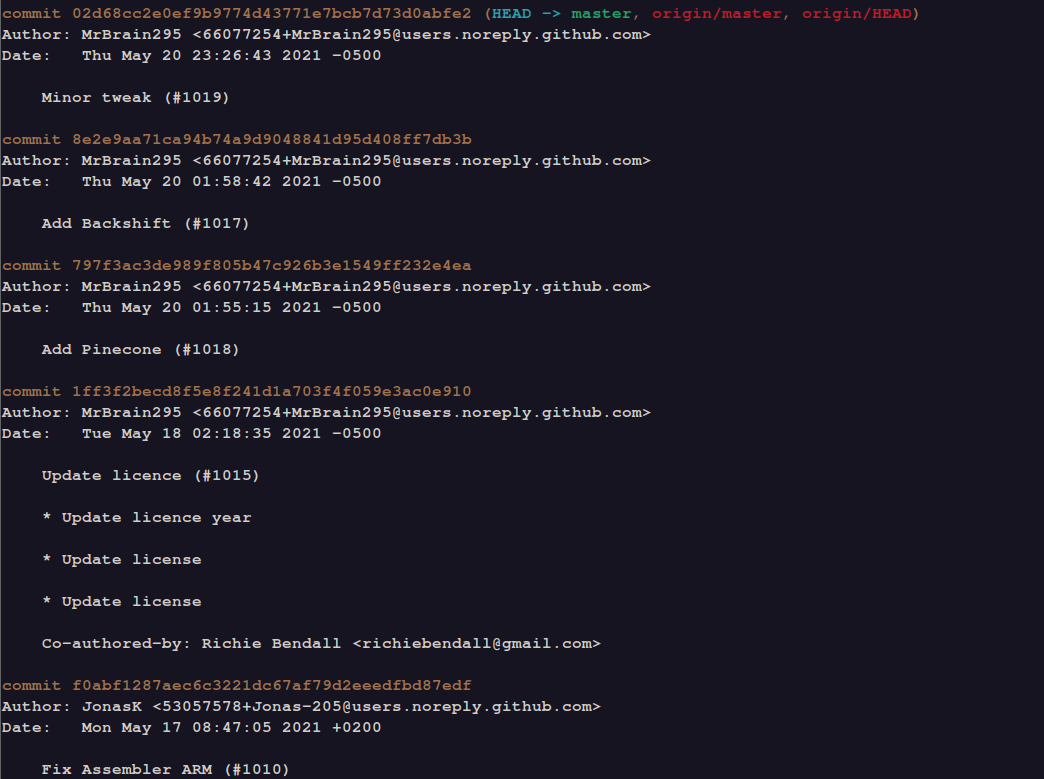
Web Dec 8 2013 nbsp 0183 32 2 Answers Sorted by 25 Here you go git checkout f1962b3cc771184a471e1350fa280d80d5fdd09d Notice the at the end That means one revision behind For example this would be 5 revisions behind git checkout f1962b3cc771184a471e1350fa280d80d5fdd09d equivalent to git checkout Web To checkout a Git commit you will need the commit hash If you re using the terminal you don t have immediate visual access to your commit information To pull up a list of your commits and their associated hashes you can run the command
Web Jan 27 2022 nbsp 0183 32 These commits allow you to view the changes made in a specific snapshot and even revert to a specific commit Sometimes you may need to checkout a specific commit In other words you may want to switch to a specific commit In this article we will learn how to checkout specific commit in Git