Git Add Commit To Another Branch Cherry Picking Commits In Git Yes Web Designs Move Changes To Another Branch Git Solved Github Adding Commits To Existing Pull Request 9to5Answer Apuntes De Git David Poza Change Directory Git Web Jul 22 2015 nbsp 0183 32 If you re confused on how to execute right commands in console which was proposed above then you have a lazy easy option 1 Copy your files out of your project
Web Sep 17 2020 nbsp 0183 32 You can move a commit to another branch whether it s a new branch or an existing one This is because branches let you maintain independent versions of a Web Nov 15 2019 nbsp 0183 32 18 5K When working with Git you may want to include some specific changes into your current branch You may want for example to introduce a specific
Change Directory Git Understanding Basic Git Workflow Add Commit Push TecAdmin Gi i Thi u V GIT Jeremy s Blog N i S Ki n Th c V L p Tr nh How To Add Commits To Someone Else s Pull Request On GitHub Git Move Last Commit To Another Branch Move Last Commit To Another Branch How To Switch Branch In Git Youtube Riset Git Add Remote Origin U Penjord Git Un Merge Deferred Procrastination
Git Add Commit To Another Branch
 Git Add Commit To Another Branch
https://i1.wp.com/css-tricks.com/wp-content/uploads/2021/11/pasted-image-0.png?resize=1292%2C522&ssl=1
Web May 27 2021 nbsp 0183 32 The following steps will show you how to move your latest commits to a new branch Create a new branch git branch feature newbranch This will create a new branch
Templates are pre-designed files or files that can be utilized for different purposes. They can conserve effort and time by providing a ready-made format and layout for creating various sort of content. Templates can be utilized for individual or professional projects, such as resumes, invitations, flyers, newsletters, reports, discussions, and more.
Git Add Commit To Another Branch

How To Cherry Pick Git Commits Studytonight
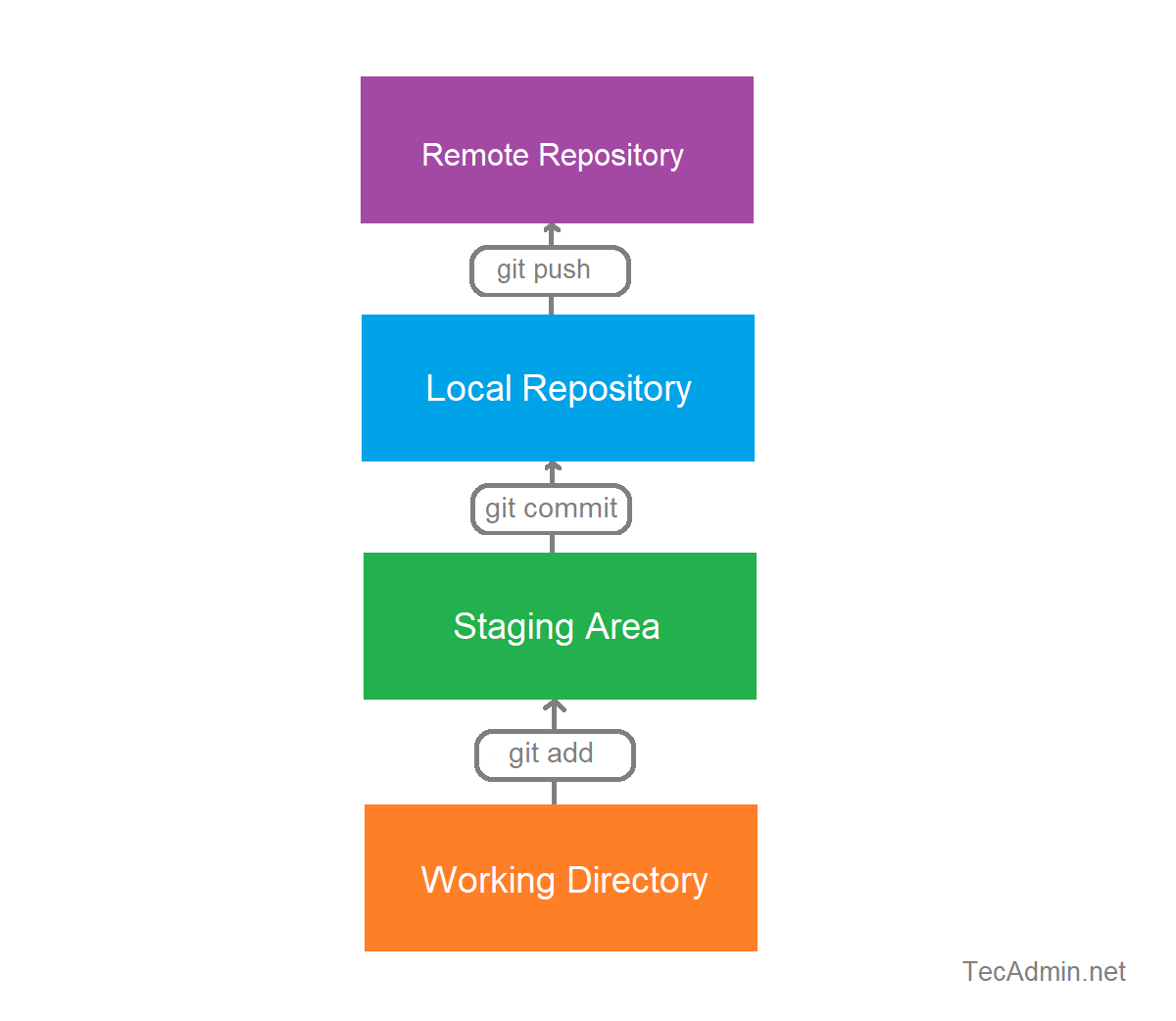
Understanding Basic Git Workflow Add Commit Push TecAdmin

Gi i Thi u V GIT Jeremy s Blog N i S Ki n Th c V L p Tr nh

How To Add Commits To Someone Else s Pull Request On GitHub

Move Last Commit To Another Branch

How To Switch Branch In Git Youtube Riset

Web May 30 2010 nbsp 0183 32 You can always come back and amend that commit git add p git commit git stash git checkout other branch git stash pop And of course remember that this all

Web May 28 2014 nbsp 0183 32 Switch to the branch where you want to add the commits git checkout develop Then cherry pick the commit First do a git reflog and get the SHA 1 of the

Web Jun 16 2011 nbsp 0183 32 340 The git cherry pick lt commit gt command allows you to take a single commit from whatever branch and essentially rebase it in your working branch Chapter 5 of the Pro Git book explains it better than
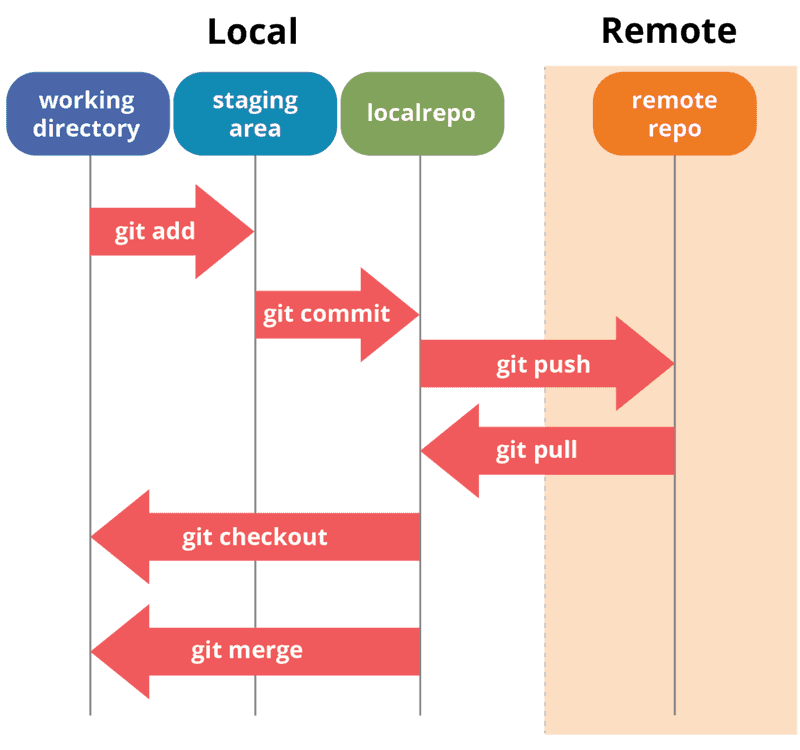
Web Because the commit on the branch you re on isn t a direct ancestor of the branch you re merging in Git has to do some work In this case Git does a simple three way merge
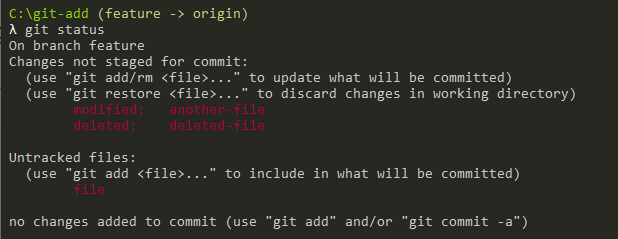
Web Mar 19 2010 nbsp 0183 32 Here s another approach git checkout SOURCE BRANCH switch to Source branch git checkout COMMIT HASH go back to the desired commit git checkout b
Web In this episode we re going to move a commit from one branch to another existing branch The problem we re solving here is very common you make a commit and Web Nov 16 2021 nbsp 0183 32 Run git log to find the ID of the commit you want to revert git log Then checkout the feature branch assuming your changes have been committed and run
Web Aug 25 2023 nbsp 0183 32 2 Create a feature branch from master and add a commit to feature git checkout b feature 123 date gt only changed in feature txt git add only changed in