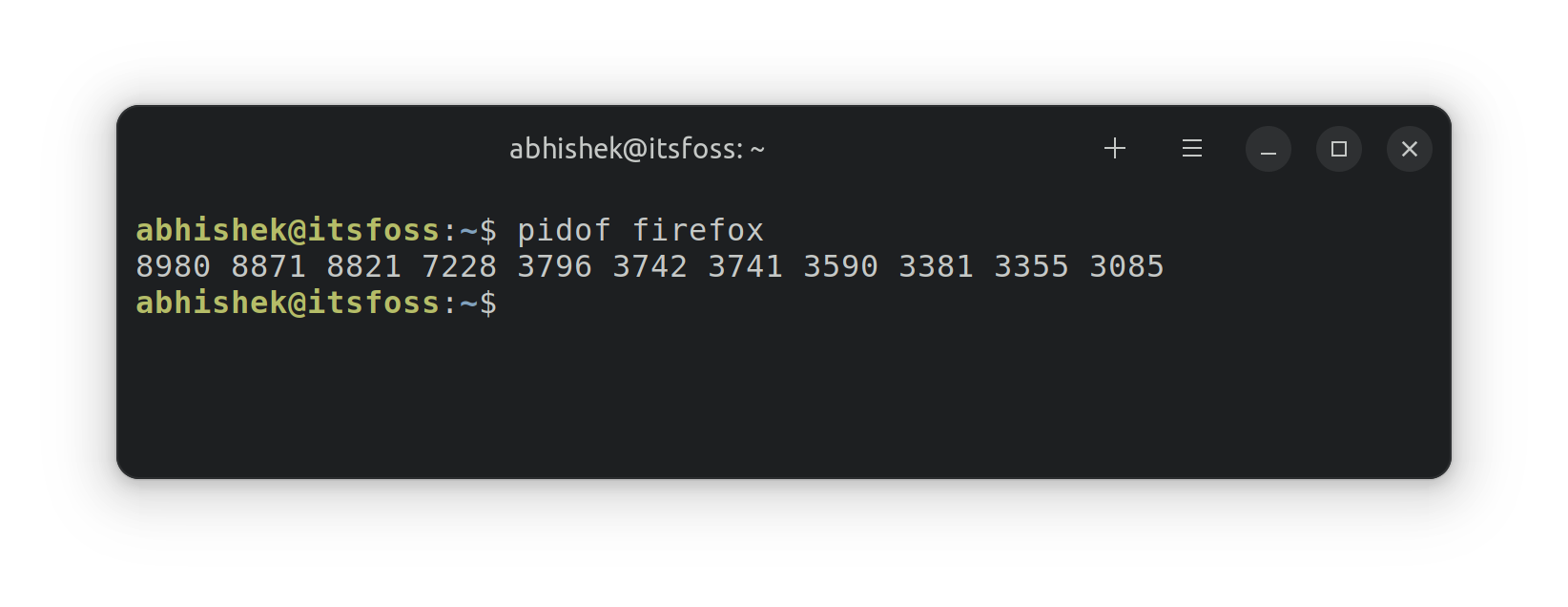
Get Process Id Linux Command How To Find The Process ID Of A Program And Kill It In Linux Id Linux Command YouTube How To Find The Process ID Of Tomcat In Linux Systran Box How To Change User ID uid In Linux LinuxTect How To Kill A Process In Linux With Kill Pkill And Killall Web Aug 14 2023 nbsp 0183 32 Determining PID of process using pgrep command The pgrep command searches the running system and shows the process IDs of all processes that match the given criteria The syntax is as follows pgrep processNameHere pgrep firefox pgrep httpd pgrep nginx Sample outputs 4241
Web Jun 29 2021 nbsp 0183 32 To find the process ID of a running process you can use the pgrep command followed by the name of the process like so pgrep iTerm2 To kill the iTerm2 process in the screenshot above we will use any of the commands below Web Sep 2 2021 nbsp 0183 32 Find Process IDs Using the pgrep Command Using the pgrep command allows you to search for a specific process The pgrep command uses the following syntax pgrep process name For instance use the following command to search for the firefox process pgrep firefox The command output lists the PID of the process
How To Kill A Process In Linux With Kill Pkill And Killall Commonly Used Linux Commands Enabling SCSI ID On VMware Pure Storage Blog Check Running Process In Linux For A User Linux Tutorials Learn How To Find The Process Id In Linux Shell Terminal YouTube Linux Process Management The Ultimate Guide How To Find The Process ID Of A Program And Kill It In Linux Linux Id Command Tutorial Linux Command Cheat Sheet GskLinux
Get Process Id Linux Command
 Get Process Id Linux Command
https://itsfoss.com/content/images/2023/01/pidof-process.png
Web Feb 19 2023 nbsp 0183 32 Every process has a unique process identifier or PID In Linux there are several ways to get the PID of a newly started process Some of the most common methods are pidof or pgrep which are based on searching for the process name among running processes
Pre-crafted templates offer a time-saving service for developing a diverse range of files and files. These pre-designed formats and layouts can be made use of for different personal and professional projects, consisting of resumes, invitations, leaflets, newsletters, reports, discussions, and more, improving the content creation procedure.
Get Process Id Linux Command

22 Get The Process ID Of A Running Program Linux Shell Tutorial YouTube
Commonly Used Linux Commands

Enabling SCSI ID On VMware Pure Storage Blog

Check Running Process In Linux For A User Linux Tutorials Learn

Linux Process Management The Ultimate Guide
How To Find The Process ID Of A Program And Kill It In Linux
Web Oct 19 2023 nbsp 0183 32 To find the process ID of a Linux process use the pidof command like this quot pidof examplename quot If you only know part of the PID name you can use quot pgrep examplenamefragment quot instead Replace quot examplename quot and quot examplenamefragment quot with the terms you want to search for Working with a Linux process often means knowing its

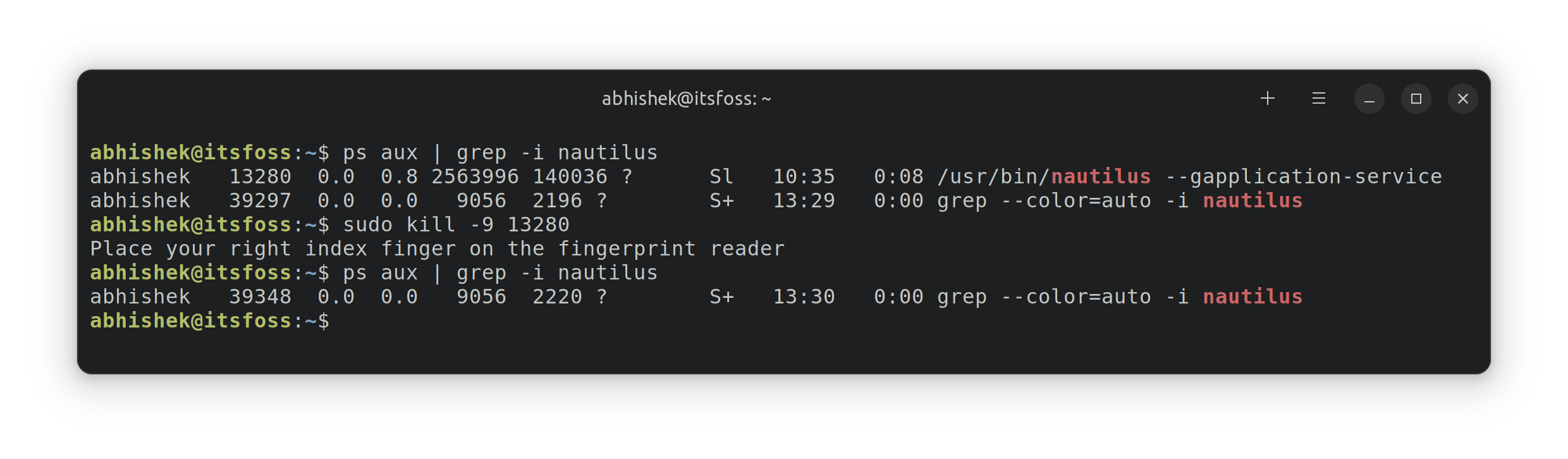
Web 11 Answers Sorted by 183 Open another terminal and run ps ax grep foo where foo is the name of the unresponsive program This should return a line of output that looks something like this ps ax grep firefox 2222 S 0 00 bin sh usr lib firefox 3 6 9 firefox 2231

Web Oct 14 2010 nbsp 0183 32 The command to find out a process s id given its name is pidof However since your intention is to kill the process there are better easier ways than using pidof to find its pid first Assuming the process you want to kill is uniquely identified by its name or you want to kill all the processes with that name you don t need to know its pid

Web Oct 21 2018 nbsp 0183 32 Find the Process ID PID ps pgrep pidof pstree Video Which process have locked the file Who used the file in Linux What process is using a port in Linux Conclusion Find the Process ID PID Command ps The most common way to find out the Linux PID is to use the ps command ps aux grep name of process
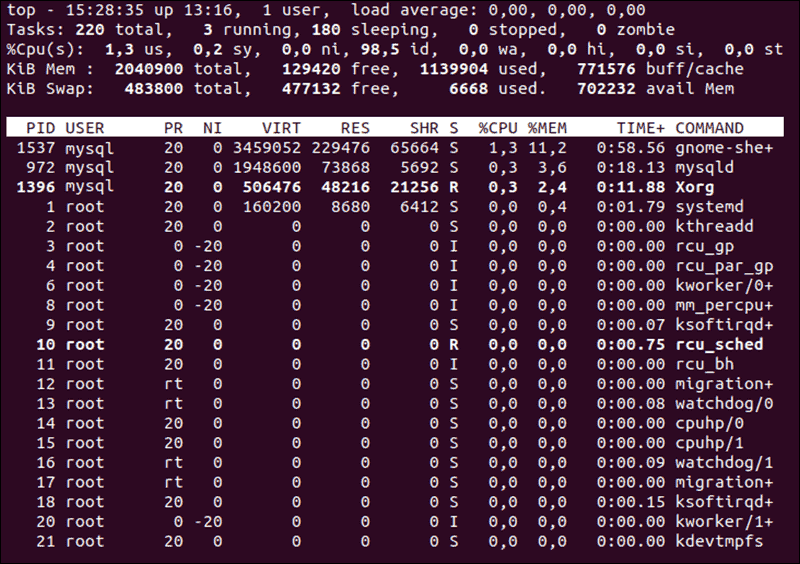
Web Feb 26 2021 nbsp 0183 32 You can find the PID of processes running on the system using the below nine command pidof pidof find the process ID of a running program pgrep pgre look up or signal processes based on name and other attributes ps ps report a snapshot of the current processes pstree pstree display a tree of processes
Web Jul 18 2014 nbsp 0183 32 2 Answers Sorted by 12 ps p lt pid gt lF will give you information about the process like which command started it time it was started its state parent pid size etc If you can tell in more detail as what all information you want to know about process from pid then we can help you better Share Improve this answer Follow Web How to get process id of a command Ask Question Asked 9 years 3 months ago Modified 9 years 3 months ago Viewed 3k times 1 We are running some command in batch mode We need to do some more tasks once the existing command is done so we need to wait until this command is done For example bsub q gui I calibre drc batch wait
Web Jul 14 2023 nbsp 0183 32 Find Out Process Name Using PID Number In this section we will see how to find out a process name using its PID number with the help of user defined format i e comm which means command name same as the process name ps p 2523 o comm ps p 2295 o comm Find Linux Process Name