Get Powershell History For All Users Powershell Find AD Users Logon History With Their Logged On Computers A Passionated System How To Use PowerShell History On Multiple Devices How To Use PowerShell History On Multiple Devices Powershell Find AD Users Logon History With Their Logged On Computers A Passionated System Powershell Get Ad Group Members Script Step By Plus Final Script Vrogue Web Article 09 18 2022 2 contributors Feedback In this article Short description Long description Using the PSReadLine history Using the built in session history See also Short description Describes how to get and run commands in the command history Long description
Web Mar 25 2017 nbsp 0183 32 By default the Get History cmdlet only shows the 32 most recent history entries If you want to view or search a larger number of history entries use the Count option to specify how many history entries PowerShell should show like so Get History Count 1000 Get History Count 1000 Select String Pattern quot Example quot Web Mar 30 2021 nbsp 0183 32 To see your saved history PowerShell has the Get History cmdlet Before retrieving any history you first need to build some as the history is restarted on every console session To do so copy and run the code below to add history entries any code will do Commands need to exist before Get History has anything to return
Powershell Get Ad Group Members Script Step By Plus Final Script Vrogue Leverage PowerShell History Across Multiple Machines How To Use PowerShell History Feature How To See PowerShell Command History On Windows 10 How To Use Your Command History In Windows PowerShell Working With PowerShell History Microsoft Certified Professional Magazine Online PowerShell Version 5 Methods To Get PowerShell Version In Windows 10 Install Microsoft Teams Powershell Module The Sysadmin Channel SaggieHaim Powershell History Don t Just Press The Up Key
Get Powershell History For All Users
 Get Powershell History For All Users
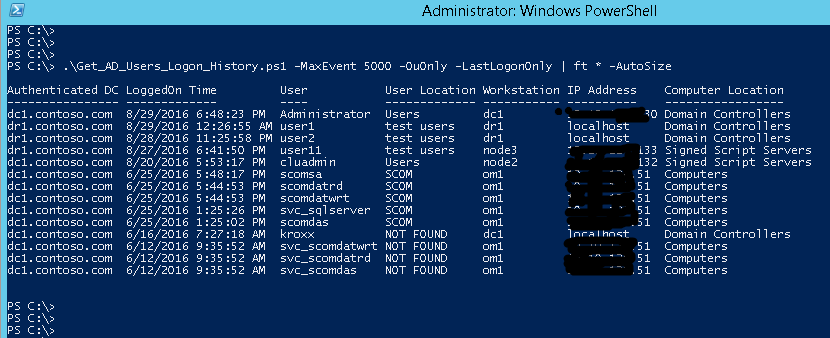
https://www.scriptinghouse.com/wp-content/uploads/2016/08/1-Last-Logon-History.png
Web Nov 14 2015 nbsp 0183 32 Get Content on the following to view your full command history C Users username AppData Roaming Microsoft Windows PowerShell PSReadline ConsoleHost history txt To make it available on Windows 7 you have to make sure you have the latest Framework and PowerShell 5 installed
Templates are pre-designed files or files that can be utilized for numerous purposes. They can conserve effort and time by providing a ready-made format and layout for developing different sort of content. Templates can be utilized for personal or expert jobs, such as resumes, invites, flyers, newsletters, reports, discussions, and more.
Get Powershell History For All Users
Powershell Find AD Users Logon History With Their Logged On Computers A Passionated System

Leverage PowerShell History Across Multiple Machines
How To Use PowerShell History Feature
How To See PowerShell Command History On Windows 10

Working With PowerShell History Microsoft Certified Professional Magazine Online

PowerShell Version 5 Methods To Get PowerShell Version In Windows 10

Web Feb 17 2019 nbsp 0183 32 View full history for powershell not just current session Powershell now handily remembers history from previous sessions and I can get to earlier commands simply by using the up arrow What I would like though is to be able to display this history but I can t figure out how to do it

Web I currently only have knowledge to this command that pulls the full EventLog but I need to filter it so it can display per user or a specific user Get EventLog System Source Microsoft Windows WinLogon After Get Date AddDays 5 ComputerName env computername

Web May 9 2017 nbsp 0183 32 I am trying to get a powershell script together to go through all users in our domain and find if they have a SIDhistory located in the SIDhistory attribute or not I then need to export this list of users to a csv as i will need to

Web The Get History cmdlet gets the session history that is the list of commands entered during the current session PowerShell automatically maintains a history of each session The number of entries in the session history is determined by the value of the MaximumHistoryCount preference variable

Web Jan 31 2022 nbsp 0183 32 The Get History displays the previous commands entered in the current session only By default PowerShell stores the command history of all sessions in a text file located in a user s home directory This tutorial will teach you to see the command history across all PowerShell sessions
Web Mar 29 2023 nbsp 0183 32 The only thing I can think of requires that you still have the PowerShell session open Then you can run Get History The Get History cmdlet gets the session history that is the list of commands entered during the current session Source Get History Microsoft PowerShell Core PowerShell Microsoft Learn Web Jul 30 2014 nbsp 0183 32 Just type get history in the PowerShell console window and press ENTER By default PowerShell retains the last 64 commands run in a session but will only display the last 32 when using get history
Web Jan 9 2018 nbsp 0183 32 Ctrl S works like above but searches forward in history You can use Ctrl R Ctrl S to go back and forth in search results Type a text and then press F8 This searches for the previous item in the history that starts with the current input Shift F8 works like F8 but searches forward