Formula To Automatically Sort Data In Excel Automatically Sort Data By Name In Excel Automatic Sort Data By Excel SORT Function How To Automatically Sort Data Coloring Pages Kids 101 What Is The Formula For Alphabetical Order In Excel SORT Function How To Automatically Sort Data Automatically Sort Data In Alphabetical Order Using Formula Web The SORT function sorts the contents of a range or array In this example we re sorting by Region Sales Rep and Product individually with SORT A2 A17 copied across cells
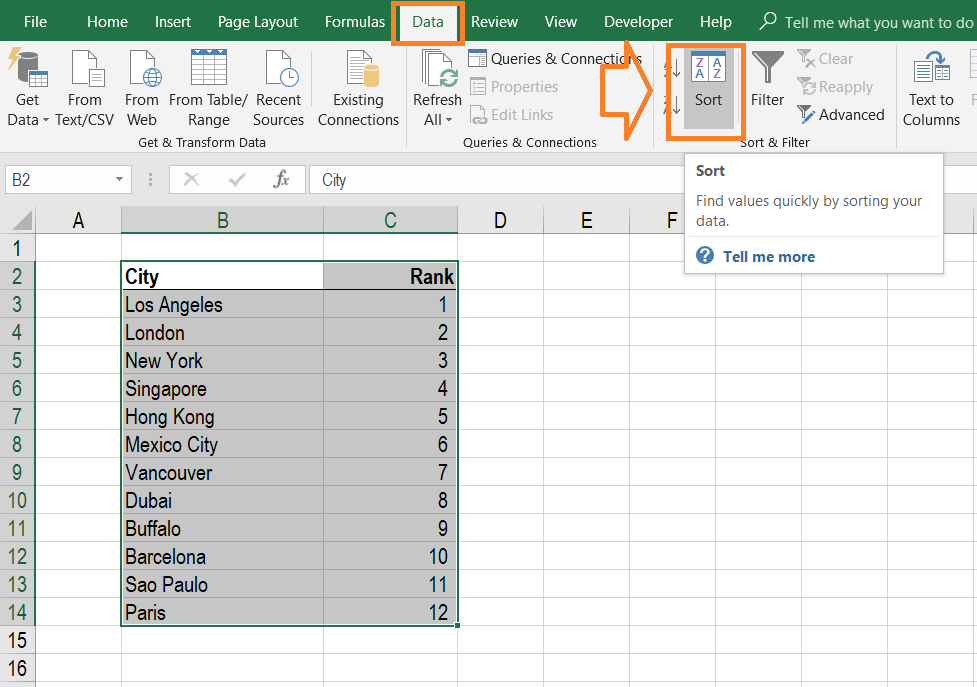
Web The SORT function sorts the contents of a range or array in ascending or descending order with a formula The result from SORT is a dynamic array of values that will quot spill quot onto Web Sort quickly and easily Select a single cell in the column you want to sort On the Data tab in the Sort amp Filter group click to perform an ascending sort from A to Z or smallest
Automatically Sort Data In Alphabetical Order Using Formula How To Arrange Data In Ascending Order In Excel Using Formula Sumber Free Learning Learning Centers Page Layout Excel Sorting Bar Chart How To Auto Sort Data In Excel Using A Button YouTube Excel SORT Function Auto Sort Data Using Formula Ablebits Automatically Sort Data In Alphabetical Order Using Formula How To Sort Data In Excel 2010 YouTube How To Sort Data By The Most Frequent Value In Excel Automatically Sort Data In Alphabetical Order Using Formula
Formula To Automatically Sort Data In Excel
 Formula To Automatically Sort Data In Excel
https://i.ytimg.com/vi/pJEBshNJ65Q/maxresdefault.jpg
Web Mar 9 2022 nbsp 0183 32 SORT C2 D10 2 1 FALSE Attention The SORT function is available only in Microsoft Office 365 Formula Explanation C2 D10 is the range of the columns that we want to sort 2 is the sort index 1 is
Templates are pre-designed documents or files that can be used for various functions. They can save time and effort by supplying a ready-made format and design for developing different type of material. Templates can be utilized for personal or expert projects, such as resumes, invites, leaflets, newsletters, reports, presentations, and more.
Formula To Automatically Sort Data In Excel
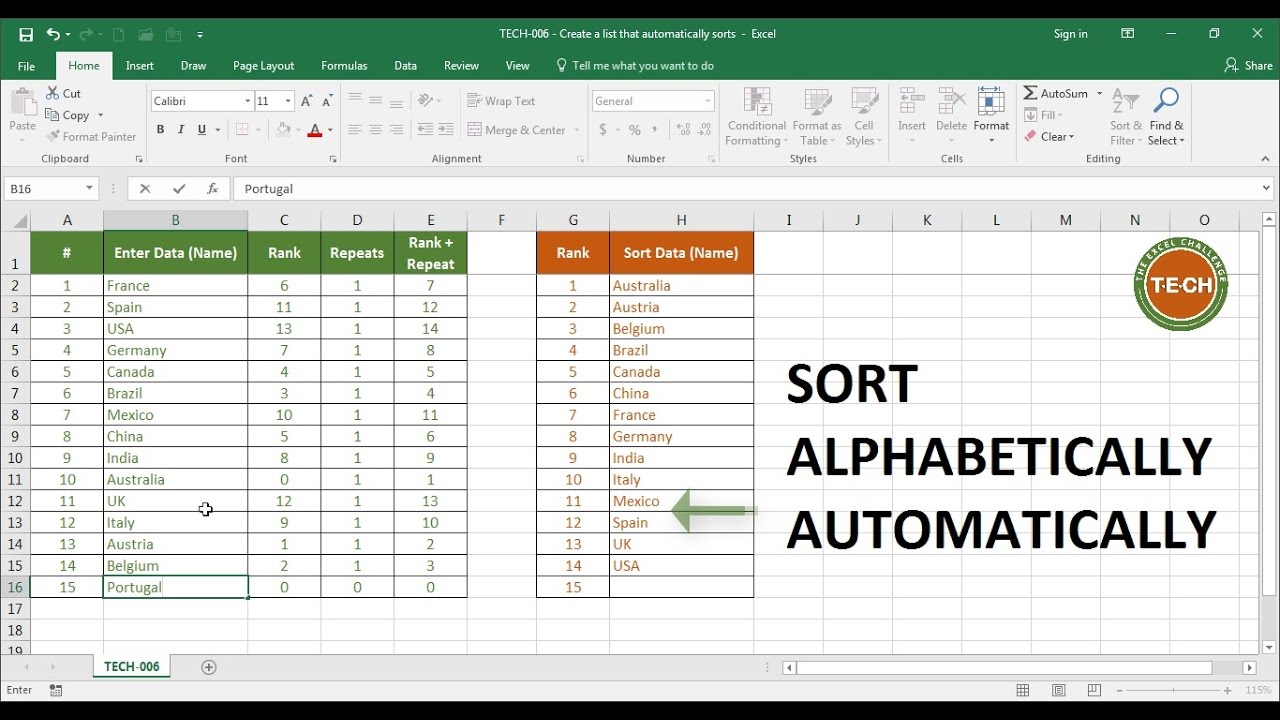
How To Auto Sort In Excel When Adding Streamlasopa
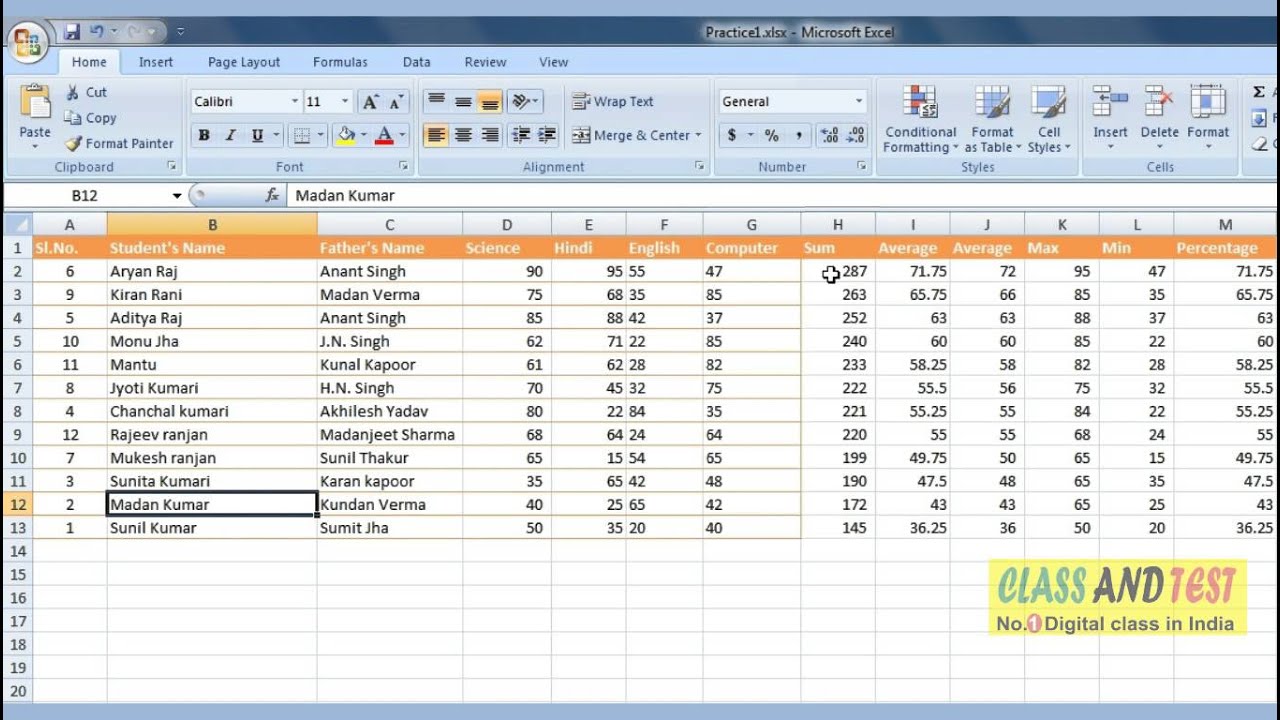
How To Arrange Data In Ascending Order In Excel Using Formula Sumber

Free Learning Learning Centers Page Layout Excel Sorting Bar Chart
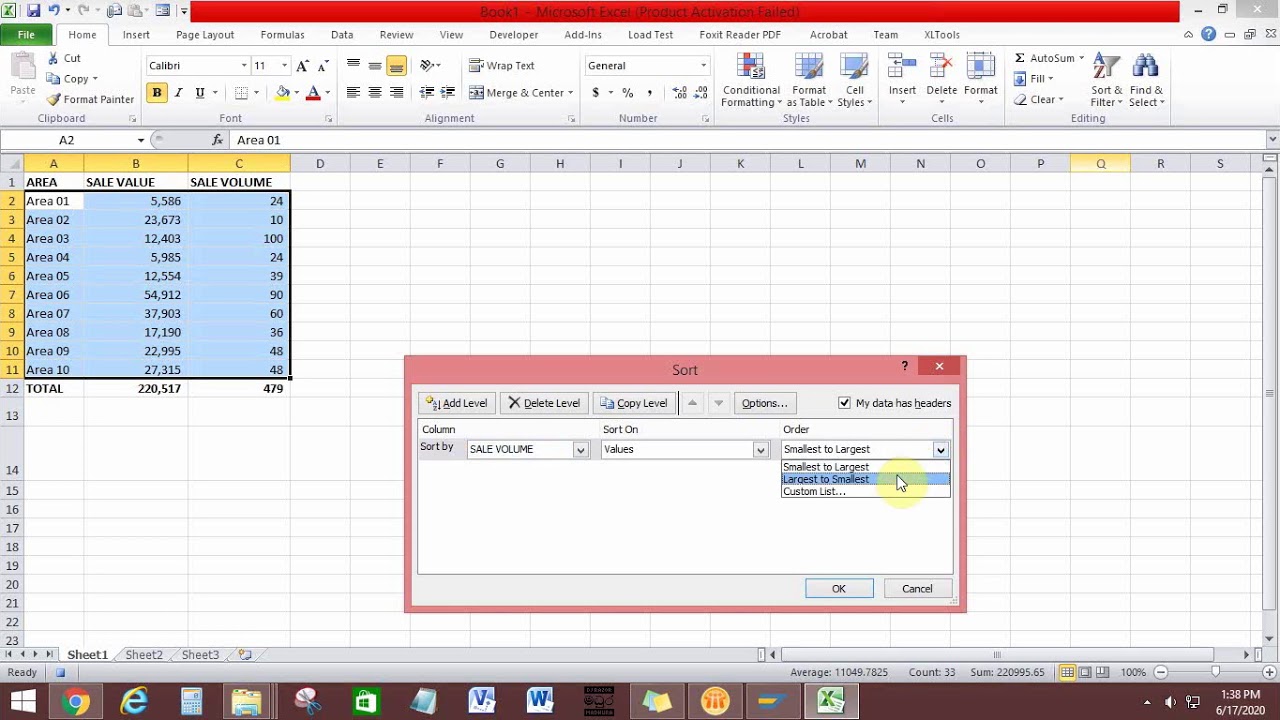
How To Auto Sort Data In Excel Using A Button YouTube
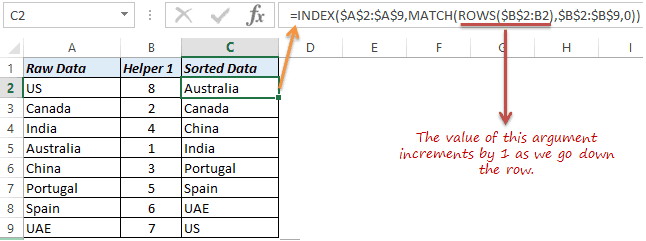
Automatically Sort Data In Alphabetical Order Using Formula
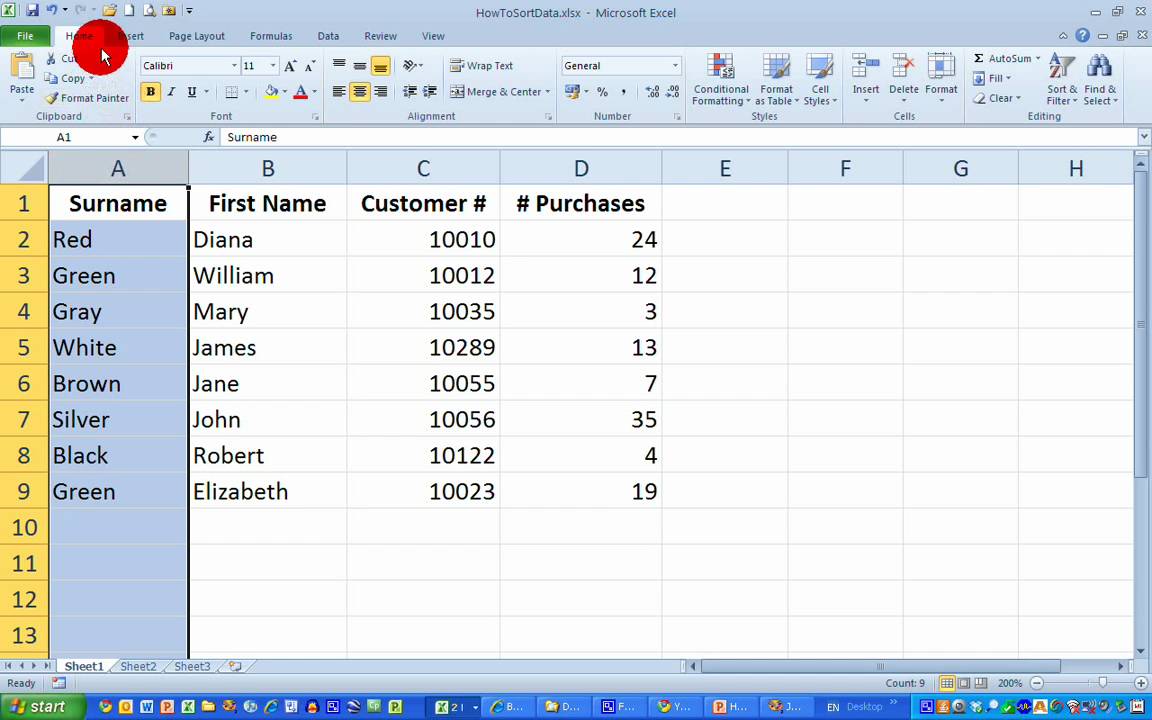
How To Sort Data In Excel 2010 YouTube

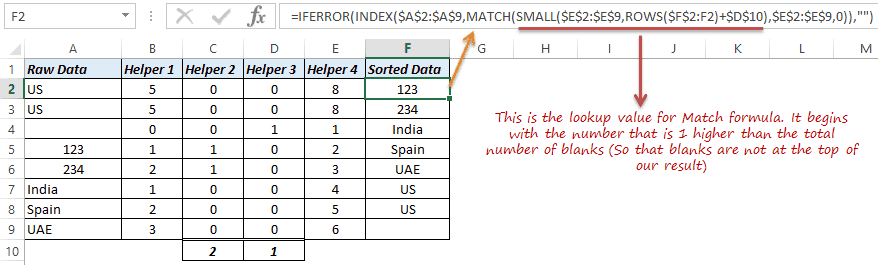
Web Feb 10 2015 nbsp 0183 32 COUNTIF A 2 A 9 quot lt quot amp A2 This formula compares a text value with all the other text values and returns its relative rank For

Web The SORT function is provided to sort data in an array If you want to sort data in the grid it s better to use the SORTBY function as it is more flexible SORTBY will respect column additions deletions because it references a
Web The SORTBY function sorts the contents of a range or array based on the values in a corresponding range or array In this example we re sorting a list of people s names by their age in ascending order
Web Apr 19 2023 nbsp 0183 32 The SORTBY function in Excel is designed to sort one range or array based on the values in another range or array Sorting can be done by one or multiple columns SORTBY is one of six new dynamic array
Web On the Data tab in the Sort amp Filter group click Custom Sort In the Custom Sort dialog box under Column in the Sort by box select the first column that you want to sort Note The Sort On menu is disabled
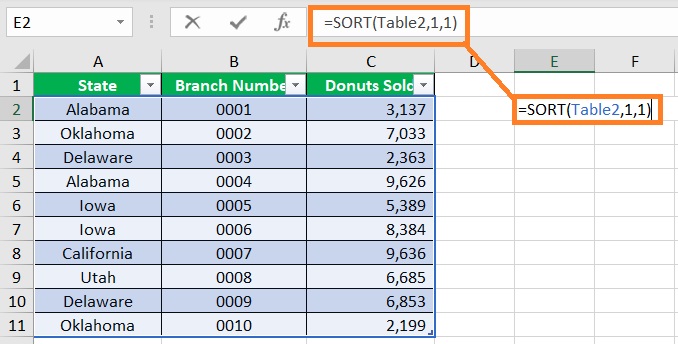
Web Aug 12 2023 nbsp 0183 32 First add a filter Click within your data and then in the Menu go to Data gt Create a filter Then filter on a selected column for example filter the Region column by Web In the first cell in the Sales Person column enter the following formula SORT Sales2o21 1 where Sales2021 is the name of the table housing your data and 1
Web To sort data by a substring you can use the SORTBY function together with the TEXTBEFORE and TEXTAFTER functions In the worksheet shown we are sorting the