Formula For Entire Column Google Sheets How To Apply Formula To Entire Column Excel Fill A Formula Down Into How To Apply Formula To Entire Column In Excel Sum An Entire Column Or A Row Excel Formula How To Apply A Formula To An Entire Column In Excel WinCope How To Apply A Formula To An Entire Column On Google Sheets On Android Dec 25 2023 nbsp 0183 32 I am using vba to edit the value of cells in excel When i use the macro recorder I see that excel is populating using this range amp quot E10 amp quot select activecell formula2R1C1 amp quot my formula amp
Dec 11 2020 nbsp 0183 32 I have two lists of products in Excel Each list will be of varying length each month Is there a way to combine the two lists into a third list with the second list being underneath the first I Feb 12 2015 nbsp 0183 32 In the formula E Excel file is the full file path of the unopened workbook test xlsx is the name of the workbook Sheet2 is the sheet name which contains the cell value you need to reference from and A A 2 1 means the cell A2 will be referenced in the closed workbook You can change them based on your needs
How To Apply A Formula To An Entire Column On Google Sheets On Android Conditional Formatting Google Sheets Entire Row Beinyu How To Apply A Formula To Entire Column In Google Sheets OfficeBeginner How To Apply Formula To Entire Column In Google Sheets SpreadCheaters How To Copy A Formula Down An Entire Column In Google Sheets How To Apply Formulas To Entire Columns In Google Sheets Apply Formula To An Entire Column In Excel 5 Easy Ways YouTube How To Apply A Formula To An Entire Column In Google Layer Blog How To Apply A Formula To An Entire Column In Google Layer Blog
Formula For Entire Column Google Sheets
 Formula For Entire Column Google Sheets
https://earnandexcel.com/wp-content/uploads/How-to-Apply-Formula-to-Entire-Column-Excel-–-Fill-a-Formula-Down-into-Adjacent-Cells.png
In case you want lot of simple formulas check matrix formulas with ranges you cannot change anything in that matrix without changing main formula or whole range
Pre-crafted templates use a time-saving service for developing a diverse range of files and files. These pre-designed formats and designs can be utilized for different individual and professional projects, including resumes, invitations, leaflets, newsletters, reports, discussions, and more, enhancing the material production process.
Formula For Entire Column Google Sheets
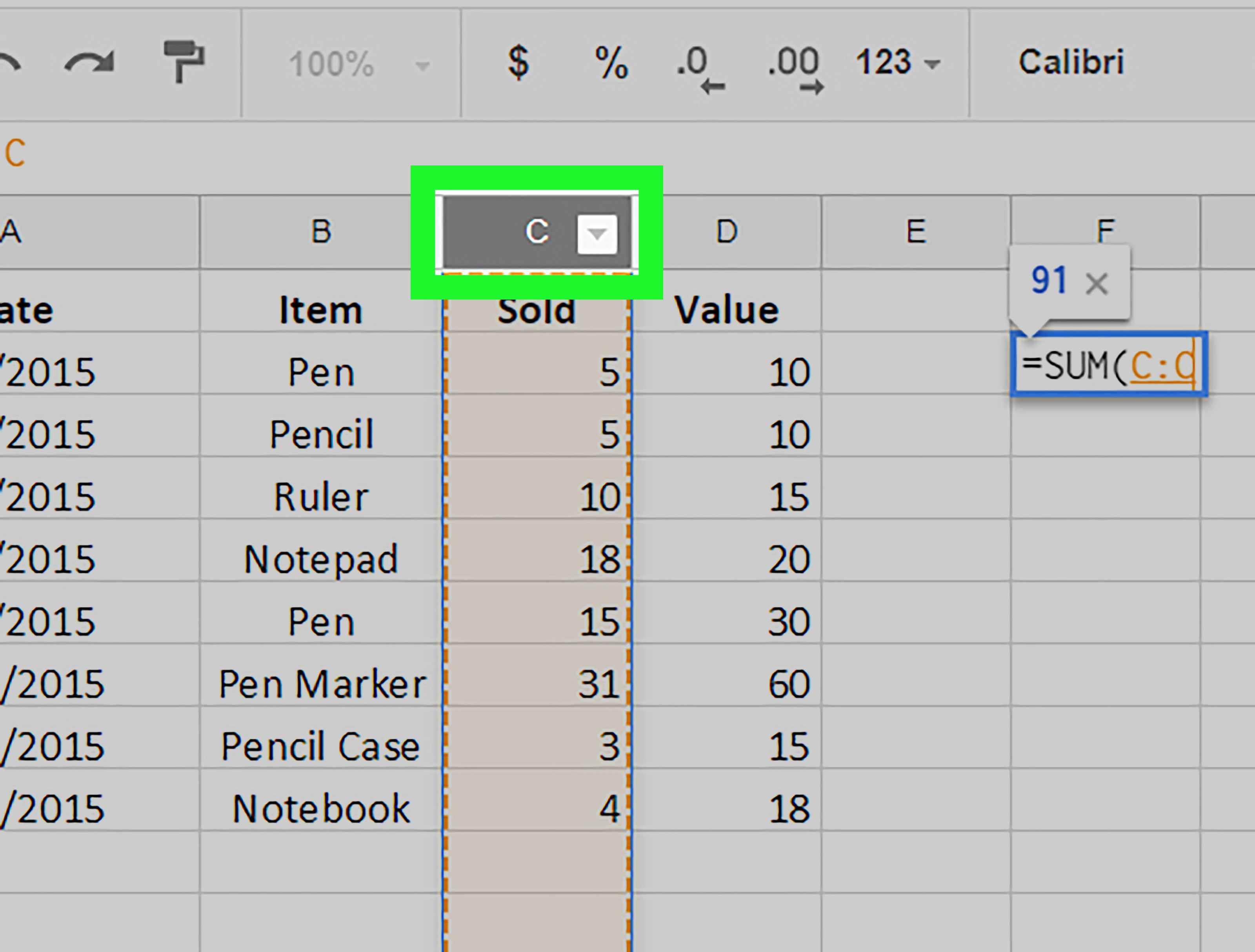
Formula For Google Spreadsheet Throughout How To Apply A Formula To An

Conditional Formatting Google Sheets Entire Row Beinyu

How To Apply A Formula To Entire Column In Google Sheets OfficeBeginner
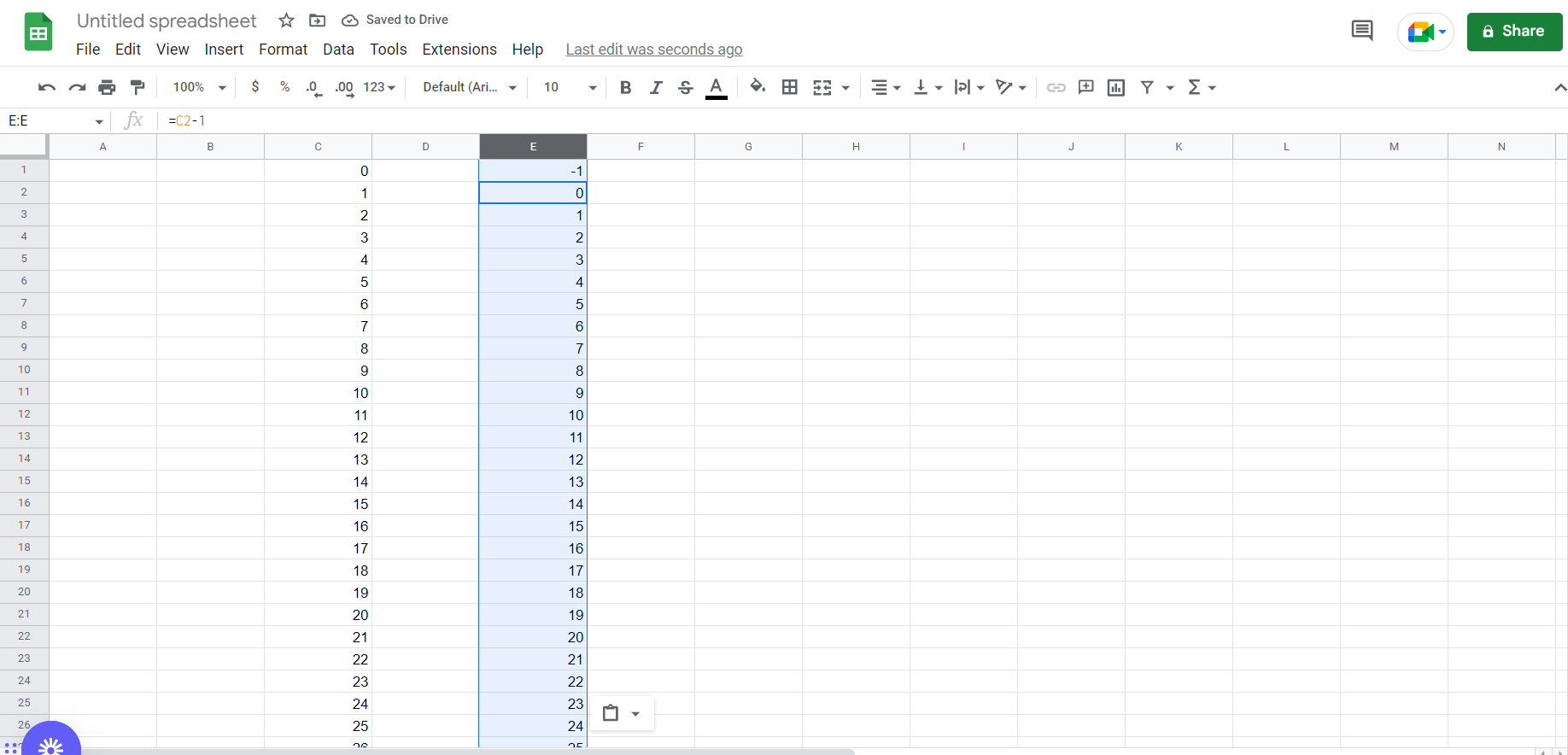
How To Apply Formula To Entire Column In Google Sheets SpreadCheaters

How To Apply Formulas To Entire Columns In Google Sheets

Apply Formula To An Entire Column In Excel 5 Easy Ways YouTube

I m using Excel 2016 I have a table with headers and when I plug in a formula Excel is automatically replicating the formula to all other cells in the column While that would normally be fine i
Jul 8 2015 nbsp 0183 32 After doing such I ll copy amp paste them as values to extract my created formula After this process they re typically stuck displaying a formula and not displaying a value unless I enter the cell and press Enter

Nov 4 2016 nbsp 0183 32 I need a formula or Macro that will look at all SKUs in Sheet2 then find any matches in Sheet1 ColA then highlight the rows where there is a match I would really appreciate any help you can provide even if it s just a link to an exact example

Jan 7 2014 nbsp 0183 32 Using quot If cell contains N A quot as a formula condition Asked 11 years 7 months ago Modified 9 months ago Viewed 420k times

Oct 24 2021 nbsp 0183 32 The file was saved using an older version of excel and I m using the latest O365 version What does the symbol mean and can I remove it Please note that I m aware of the use of symbol in Excel table which is for structural referencing But this doesn t look the same and these formula s are not in a Table
[desc-11] [desc-12]
[desc-13]