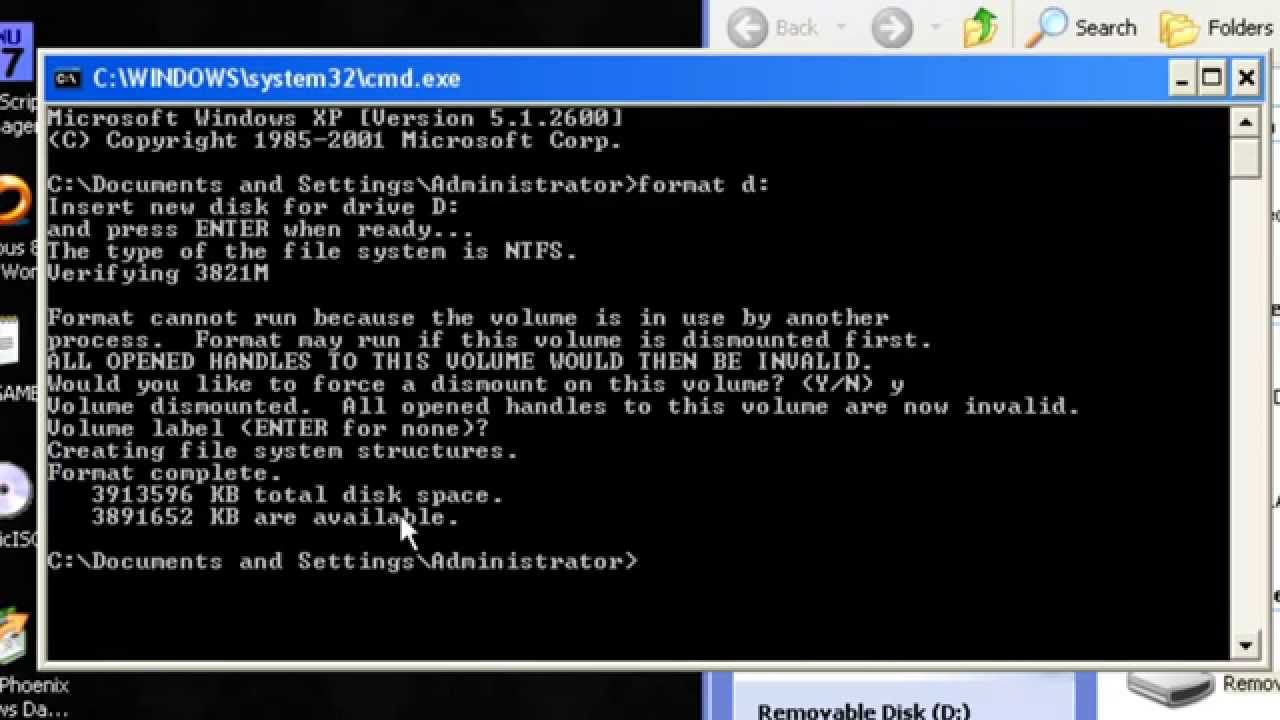
Format Using Cmd Format External Hard Drive Windows 7 Cmd Dasjames How To Format Unallocated Disk Using CMD Guida 2023 Come Formattare USB Utilizzando CMD EaseUS Guide How To Format USB Flash Drive Using CMD EaseUS How To Use Diskpart To Format A Storage Drive Using CMD Web Sep 28 2023 nbsp 0183 32 The format command formats a drive to accept Windows files You must be a member of the Administrators group to format a hard drive Note You can also use the format command with different parameters from the Recovery Console For more information about the Recovery Console see Windows Recovery Environment Windows
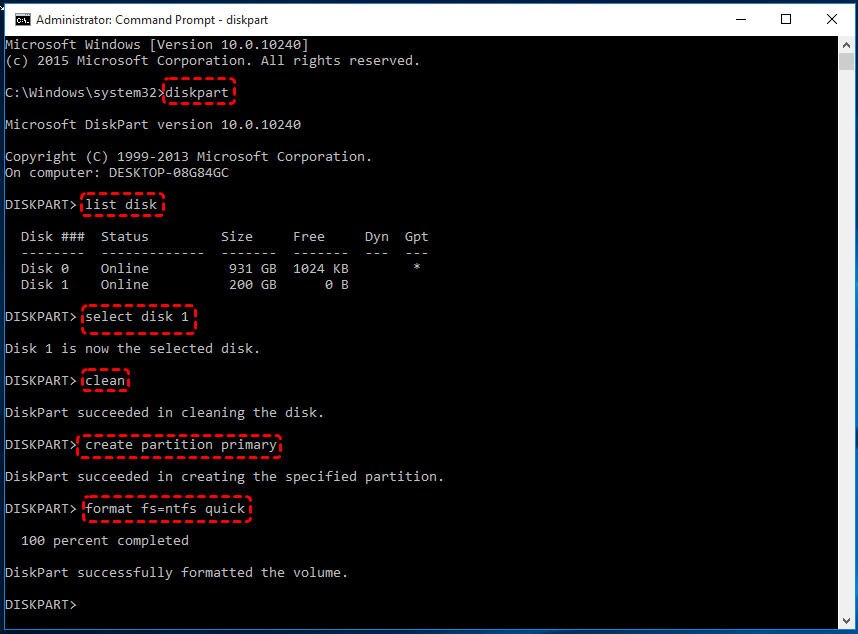
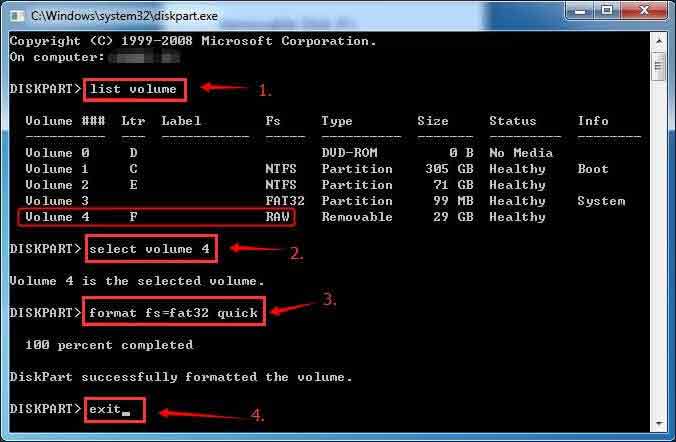
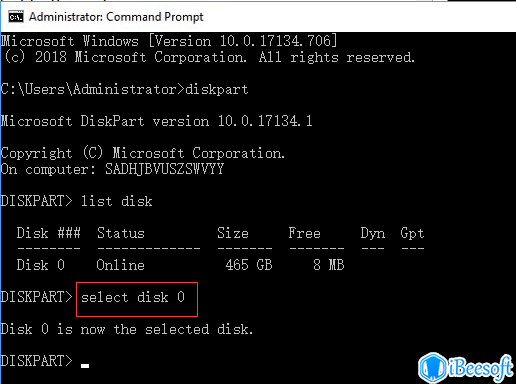
Web Oct 11 2023 nbsp 0183 32 Formatting a Drive Step by Step Step 1 Open Command Prompt To begin open Command Prompt by pressing the Windows key R typing cmd in the Run Step 2 Launch DiskPart In the Command Prompt window type diskpart and press Enter This will start the DiskPart Step 3 List Available Disks Web Oct 18 2023 nbsp 0183 32 1 Incompatible or unsupported file system on a hard drive blocks the computer from recognizing it 2 Switch hard drive format change hard drive to NTFS FAT32 exFAT etc for specific usage 3 Restore the drive to full size when it only shows partial storage or half size 4 Fix RAW corrupted or inaccessible errors on hard drives
How To Use Diskpart To Format A Storage Drive Using CMD How To Format USB Flash Drive In Cmd YouTube How To Format Hard Drive Disk Using CMD How To Format Pendrive Using Command Prompt In Windows How To Format SD Card Without Losing Data 2022 How To Format Write Protected USB Drive Using Cmd On Windows 10 CMD Also Works To Fix Windows Was Unable To Complete The Format Error How To Format SD Card Using CMD How To Format Pendrive Using Command Prompt On Windows 10 YouTube
Format Using Cmd
 Format Using Cmd
https://www.diskpart.com/articles/images/format-usb-to-full-capacity-7201/diskpart.jpg
Web Jan 25 2023 nbsp 0183 32 On Windows 10 you can quickly format a USB flash drive to erase content or fix data corruption using File Explorer Disk Management PowerShell and Command Prompt and here s how
Templates are pre-designed files or files that can be utilized for various purposes. They can save effort and time by offering a ready-made format and design for producing various kinds of content. Templates can be utilized for personal or expert jobs, such as resumes, invites, leaflets, newsletters, reports, presentations, and more.
Format Using Cmd
4 Free Tools Format SD Card FAT32 On Windows Mac Android Phone
How To Format USB Flash Drive In Cmd YouTube
How To Format Hard Drive Disk Using CMD
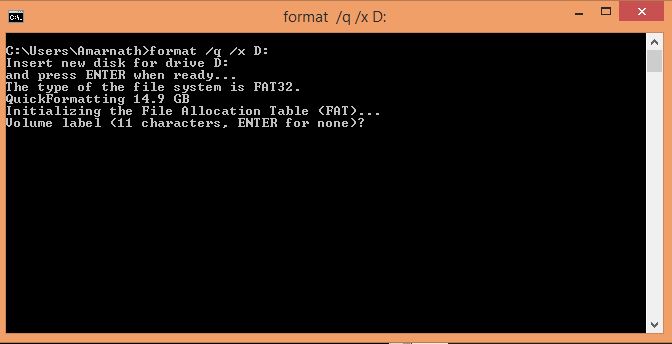
How To Format Pendrive Using Command Prompt In Windows

How To Format Write Protected USB Drive Using Cmd On Windows 10
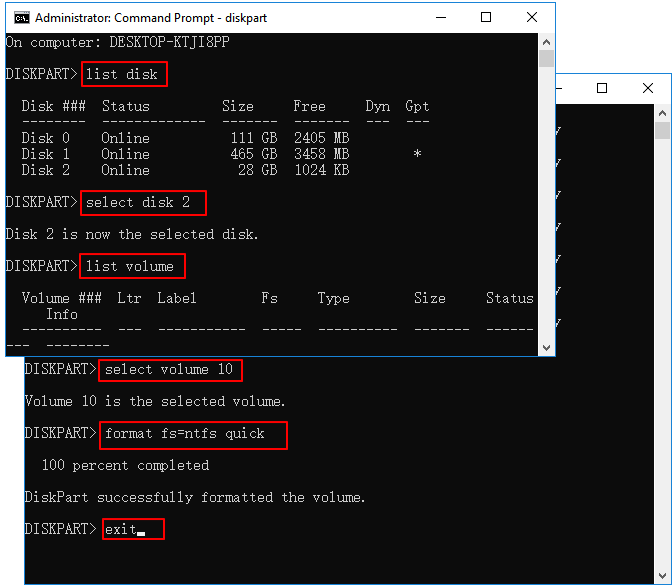
CMD Also Works To Fix Windows Was Unable To Complete The Format Error
Web Nov 10 2023 nbsp 0183 32 Things You Should Know Plug the USB into your computer then run CMD as Administrator After using the commands quot diskpart quot quot list disk quot and quot select disk quot type quot clean quot and press quot Enter quot Use the command quot create partition primary quot to
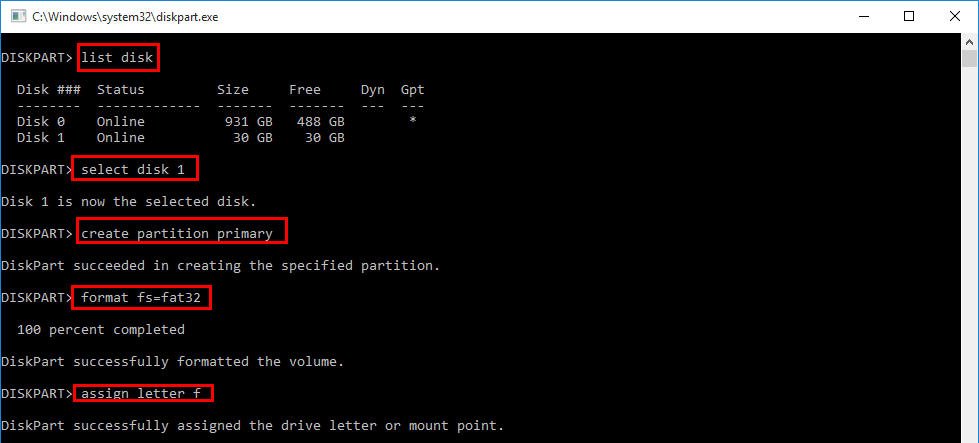
Web Dec 2 2020 nbsp 0183 32 The format command is a Command Prompt command used to format a specified partition on a hard drive internal or external floppy disk or flash drive to a specified file system You can also format drives without using a command See How to Format a Hard Drive in Windows for instructions
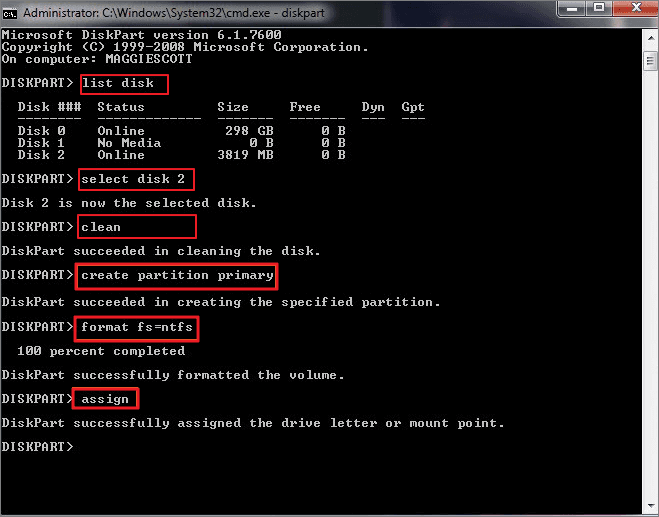
Web May 18 2023 nbsp 0183 32 How to Format USB Flash Drive Pen Drive Using CMD on Win 10 Step 1 Open Command Prompt on Windows 10 You have several ways to open Command Prompt on Windows 10 One easy way is Step 2 Open DiskPart command tool Next you can type the command diskpart in Command Prompt window Press Enter to

Web Sep 28 2022 nbsp 0183 32 How to Format Hard Drive From CMD If the hard drive has a single partition you can simply use the format command e g format E to format the drive entirely You can use additional parameters to modify its functionality as shown below
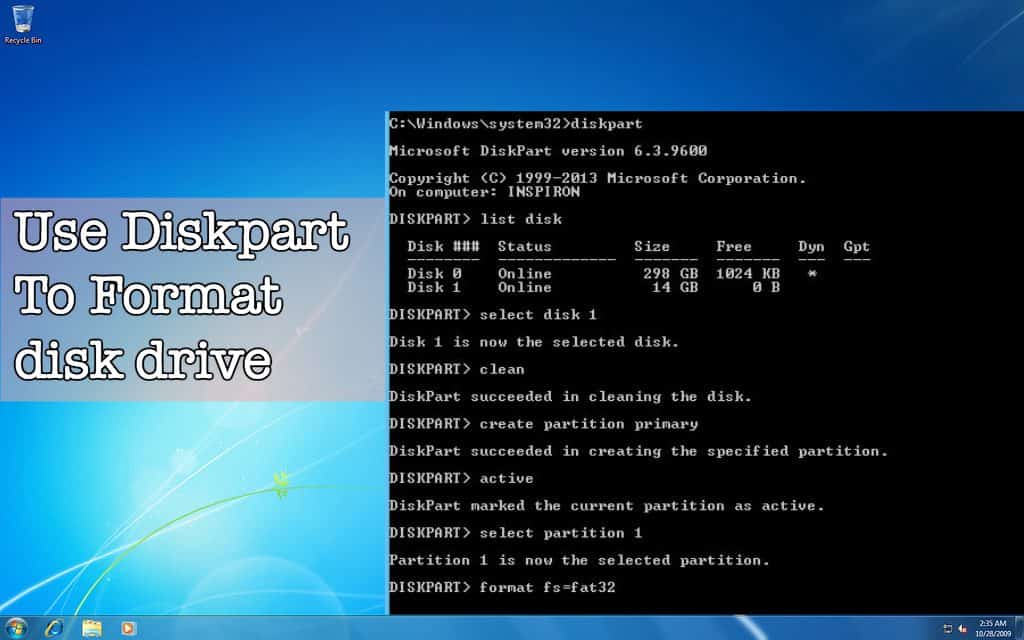
Web May 9 2023 nbsp 0183 32 Open Start Search for Command Prompt right click the top result and select the Run as administrator option Type the following command to launch DiskPart and press Enter diskpart Type the
[desc-11] [desc-12]
[desc-13]