Form F Instructions Dribbble Form ready png By Alla Lopatkova FMLA Form WH 380 E Fill Out Online 2023 FMLA Forms TaxUni Nikon F Instruction Manual Accessory Kamerastore Form F Wolf Forms FORM F Prepare your evidence Important Once you open the evidence form you must submit it within 60 minutes or it won t be attached to your appeal You may be prompted to add optional evidence
Google If your form creates charts in your quot Responses quot section you can copy and paste them into other files Tip If you copy and paste a chart into Google Docs Slides or Drawings you can update
FORM F Form F Instructions Non Admitted Insurers Writing Surplus Lines Onboarding Form Thinking Ground Appointment Letter Form F Gratuity Form F 7004 Download Printable PDF Or Fill Online Application For Instructions Handwriting Image LOGO 1120 F 2015 2016 Edit Forms Online PDFFormPro Form F 2023 Form 8915 F Printable Forms Free Online
Form F Instructions
 Form F Instructions
https://cdn.dribbble.com/users/2082025/screenshots/5421164/attachments/1174786/form.gif
Official Google AdSense Help Center where you can find tips and tutorials on using Google AdSense and other answers to frequently asked questions
Pre-crafted templates offer a time-saving option for creating a diverse variety of files and files. These pre-designed formats and designs can be utilized for different individual and expert projects, including resumes, invites, flyers, newsletters, reports, presentations, and more, streamlining the material creation process.
Form F Instructions

Form F500 104 000 Edit Fill Sign Online Handypdf

Form F Instructions Non Admitted Insurers Writing Surplus Lines

Onboarding Form Thinking Ground Appointment Letter Form F Gratuity

Form F 7004 Download Printable PDF Or Fill Online Application For

LOGO
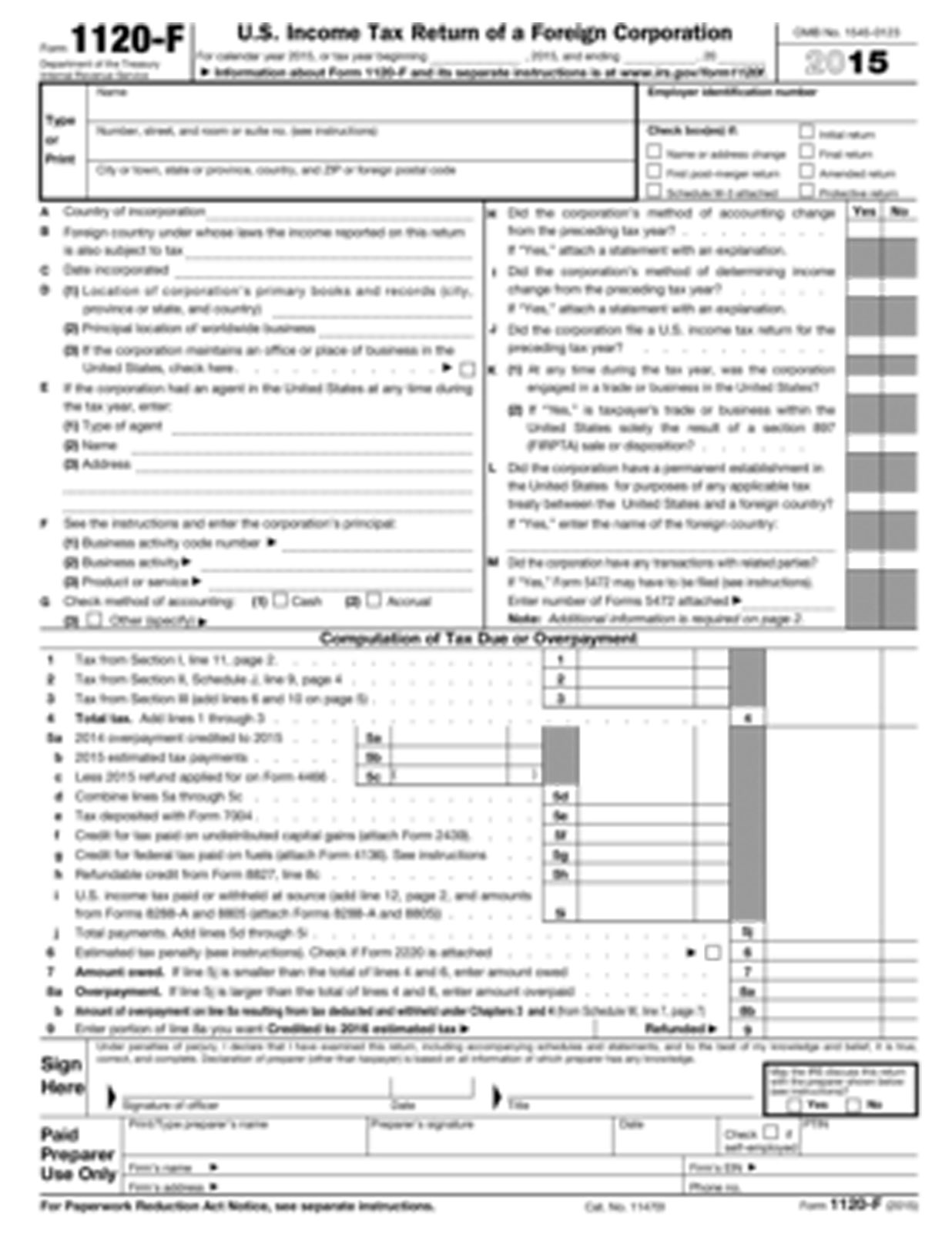
1120 F 2015 2016 Edit Forms Online PDFFormPro

You can use Google Forms to create online surveys quizzes and forms send them to others to fill out and then analyze their responses in real time To edit forms and analyze responses with

Publish amp share your form with responders To create online surveys and quizzes use Google Forms You can share your forms with collaborators or responders Before responders can

Forms quick start guides Quickly learn how to create and send a form or quiz Get started with Forms Get started with quizzes
How to install Chrome Important Before you download you can check if Chrome supports your operating system and other system requirements
Get started with Forms in Google Workspace What you can do with Forms Create your first form in Google Forms Publish your form and get responses Print save or customize Learning
[desc-11] [desc-12]
[desc-13]