Force Uninstall Program Windows 7 Cmd How To Uninstall An App Using Cmd On Windows 10 Or Windows 11 OnMSFT How To Uninstall Programs On Windows 10 Using CMD YouTube Force Uninstall Software Free Download How To Force Uninstall Programs That Won t Uninstall In Windows 10 6 Easy Ways To Uninstall Programs In Windows 10 WEB Sep 22 2008 nbsp 0183 32 For Windows 11 and Windows 10 you can use winget tool in powershell to mange applications so to uninstall an application call winget uninstall lt appname gt For more see https learn microsoft en us windows package manager winget
WEB However users may also remove programs via Command Prompt the command line interpreter included with every version of Windows since XP To learn how to use the WEB Jun 6 2011 nbsp 0183 32 Below is the command we need to use to uninstall a program wmic product where quot description program name quot uninstall Note that you need to provide accurate program name along with the version if it s part of the program name wmic product get lists all the installed programs in the command prompt
6 Easy Ways To Uninstall Programs In Windows 10 How To Uninstall Programs In Windows 10 9 Steps with Pictures How To Properly Uninstall A Program In Windows 7 How To Uninstall A Program In Windows 10 Which Computing Helpdesk 3 Uninstall All Azure PowerShell Modules Jack Stromberg How To Uninstall Powershell In Windows 10 Youtube Vrogue Uninstall Program From Command Prompt In Windows 10 How To Force Uninstall Programs On Windows 10 11 Computers How To Uninstall Microsoft Edge On Windows 11 Android Authority
Force Uninstall Program Windows 7 Cmd
 Force Uninstall Program Windows 7 Cmd
https://e24joaz2t6m.exactdn.com/wp-content/uploads/2022/06/command-prompt.png
WEB Jan 8 2022 nbsp 0183 32 Table of Contents Force Close the Program and Then Uninstall It Uninstall Programs the Regular Way Uninstall Programs Through Windows Settings Use Control Panel to Remove Windows Apps Alternative Uninstallation Options Use the Program s Uninstall Tool Use the Program Install and Uninstall Troubleshooter
Templates are pre-designed files or files that can be used for different functions. They can conserve effort and time by supplying a ready-made format and design for creating various type of content. Templates can be utilized for personal or professional jobs, such as resumes, invites, flyers, newsletters, reports, presentations, and more.
Force Uninstall Program Windows 7 Cmd

How To Force Uninstall Programs That Won t Uninstall In Windows 10

How To Uninstall Programs In Windows 10 9 Steps with Pictures

How To Properly Uninstall A Program In Windows 7
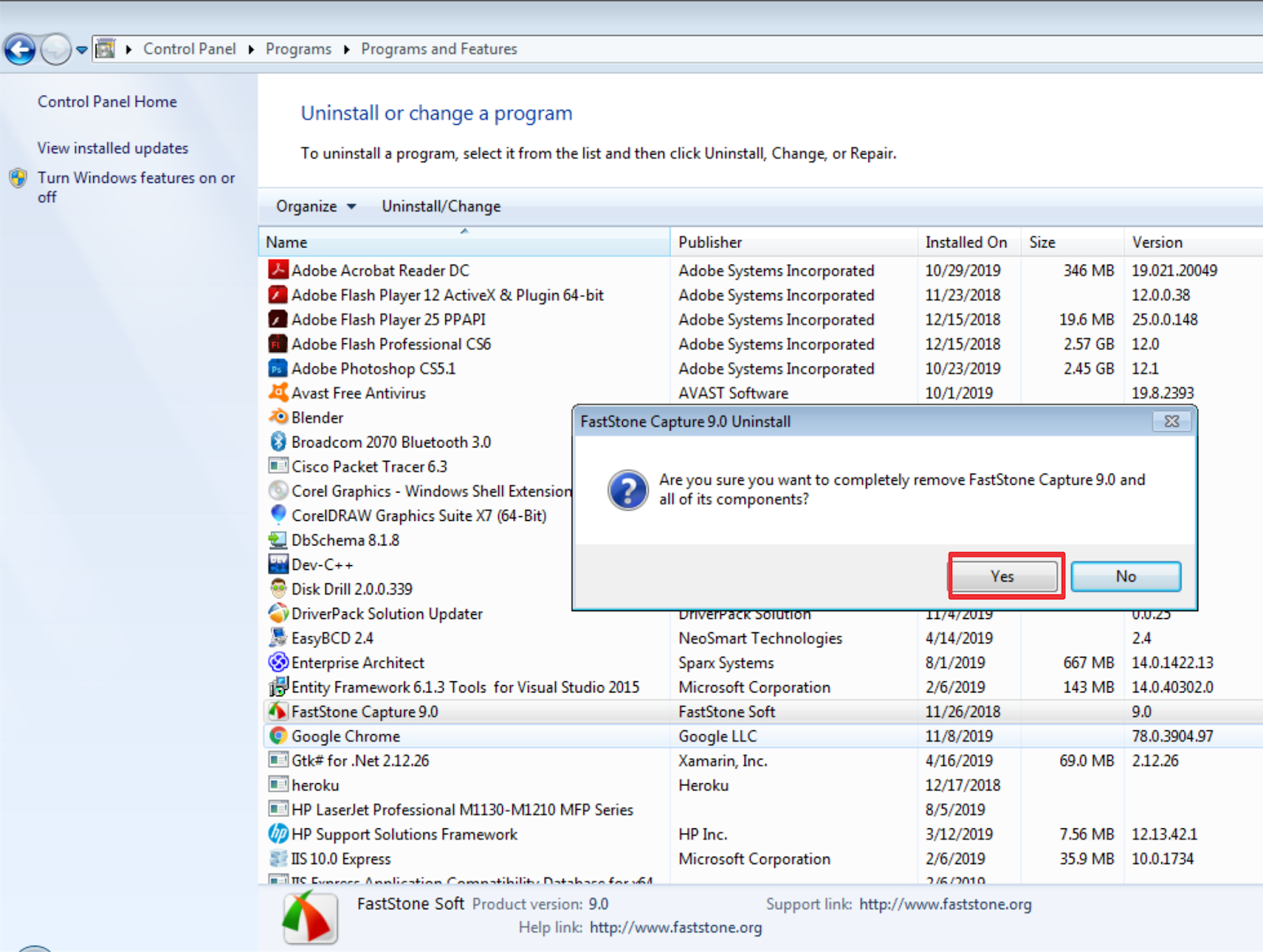
How To Uninstall A Program In Windows 10 Which Computing Helpdesk 3

How To Uninstall Powershell In Windows 10 Youtube Vrogue
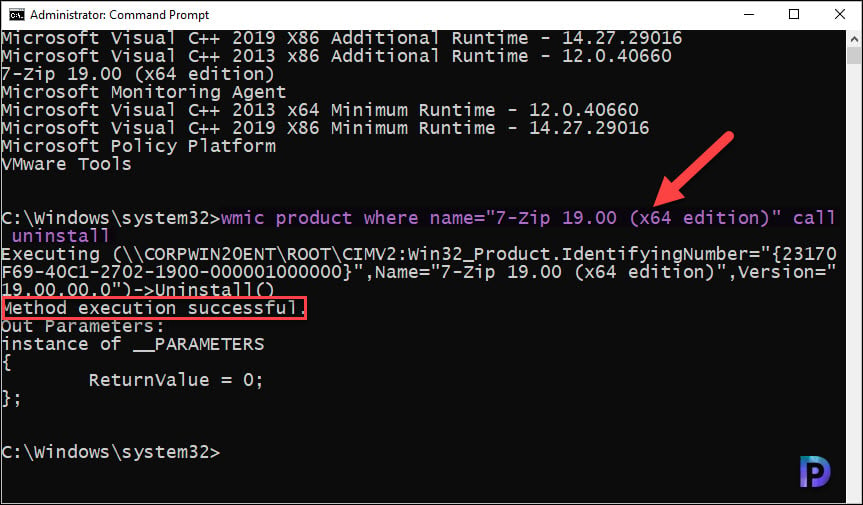
Uninstall Program From Command Prompt In Windows 10

WEB Every program that properly installs itself according to Microsoft s guidelines makes a registry entry in HKLM Software Microsoft Windows CurrentVersion Uninstall Usually

WEB 4 From Force Uninstall How to Fully Uninstall the Unnecessary Software from Your PC in Minutes Click Start and choose Run in the menu If you re using Windows Vista then press Win R on your keyboard Type regedit and hit Enter
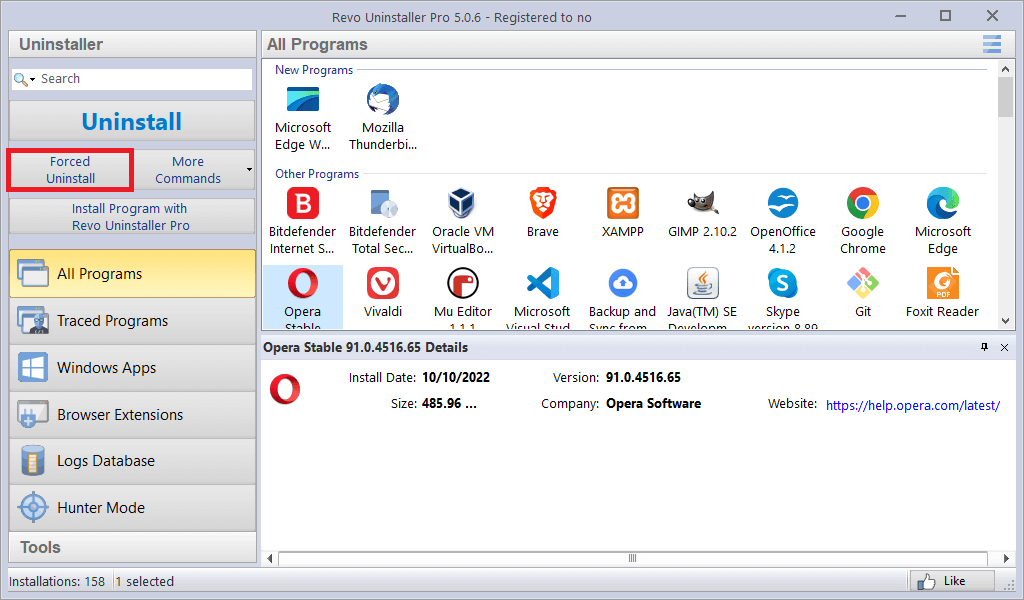
WEB Jul 12 2024 nbsp 0183 32 This post teaches you how to uninstall programs using CMD Command Prompt or PowerShell in Windows 10 or Windows 11 computer Force uninstall the

WEB Here is some useful information on how it works how to use it and some neat tricks you might enjoy Everything you see in add and remove programs XP Vista 7 confirmed is written to the registry at HKLM SOFTWARE Microsoft Windows CurrentVersion Uninstall as a subkey

WEB Mar 12 2023 nbsp 0183 32 It happens all the time You install a program decide you don t like it or need it and you want to uninstall it So you open up the Windows Add Remove tool and click to uninstall the program only to find that you can t In this article I will explain how to force uninstall a program
WEB Jun 3 2022 nbsp 0183 32 Learn how to remove a program using command prompt on Windows 10 or Windows 11 PC WEB Dec 16 2021 nbsp 0183 32 If you want to uninstall a program using Command Prompt in Windows 11 10 then you can do it via WMIC utility and some simple commands
WEB Sep 8 2019 nbsp 0183 32 Win button gt type CMD gt enter 2 type in wmic 3 Type in product get name and press Enter This will show all of the programs that are installed on your computer and also will allow using