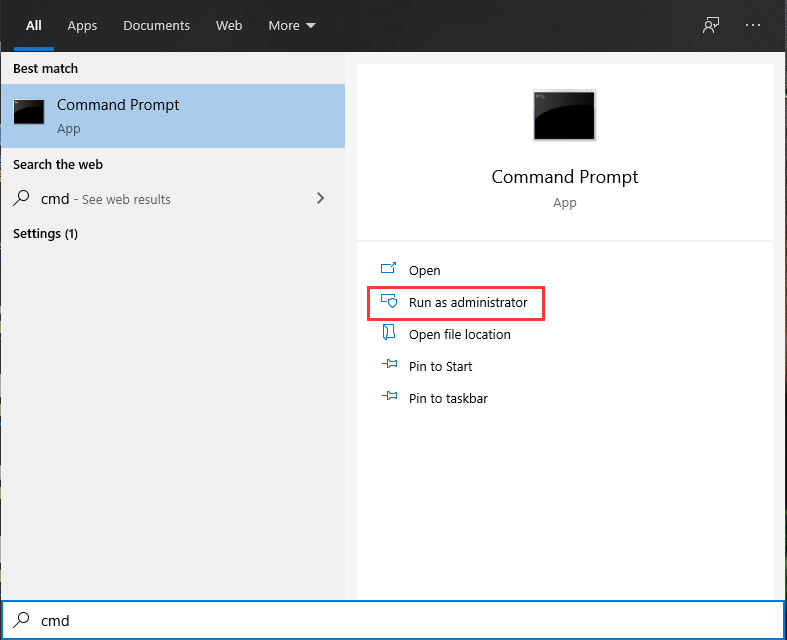
Flush And Reset Dns How To Flush Your DNS And Reset Your Connections Windows Mac Reset DNS Cache In Windows 10 How To Flush DNS How To Reset Network Connection MiniTool Flush DNS Using Command Prompt On Windows YouTube DNS Resolver Cache Flush And Reset In Windows Windows 8 Help Forums Web Apr 7 2022 nbsp 0183 32 Step 1 Click on Start or hit the Windows logo key on your keyboard Step 2 Type quot cmd quot then select quot Run as Administrator quot on the right Step 3 Type in quot ipconfig flushdns quot and hit ENTER You should get a response that the DNS cache has been flushed like the one below
Web Published October 23 2023 Flushing or clearing your DNS cache protects your privacy helps you resolve HTTP errors and prevents malicious DNS spoofing Free Resource Website Optimization Checklist Download Now In this post we ll cover everything you need to know about flush DNS including what flush DNS does why you would flush DNS Web Jan 3 2023 nbsp 0183 32 In Windows you flush the DNS via CMD i e via the command prompt and using the command ipconfig flushdns What is the DNS cache DNS servers are used to convert domain names such as www example into numerical addresses
DNS Resolver Cache Flush And Reset In Windows Windows 8 Help Forums How To Flush DNS Cache On Windows MacOS Android And IOS TechWiser How To Completely Flush Reset DNS On Windows 11 How To Flush And Reset DNS Cache In Windows 11 3 Easy Method TECHWIBE How To Flush And Reset DNS Cache In Windows 11 Technipages How To Flush And Reset DNS Cache In Windows 11 Technipages How To Flush And Reset DNS Cache In Windows 11 Technipages Flush DNS How And Why To Clear Your DNS Cache What s My DNS Cara Reset Koneksi Internet Dengan Flush DNS Kursuswebpro
Flush And Reset Dns
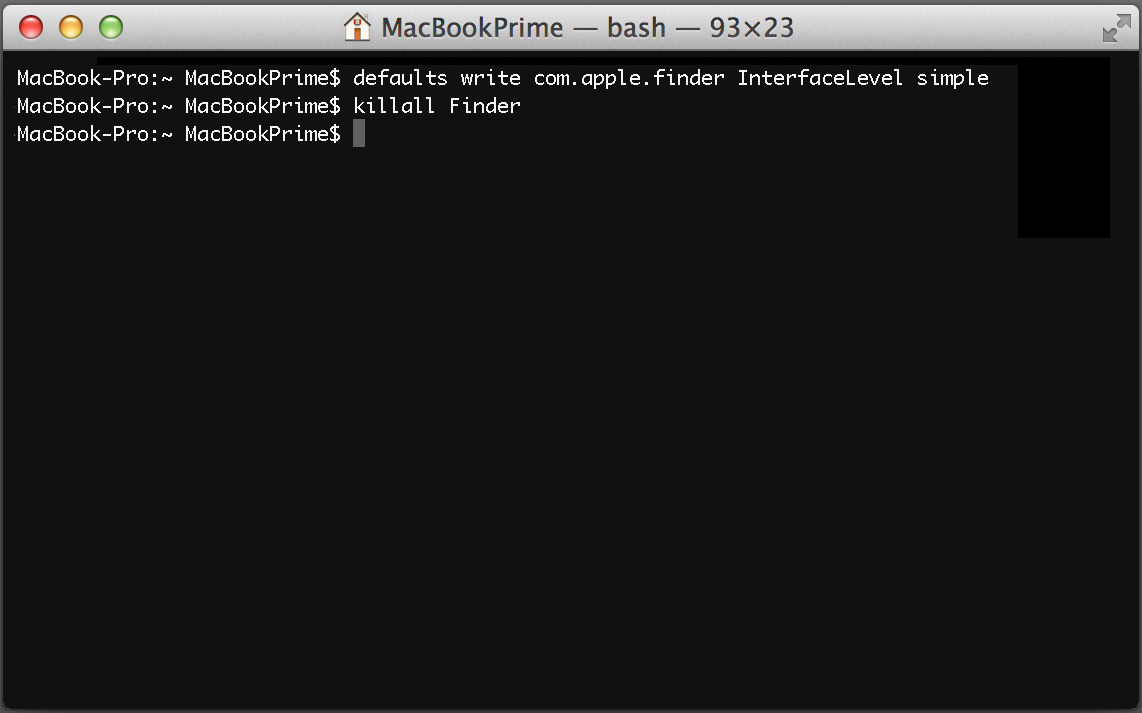 Flush And Reset Dns
https://www.downloadsource.net/uploaded/News_March2017/Flush_DNS/How_to_flush_DNS_on_mac.png
Web Sep 27 2023 nbsp 0183 32 1 Open a Command Prompt window as an administrator The easiest way to open Command Prompt with elevated access is Press the Windows key on your keyboard and type cmd Right click Command Prompt in the search results Click Run as administrator Click Yes to confirm 2
Templates are pre-designed files or files that can be utilized for various functions. They can save time and effort by supplying a ready-made format and layout for producing different sort of content. Templates can be utilized for individual or expert jobs, such as resumes, invitations, leaflets, newsletters, reports, discussions, and more.
Flush And Reset Dns

3 Ways To Flush And Reset The DNS Cache In Windows 10

How To Flush DNS Cache On Windows MacOS Android And IOS TechWiser
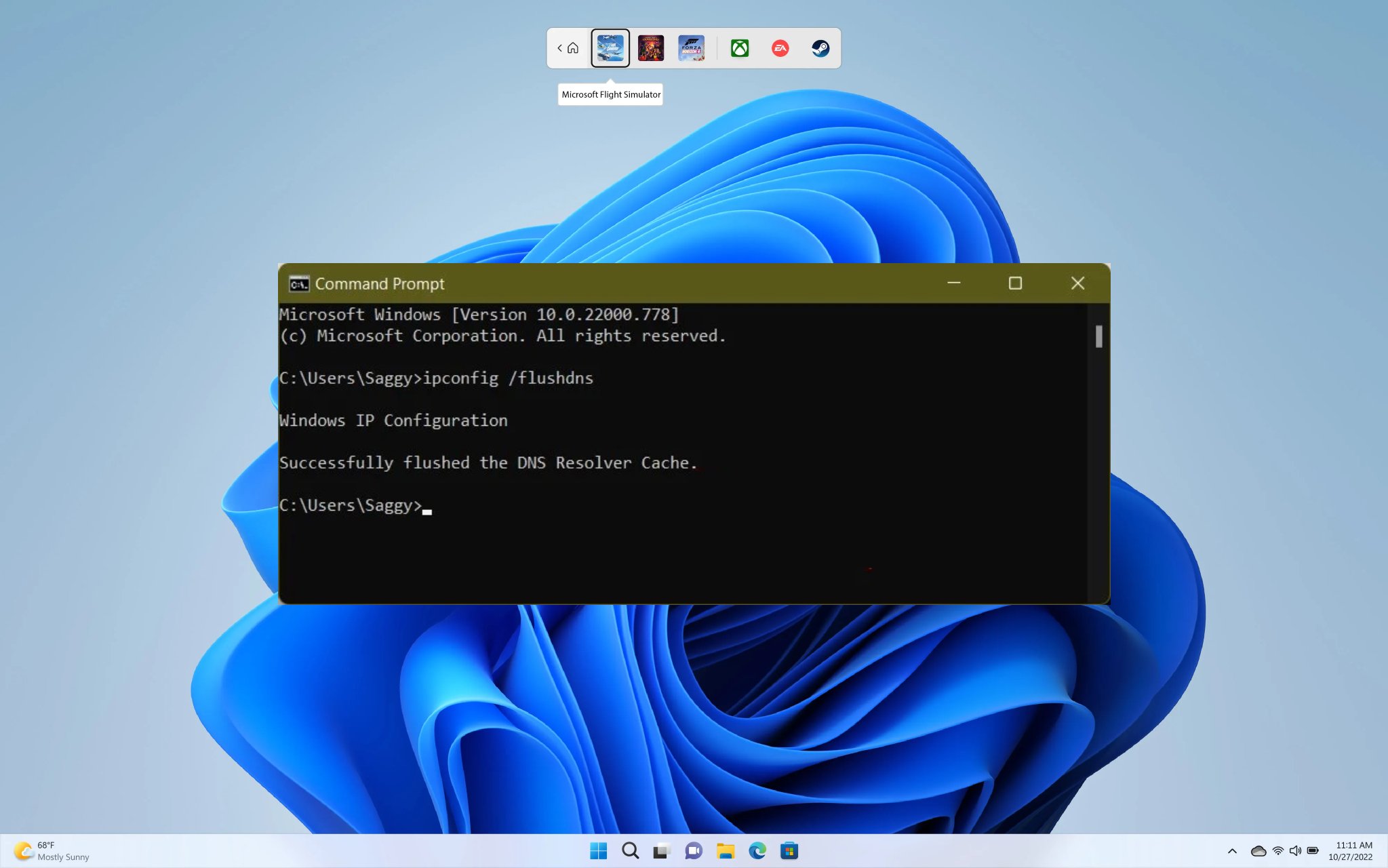
How To Completely Flush Reset DNS On Windows 11
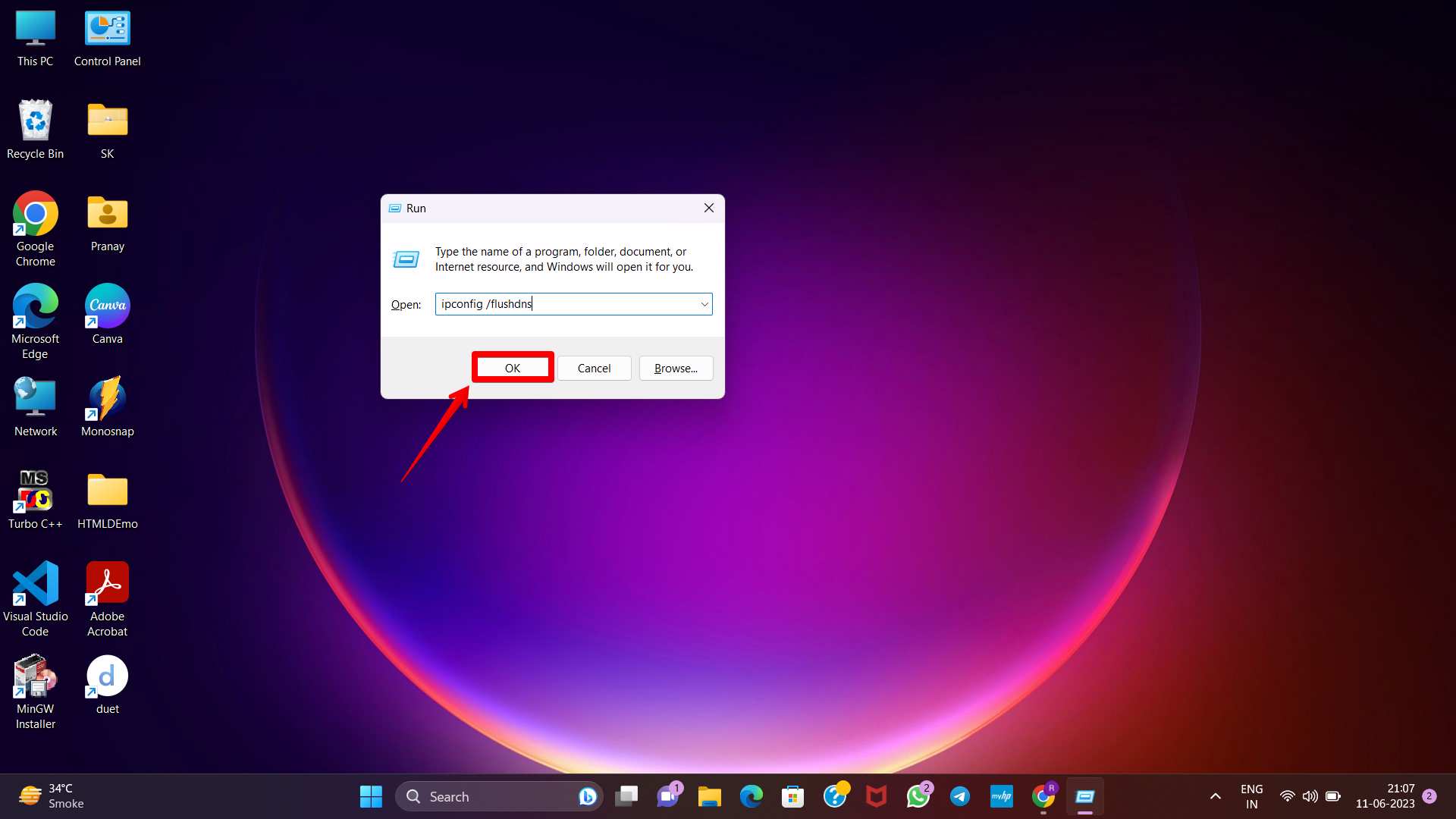
How To Flush And Reset DNS Cache In Windows 11 3 Easy Method TECHWIBE
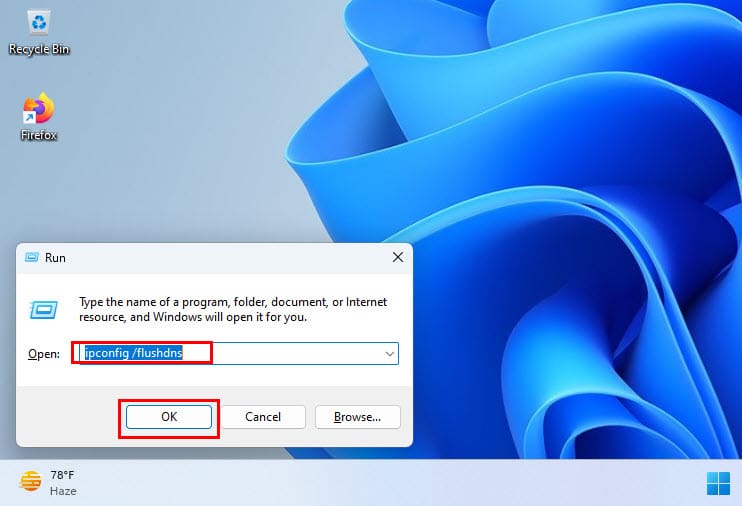
How To Flush And Reset DNS Cache In Windows 11 Technipages

How To Flush And Reset DNS Cache In Windows 11 Technipages

Web Feb 9 2023 nbsp 0183 32 1 Search for cmd using Windows Search and select Run as administrator 2 Click Yes if you see the User Account Control 3 Type the following flush DNS command one by one and press Enter after each input ipconfig flushdns ipconfig registerdns ipconfig release ipconfig renew netsh winsock reset 4 Reboot your PC

Web Nov 15 2023 nbsp 0183 32 To flush your DNS Cache run quot ipconfig flushdns quot in Command Prompt or PowerShell or just restart your PC A problem with your PC s DNS cache can result in trouble connecting to the internet If you ve tried the usual tricks like clearing your browser cache and cookies flushing Windows 10 s DNS may fix your problem What Does the
Web Nov 5 2021 nbsp 0183 32 The easiest way to clear your DNS cache is to use the Run dialog box a Windows tool that allows you to quickly run commands launch apps and open files if you know what to type Press and hold the Windows key R to open the Run dialog box Type ipconfig flushdns into the text field and click OK Check to see if your problem has been

Web Jan 13 2023 nbsp 0183 32 Here s how to flush your DNS server from Windows and macOS using the command line If you re using Linux you ll need to look up instructions for your particular distribution Flush the

Web Mar 6 2023 nbsp 0183 32 How to Flush and Reset the DNS Resolver Cache Find below the simple and quick methods to flush the DNS resolver cache and push Windows 11 to build a new DNS cache for future online activities You can perform most of these methods on earlier Windows PCs that run on Windows 10 8 7 XP 2008 and 2003
Web May 7 2023 nbsp 0183 32 Open Run by pressing Win R Type cmd and press Ctrl Shift Enter to open the Elevated Command Prompt You can also search for command prompt right click on the program and select Run as administrator Type and enter the command ipconfig flushdns to clear the DNS cache records Web Oct 4 2023 nbsp 0183 32 1 Share Clearing the DNS cache will help you fix multiple network related issues You can use the Command Prompt or the Windows PowerShell to clear the DNS cache Also you nay create a batch file to simply run it to clear the DNS cache Flushing the DNS cache helps you fix the various network issues that might trigger on your PC
Web Jun 28 2023 nbsp 0183 32 To correct it please flush and reset the DNS by following the instructions below You may also need to restart your modem and or router sometimes referred to as a power cycle Note If you are using a public or shared computer you may need to ask a network administrator to perform these steps