First Name Last Name Generator Excel Last Name Generator Getting The Best Surnames First And Last Name Generator Printable Form Templates And Letter How To Combine First And Last Name In Excel YouTube How To Separate First And Last Name From Full Name Excel Unlocked Www AOPolaQsN0fFOlnwkGS27VfTRKthIhzTdRRDPDfLUe3X s900 c k c0x00ffffff no rj The first step in generating random first names in Excel is to use the RANDARRAY function to create a list of random numbers This function allows you to generate an array of random decimal numbers between 0 and 1 Enter the following formula in a range of cells to generate a list of random numbers
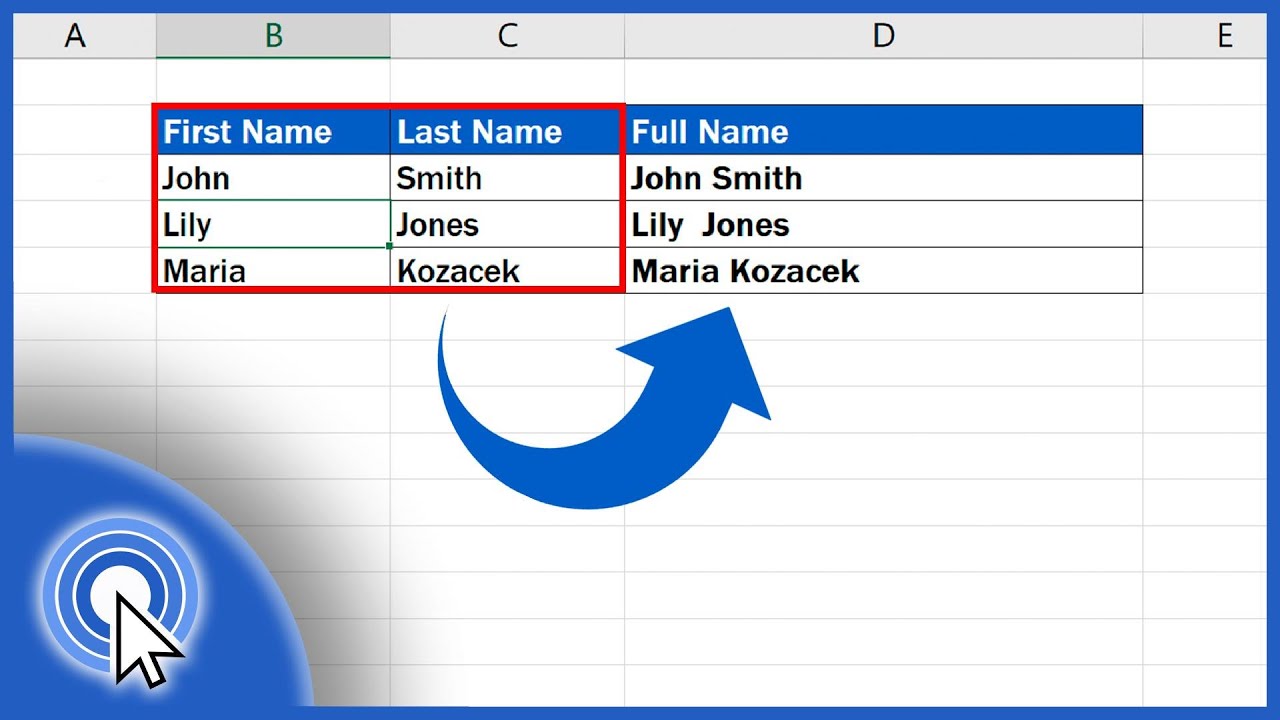
Method 1 Use Flash Fill Method 2 Use the Ampersand Symbol Method 3 Use the CONCAT Function Method 4 Use the TEXTJOIN Function Method 5 Use Power Query Key Takeaways To merge first and last names in Excel type the first combined name how you d like it to appear then use Flash Fill to combine the rest of the names automatically This video provides a brief tutorial showing how to use Excel s TEXT TO COLUMNS feature along with the CONCAT function to convert cells from a First Name La
AOPolaQsN0fFOlnwkGS27VfTRKthIhzTdRRDPDfLUe3X s900 c k c0x00ffffff no rj Excel Switch Last Name First To First Name First YouTube AOPolaSTFHpwPUAPxHlNquh5TNekVv9tJhO3gtAjOnYcBg s900 c k c0x00ffffff no rj AGIKgqOOXTQMJVy6s QOUMvwwIujLMRbL645xQNx1mFPog s900 c k c0x00ffffff no rj Random Name Generator Excel Boskind How To Separate First And Last Name In Excel Excel Explained FIRST NAME LAST NAME Combine First And Last Names Excel YouTube How To Separate First Name And Last Name Into Excel YouTube
First Name Last Name Generator Excel
 First Name Last Name Generator Excel
https://www.adazing.com/wp-content/uploads/2022/02/last-name-generator.jpg
Here is a guide on how to do it yourself It can be used as a lucky draw generator raffle generator and you can randomize any items not only select winners A simple guide on how to make the random name generator using Excel Type or copy your list each name comes into a separate row Put the following formula into a cell in the second
Templates are pre-designed files or files that can be used for numerous functions. They can save effort and time by offering a ready-made format and layout for producing various kinds of content. Templates can be utilized for personal or expert jobs, such as resumes, invitations, flyers, newsletters, reports, presentations, and more.
First Name Last Name Generator Excel

Royal Last Name Generator Unique Royal Last Name Ideas
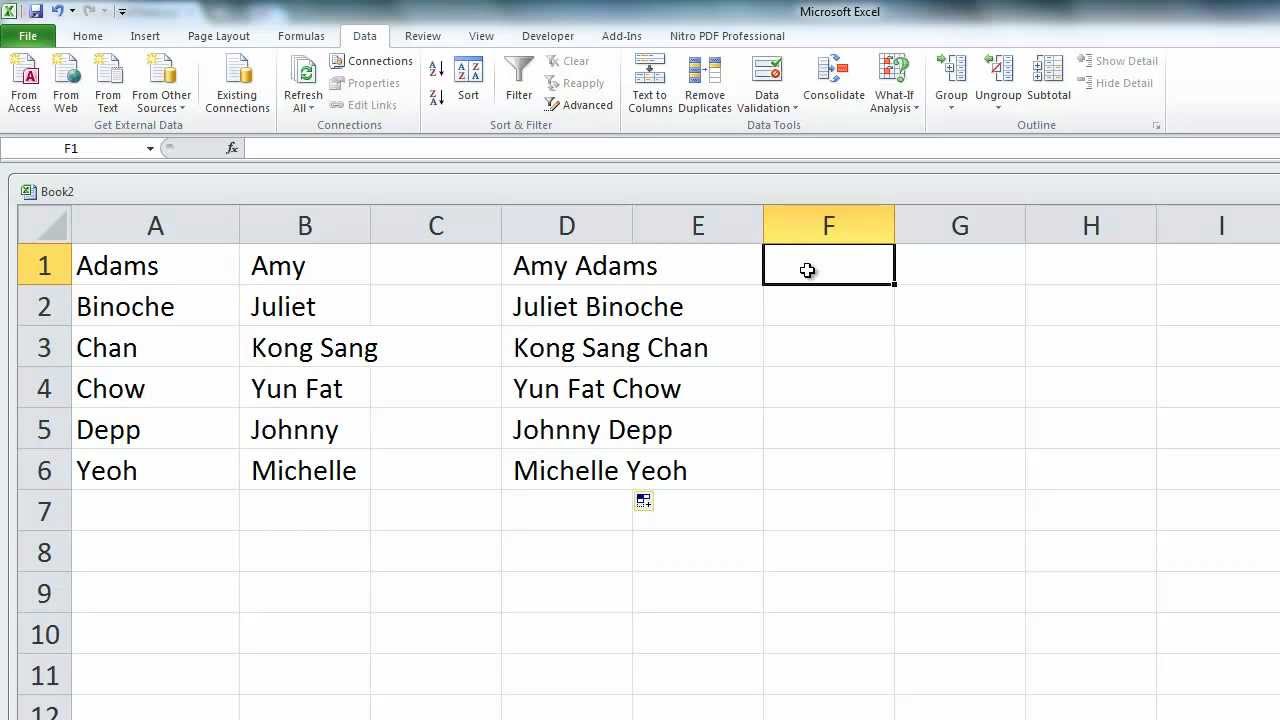
Excel Switch Last Name First To First Name First YouTube

AOPolaSTFHpwPUAPxHlNquh5TNekVv9tJhO3gtAjOnYcBg s900 c k c0x00ffffff no rj

AGIKgqOOXTQMJVy6s QOUMvwwIujLMRbL645xQNx1mFPog s900 c k c0x00ffffff no rj
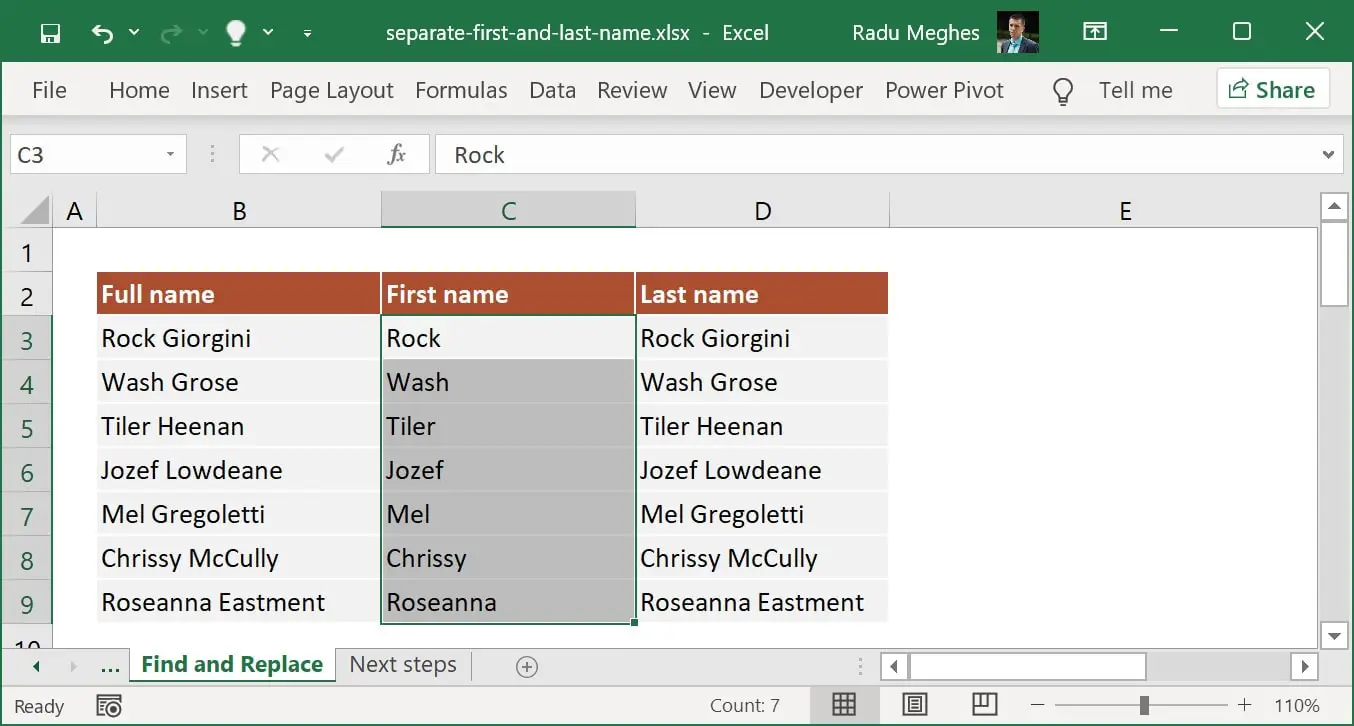
How To Separate First And Last Name In Excel Excel Explained

FIRST NAME LAST NAME

Free random data generator for excel Generate random data online and export to XLS CSV

One way to switch first and last names is through a feature called Text to Columns This feature can separate first and last names into their own cells where they can be re combined into the new format using a formula To get started select the cells containing your contacts Go to the Data ribbon tab and click Text to Columns
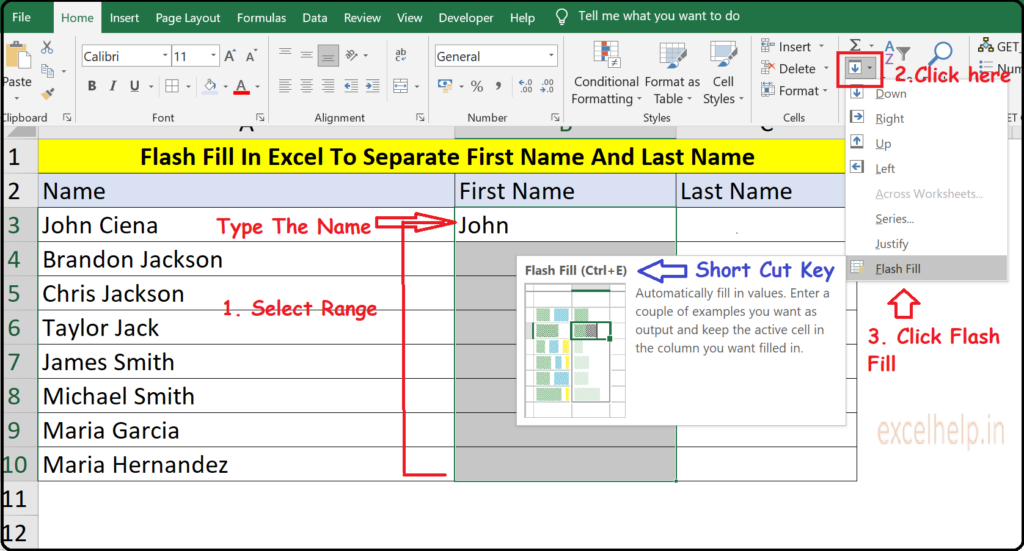
If you have middle name initials like Mahesh H Makvana and you want to include these initials in the First Name column then choose the Other option and enter period without quotes On the following screen we ll specify where to display the separated first and last names
At the core this formula uses the INDEX function to retrieve 10 random names from a named range called names which contains 100 names For example to retrieve the fifth name from the list we use INDEX like this INDEX names 5

Step 1 Create a column for the last names in your Excel sheet Step 2 In the first cell of the last name column enter the formula INDEX A A RANDBETWEEN 1 COUNTA A A Step 3 Drag the formula down to generate a list of random last names
Here s how you can use Flash fill to extract the last names from a column of full names Click on the first cell of your Last Name column cell B2 in our case Enter the last name for the first row manually Click on the Flash fill button from the Data tab You will find it under the Data Tools group The first name can be easily extracted with this generic formula LEFT cell SEARCH cell 1 You use the SEARCH or FIND function to get the position of the space character in a cell from which you subtract 1 to exclude the space itself
To extract the first name from a full name in first middle last format you can use the TEXTBEFORE function In the worksheet shown the formula in cell D5 is TEXTBEFORE B5 As the formula is copied down it returns the first name from each name listed in column B