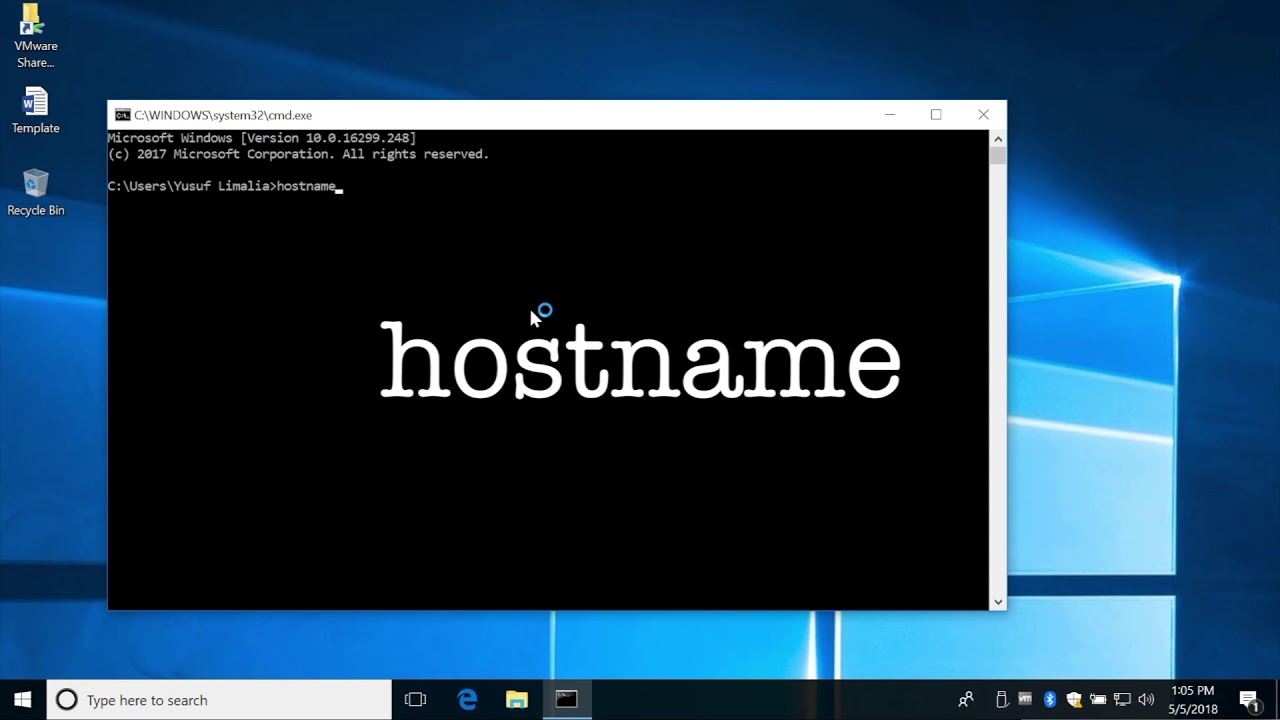
Find Computer Name Windows 10 How To Find Computer Name On Windows 10 YouTube How To Find Your Computer Name Information Technology Drexel University How To Find Your Computer Name Under Windows 10 Home Command Prompt How To Change Your Computer Name In Windows 10 PCWorld How To Change Computer Name In Windows 10 Vrogue Web May 8 2019 nbsp 0183 32 Sorted by 0 You can use the command quot hostname quot in the command prompt and in a powershell window Also in powershell you can you view the environment variable to get the hostname by typing Env COMPUTERNAME and hitting enter
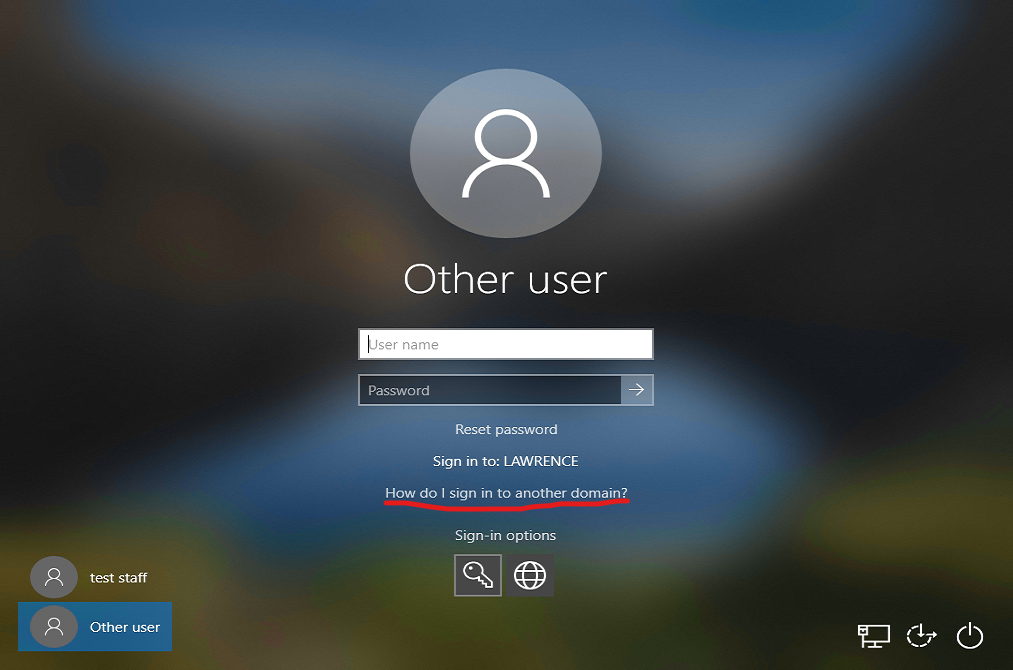
Web You can find your computer s name on a Windows PC by opening the quot About quot menu On a Mac you ll find your computer s name in the System Preferences app under quot Sharing quot Your computer s personal Web Windows 10 Select Start gt Settings gt System gt About Your computer name appears under Device specifications macOS Ventura or later On the Apple menu select System Settings gt General gt About Your computer name appears at the top of the About window macOS Monterey or earlier On the Apple menu select System Preferences gt Sharing
How To Change Computer Name In Windows 10 Vrogue How To Find Your Computer Name On Windows 10 YouTube How To Find Your Computer Name In Windows How To Find Your Computer Name In Windows How To Find Your Computer Name Windows 10 YouTube How To Find Computer Name Windows 10 Itechguides How To Find Your Computer Name Information Technology Drexel University How To Find Computer Name Windows 10 Itechguides How To Find Computer Name Windows 10 Itechguides
Find Computer Name Windows 10
 Find Computer Name Windows 10
https://i.ytimg.com/vi/7gpKPBWOsL8/maxresdefault.jpg
Web Rename your Windows 10 PC Microsoft Support Rename your device to make it easier to identify if if you use multiple computers with your Microsoft account Rename your device to make it easier to identify if if you use multiple computers with your Microsoft account true
Templates are pre-designed documents or files that can be used for different functions. They can save time and effort by providing a ready-made format and layout for developing different sort of content. Templates can be utilized for personal or professional jobs, such as resumes, invites, flyers, newsletters, reports, discussions, and more.
Find Computer Name Windows 10
How Do I Find My Computer Name In Windows
How To Find Your Computer Name On Windows 10 YouTube

How To Find Your Computer Name In Windows

How To Find Your Computer Name In Windows
How To Find Computer Name Windows 10 Itechguides

How To Find Your Computer Name Information Technology Drexel University

Web Mar 4 2020 nbsp 0183 32 How to Find Your Windows 10 Computer Name in a Few Clicks 1 Use a Keyboard Shortcut The quickest way to find out your computer name is to press Windows key Pause break You 2 Use the Start Button Right click the Start button This will open a list of choices Click System which will open

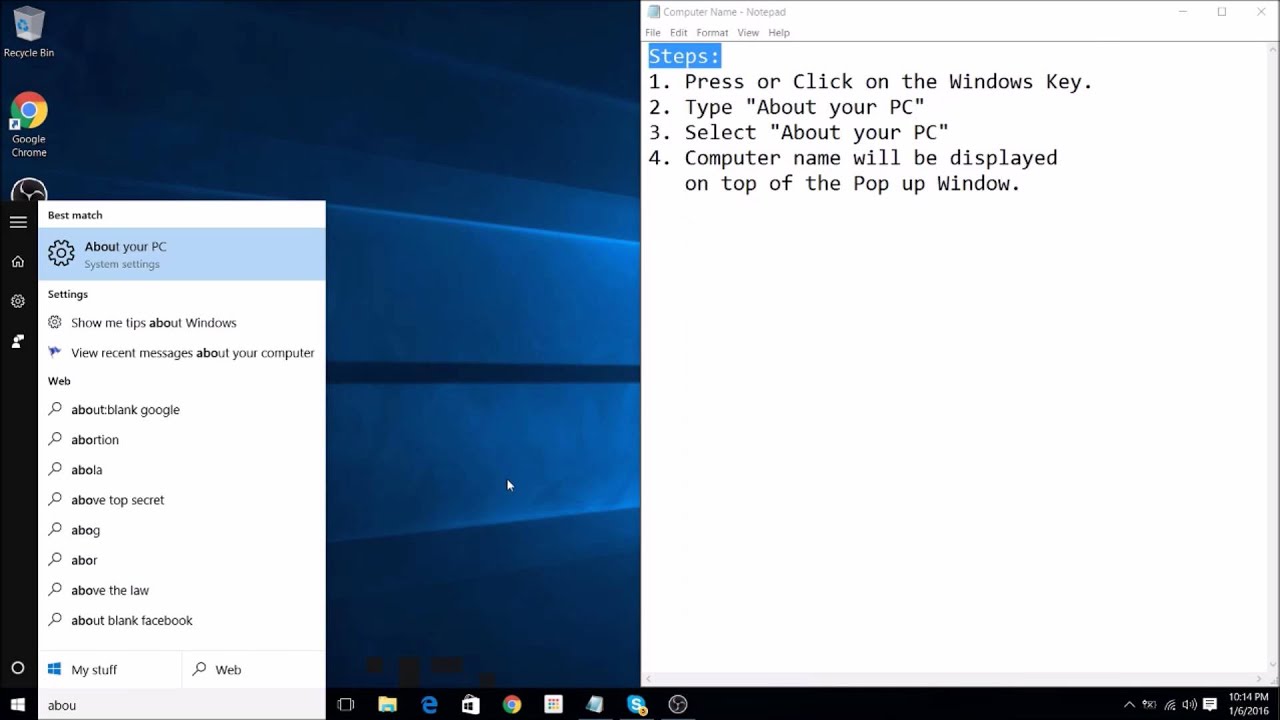
Web Apr 2 2021 nbsp 0183 32 Use Settings to Find a Computer Name in Windows 10 Locate the Windows Search box on the Windows Taskbar In the Search box type About and press Enter The About windows displays a variety of specifications about your computer Device name is your computer name

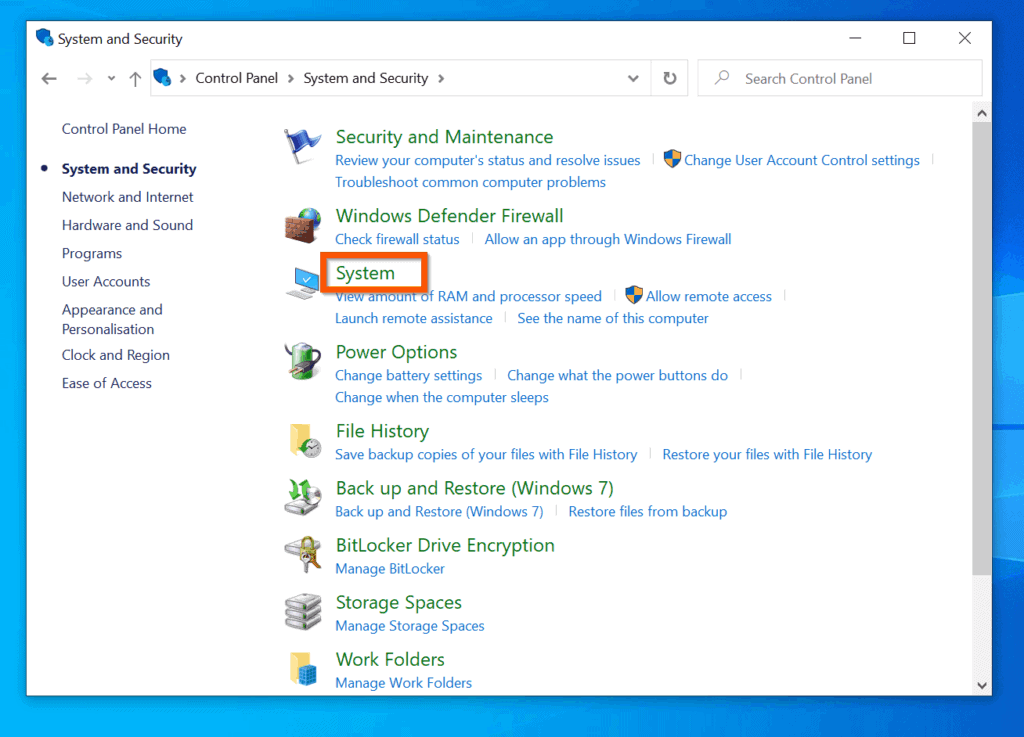
Web Find your computer name in Windows 10 Open the Control Panel Click System and Security gt System On the View basic information about your computer page see the Full computer name

Web Mar 22 2021 nbsp 0183 32 Find computer name from Settings Open the Settings app Go to the System group of settings Select the About tab Look for Device Name to find the name of the computer

Web Finding the computer name in Windows 10 Note If you use Windows you can hold down the Windows key and the Pause Break key on your keyboard to quickly view your computer name regardless of your device s operating system
[desc-11] [desc-12]
[desc-13]