Find And Substitute Function In Excel How To Use SUBSTITUTE Function In Excel YouTube How To Use SUBSTITUTE Function In Excel 4 Examples ExcelDemy SUBSTITUTE Function In Excel Everything You Should Know Wie Verwende Ich Die SUBSTITUTE Funktion In Excel SUBSTITUTE Function In Excel Malayalam Tutorial YouTube Find and Replace Cells Using Excel XLOOKUP Function The XLOOKUP function can also be used as a find and replace function in Excel Suppose we used short names for some movies but after that
The syntax of the Excel Find function is as follows FIND find text within text start num The first 2 arguments are required the last one is optional Open the Excel Find and Replace dialog by pressing the Ctrl F shortcut Alternatively go to the Home tab Editing group and click Find Select Find In the Find what box type the characters text
SUBSTITUTE Function In Excel Malayalam Tutorial YouTube How To Use The SUBSTITUTE Function In Excel SUBSTITUTE Function In Excel A Text Function Excel Unlocked Substitute Function In Microsoft Excel YouTube Substitute Function In Excel Meaning How To Use Examples How To Use The Excel SUBSTITUTE Function Excel SUBSTITUTE Function Trick YouTube MS Excel Substitute Function YouTube SUBSTITUTE Function In Excel Formula Examples How To Use
Find And Substitute Function In Excel
 Find And Substitute Function In Excel
https://i.ytimg.com/vi/5rOmoPuUKJY/maxresdefault.jpg
Click Home Find Select Replace to open the Find and Replace dialog box Select the Options button to expand the Find and Replace options You do not need to enter text or numbers that you
Templates are pre-designed documents or files that can be utilized for various functions. They can save effort and time by offering a ready-made format and design for producing different kinds of material. Templates can be utilized for personal or professional jobs, such as resumes, invites, leaflets, newsletters, reports, presentations, and more.
Find And Substitute Function In Excel

How To Use The Substitute Function In Microsoft Excel Excel Nerds YouTube
How To Use The SUBSTITUTE Function In Excel
SUBSTITUTE Function In Excel A Text Function Excel Unlocked
Substitute Function In Microsoft Excel YouTube

How To Use The Excel SUBSTITUTE Function
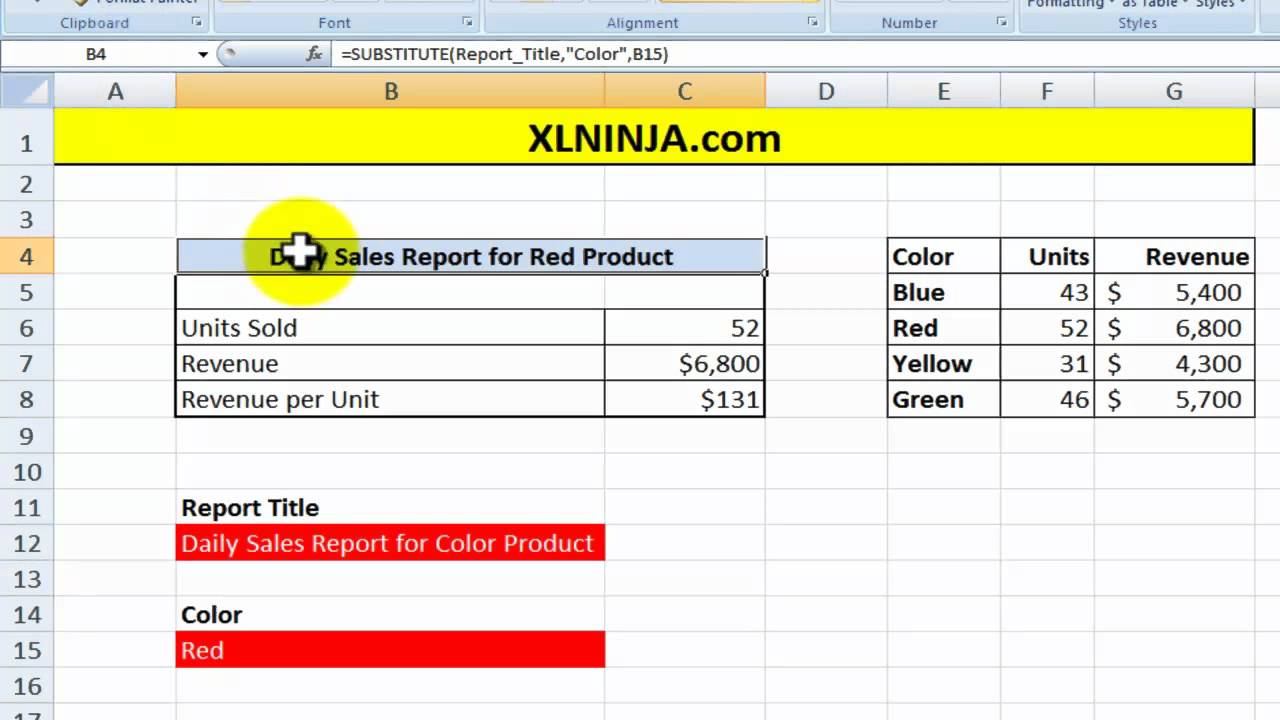
Excel SUBSTITUTE Function Trick YouTube
Replace Occurrences of a String Using SUBSTITUTE in Excel To replace a string of text numbers or symbols Microsoft Excel offers a function called

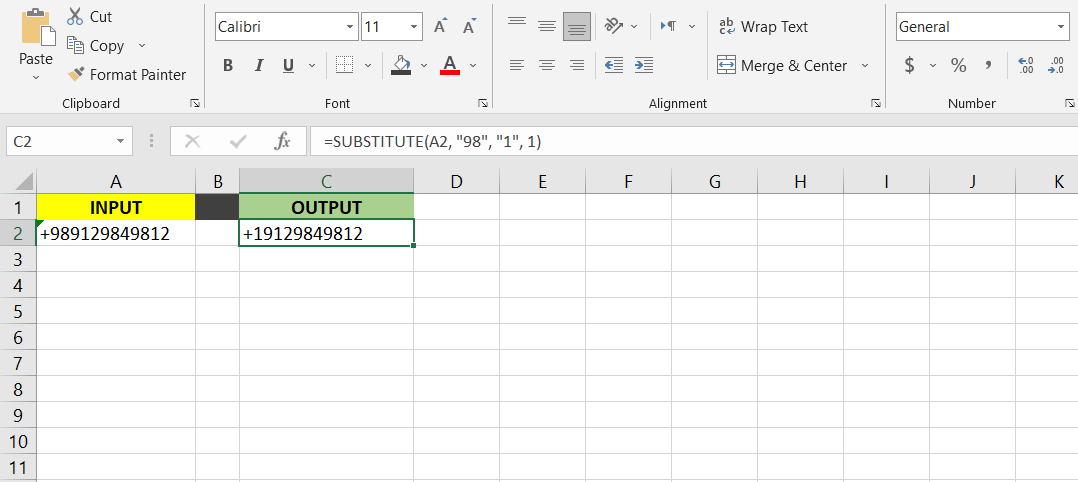
Summary The Excel SUBSTITUTE function replaces text in a given string by matching For example SUBSTITUTE 952 455 7865 returns 9524557865

Find or replace text and numbers on a worksheet Use the Find and Replace features in Excel to search for something in your workbook such as a particular number or text string You can either locate the search
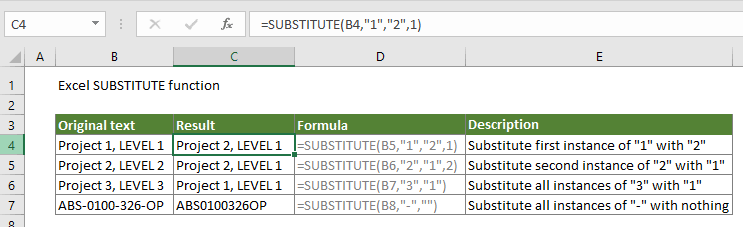
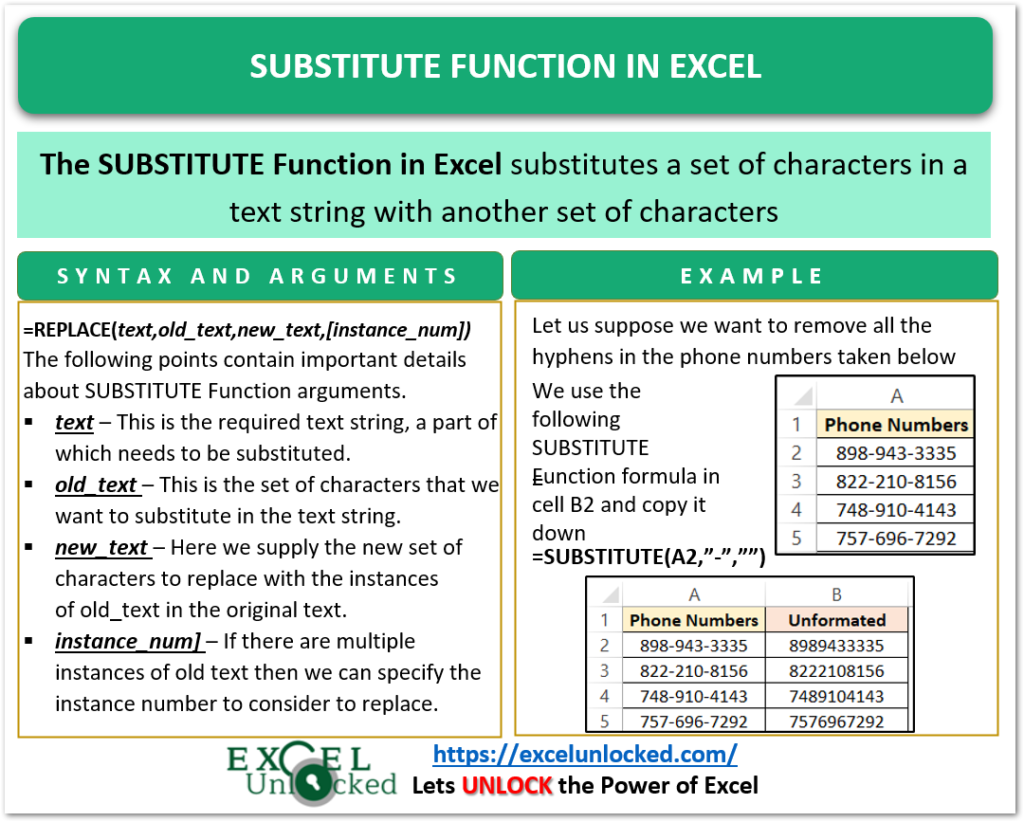
The SUBSTITUTE Function Finds and replaces existing text with a new text string Case sensitive To use the SUBSTITUTE Excel Worksheet Function select a cell and type Notice how the formula

Summary To find and replace multiple values with a formula you can nest multiple SUBSTITUTE functions together and feed in find replace pairs from another table using the INDEX function In the example shown we
In this article we have learned how to find and replace data in Excel using the Find and Replace tool Also we have shown the usage of Excel functions like To use Find and Replace click Find Select from the Home tab and choose Replace Or you can use the Ctrl H Excel shortcut key From the Find and Replace dialog box
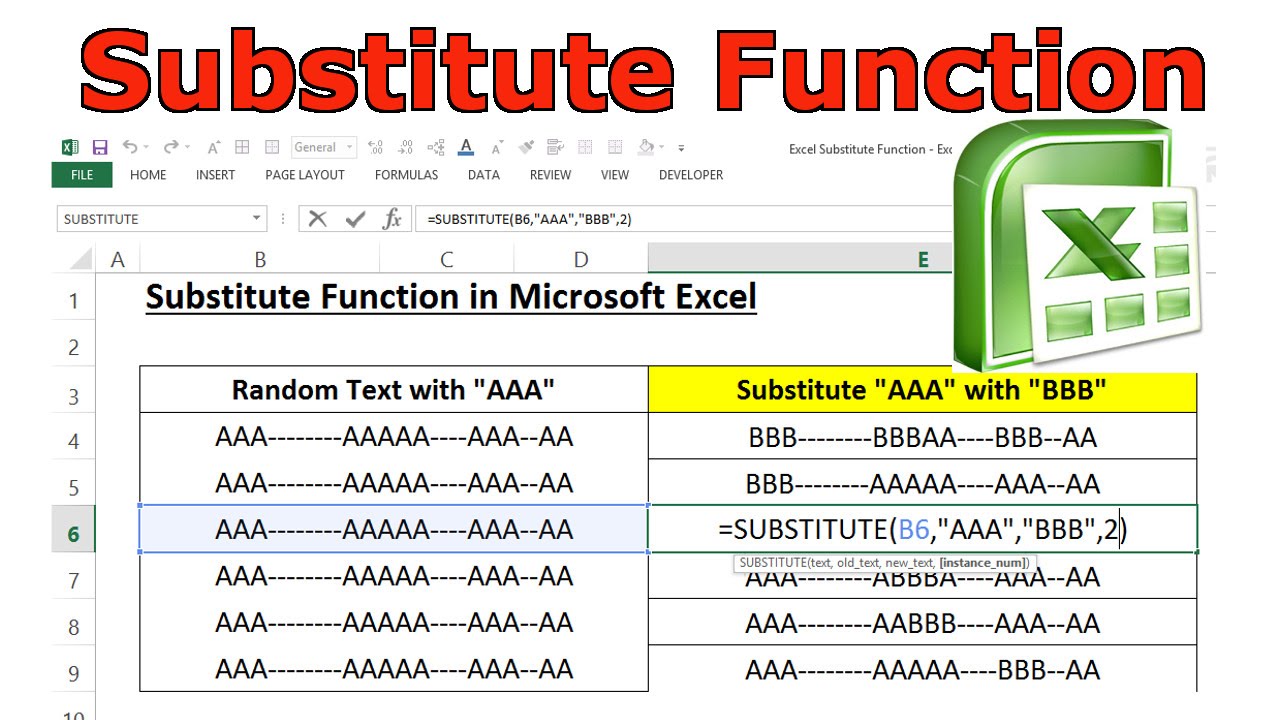
The complete formula looks like this SUBSTITUTE B3 C3 D3 Example 2 Replace the last instance In a second example you want to replace only the last