Find And Replace String In Unix Unix Linux Find And Replace Everything Before A String Of Text 3 LabVIEW Find And Replace String Find And Replace String In Text File Using Python YouTube Python Python find replace Transformation Policies Azure API Management Hands On Lab Web Result Jan 7 2011 nbsp 0183 32 8 Answers Sorted by 1488 sed i s original new g file txt Explanation sed Stream EDitor i in place i e save back to the original file The command string s the substitute command original a regular expression describing the word to replace or just the word itself new the text to replace it with
Web Result Mar 18 2024 nbsp 0183 32 Find and Replace All Occurences Across Multiple Files Using find The Linux find command is one the most important and commonly used command line utility in Unix based systems We can use it to search and locate a list of files or directories based on the conditions we specify Web Result Jan 11 2021 nbsp 0183 32 The general form of the substitute command is as follows range s pattern string flags count The command searches each line in range for a pattern and replaces it with a string count is a positive integer that multiplies the command If no range and count are given only the pattern found
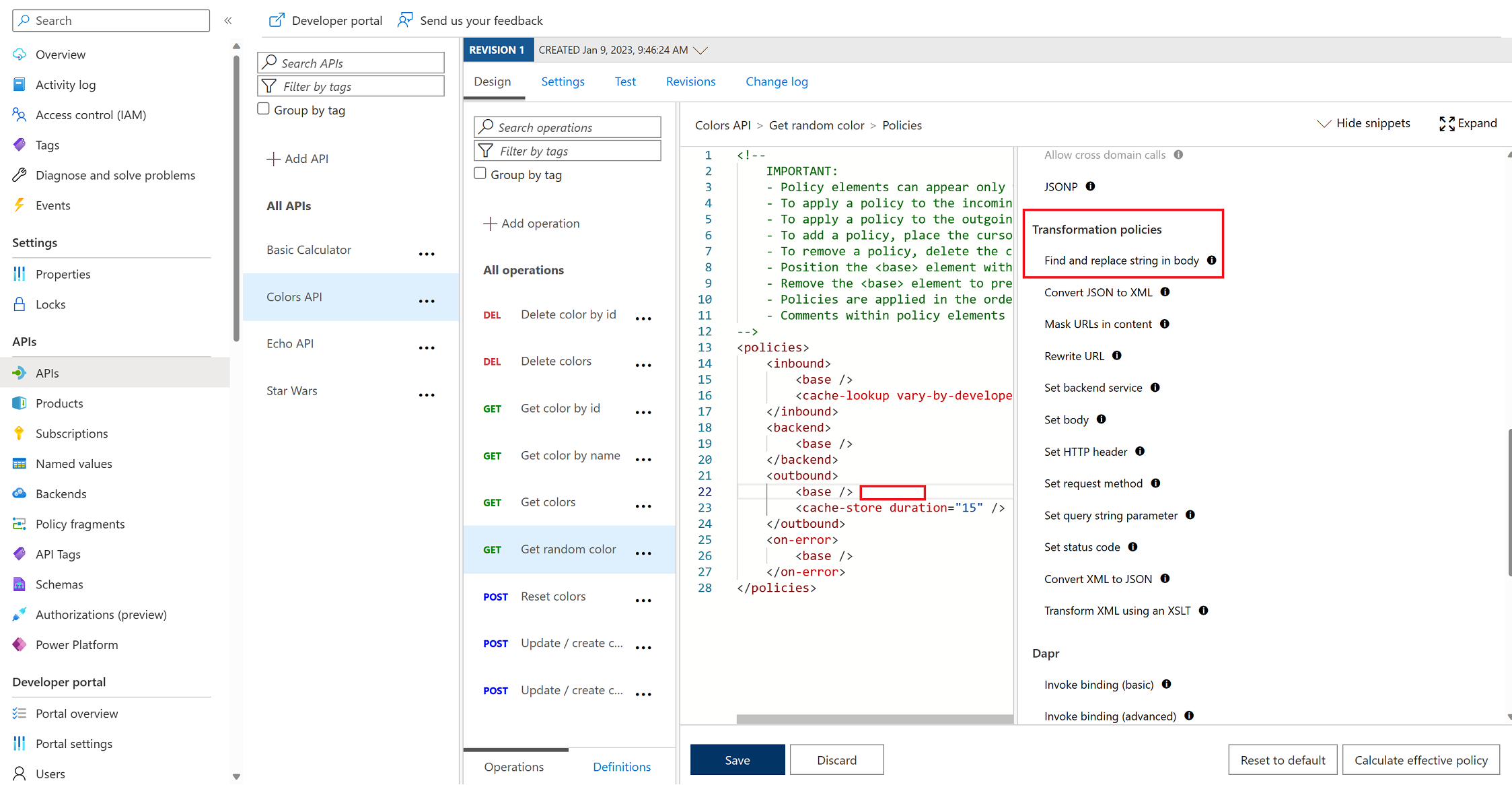
Transformation Policies Azure API Management Hands On Lab Unix Linux Replace String In Multiple Files same Directory With Unix Linux Find The Last Occurence Of A String In A Given Filetype Python String Replace Unix Linux How To Replace A String By Another In A Text File YouTube Unix Linux How Can I Replace A String In A File s 9 Solutions Find And Replace String In All Files And Folders In A Certain Directory How To Use Sed Command To Find And Replace Strings In Files MySQL String Replace In PhpMyAdmin Techie Show
Find And Replace String In Unix
 Find And Replace String In Unix
https://i.ytimg.com/vi/g84E3dge6a0/maxresdefault.jpg
Web Result Apr 20 2015 nbsp 0183 32 Replace only if the string is found in a certain context Replace foo with bar only if there is a baz later on the same line sed i s foo baz bar 1 file In sed using saves whatever is in the parentheses
Templates are pre-designed documents or files that can be utilized for different purposes. They can save effort and time by supplying a ready-made format and layout for creating various kinds of content. Templates can be utilized for individual or expert tasks, such as resumes, invites, flyers, newsletters, reports, discussions, and more.
Find And Replace String In Unix

Python String replace How To Replace A Character In A String

Unix Linux Replace String In Multiple Files same Directory With

Unix Linux Find The Last Occurence Of A String In A Given Filetype
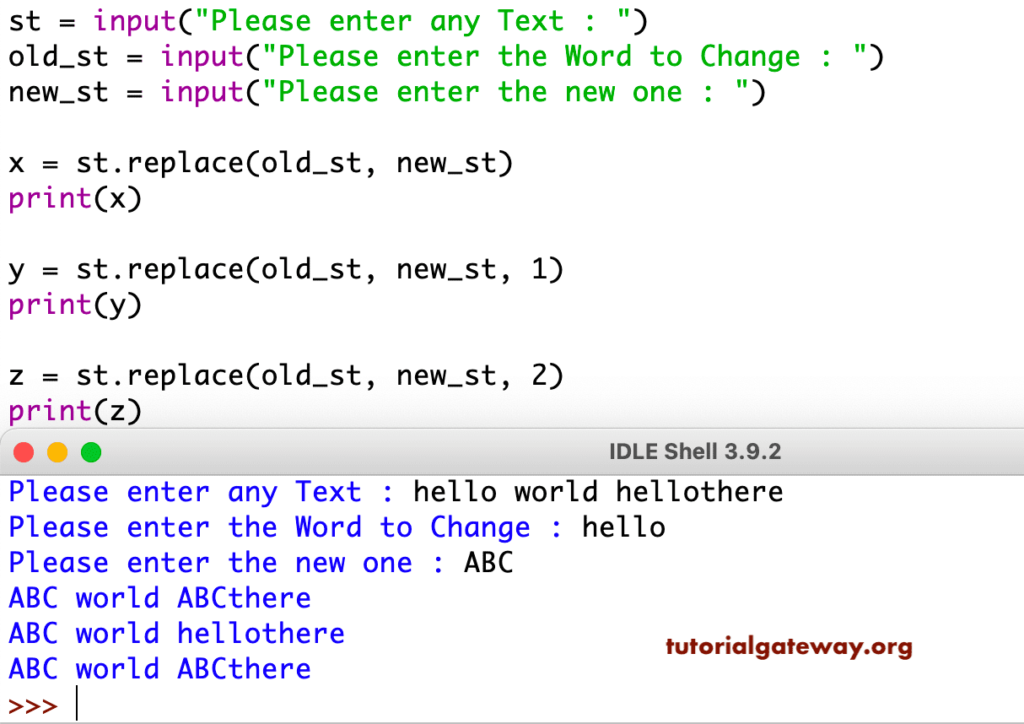
Python String Replace

Unix Linux How Can I Replace A String In A File s 9 Solutions

Find And Replace String In All Files And Folders In A Certain Directory

Web Result Nov 14 2020 nbsp 0183 32 If you want to find and replace a string that contains the delimiter character you ll need to use the backslash to escape the slash For example to replace bin bash with usr bin zsh you would use sed i s bin bash usr bin zsh g file txt The easier and much more readable option is

Web Result Mar 12 2024 nbsp 0183 32 Find and replace text within a file using sed command The procedure to change the text in files under Linux Unix using sed Use Stream EDitor sed as follows sed i s old text new text g input txt It tells sed to find all occurrences of old text and replace with new text in a file named input txt

Web Result Oct 20 2015 nbsp 0183 32 Just replace it with this syntax cat foo txt sed e s want to be have been g to replace the file eg on mac sed i s want to be have been g foo txt or other unix sed i bak s want to be have been g foo txt

Web Result Oct 5 2014 nbsp 0183 32 sed is the s tream ed itor in that you can use pipe to send standard streams STDIN and STDOUT specifically through sed and alter them programmatically on the fly making it a handy tool in the Unix philosophy tradition but can edit files directly too using the i parameter mentioned below
Web Result Jul 9 2012 nbsp 0183 32 I like the following to replace the string to replace with nothing in the example below for file in path to your files txt do sed i s string to replace g quot file quot done but you can also do for file in path to your files do sed i s oldstring newstring g quot file quot done
Web Result Using sed to find and replace complex string preferrably with regex Asked 10 years 9 months ago Modified 2 years 2 months ago Viewed 699k times 226 I have a file with the following contents lt username gt lt CDATA name gt lt username gt lt password gt lt CDATA password gt lt password gt Web Result Jul 3 2023 nbsp 0183 32 Key Features of the Linux sed Command String Replacement At its core sed excels in finding and replacing strings making it a go to tool for editing text files Regular Expressions Beyond simple string replacement sed supports complex pattern matching using regular expressions
Web Result Dec 21 2011 nbsp 0183 32 3 Answers Sorted by 40 Try the following command for the file file txt sed i s abc abcd g file txt Try the following command for all files in the current folder find maxdepth 1 type f exec sed i s abc abcd g For the files in the current directory and all subdirectories