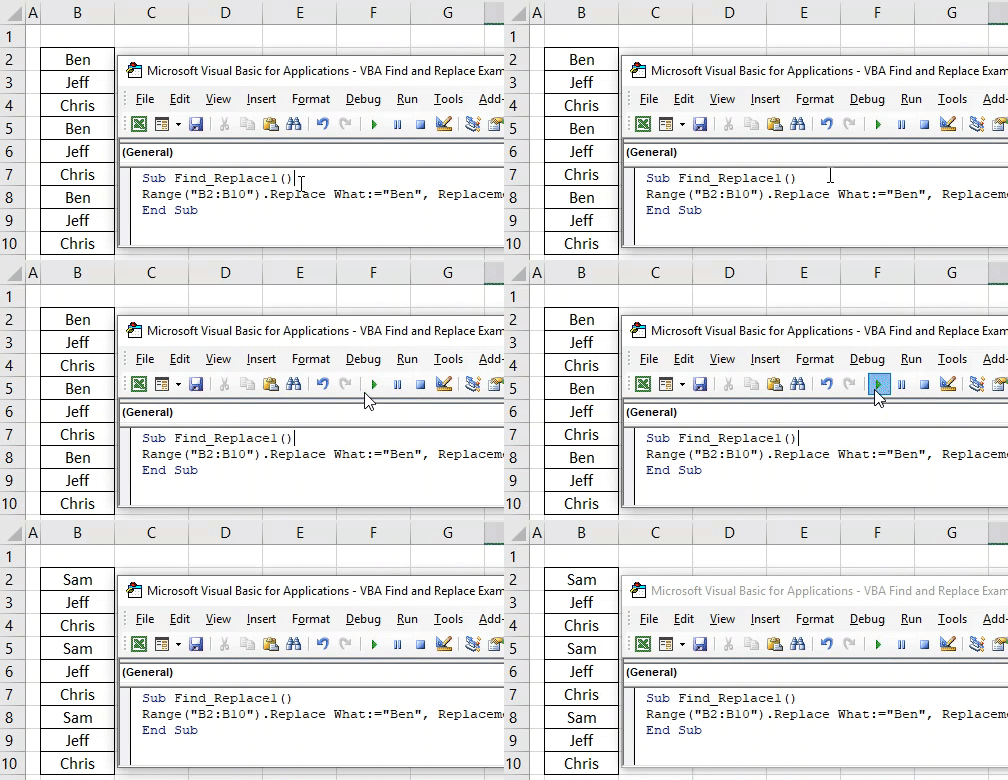
Find And Replace In Excel Vba VBA Replace LaptrinhX How To Use Find And Replace In Excel Dedicated Excel How To Find And Replace Data In Excel 2010 Youtube Riset VBA Find And Replace How To Find And Replace Words In Excel VBA Find And Replace In Excel Help UiPath Community Forum For this follow the below steps Step 1 Go to Insert menu in VBA and select Module option as shown below Step 2 Once we do that we will get a new module opened In that module write the subcategory in the name of VBA Find and Replace or you can choose any name of that subcategory Code Sub Find Replace1 End Sub
1 VBA to Find and Replace Multiple Values in Excel In the first example we will use VBA to find and replace the name of the departments Here we will find Marketing and Accounting in the Department column And then replace them with Sales and Finance respectively Let s follow the steps below to learn the first example STEPS 58 7k 11 87 140 asked Feb 24 2013 at 23 16 user1155299 877 5 20 29 Add a comment 2 Answers Sorted by 9 I m assuming the range you re interested in replacing is column A from row num to last row Try replacing this With ActiveSheet UsedRange Replace curr symbol new symbol xlPart End With With this
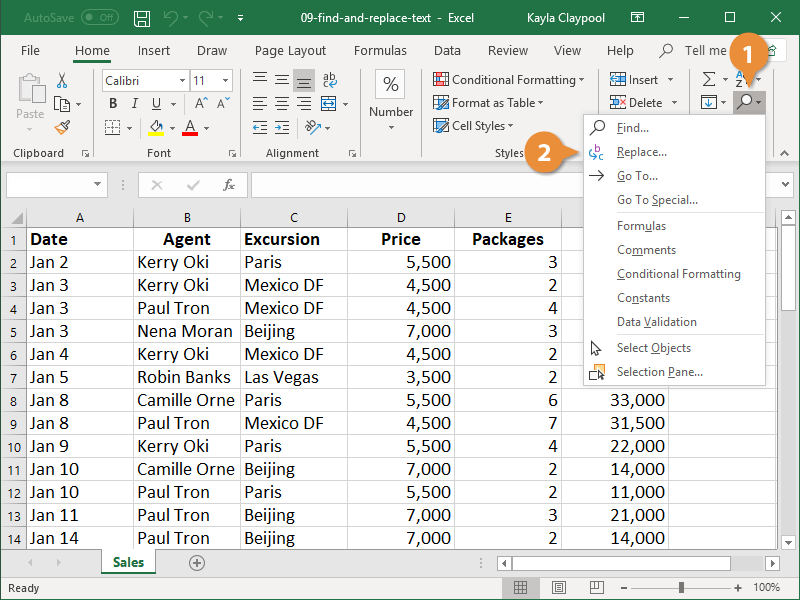
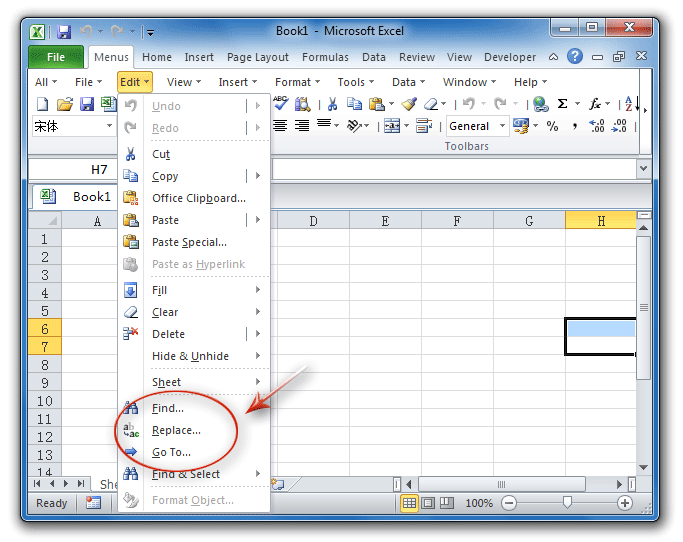
Find And Replace In Excel Help UiPath Community Forum Find And Replace On Mac Excel Ulsdao Riset VBA Find And Replace How To Find And Replace Words In Excel VBA Find And Replace Command Printable Templates Free Solved Opening Reader In Excel VBA Adobe Community 11395953 Find Replace In Excel Customguide Riset Excel Find And Replace Multiple Values At Once Ablebits Regular Expression And Its Usage In Excel VBA Making If Then Statements In Excel VBA Educational Research Techniques
Find And Replace In Excel Vba
 Find And Replace In Excel Vba
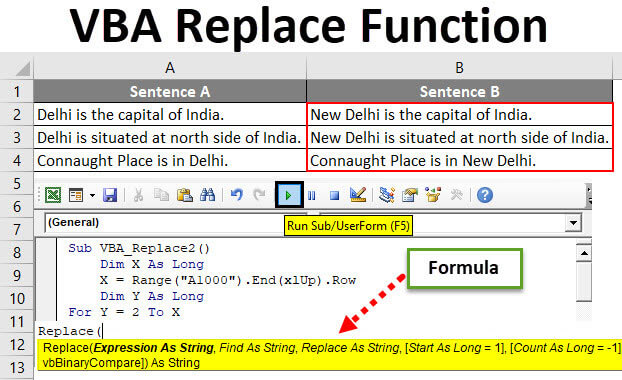
https://cdn.educba.com/academy/wp-content/uploads/2019/05/VBA-Replace-Function.jpg
Excel Tips Tricks Excel Charting Tutorials VBA Book Store Blog Download Area Excel Video Tutorials Use Find And Replace In An Excel Macro Welcome back to another MacroMonday Excel blog post in my 2019 series Have you ever needed to find and replace some of your Excel VBA Macro code
Pre-crafted templates provide a time-saving service for producing a varied variety of files and files. These pre-designed formats and designs can be utilized for different individual and expert projects, consisting of resumes, invites, flyers, newsletters, reports, discussions, and more, improving the content development procedure.
Find And Replace In Excel Vba

Excel VBA Tutorial For Beginners 13 Merge UnMerge Cell Range In Excel
Find And Replace On Mac Excel Ulsdao Riset
VBA Find And Replace How To Find And Replace Words In Excel VBA
Find And Replace Command Printable Templates Free
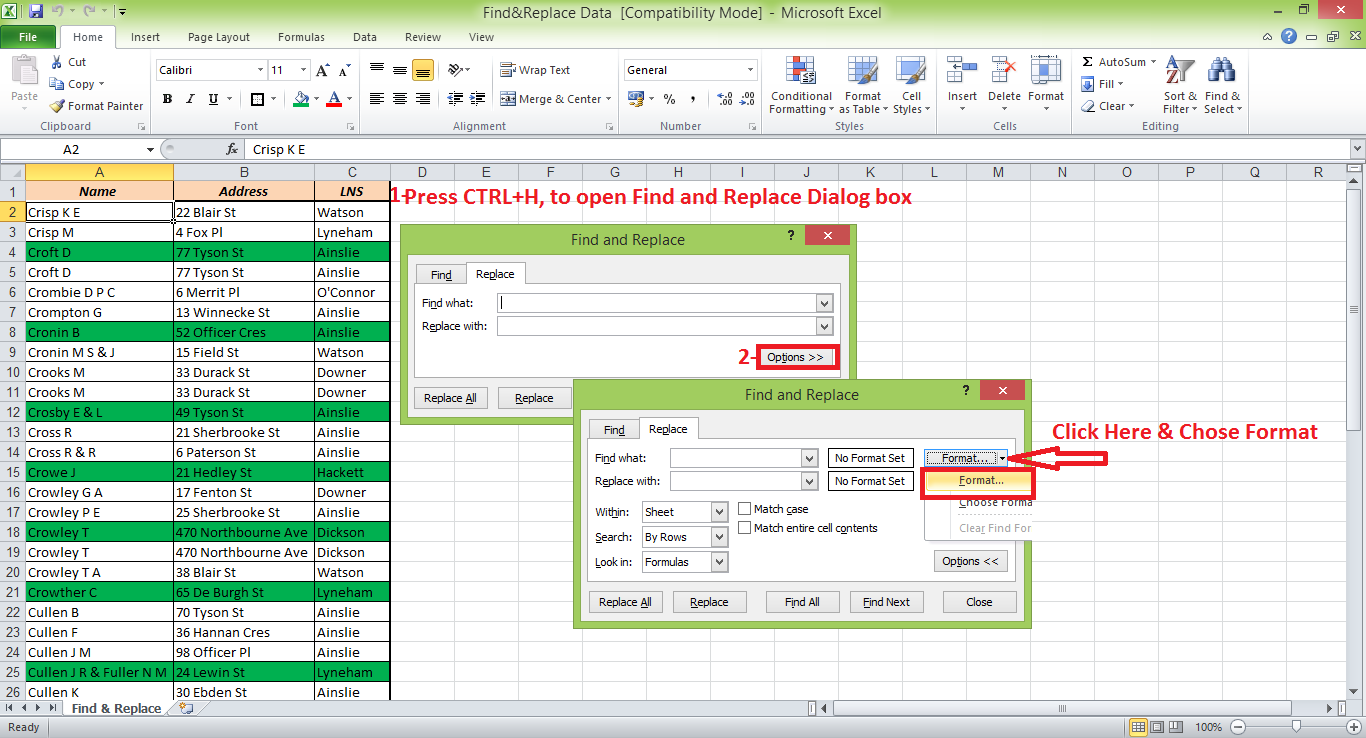
Find Replace In Excel Customguide Riset
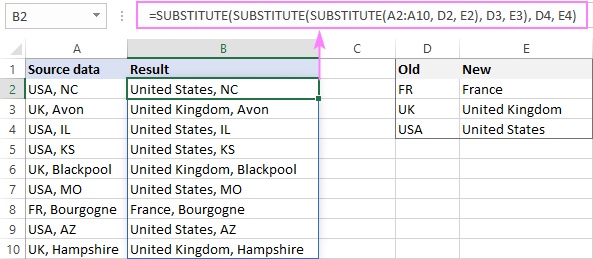
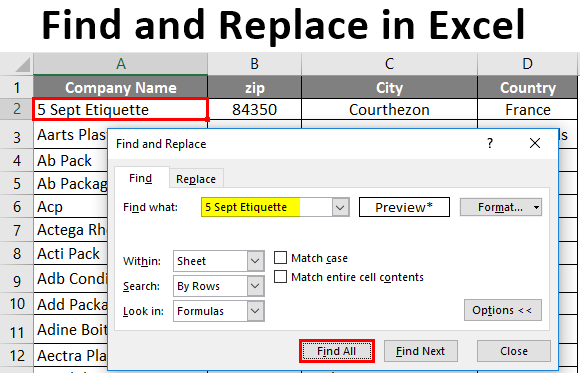
Excel Find And Replace Multiple Values At Once Ablebits
Sub FindReplaceAll CountReplacements PURPOSE Find Replace text values throughout entire workbook notify user of how many cells were affected SOURCE www TheSpreadsheetGuru Dim sht As Worksheet Dim fnd As Variant Dim rplc As Variant Dim ReplaceCount As Long fnd April rplc May For Each sht In ActiveWorkbook Worksheets Replac
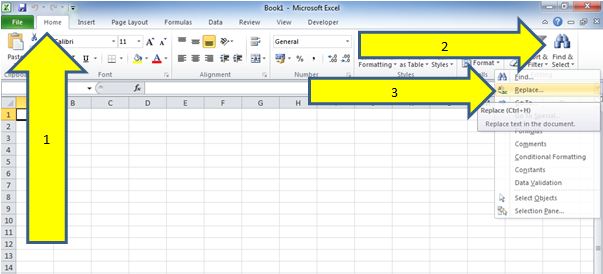
Sign in Visual Basic for Applications Browse by product VBA language reference Office library reference Office VBA Reference Access Excel Overview Concepts Object model Overview AboveAverage object Action object Actions object AddIn object AddIns object AddIns2 object Adjustments object AllowEditRange object AllowEditRanges object
Method 1 Find and Replace Strings Case Insensitive Sub FindReplace Range A1 B10 Replace What Mavs Replacement Mavericks End Sub This particular macro will replace each occurrence of Mavs with Mavericks in the range A1 B10 Method 2 Find and Replace Strings Case Sensitive
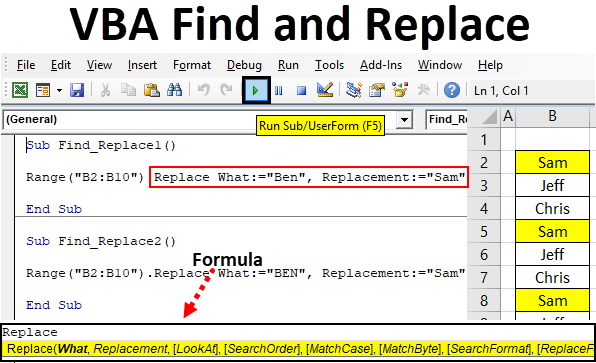
Find and Replace in Excel is an often used tool We can implement the same with VBA as well Our earlier article VBA Find shows you how to use the FIND method in VBA This article will show you how to use the VBA Find Replace method Table of contents Find Replace Function in VBA VBA Find and Replace Syntax

Examples of VBA Find and Replace in Excel Important Things To Note Frequently Asked Questions FAQs Download Template Recommended Articles Key Takeaways The VBA Find and Replace function replaces occurrences of a substring within a string or a cell value
May 8 2020 Looking for More Excel Tutorials Some spreadsheets contain only a single sheet of data in a few columns and rows Other spreadsheets contain tens or even hundreds of thousands of datapoints The latter type often act as miniature databases for smaller businesses or teams within companies where building a full database is unnecessary Here we used the Replace method of VBA to find and replace the text Columns C We want to find and replace text from the Product column You can see the Product column is the column C in our Excel sheet What find value The text you want to replace Replacement replace value Your new text value
Description The Replace parameter of the Replace function specifies the substring you want to use as replacement for StringToReplace If you explicitly declare a variable to represent ReplacementString use the String data type Item Count NumberOfReplacements VBA Construct Count parameter of the Replace function