File Rename Replace Characters How To Change A File Name Which Computing Helpdesk Zsoldos Antibiotikumok Tavaszi Linux Rename Folder Terminal Mesters ges RENAME CARD FOR FREE 18 Best Free Batch File Renamer Software For Windows Rename A File With JavaScript In The Browser PQINA Web 6 Answers Sorted by 14 From the command prompt assuming that all of your files are in the same directory ONE LINER for f quot tokens delims quot i in dir b quot txt quot do Set LIST i amp set LIST ren quot fi quot quot LIST quot Keep in mind that this is a one shot per command prompt window
Web Replacing text or characters in file names Step by step guide for replacing a particular string in the file name Select the desired files First add the files to be renamed to the list You can either use the selection dialog or add the files folders using drag and drop onto the program interface Web Nov 30 2021 nbsp 0183 32 Open File Explorer go to a file folder select View gt Details select all files select Home gt Rename enter a file name and press Enter In Windows PowerShell go to a file folder enter dir rename item NewName name
Rename A File With JavaScript In The Browser PQINA How To Rename Files 5centsCDN Help Center Complices SoFlamingo Ftitem Rename Openclipart Gillmeister Rename Expert 5 28 2 Crack Full Keygen 2023 Premium Crack How To Rename Video Files On Android How To Rename Video Rename Windows How To Rename Or Remove Specific Characters On Multiple Files The Rename Stage RISCV BOOM Documentation Rename Multiple Files On Windows With File Renamer
File Rename Replace Characters
 File Rename Replace Characters
https://computing.which.co.uk/hc/en-gb/article_attachments/204348415/Rename_a_file.png
Web Feb 1 2021 nbsp 0183 32 You can use PowerShell s Rename Item command Get Item path to file name with underscores txt Rename Item NewName Name Replace quot quot quot quot You can do this for multiple files at once if desired all relevant files in the current folder Get ChildItem
Pre-crafted templates use a time-saving option for developing a diverse range of documents and files. These pre-designed formats and designs can be made use of for various individual and professional tasks, consisting of resumes, invites, leaflets, newsletters, reports, discussions, and more, enhancing the content production process.
File Rename Replace Characters

Rename Files In One Go ASCOMP Releases F Rename 2 0 Newswire

How To Rename Files 5centsCDN Help Center

Complices SoFlamingo

Ftitem Rename Openclipart

How To Rename Video Files On Android How To Rename Video Rename
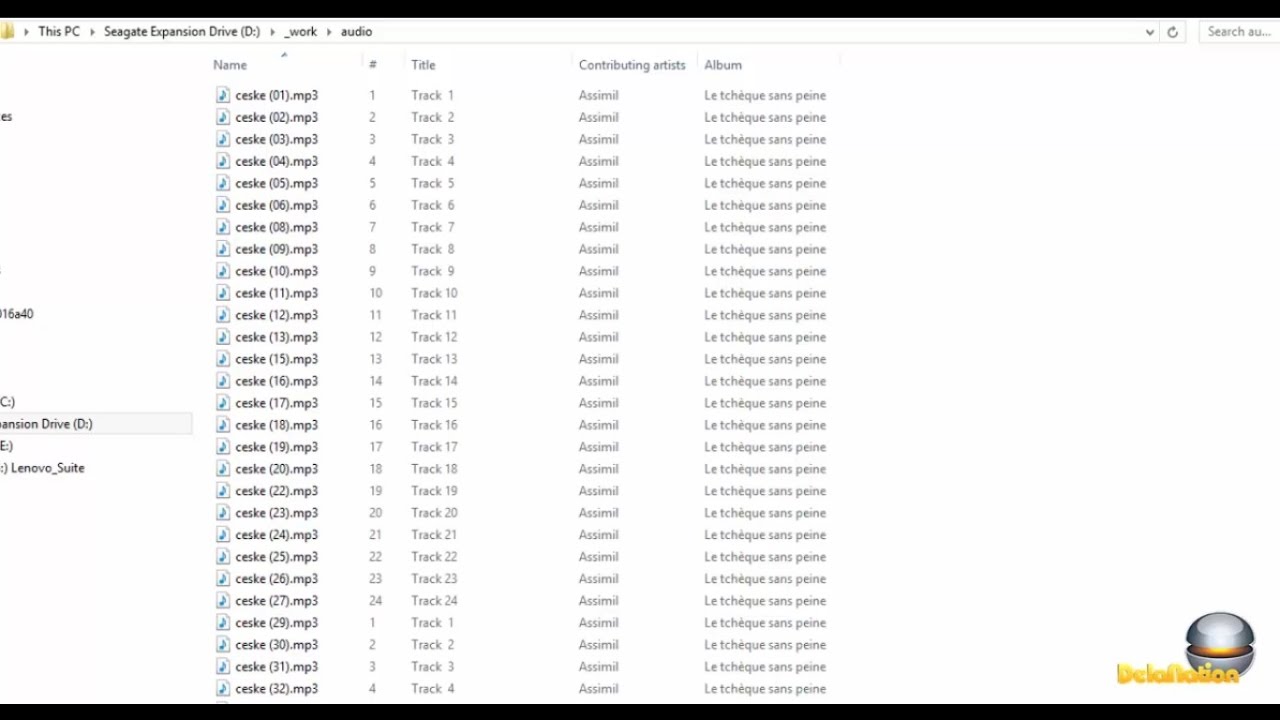
Windows How To Rename Or Remove Specific Characters On Multiple Files

Web Oct 5 2023 nbsp 0183 32 Fire up File Explorer by pressing Windows E and navigate to a directory with either a file or folder to rename Select the file with a single click pause for a second and then click one more time After the name is highlighted type out a new name and press Enter to save the changes

Web Apr 21 2013 nbsp 0183 32 2 Answers Sorted by 57 echo off Set quot Filename how to rename file jpg quot Set quot Pattern rename quot Set quot Replace reuse quot REM Call Rename quot Filename quot quot Filename Pattern Replace quot Call Echo Filename Pattern Replace Result how to reuse file jpg Pause amp Exit I

Web Jan 21 2016 nbsp 0183 32 Windows Batch File Rename to Replace 20 Characters with Ask Question Asked 7 years 8 months ago Modified 6 days ago Viewed 5k times 4 I have a folder with a lot of files that I need to rename The original format for example is ABC 20DEF 20GHI 20JKL xyz What I need to do is to replace each 20 with

Web 7 Answers vbScript should do it for you Create a file called quot rename underscores vbs quot containing the following Set objFso CreateObject quot Scripting FileSystemObject quot Set Folder objFSO GetFolder quot c test quot For Each File In Folder Files sNewFile File Name sNewFile Replace sNewFile quot quot quot quot if sNewFile lt gt File Name then File Move

Web get childitem xlsx foreach rename item Name Replace quot template quot Get Date format quot yyyyMM quot This will rename all the XLSX files in the current folder replacing instances of the word quot template quot in the file name with the current Year and Month
Web Dec 6 2016 nbsp 0183 32 Your own answer will only change one char here is a solution with an array RegEx in one go remove the chars you want to keep from replace Web Feb 20 2022 nbsp 0183 32 1 Answer Sorted by 0 You can use Powershell to rename the folders and or files Open File Explorer Go to the parent folder Right click on a empty area click on Open Powershell window here Enter and run the following
Web Aug 29 2009 nbsp 0183 32 I ve used this way to rename files with extra spaces on the end of their names The most common source I ve seen of invalid file characters are from Macs using an SMB share And from archive files zip created on a non windows platform NTFS can support more characters than Windows can