File Exceeds Size Limit Gmail How To Fix Error 0x800700DF The File Size Exceeds The Limit Allowed How To Send Large Files Through Gmail Android Authority How To Write Email With Attachment File Sample Adair Hand Gmail File Size Limit Gmail Attachment Size Limit How To Send Large Files Effortlessly 63552 What is the attachment size limit in Gmail Gmail can only handle attachments up to 25MB in size Keep in mind any text or images you ve put into the message count toward this limit
As you ve probably experienced every email provider has different rules for size limitations which means if a file exceeds the limit you will be prevented from sending the attachment For Gmail Support However the Gmail attachment size limit can be deceptive because Google encodes your email into a particular format before sending it This process can double the size of your attachment thus the actual Gmail attachment size limit is closer to 12 5 MB Size Limits for Other Top Email Providers
Gmail Attachment Size Limit How To Send Large Files Effortlessly 63552 Google s New Changes Bring Centralized Privacy Controls To Gmail And Gmail Attachment Size Limit How To Send Large Files Effortlessly 3 Gmail Attachment Size Limit How To Send Large Files Over Email 4 Gmail Gmail File Size Exceeds Limits On Behance The Field File Exceeds Its Maximum Permitted Size Of 1048576 Bytes Your Gmail Is Permanently Changing Soon Here s What To Expect TechRadar
File Exceeds Size Limit Gmail
 File Exceeds Size Limit Gmail
https://i.pinimg.com/originals/71/84/ce/7184ce5fcb204f8620c808f66fd10103.png
05 06 2022 Technical matters What is the Gmail attachment size limit Gmail attachment limits files of up to 25 MB for emails to be sent and 50 MB for those received If an attachment exceeds the maximum size limit Gmail provides the option to upload it directly to Google Drive and share a download link with a recipient Contents
Pre-crafted templates offer a time-saving service for producing a varied range of documents and files. These pre-designed formats and designs can be utilized for various personal and professional projects, consisting of resumes, invitations, flyers, newsletters, reports, discussions, and more, streamlining the material production process.
File Exceeds Size Limit Gmail
Gmail Attachment Size Limit How To Send Large Files Over Email 4
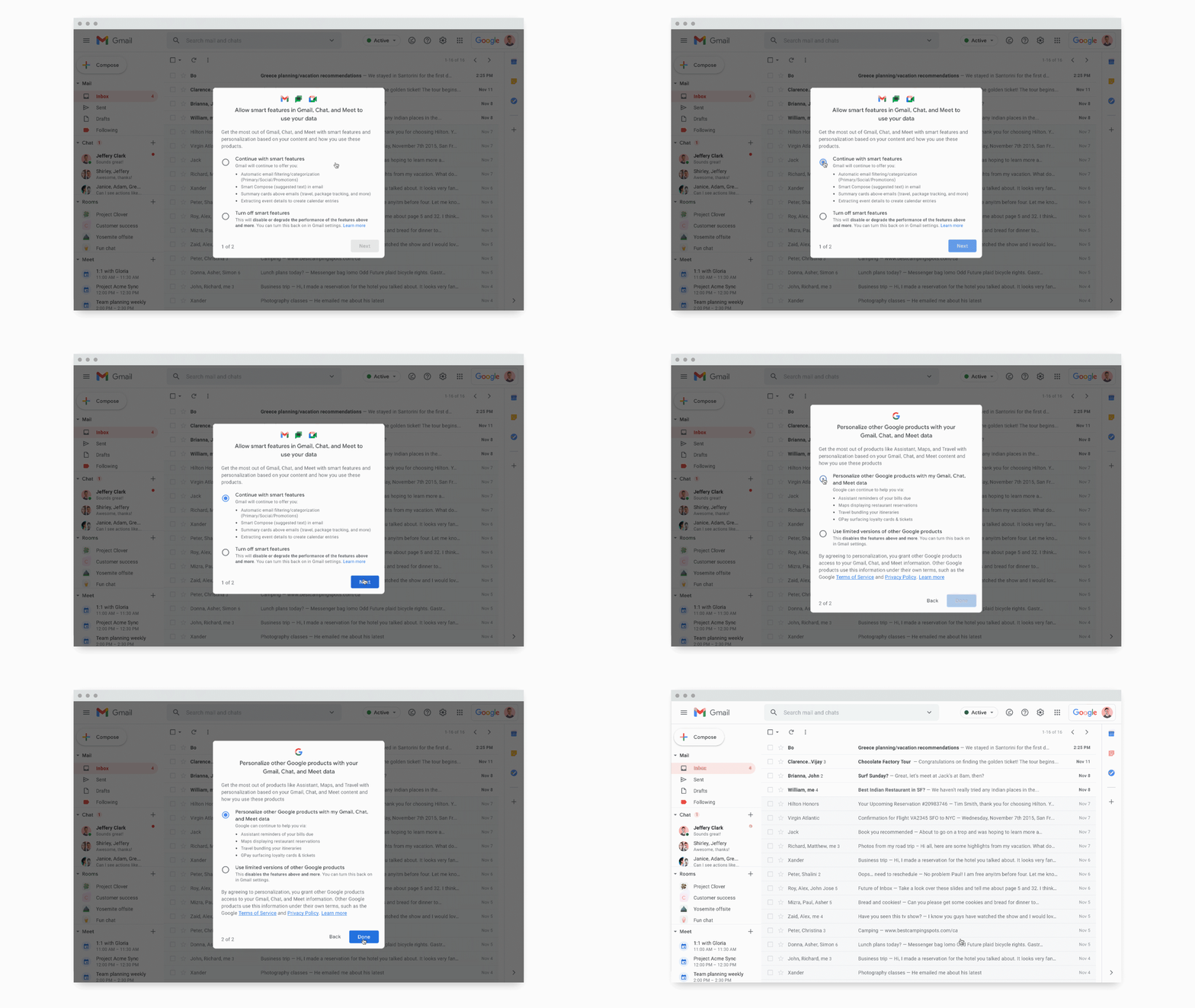
Google s New Changes Bring Centralized Privacy Controls To Gmail And
Gmail Attachment Size Limit How To Send Large Files Effortlessly 3

Gmail Attachment Size Limit How To Send Large Files Over Email 4

Gmail

File Size Exceeds Limits On Behance

Sign in Add attachments like files or photos to your emails To send large files over the size limit like videos use Google Drive Attach a file
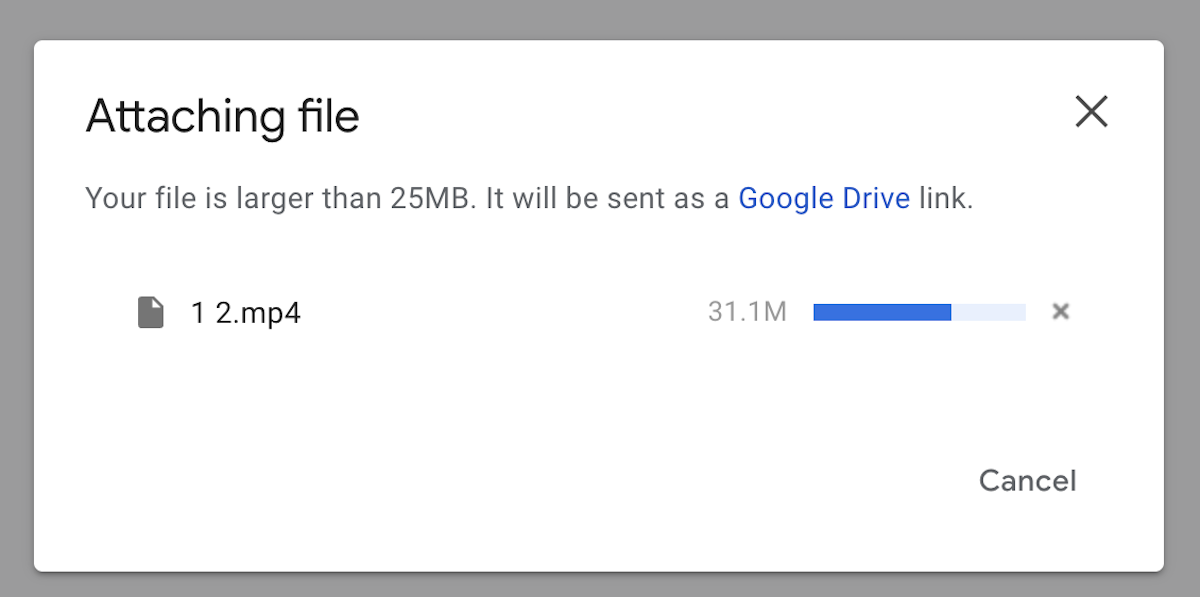
What is the attachment size limit in Gmail Gmail can only handle attachments up to 25MB in size Keep in mind any text or images you ve put into the message count toward this limit

This help content information General Help Center experience Search Clear search
.png?w=186 "Gmail File Size Limit")
What is the Gmail Attachment Size Limit How to Get Around the Gmail Attachment Size Limit Option 1 Use Google Drive Option 2 Make Your Files Smaller Option 3 Send Your Files Across Multiple Emails Option 4 Send Using a Different Platform Improving Your Email Experience Related posts How to Attach Files in Gmail
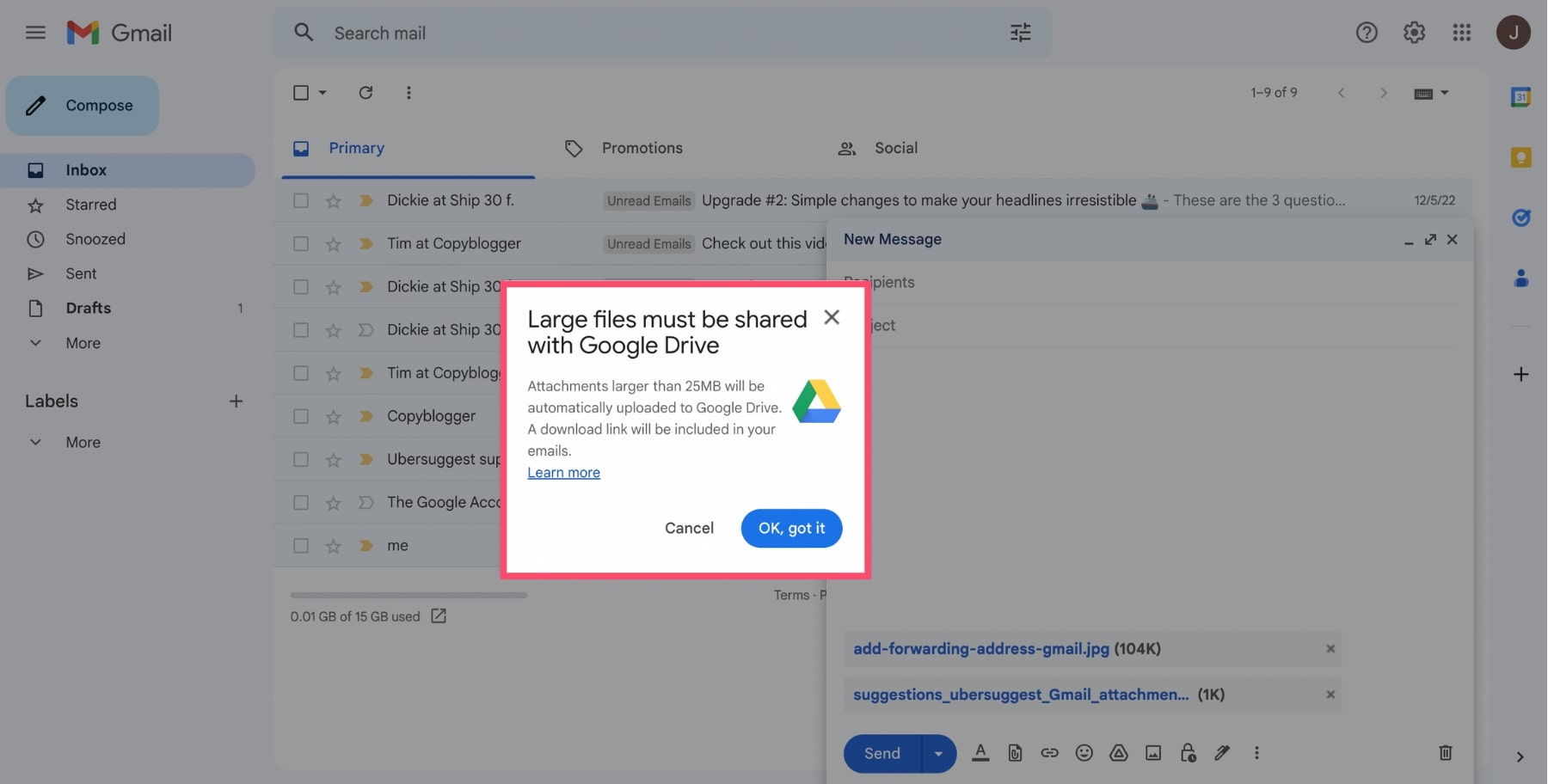
What to Know The Gmail message and attachment size limit is 25 MB Messages sent to your account that exceed the limit are returned to the sender To send larger files select Google Drive Upload Choose a file from your device and select Drive link Upload Send the message
What is the Gmail file size limit As I mentioned earlier the attachment size limit in Gmail is 25 MB This applies to the entire email So whether you send one file or ten the total size can t exceed 25 MB Press the New button on the left pane Select either File upload or Folder upload option based on what you want to upload If you have multiple files to send choose the Folder upload option
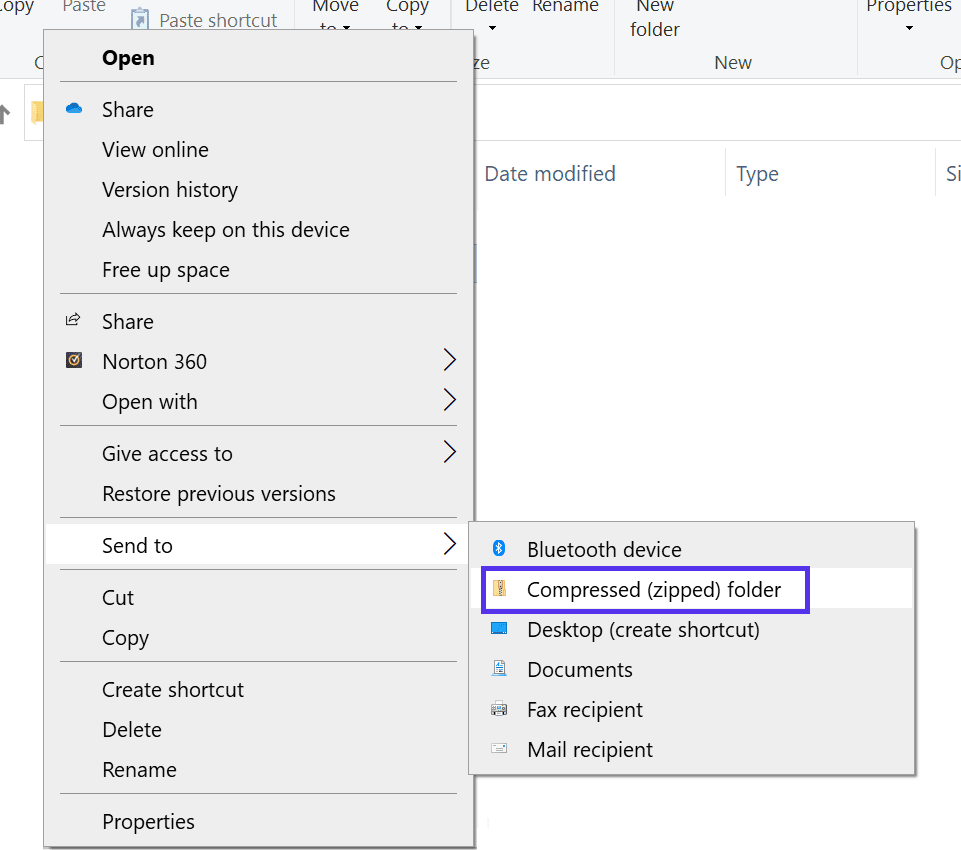
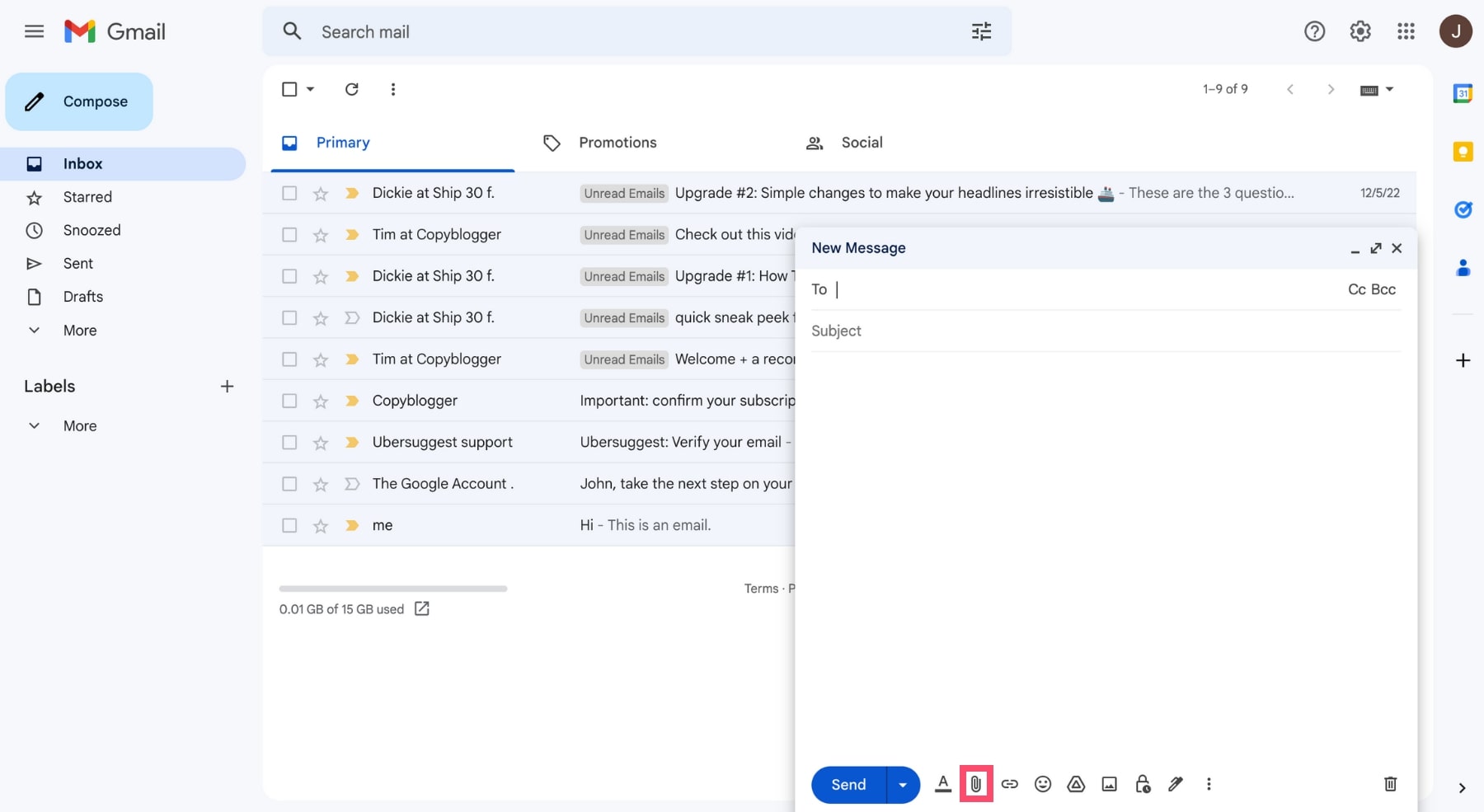
Step 2 Select highlight the files you need to compress Step 3 Right click for Windows and select Send to Compressed zipped folder in the drop down Step 4 Name the folder Step 5 Compose a new email in Gmail and click on the Add attachment icon at the bottom of the window