Export Access Query To Excel Template Vba Mancanza Di Respiro Macchina Da Cucire Completo Da Uomo Ms Access Add Web Query To Worksheet Excel VBA Macro YouTube Solved Speed Up Simple User Defined Functions VBA Excel Solved Output MS Access Query To Excel With Vba 9to5Answer Solved Accessing User Defined Properties In CATIA Using VBA Code VBA In order to export Query 1 data to the template Name the Excel Range B4 C10 as exportRange you can define your own name Your export Range can be larger than the actual export size If you specify a Range name in the argument but it doesn t exit in Excel the argument name would become the Worksheet name
Export access query to formatted Excel spreadsheet VBA I have a query qry myexport and if I right click it in the navigation pane the option to export it formatted to excel is shown How can I code a button to do this in VBA I have searched extensively and all the VBA codes I ve found are quite complex 1 I am trying to export data from a recordset to an Excel template This Excel file has macros that assist my users in managing the data they receive
Solved Accessing User Defined Properties In CATIA Using VBA Code VBA Solved Output MS Access Query To Excel With Vba 9to5Answer Microsoft Access Export All Queries To Excel Free Excel Userform Templates Of Excel Userform Templates Thedl Exporting Layer To Csv Format With Changed Field Order R QGIS SQL SERVER Export Data From SSMS Query To Excel SQL Authority With VBA To Write Access Query To Excel Document Calculated Fields In Export A Table Or Query Results From SQL Server To Excel YouTube Vba Export Access Query WITHOUT Formatting Stack Overflow
Export Access Query To Excel Template Vba
 Export Access Query To Excel Template Vba
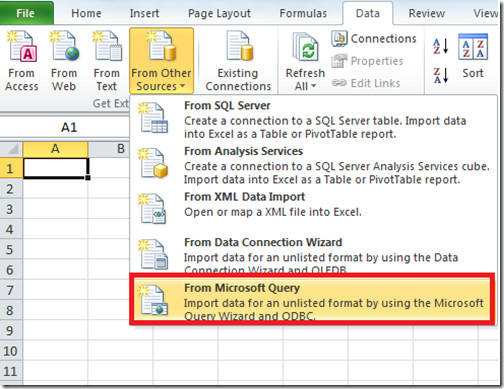
https://www.addictivetips.com/app/uploads/2010/01/MicrosoftQuery_thumb.jpg
The code is supposed to copy the data from the specified Access table open a pre existing Excel template from the specified directory path and paste the data into the Excel template and save it on the network drive with the filename being the previous month s name so as not to overwrite the original template This is the code Code Snippet
Templates are pre-designed files or files that can be used for numerous purposes. They can conserve effort and time by providing a ready-made format and layout for creating different sort of content. Templates can be utilized for personal or expert tasks, such as resumes, invitations, flyers, newsletters, reports, presentations, and more.
Export Access Query To Excel Template Vba
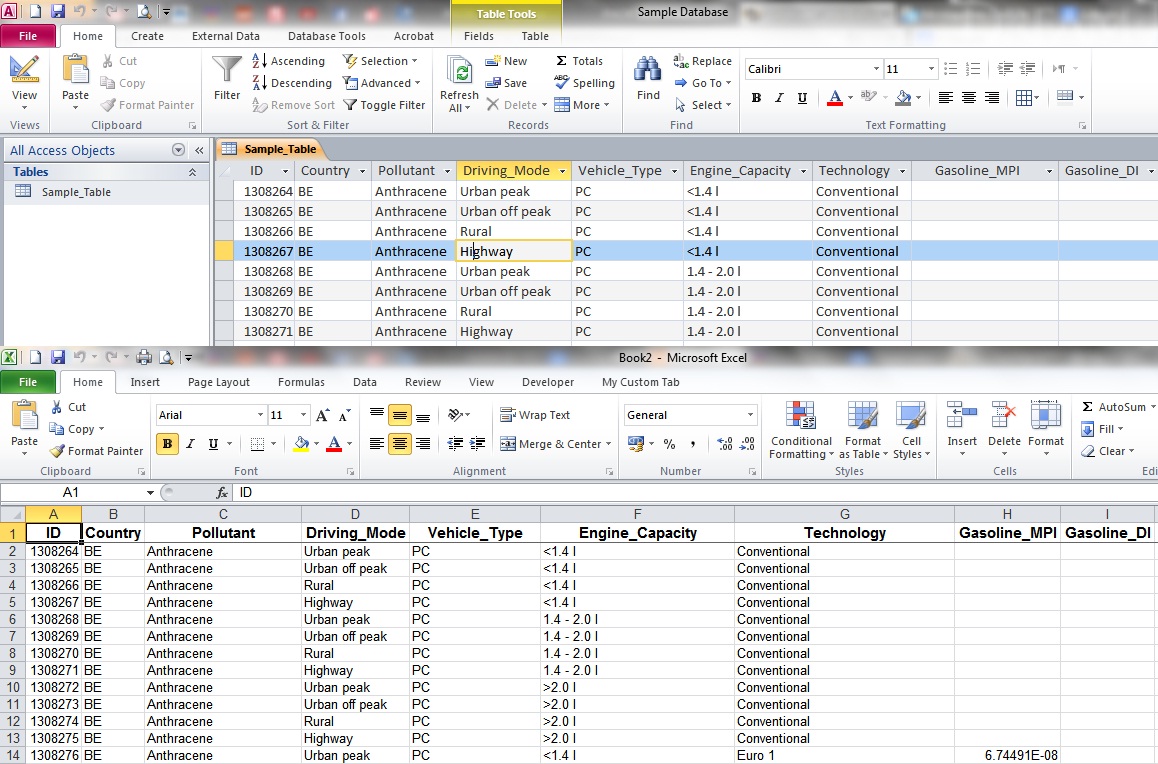
Export A Large Access Table Query To Excel My Engineering World
Solved Output MS Access Query To Excel With Vba 9to5Answer
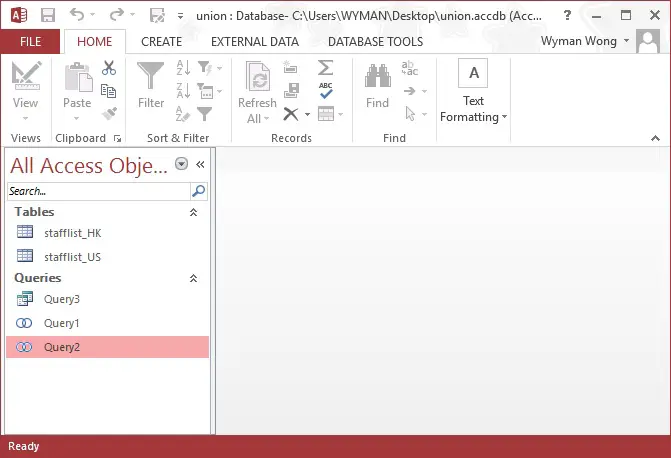
Microsoft Access Export All Queries To Excel
Free Excel Userform Templates Of Excel Userform Templates Thedl

SQL SERVER Export Data From SSMS Query To Excel SQL Authority With

VBA To Write Access Query To Excel Document Calculated Fields In
Use the TransferSpreadsheet method to import or export data between the current Access database or Access project adp and a spreadsheet file You can also link the data in an Excel spreadsheet to the current Access database

Our procedure sExportToExcel to export the data uses the TransferSpreadsheet method to export the contents of a table or of a query datasheet as a named Excel file to a named folder Sub sExportToExcel query path DoCmd TransferSpreadsheet TransferType acExport SpreadsheetType acSpreadsheetTypeExcel12Xml TableName query

First step would be to get the data into the format you need your SQL statement Make sure this format will work for your template and is returning the correct data Once this is done you can write to your Excel file This is the format expression OutputTo ObjectType ObjectName OutputFormat OutputFile AutoStart TemplateFile Encoding

Access VBA Export to New Excel File To export an Access object to a new Excel file use the DoCmd OutputTo method or the DoCmd TransferSpreadsheet method Export Query to Excel This line of VBA code will export a Query to Excel using DoCmd OutputTo DoCmd OutputTo acOutputQuery Query1 acFormatXLSX c temp ExportedQuery xls

1 Answer Sorted by 1 You can create Name Ranges in Excel by going to the Formulas tab and providing a name and reference
1 I have an Access macro that currently exports an Access query into a new Excel workbook with a given path and name Not getting any response from the Access forum so I m trying here too How can you tell it to export insert into an exisitng Excel workbook instead This educational will lid this types to import data out Excellence in an Access Chart and ways to exporting Access objects Queries Reports Desks or Forms to Excel Import Excel File Into Access To import an Excel data on Access use this acImport option of DoCmd TransferSpreadsheet DoCmd TransferSpreadsheet acImport acSpreadsheetTypeExcel12 Table1 C TempBook1 xlsx True Or you
Then you would call it in your code or macro using SendTQ2XLWbSheet Jack Powell Completions NameOfTheWorksheetHere PathAndNameOfTheWorkBookHere so if the name of the worksheet was MySheet and the path and file was C Temp JackPComp xlsx you would use