Exe Silent Install Switches How To Find Silent Install Switches For EXE How To Find Silent Install Switches For EXE How To Find The Installation Switches For An EXE Setup File Find Silent Install Switches For Exe Hybridtree Create Silent Install For Exe Planningbrown This article describes standard command line options for the Microsoft Standard Installer msiexec exe the app you use to interpret packages and install products Command line options are case insensitive Msiexec sets and returns an error level that corresponds to system error codes Note
Like most things in IT there is a better solution The Ultimate Silent Switch Finder USSF First grab USSF from our tools page It is a standalone EXE within a ZIP so you will want to extract the contents After launching USSF select the symbol next to File and browse to a setup file InstallShield InstallShield is one of the oldest and most widely used application packaging systems Installers created by InstallShield recognize the r s sms f1 and f2 switches The installer itself is invariably named setup exe To perform a silent installation you need an InstallShield answer file customarily named setup iss
Create Silent Install For Exe Planningbrown Silent Installation On Windows Ansys Optics Exe Silent Install Switch Silent Install Parameters For Exe QEQ Switches Electrical Switches Switches Sensor How To Make A exe File That Switches Between Two Playback Devices Silent Install Switches Notepad Community Image Blending Software Hybridtree A Comprehensive Guide To Identifying And Using Silent Install Switches Vlc Silent Install Command Islandcat
Exe Silent Install Switches
 Exe Silent Install Switches
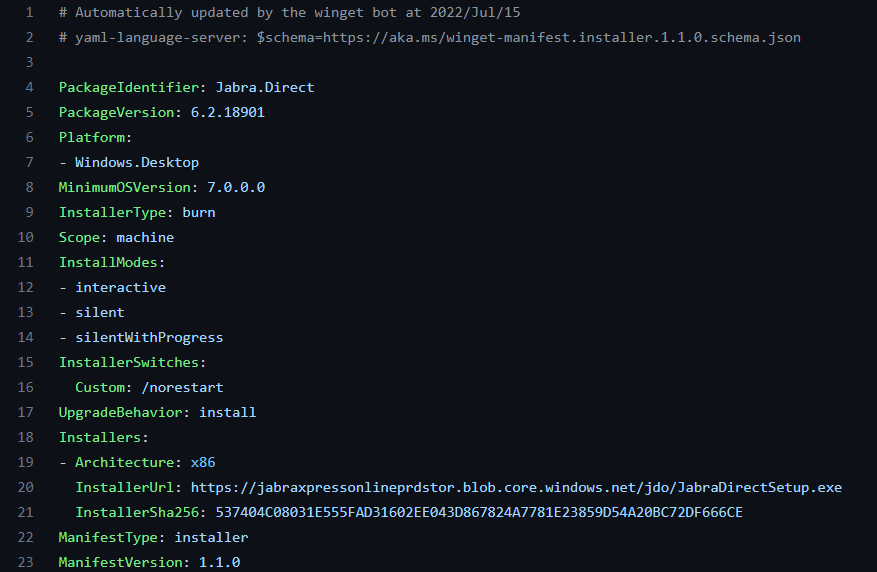
https://cdn.advancedinstaller.com/img/find-exe-silent-install-switches/manifest.png
This is the most important switch for instructing an installation to run silently l logfile txt This third optional switch tells the installer to log everything to the file found at logfile txt You can insert a full path into logfile txt if you wish While this switch is functionally optional the log file data it produces becomes
Templates are pre-designed documents or files that can be utilized for various functions. They can save effort and time by offering a ready-made format and design for developing various type of material. Templates can be utilized for individual or expert tasks, such as resumes, invites, leaflets, newsletters, reports, presentations, and more.
Exe Silent Install Switches

Windows 7 Sp1 Silent Install Switches Formgugu
Silent Installation On Windows Ansys Optics

Exe Silent Install Switch Silent Install Parameters For Exe QEQ

Switches Electrical Switches Switches Sensor

Silent Install Switches Notepad Community

Image Blending Software Hybridtree
1 Find silent install parameters with the usage statement Displaying the usage statement is my go to method for finding silent installation parameters The problem is that not all EXE files are created equal and not all EXE files include a usage statement Thankfully viewing the usage statement if one exists is pretty straightforward

1 Discovering Silent Command Line Switches for any EXE Method 1 Utilize Built in Help Encapsulated within the EXE Method 2 Use Application Installer EXE Documentation Method 3 Use Universal Silent Switch Finder Tool 2 Discovering Silent Command Line Switches for any MSI Conclusion 1 Discovering Silent Command Line Switches for any EXE

You can run the exe file to install the package To run the exe file use one of the following methods Double click the exe file Run the exe file from a command line Run Self Extractor packages from a command line If you run the exe file from a command line several switches may be available for use in the package Note

What is a silent installation A silent or unattended installation is the ability to install an application package most frequently an MSI or an EXE without any user interaction This means that the user will no longer need to go through the install wizard and click Next multiple times

1 Silent unattended installations depend on the installer generator that was used and what options the person creating the installer included There is no general answer to this kind of question Ansgar Wiechers Sep 14 2018 at 8 31
QN parameter for a fully silent installation What about EXE installers Unfortunately these don t have a universal standard when it comes to silent switches but here are some useful tips for finding out what the switches are General Standards for EXE Switches Quite often an exe uses silent s q or quiet to do a silent install but it may need a response file recorded first Do a which will usually give you an idea of what options there are also check documentation as that will many times give you an idea of how to do a managed install You may need to experiment
Wise Setup exe Switches T test mode X pathname extracts files into pathname Z pathname extracts files into pathname and reboots S silent install M prompts for windows system temp dirs M filename specifies a value file similar to d above but for standard variables M1 same as m plus it prompts before any file that is self