Excel Vba Write Word Document Create And Write To A Text File Excel VBA Tutorial How To Write VBA Code In Excel With Easy Steps ExcelDemy Vba Send Email From Excel How To Emails Using Vba Without Outlook 4 Open A Word Document From Excel And Copy Excel Data To Word Using VBA Open Xml File Excel Vba Openjulll Web Jun 23 2019 nbsp 0183 32 To create a new Word doc from another application add this Dim appWD As Word Application Set appWD CreateObject quot Word Application quot appWD Documents Add https learn microsoft en us office vba excel concepts working with other applications controlling one microsoft
Web Sep 13 2021 nbsp 0183 32 For example don t use Open to open a Word document a Microsoft Excel spreadsheet or a Microsoft Access database Doing so will cause loss of file integrity and file corruption The following table shows the statements typically used when writing data to and reading data from files Access type Web Jun 22 2017 nbsp 0183 32 Click on Developer gt Record Macro For the example in this post we will create a macro which will open a new Word document then copy a chart from Excel and paste it into that Word document We will tackle this one stage at a time Firstly lets create the macro to open a new word document Click Developer gt Record Macro
Open Xml File Excel Vba Openjulll Cara Menambahkan Kode VBA Visual Basic For Applications Ke Buku Kerja How To Write To A Text File Using Excel VBA ExcelDemy Create Word Documents From Excel Macros EXCEL VBA Write A Simple Macro CELLS ACTIVITY TRACKING YouTube Hour4khmer Tips VBA Code Importance Of Excel Macros With Vba Programming Vba Telugu Tutorials Excel Vba Write To Word Document Australian Guidelines User Examples Excel VBA Write Values In Multiple Cells In One Shot 9to5Tutorial
Excel Vba Write Word Document
 Excel Vba Write Word Document
https://excelchamps.com/wp-content/uploads/2021/02/1-create-a-text-fie-using-vba.png
Web Mar 29 2022 nbsp 0183 32 Write inserts a newline character that is a carriage return linefeed Chr 13 Chr 10 after it has written the final character in outputlist to the file Note You should not write strings that contain embedded quotation marks for example quot 1 2 quot quot X quot for use with the Input statement Input parses this string as two complete and
Pre-crafted templates use a time-saving option for producing a varied series of files and files. These pre-designed formats and designs can be made use of for different personal and professional tasks, consisting of resumes, invites, flyers, newsletters, reports, discussions, and more, simplifying the material development procedure.
Excel Vba Write Word Document
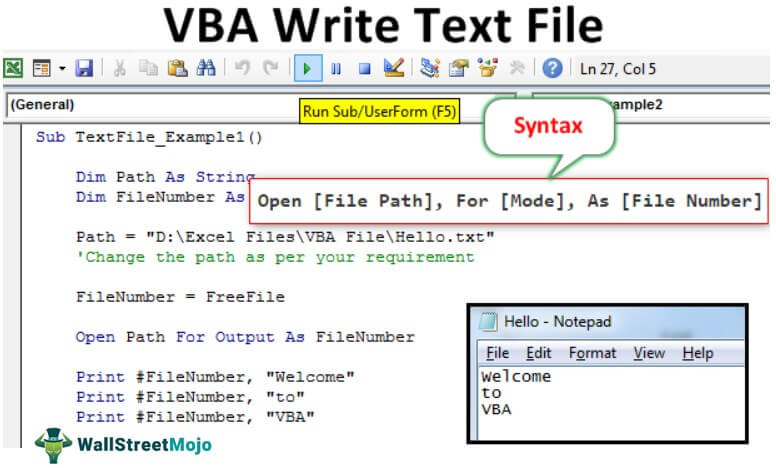
VBA Voxt
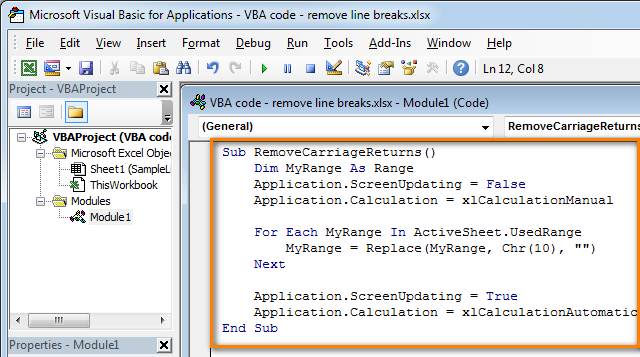
Cara Menambahkan Kode VBA Visual Basic For Applications Ke Buku Kerja
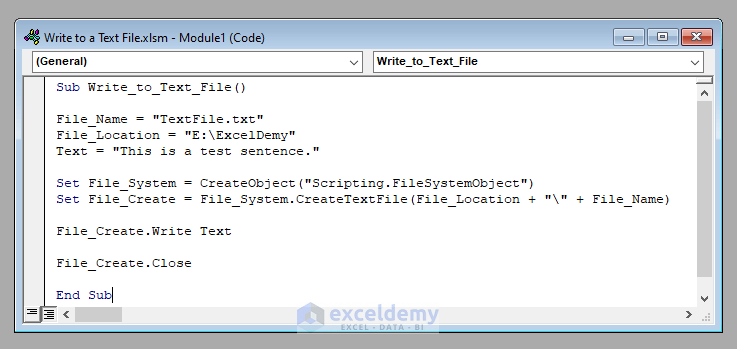
How To Write To A Text File Using Excel VBA ExcelDemy
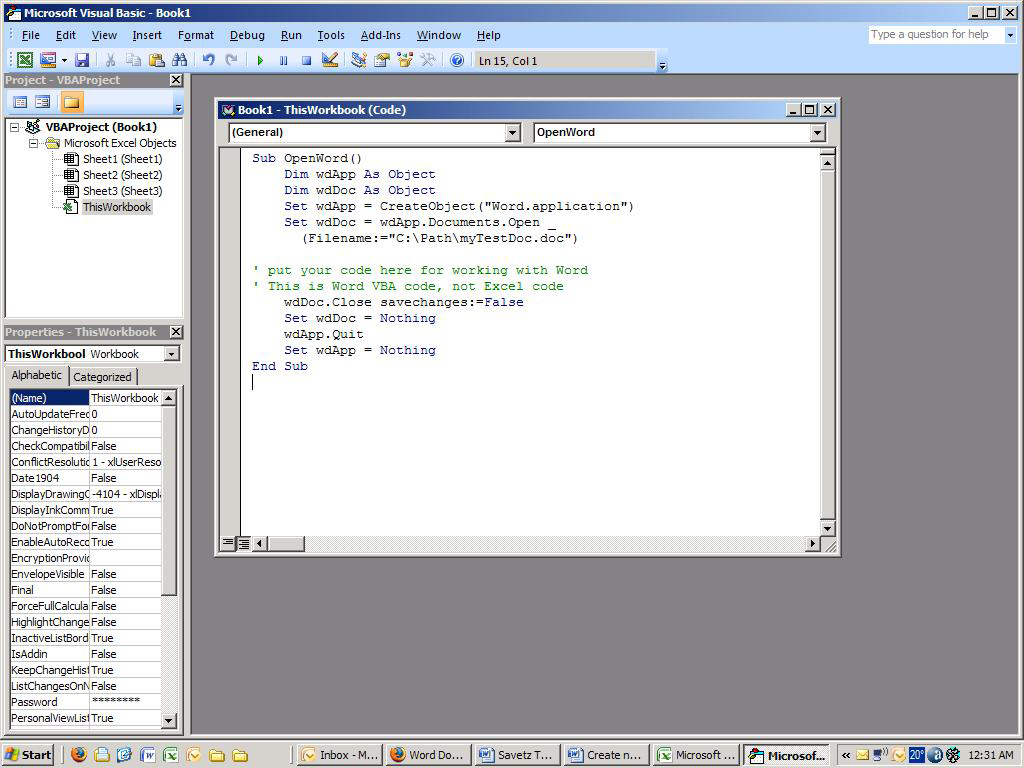
Create Word Documents From Excel Macros

Hour4khmer Tips VBA Code
Importance Of Excel Macros With Vba Programming Vba Telugu Tutorials

Web Aug 31 2015 nbsp 0183 32 The code below will write data from the excel sheet to the word document Dim i As Integer Dim strValue As String For i 1 To 5 bring focus to the document created objDoc Activate read the value from the cell strValue Cells i 1 1 write the value to the document objWord Selection TypeText Text strValue

Web Feb 23 2021 nbsp 0183 32 By the end of this article you ll be able to create Word documents from within Excel VBA
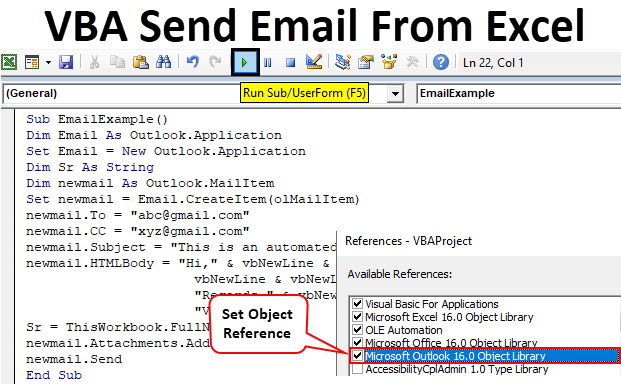
Web May 31 2019 nbsp 0183 32 Sub Button5 Click Dim wApp As Word Application Dim wDoc As Word Document Set wApp CreateObject quot Word Application quot FNameQ Range quot E24 quot Value Dim FnameP As String FnameP quot C OF C quot Dim FName As String FName FNameQ amp FnameP wApp Visible True Set wDoc wApp Documents Open

Web Apr 19 2014 nbsp 0183 32 I am able to write to Word Document from a VBA macro but I am having trouble with syntax to generate headers paragraphs tables etc This example writes two lines to a Word Document but both come out as header style I would like one line header and one line in paragraph or quot normal quot style

Web Writing amp formatting word document using excel VBA I m trying to write a word document using excel VBA I can create a word doc write text to it change styles not a problem What I want to do is center some text I cant for the life of me figure it out Here is the code I m using to write the doc
Web Mar 17 2015 nbsp 0183 32 Open Word from Excel in write mode I m trying to edit a docx file from excel vba Dim wApp As Word Application Dim wDoc As Word Document Set wApp CreateObject quot word Application quot wApp Visible True Set wDoc wApp Documents Open Filename ThisWorkbook Path amp quot file docx quot ReadOnly False The thing is that the Web Jul 3 2014 nbsp 0183 32 How can I modify an opened word document through Excel with VBA Here a bit of code I m writing but there s something wrong I can t understand Dim WordDoc As Word Document Dim WordApp As Word Application ThisWorkbook is the opened Excel Workbook through which I control Word documents
Web To write a word file using VBA we first need to open the Word Application of course Then add a document to it Select the paragraph and write the text to it Each of these steps can be done easily from Excel You will not need to interact with the Word document