Excel Vba Replace Character From String VBA Replace String How To Replace Text In String Using VBA Pomsta Omdlie Dobrovo n How To Remove An Element From String In Excel VBA Replace Character In String By Position 4 Effective Ways VBA Find And Replace How To Find Replace Words In Excel VBA Remove Last Character From String Using Excel And VBA Exceldome WEB StrReverse Trim Ucase Val Syntax The syntax for the Replace function in VBA is 1 Replace expression find replace start count compare Parameters
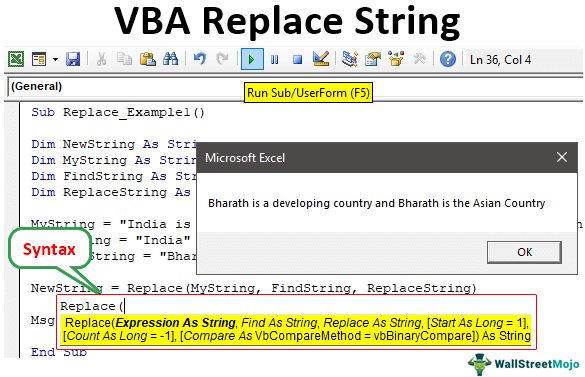
WEB The VBA Replace String function is used to replace strings in a given text It basically replaces substrings with another substring The syntax of the replace function is Replace expression find replace start count WEB Aug 28 2016 nbsp 0183 32 Use the VBA Replace function to replace a substring of characters in a string with a new string VBA Replace is similar to the Excel SUBSTITUTE function both
Remove Last Character From String Using Excel And VBA Exceldome VBA Replace String Examples How To Replace Text Character Morgue Pretty Yeah Talend Replace Character In String Doctor Of VBA Replace Function How To Use Excel VBA Replace Function 2023 Excel REPLACE Function Exceljet Pomsta Omdlie Dobrovo n How To Remove An Element From String In How To Remove Characters In Excel Using VBA Solved VBA Replace Characters In String VBA Excel Excel VBA Replace Function
Excel Vba Replace Character From String
 Excel Vba Replace Character From String
https://www.wallstreetmojo.com/wp-content/uploads/2019/11/VBA-Replace-String.png
WEB Syntax Replace Expression Find Replace Start Count Compare Expression The expression is a string in which you want to find a character s to replace This can be
Templates are pre-designed files or files that can be used for various purposes. They can save effort and time by providing a ready-made format and layout for creating various type of material. Templates can be used for individual or expert jobs, such as resumes, invitations, leaflets, newsletters, reports, presentations, and more.
Excel Vba Replace Character From String
Excel VBA Replace Character In String By Position 4 Effective Ways

VBA Replace String Examples How To Replace Text Character
Morgue Pretty Yeah Talend Replace Character In String Doctor Of
VBA Replace Function How To Use Excel VBA Replace Function 2023
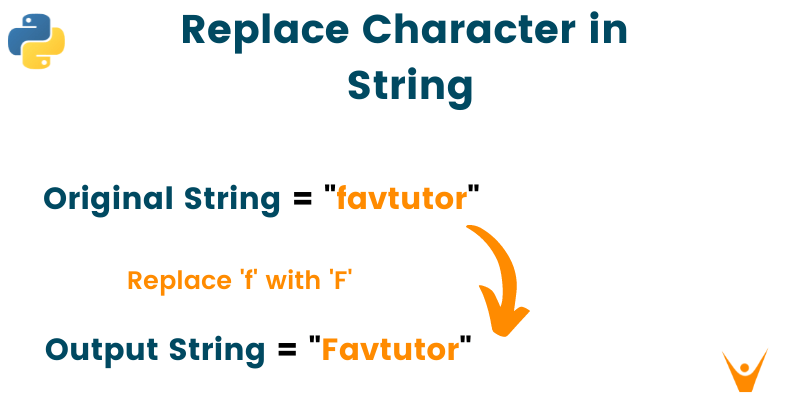
Pomsta Omdlie Dobrovo n How To Remove An Element From String In
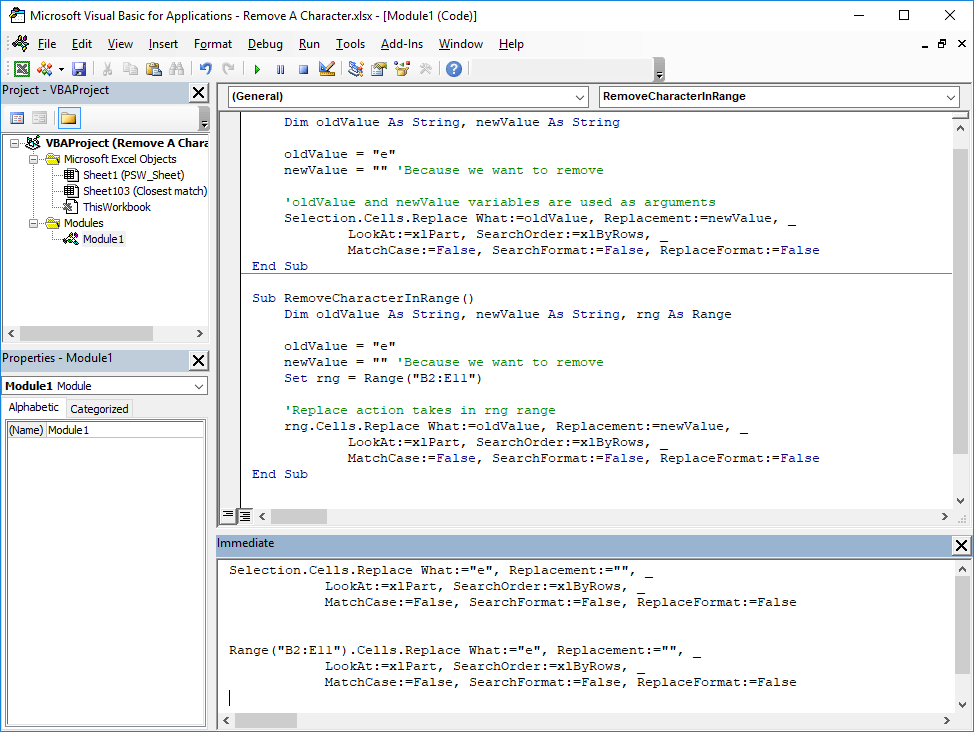
How To Remove Characters In Excel Using VBA

WEB Dec 19 2019 nbsp 0183 32 6 Answers Sorted by 15 You could use an array and loop over its elements Sub MAIN Dim s As String s quot 123456qwerty quot junk Array quot q quot quot w quot quot e quot quot r quot

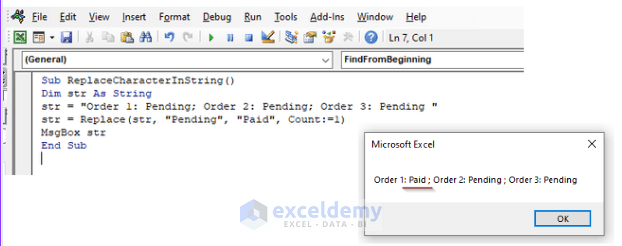
WEB Mar 15 2023 nbsp 0183 32 You can use the Replace method in VBA to replace characters in a string This method uses the following basic syntax Replace expression find replace start count where expression

WEB Returns a string which is a substring of a string expression beginning at the start position defaults to 1 in which a specified substring has been replaced with another substring a

WEB Nov 6 2023 nbsp 0183 32 Step 01 Go to the Developer Tab gt gt Code Group gt gt Visual Basic Option Then the Visual Basic Editor will open up Go to the Insert Tab gt gt Module Option After that a Module will be created Step 02

WEB Syntax The syntax for the REPLACE function in Microsoft Excel is Replace string1 find replacement start count compare Parameters or Arguments string1 The string
WEB Aug 25 2020 nbsp 0183 32 The basic VBA skill to remove characters from a string is with the Replace method The basic syntax of VBA Replace method you need to remember is Replace WEB Jun 26 2023 nbsp 0183 32 Step 1 Insert a new module inside Visual Basic Editor VBE Click on Insert tab gt select module Step 2 Insert a new subprocedure for example 1 Code Sub
WEB Dec 19 2023 nbsp 0183 32 Dim var As String Dim output As String var Range quot B17 quot Value Range quot B17 quot Value Replace var quot l quot quot quot End Sub Code Breakdown Firstly we