Excel Vba Remove Blank Columns Delete Blank Columns In Excel Vba Lasopamt VBA Delete Columns If Cell Contains String Excel Macro Example Code VBA Remove Duplicates In Column Excel How To Use VBA To Delete Empty Rows In Excel ExcelDemy Excel VBA Remove Duplicates YouTube Web Sub KolumnKleaner Dim N As Long wf As WorksheetFunction M As Long Dim i As Long j As Long N Columns Count M Rows Count Set wf Application WorksheetFunction For i N To 1 Step 1 If wf CountBlank Columns i lt gt M Then Exit For Next i For j i To 1 Step 1 If wf CountBlank Columns j M Then Cells 1 j EntireColumn Delete End If
Web Dec 19 2023 nbsp 0183 32 1 Delete Rows in Excel VBA When at Least One Cell Is Empty First of all we ll the rows from this data set when at least one cell is empty The VBA code is very simple here It s as follows VBA Code Sub Delete Rows with At Least One Empty Cell SheetName quot Sheet1 quot DataSet Web Step1 Declare your variables Dim MyRange As Range Dim iCounter As Long Step 2 Define the target Range Set MyRange ActiveSheet UsedRange Step 3 Start reverse looping through the range For iCounter MyRange Columns count To 1 Step 1 Step 4 If entire column is empty then delete it
Excel VBA Remove Duplicates YouTube VBA Clear Contents How To Clear Or Delete Contents Using VBA Code Excel Excel VBA Leistung 1 Million Zeilen L schen Sie Zeilen Mit Einem Wert In Weniger Als How To Delete Rows Using VBA VBA And VB Net Tutorials Education And Programming Services How To Delete Multiple Pages In Word 2010 Israellop Blank Rows Hot Sex Picture Delete Blank Columns In Excel Vba Lasopamt Hasemsingapore blogg se Formula To Delete Blank Columns In Excel Vba Delete Worksheet
Excel Vba Remove Blank Columns
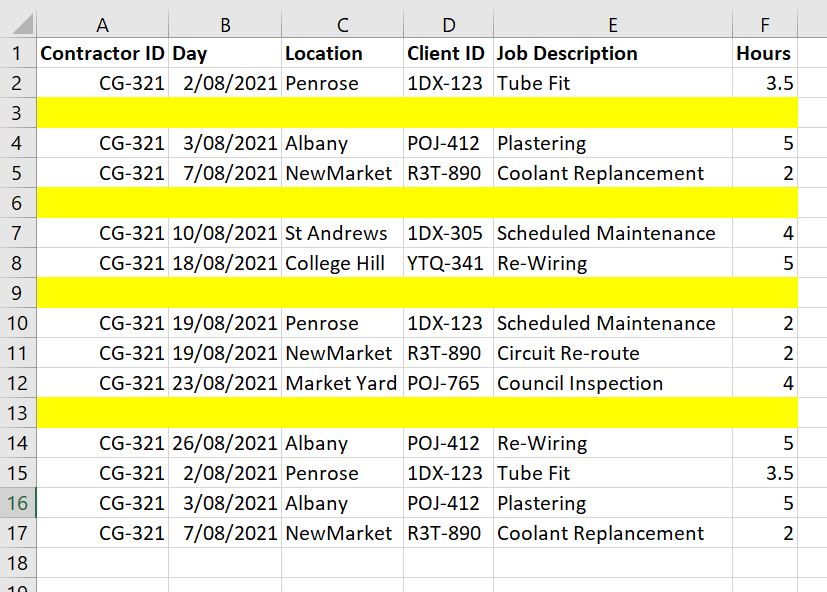 Excel Vba Remove Blank Columns
https://skillsandautomation.com/wp-content/uploads/2021/11/Blank-Rows.jpg
Web Step 1 Identify Columns To Delete Step 2 Select Column Step 3 Delete Cells With The Range Delete Method Relevant VBA Structures To Delete Columns Excel Macro Code Examples Excel Macro Examples 1 To 3 Delete Specific Column s Macro Example 4 Delete Columns With Blank Cells Macro Example 5 Delete Empty
Pre-crafted templates use a time-saving solution for developing a diverse variety of documents and files. These pre-designed formats and layouts can be utilized for different individual and professional tasks, consisting of resumes, invites, flyers, newsletters, reports, presentations, and more, enhancing the content creation procedure.
Excel Vba Remove Blank Columns
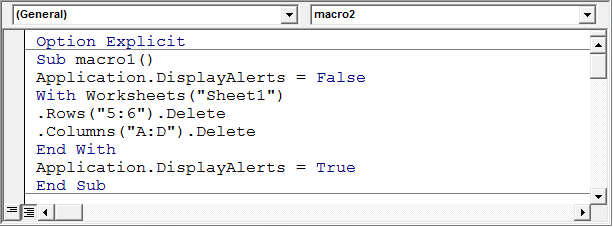
X a H ng V C t B ng VBA Trong Microsoft Excel Office skill
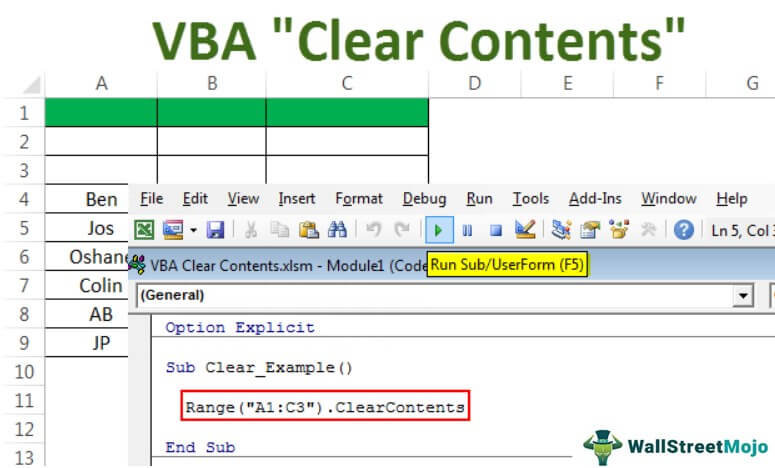
VBA Clear Contents How To Clear Or Delete Contents Using VBA Code

Excel Excel VBA Leistung 1 Million Zeilen L schen Sie Zeilen Mit Einem Wert In Weniger Als

How To Delete Rows Using VBA VBA And VB Net Tutorials Education And Programming Services
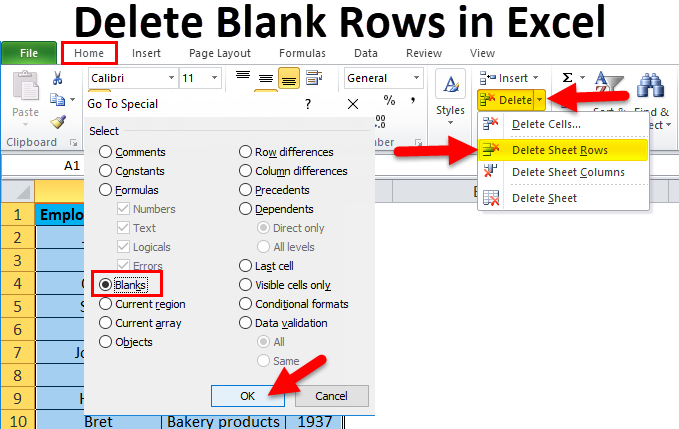
Blank Rows Hot Sex Picture
Delete Blank Columns In Excel Vba Lasopamt

Web Delete Blank Columns Using VBA Delete Blank Columns Using Go To Special Manually Deleting Blank Columns Best with Small Datasets If you have a small data set such as the one shown below it s possible to manually select the blank columns and delete them Below are the steps to delete blank columns manually in the above data set

Web Mar 8 2015 nbsp 0183 32 The VBA Macro Code Sub RemoveBlankRowsColumns PURPOSE Remove blank rows or columns contained in the spreadsheets UsedRange SOURCE www TheSpreadsheetGuru Dim rng As Range Dim rngDelete As Range Dim RowCount As Long ColCount As Long Dim EmptyTest As Boolean StopAtData As

Web Table of Contents Method 1 Remove the Blank Columns Manually Method 2 Remove Blank Columns By Using a Formula With Find and Replace Method 3 Remove Blank Columns By Bringing Them Together Using the Sort Option Method 4 Remove Empty Columns Using VBA Macro Script Method 1 Remove the Blank Columns Manually

Web Dec 18 2023 nbsp 0183 32 Implementing VBA code is the safest way to delete blank columns in Excel It deletes the absolutely empty columns only If any column contains a single cell value even if any cell returns an empty string still
Web Jun 23 2023 nbsp 0183 32 The below VBA macro removes all blank columns in the selected range And it does this safely only absolutely empty columns are deleted If a column contains a single cell value even an empty string returned by some formula such a column will remain intact Excel macro remove empty columns from Excel sheet
Web Oct 31 2017 nbsp 0183 32 If all you want is to delete the empty cells give this a try Sub DeleteBlankCells Dim rng As Range On Error Resume Next Set rng Intersect ActiveSheet UsedRange Range quot A C quot rng SpecialCells xlCellTypeBlanks Delete shift xlUp End Sub Web Open the VBE page to press the key Alt F11 Insert the module to write the code Write the below mentioned code Sub Delete Columns Dim C As Integer C ActiveSheet Cells SpecialCells xlLastCell Column Do Until C 0 If WorksheetFunction CountA Columns C 0 Then Columns C Delete End If C C
Web Jun 17 2022 nbsp 0183 32 The following VBA code is to delete blank Columns in range A10 to D20 if Columns are blank Sub sbVBS To Delete Blank Columns In Range Dim iCntr Dim rng As Range Set rng Range quot A10 D20 quot For iCntr rng Column rng Columns Count 1 To rng Column Step 1 If Application WorksheetFunction CountA Columns iCntr 0