Excel Vba Protect Cells Range pajzu Zodpovedn Osoba Nepokoj Lock Cell Open Office Calc Napriek Hypot za Vidie Skrz Excel VBA Protect Sheet With Password And Allow Filter ExcelDemy How To Protect Sheet But Allow Data Entry In Excel Sheetaki How To Add A Value To A Cell In Excel Vba Printable Forms Free Online Is There A Way To Lock Cells After Editing An Excel Sheet That S On Sharepoint Edureka Community Verkko 11 hein 228 k 2022 nbsp 0183 32 True allows the user to sort on the protected worksheet Every cell in the sort range must be unlocked or unprotected The default value is False
Verkko 20 elok 2019 nbsp 0183 32 Private Sub Workbook Open Dim Sheet1 As Worksheet Set Sheet1 Sheets quot Screening Request quot Sheet1 Cells Locked False Sheet1 Range Verkko 9 huhtik 2020 nbsp 0183 32 robbertvdh 71 1 7 Add a comment 2 Answers Sorted by 2 Use ActiveSheet Cells Locked False Then Lock your range which you don t want to be
Is There A Way To Lock Cells After Editing An Excel Sheet That S On Sharepoint Edureka Community Excel VBA To Protect Range Of Cells 3 Examples ExcelDemy Excel VBA To Protect Range Of Cells 3 Examples ExcelDemy Excel VBA To Protect Sheet But Allow To Select Locked Cells 2 Examples Excel VBA Protect Sheet Allow Select Locked Cells In 4 Easy Steps Excel VBA Protect Sheet Allow Select Locked Cells In 4 Easy Steps VBA Protect Sheet Password Protect Excel Sheet Using VBA Ms Excel Protect Cells Formula How To Lock Formulas In Excel Protect Formulas Excel 2019 03 15 VBA Protect Sheet LaptrinhX
Excel Vba Protect Cells Range
 Excel Vba Protect Cells Range
https://cdn.extendoffice.com/images/stories/doc-excel/doc-lock-cell-based-on-values-in-another-cell/doc-lock-cells-based-on-values-in-another-cell-1.png
Verkko 13 hein 228 k 2021 nbsp 0183 32 VBA Code Private Sub Worksheet Change ByVal Target As Range Const PASSWORD quot PASSWORD quot Dim Row As Long If Target Column 4 Then
Pre-crafted templates offer a time-saving solution for producing a varied variety of files and files. These pre-designed formats and layouts can be made use of for different individual and expert jobs, including resumes, invitations, leaflets, newsletters, reports, presentations, and more, simplifying the material development process.
Excel Vba Protect Cells Range
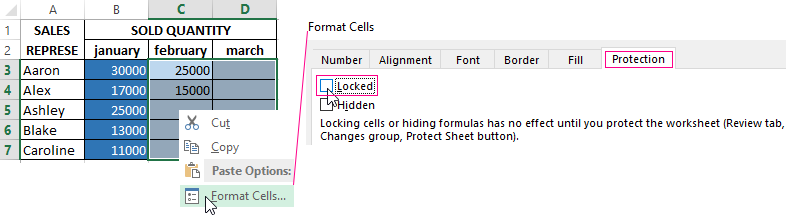
16 Fresh Vba Protect Sheet Select Cells
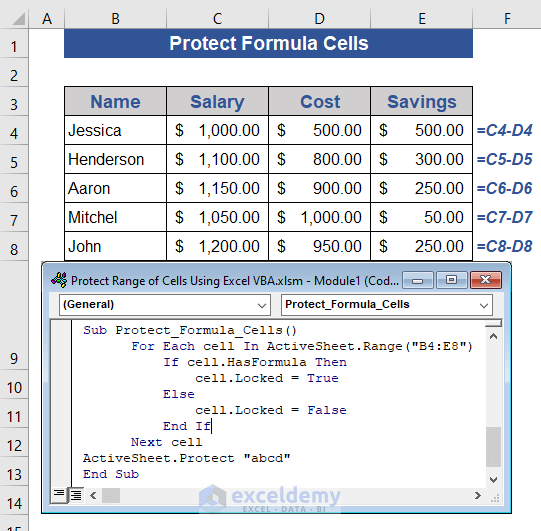
Excel VBA To Protect Range Of Cells 3 Examples ExcelDemy

Excel VBA To Protect Range Of Cells 3 Examples ExcelDemy
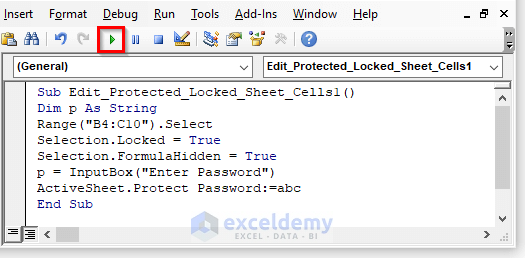
Excel VBA To Protect Sheet But Allow To Select Locked Cells 2 Examples

Excel VBA Protect Sheet Allow Select Locked Cells In 4 Easy Steps
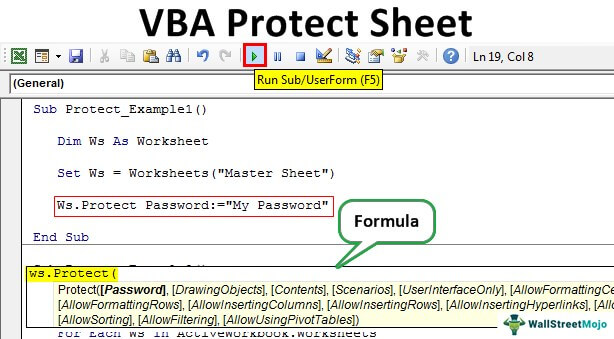
VBA Protect Sheet Password Protect Excel Sheet Using VBA
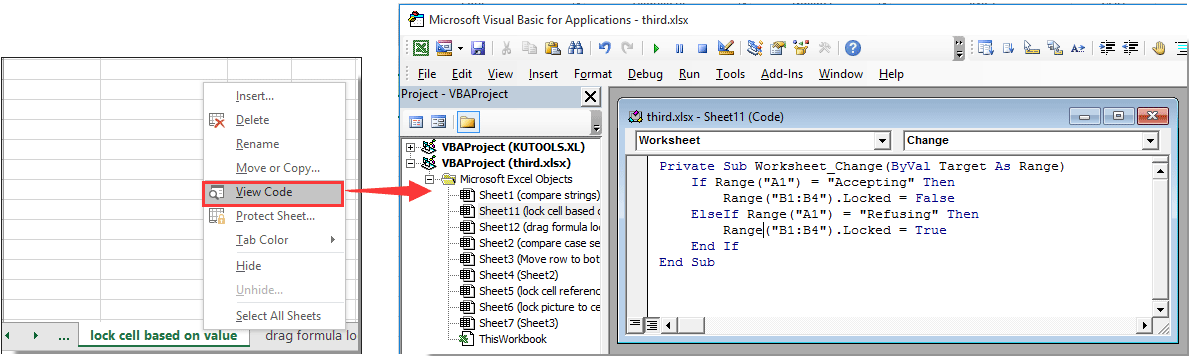
Verkko 10 elok 2012 nbsp 0183 32 Is it possible to lock a particular range of cells based on the input from a dropdown in a row of data For example each row of my spreadsheet represents a

Verkko 13 lokak 2017 nbsp 0183 32 Private Sub Worksheet Change ByVal Target As Range If Target Column lt gt 12 Or Target Row 1 Then Exit Sub Range Cells Target Row

Verkko Locking Cells with VBA in Excel Now that we ve covered the basics of VBA in Excel let s move on to the main focus of this guide how to quickly lock cells with VBA in
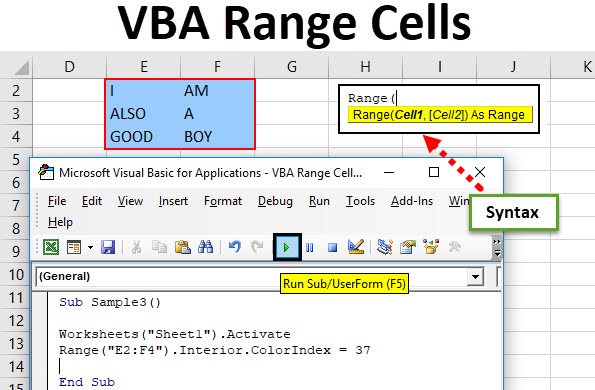
Verkko 5 marrask 2023 nbsp 0183 32 In this article we ll apply VBA to Unlock and Lock Cells in Excel To illustrate we ll use a sample dataset For instance the following dataset contains Salesman Product and Net Sales in the

Verkko 29 hein 228 k 2021 nbsp 0183 32 Highlight the range you want to protected and right flick Under quot Format Cells quot you ll see the protection tab Here you set these specifically to lock
Verkko 29 maalisk 2022 nbsp 0183 32 VB With Worksheets quot Sheet1 quot Range quot B2 Z100 quot Range Cells 1 1 Cells 5 3 Font Italic True End With This example scans a column of data Verkko 13 marrask 2023 nbsp 0183 32 Protecting Cells This just prevents the cells from being edited Dim objRange As Excel Range If objRange Locked True Then all cells in range are
Verkko 25 elok 2003 nbsp 0183 32 Select cells F4 G10 From the menu Format gt Cells Click the Protection tab Check the Locked checkbox Click OK From the menu Tools gt