Excel Vba Get Value From Named Cell Get The Value From A Cell Excel Formula VBA Get Value From Closed Workbook VBAF1 COM How To Use VBA To Get Value From Userform Textbox In Excel How To Use VBA To Get Value From Userform Textbox In Excel Wise Care 365 Box Gamerfasr This example shows how to name a worksheet by using the value in cell A1 on that sheet This example verifies that the value in cell A1 is a valid worksheet name and if it is a valid name renames the active worksheet to equal the value of cell A1 by using the Name property of the Worksheet object Sample code provided by Tom Urtis Atlas
The below VBA code shows ways you can create various types of named ranges PURPOSE Various ways to create a Named Range SOURCE www TheSpreadsheetGuru Dim cell As Range Dim rng As Range Dim RangeName As String Dim CellName As String Single Cell Reference Workbook Scope RangeName Price If one of the cells has a value of less than 0 001 the code replaces the value with 0 zero For Each cell in Worksheets Sheet1 Range A1 D10 If cell Value 001 Then cell Value 0 End If Next cell This example loops over the values in the range A1 CC5000 on Sheet1 If one of the values is less than 0 001 the code replaces the value
Wise Care 365 Box Gamerfasr Vba Get Cell Value Examples Of Get Cell Value In Vba Excel Riset Excel Power Query Get And Transform Data In 2023 Coupler io Blog How To Use VBA To Get Value From Userform Textbox In Excel How To Use VBA To Get Value From Userform Textbox In Excel Read And Write Cell Value Using VBA Excel Unlocked VBA Value How To Use Excel VBA Value Property Examples Get Cell Value In Excel VBA Step By Step Examples Excel Vba Get Range Value From Another Worksheet Robert Mile s
Excel Vba Get Value From Named Cell
 Excel Vba Get Value From Named Cell
https://excelchamps.com/wp-content/uploads/2023/01/1-get-value-from-a-cell.png
Getting Cell Values To get a cell s value in VBA we need to refer to it with the Range object and then call the Value property We ll use the following spreadsheet for our example It s a simple table with some names in it Public Sub GetCellValue Dim val As String val Range A2 Value
Templates are pre-designed documents or files that can be utilized for numerous purposes. They can save time and effort by supplying a ready-made format and layout for producing various sort of material. Templates can be used for individual or expert projects, such as resumes, invitations, leaflets, newsletters, reports, presentations, and more.
Excel Vba Get Value From Named Cell

11 How To Get Last Column Name In Excel Vba References Fresh News
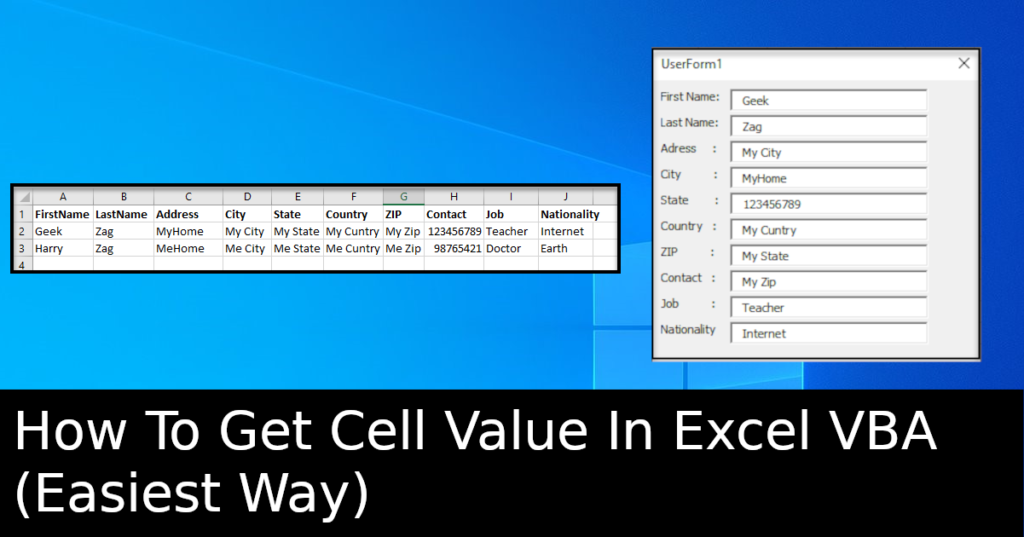
Vba Get Cell Value Examples Of Get Cell Value In Vba Excel Riset

Excel Power Query Get And Transform Data In 2023 Coupler io Blog

How To Use VBA To Get Value From Userform Textbox In Excel
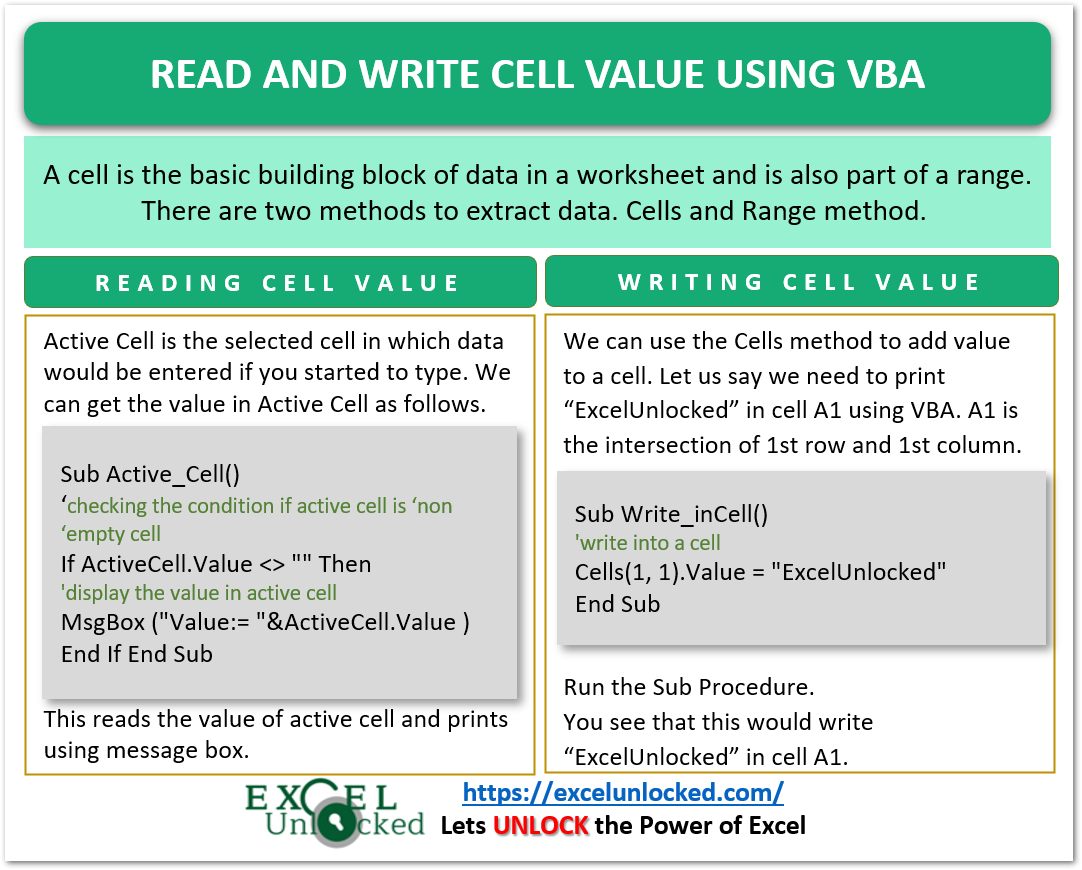
Read And Write Cell Value Using VBA Excel Unlocked

VBA Value How To Use Excel VBA Value Property Examples

Use this ThisWorkbook Names myNamedRange RefersToRange 1 1 To get the value from the first cell in the named range myNamedRange With ThisWorkbook Names you can access all named ranges of all the sheets within the current workbook With RefersToRange you get a reference to the actual range Share

Click Define Name button in the Formula tab In the New Name dialogue box under the field Scope choose the specific worksheet that the range you want to define is located i e Sheet1 This makes the name specific to this worksheet If you choose Workbook then it will be a WorkBOOK name Example of WorkSHEET Specific Named Range

From the VBA IntelliSense list choose the Value property to get the value from the mentioned cell Code Sub Get Cell Value1 Dim CellValue As String CellValue Range A1 Value End Sub Now the variable CellValue holds the value from cell A1 Show this variable value in the message box in VBA

There are two ways to reference cell s in VBA Range Object Range A2 Value Cells Object Cells 2 1 Value The Range object allows you to reference a cell using the standard A1 notation This will set the range A2 s value 1 Range A2 Value 1 The Cells object allows you to reference a cell by it s row number

This logic works great in the spreadsheet itself i e enter PrintConfigurations in cell A1 However I m running into problems when trying to read the value result of the defined name formula with VBA I ve tried the following code code Sheet1 Names PrintConfigurations Value code But I end up with the entire defined name formula
MsgBox ActiveWorkbook Names MyRange2 Value You can return the cell range of a named range by using string Sheets SheetName Range NamedRange Address If you reference Range D4 Value in your VBA code it will be safer to create a names for the range D4 and refer to that If rows or columns get inserted deleted then your VBA 1 Copying Cell Values with Formatting In the provided code below we will be able to copy the cell values from the source file with formatting without opening the source file Set Source workbook Workbooks Open E study Office Comments Get Value From Another Workbook Source xlsm
Paste the below code Sub Get Cell Value String Dim CellValue As String CellValue Range B5 Value Debug Print CellValue End Sub After that click on the Play button or press F5 Since there is a value of Jhon in cell B5 the same thing also appeared in the Immediate window Like this we can get the value of the cell as string