Excel Vba Get Value From Dropdown Selecting A Value From Dropdown Which Has Check Box As Selection How To Create Drop Down List In Excel Caraseru How To Use VBA To Get Value From Userform Textbox In Excel How To Use VBA To Get Value From Userform Textbox In Excel Excel Vba Solutions Import Data From Word Table To Excel Sheet Riset Web Aug 30 2021 nbsp 0183 32 The Visual Basic Editor opens Copy VBA event code below Paste to worksheet module Exit VB Editor Alt Q Note save the workbook with file extension xlsm macro enabled to attach the code to your workbook This will save the workbook and the code so you can use it the next you open the workbook VBA Event code
Web Apr 12 2016 nbsp 0183 32 vba Value retrieval from the multiple selection dropdown in Excel Super User Value retrieval from the multiple selection dropdown in Excel Ask Question Asked 4 years 9 months ago Modified 4 years 9 months ago Viewed 329 times 0 I am trying to make calculation from my dropdown menu I have following dropdown in sheet Web Nov 11 2019 nbsp 0183 32 i want to select a value from dropdown list and have tried below code but can t work please take a look code ie Document getElementsByName quot fldcustval quot Foucs ie Document getElementsByName quot fldcustval quot selectedIndex 2 the secod options in dropdown list
Excel Vba Solutions Import Data From Word Table To Excel Sheet Riset VBA Tutorial For Dependent Combo Boxes On UserForm VBA Example YouTube How To Use VBA To Get Value From Userform Textbox In Excel How To Use VBA To Get Value From Userform Textbox In Excel Excel Drop Down List Syntax Byte Gambaran How To Select The Dropdown Value Image In Selenium Webdriver Mobile How To Use VBA To Get Value From Userform Textbox In Excel How To Use VBA To Get Value From Userform Textbox In Excel VBA Value How To Use Excel VBA Value Property Examples
Excel Vba Get Value From Dropdown
 Excel Vba Get Value From Dropdown
https://global.discourse-cdn.com/uipath/original/2X/4/46af9bf2734595f46f2d13e1ec630904fa41bdbe.JPG
Web DropDowns quot Drop Down 11 quot Value Sheets quot CustomerMaster quot Cells NextRow 7 Sheets quot Customer Master Data Entry quot TextInitialCust Sheets quot CustomerMaster quot Cells NextRow 8 Sheets quot Customer Master Data Entry quot TextSource Sheets quot CustomerMaster quot Cells NextRow 9 Sheets quot Customer
Templates are pre-designed files or files that can be used for different functions. They can conserve time and effort by supplying a ready-made format and design for producing various sort of material. Templates can be utilized for personal or professional projects, such as resumes, invites, flyers, newsletters, reports, presentations, and more.
Excel Vba Get Value From Dropdown

How To Use VBA To Get Value From Userform Textbox In Excel
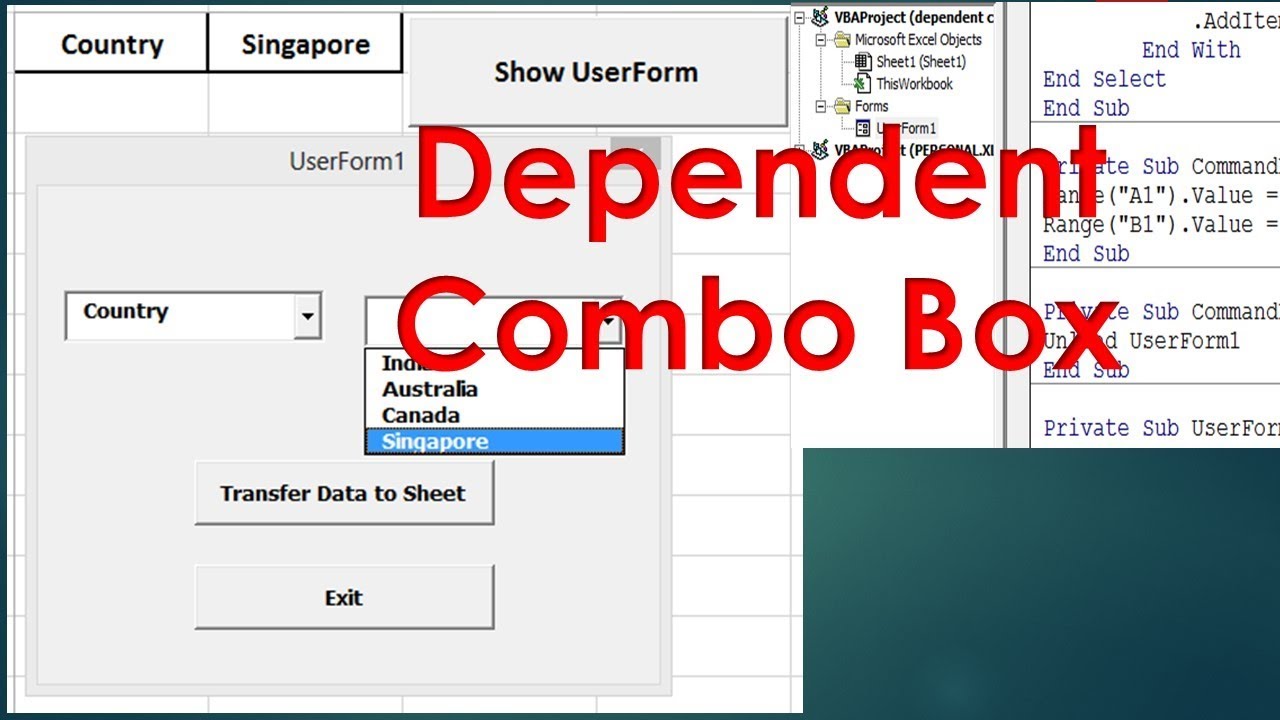
VBA Tutorial For Dependent Combo Boxes On UserForm VBA Example YouTube

How To Use VBA To Get Value From Userform Textbox In Excel

How To Use VBA To Get Value From Userform Textbox In Excel
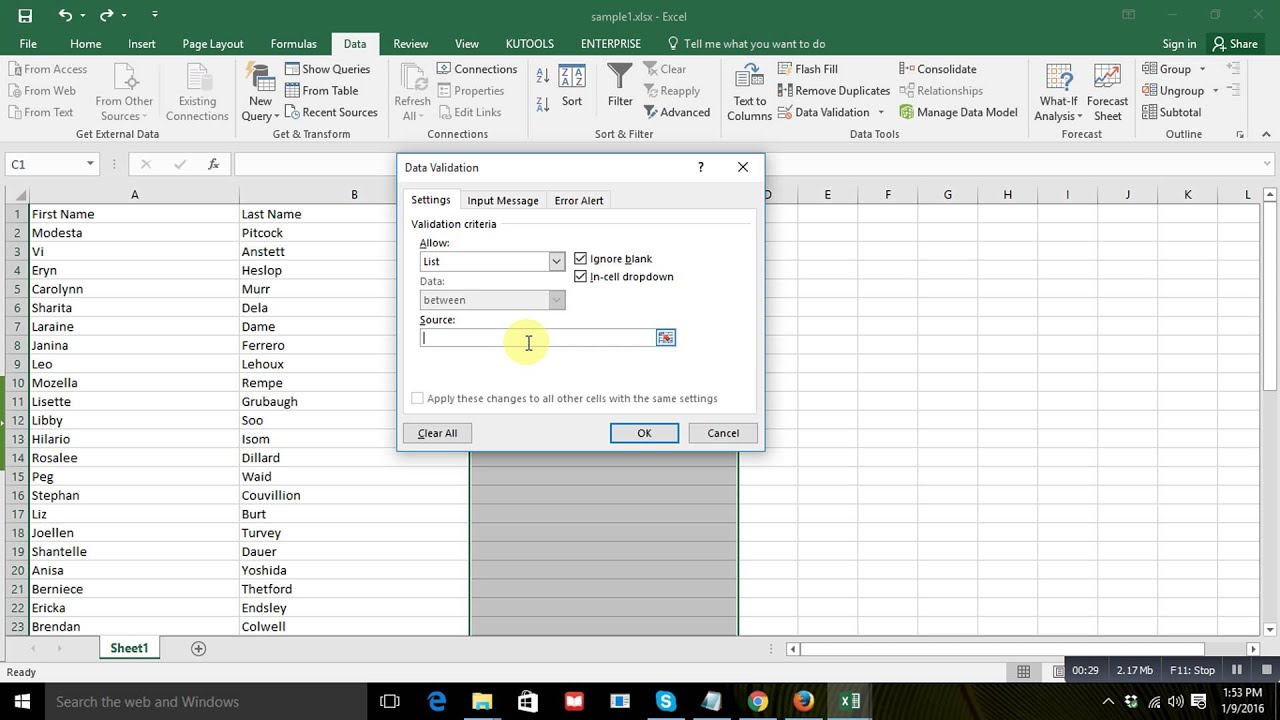
How To Select The Dropdown Value Image In Selenium Webdriver Mobile

How To Use VBA To Get Value From Userform Textbox In Excel

Web Sep 30 2010 nbsp 0183 32 Dim dd As DropDown Set dd ActiveSheet DropDowns quot Drop Down 6 quot Set r Sheet2 Range dd ListFillRange Set ddValue r dd Value NOTES DropDown is not a visible class You just use it and it works To find the name of the dropdown CONTROL not userform just look at the name box in the top left corner of your screen
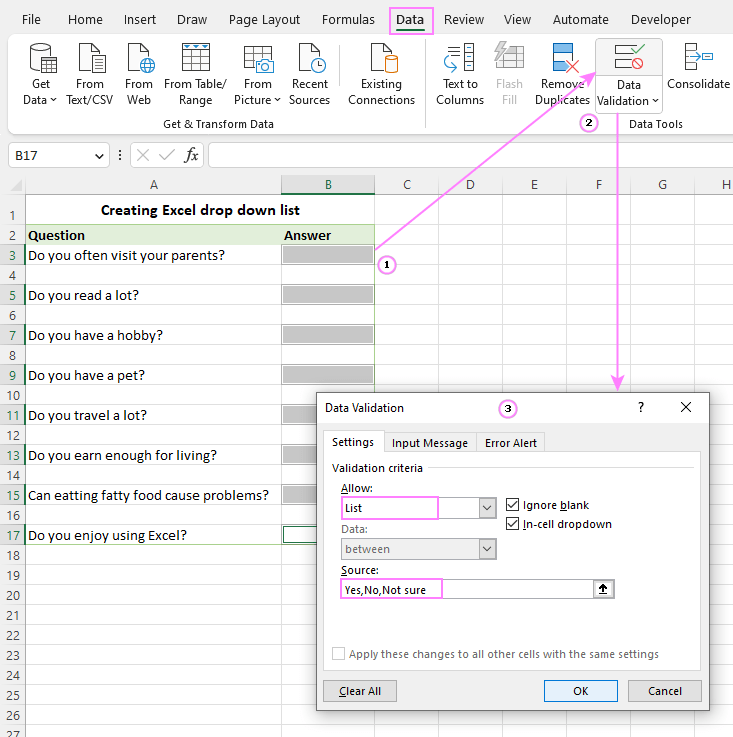
Web Dec 14 2023 nbsp 0183 32 Steps At first click on any cell Cell D4 in our case where you want to store the dropdown list Then click on the tab Data After that select Data Validation from the Data Tools group of the ribbon A Data Validation pop up box will appear From there Select List in the Allow criteria

Web Mar 6 2014 nbsp 0183 32 If you are using an ActiveX drop down list a combobox this is how you would change the selected value in the drop down list ComboBox1 Value quot New Value quot If you are using data validation as a drop down list then you just need to change the cell value as you would change any other cell

Web Mar 6 2014 nbsp 0183 32 I guess your quot dropdown quot is a Form control in your worksheet Assuming your drop down is called quot Drop Down 1 quot Sub macro1 Dim tmp As String tmp ActiveSheet DropDowns quot Drop Down 1 quot List ActiveSheet DropDowns quot Drop Down 1 quot ListIndex End Sub Or you can refer to each dropdown by their index number but

Web VBA code Run macro based on value selected from drop down list Private Sub Worksheet Change ByVal Target As Range If Not Intersect Target Range quot E1 quot Is Nothing Then Select Case Range quot E1 quot Case quot Insert Blank rows quot Macro1 Case quot Hide All Sheets quot Macro2 Case quot Convert to Date quot Macro3 End Select End If End Sub
Web Jun 21 2015 nbsp 0183 32 Creating In order to create one of these drop down lists combo boxes all you need to do is click on the combo box on the tool box and click somewhere on the userform where you want to insert it As you can see in the figure above the user has created a drop down list for the user form Adding Items Web Dec 14 2023 nbsp 0183 32 1 start the macro procedure by declaring the Sub name You can assign any name to the code 2 declare the variable then assign the variable to create a DynamicList in the Name Manager Also assign the range i e C C 3 assign the names and range to the Worksheet2
Web Jul 9 2018 nbsp 0183 32 As per the title i have a drop down list which is already populated On a button command i want to read the selected value from this drop down list which i will use to drive an ADO query I did VBA in Access years ago so have some idea of what i am doing but using it in Excel is new to me