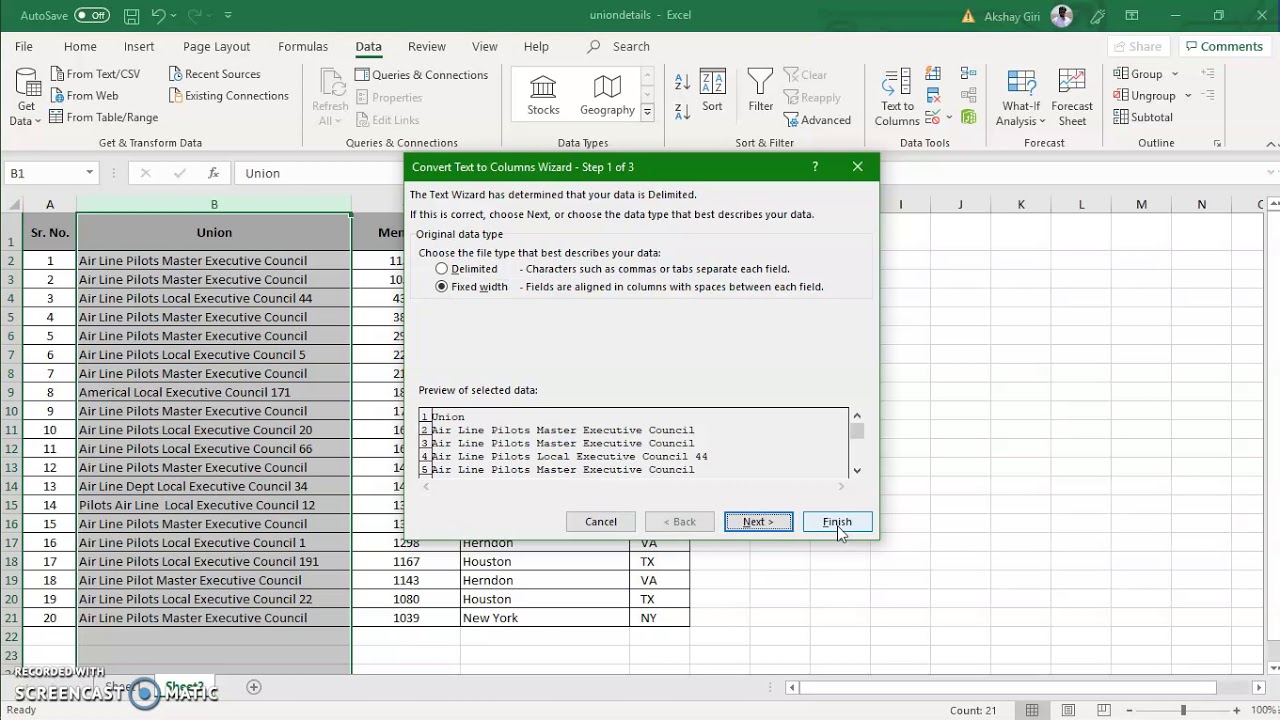
Excel Text To Columns Deleting Data How To Split Text Into Multiple Columns Using Text To Column In Excel How To Use Text To Columns In Excel 7 Amazing Things Excel Text To Columns Can Do For You In 2021 Excel Excel Text To Column Format As Table YouTube Download Microsoft Excel Split Cells Gantt Chart Excel Template Go to the Data Tab Select the Text to Columns option The Convert Text to Columns Wizard appears Select Delimited text from the Original Data Type Press Next Choose the required delimiter we selected a comma PRO TIP The Text to Columns wizard dialog box shows a data preview window at the bottom
Reason 3 Text to Columns Is Not Showing Data Due to Hidden Column s I ll start by demonstrating how to segregate the data using the Text to Columns tool First choose the cells from which you wish to divide the data I chose the C5 C9 cell range here Second use Ribbon to navigate to the Data tab Choose Text to Columns thirdly Changing the case of text Removing spaces and nonprinting characters from text Fixing numbers and number signs Fixing dates and times Merging and splitting columns Transforming and rearranging columns and rows Reconciling table data by joining or matching Third party providers Need more help Want more options Discover Community
Download Microsoft Excel Split Cells Gantt Chart Excel Template How To Use Text To Columns In Excel YouTube Vba How Do I Convert User Entered String Dates Into An Excel Format Text To Columns In Microsoft Excel Using Shortcut Keys YouTube Text To Columns Excel YouTube Pasting Digitized Data Into Excel Dagra Data Digitizer Text To Columns In Excel 2016 365 For Mac 15 26 Broken Again Excel Format Sort Dates Correctly Using Text To Columns YouTube Text To Columns In Excel Split Column Text Date ExcelDemy
Excel Text To Columns Deleting Data
 Excel Text To Columns Deleting Data
https://i.ytimg.com/vi/13mc7dZpasE/maxresdefault.jpg
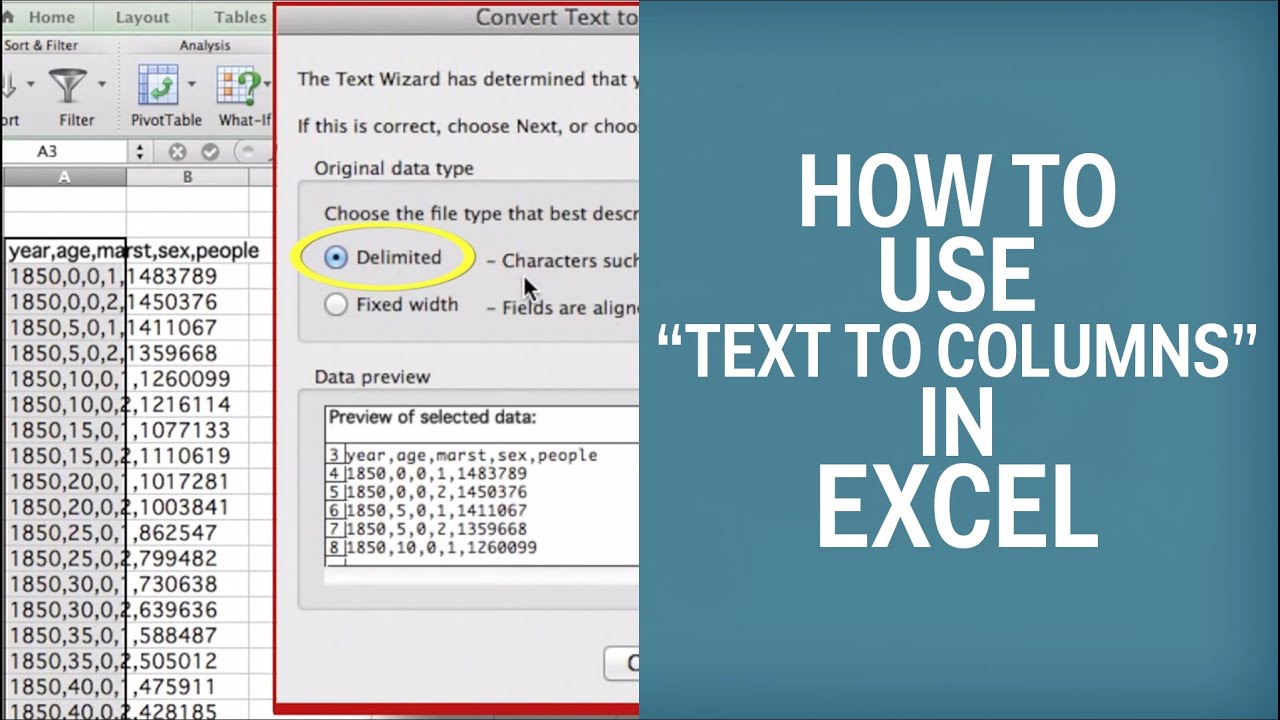
Try it Select the cell or column that contains the text you want to split Select Data Text to Columns In the Convert Text to Columns Wizard select Delimited Next Select the Delimiters for your data For example Comma and Space You can see a preview of your data in the Data preview window Select Next
Templates are pre-designed documents or files that can be utilized for numerous purposes. They can save effort and time by providing a ready-made format and design for developing different sort of content. Templates can be utilized for personal or expert tasks, such as resumes, invitations, flyers, newsletters, reports, discussions, and more.
Excel Text To Columns Deleting Data
How To Move Columns In Excel
How To Use Text To Columns In Excel YouTube

Vba How Do I Convert User Entered String Dates Into An Excel Format
Text To Columns In Microsoft Excel Using Shortcut Keys YouTube

Pasting Digitized Data Into Excel Dagra Data Digitizer

Text To Columns In Excel 2016 365 For Mac 15 26 Broken Again
Created on December 22 2021 Text to Columns is deleting existing Data Hello I have imported some data from Outlook which is a list of Names and associated emails I d like to separate the full names into a first name and surname columns I ve created two additional columns use Text to Columns and select everything that has been mentioned

Text to Column deleting my data I have used text to column on previous excel files and it has worked just fine However on this file it is deleting everything after the street address I am wanting the following in cell B2 5901 Pan American Freeway NE Albuquerque NM 87109 To become B2 5901 Pan American Freeway NE

I am trying to use text to columns to separate the different lines of each address into separate columns using these characters Alt 010 or Alt 0013 as delimiters but I every time I go through the process and click finish information seems to get lost

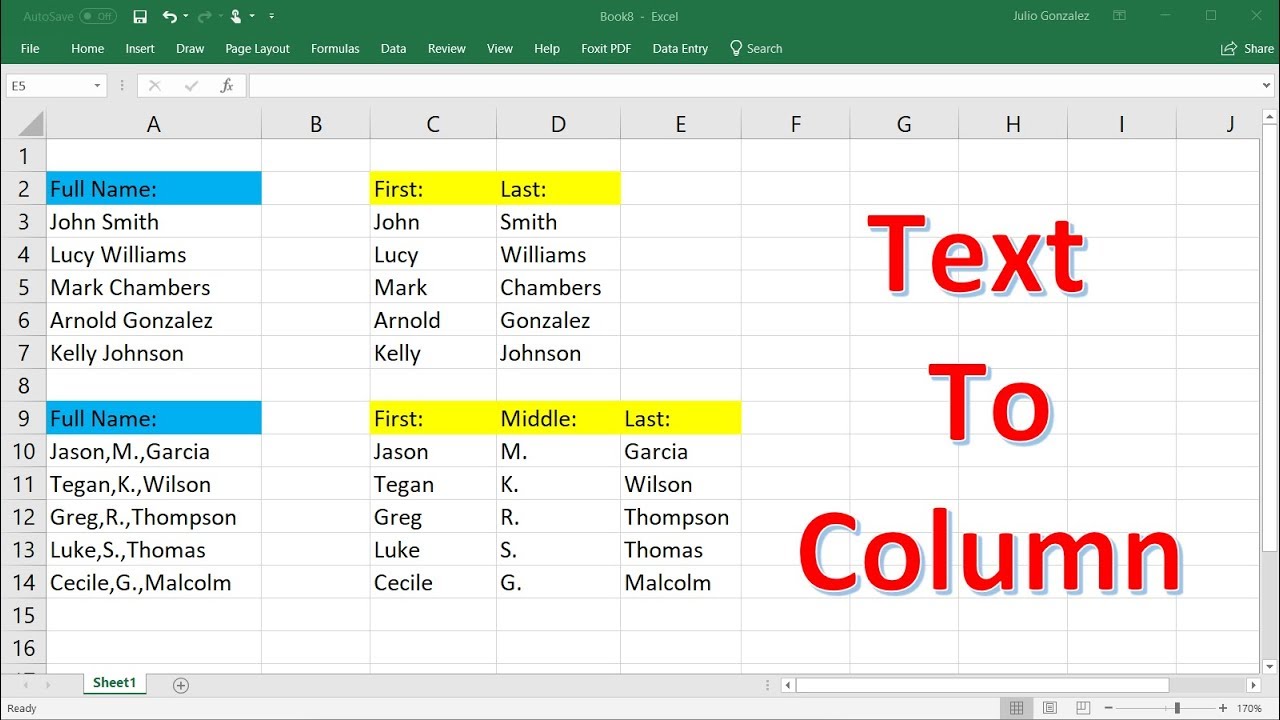
Converting International Number Formats Excel s Text to Columns feature splits text in a cell into multiple columns This simple task can save a user the heartache of manually separating the text in a cell into several columns We ll start with a simple example of splitting two samples of data into separate columns
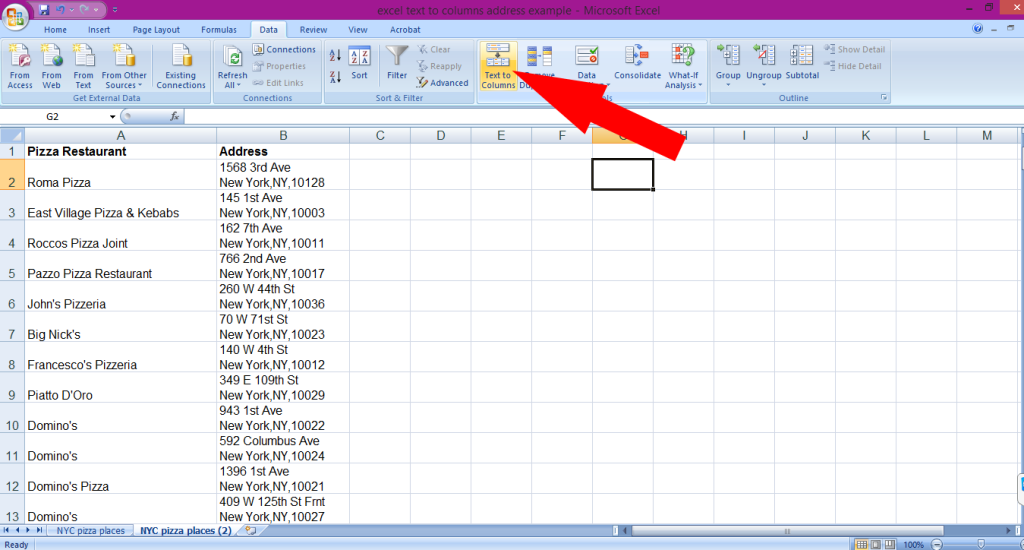
Select Data Text to Columns In the Convert Text to Columns Wizard select Delimited Next Select the Delimiters for your data For example Comma and Space You can see a preview of your data in the Data preview window Select Next Select the Destination in your worksheet which is where you want the split data to appear Select Finish
1 Open Excel and start a new Blank workbook 2 Add entries to the first column and select them all 3 Choose the Data tab atop the ribbon 4 Select Text to Columns 5 Copy the cells in the table and paste into an Excel worksheet at cell A1 The formula you see on the left will be displayed for reference while Excel will automatically convert the formula on the right into the appropriate result Hint Before you paste the data into the worksheet set the column widths of columns A and B to 250
The steps to convert text to columns in excel are as follows Step 1 Select the cells which we want to split In this case the selected cell is cell A2 Step 2 Go to the Data tab Step 3 Select the Text to Columns option from the Data Tools group