Excel Sumif Cell Value SUMIFS Function Adding With Criteria 36 Examples SUMIF Function How To Use Excel SUMIF When Not Equal To Value That Excel Site Sumif Excel Seoyaseojc How To Use Excel SUMIF Function Based On Cell Color Poslovanje Laganje Sjeverna Amerika Sumif Function Google Sheets Film The SUMIFS function is a widely used function in Excel and can be used to sum cells based on dates text values and numbers However the syntax used to apply conditions is a bit tricky because it is unusual in Excel See below for details Syntax The syntax for the SUMIFS function depends on the criteria being evaluated
Use the SUMIF function in Excel to sum cells based on numbers that meet specific criteria 1 The SUMIF function below two arguments sums values in the range A1 A5 that are less than or equal to 10 2 The following SUMIF function gives the exact same result The operator joins the less than or equal to symbol and the value in cell C1 3 The SUMIF function is one of the older functions used in spreadsheets It is used to scan through a range of cells checking for a specific criterion and then adding up values in a range that correspond to those values The original SUMIF function was limited to just one criterion After 2007 the SUMIFS function was created which allows a
Poslovanje Laganje Sjeverna Amerika Sumif Function Google Sheets Film How To Use The Excel SUMIF Function Exceljet Use SUMIF Function In Excel SUMIF range Criteria Sum range With Example Excel Sumif Color My XXX Hot Girl How To Use The Functions SUMIF And SUMIFS In Excel Download Using The Sumif Function In Excel Gantt Chart Excel Template How To Use SUMIF Function Excel SUMIF Excel Range Criteria Function SUMIFS Excel SUMIF Function Adds Values That Meet Criteria
Excel Sumif Cell Value
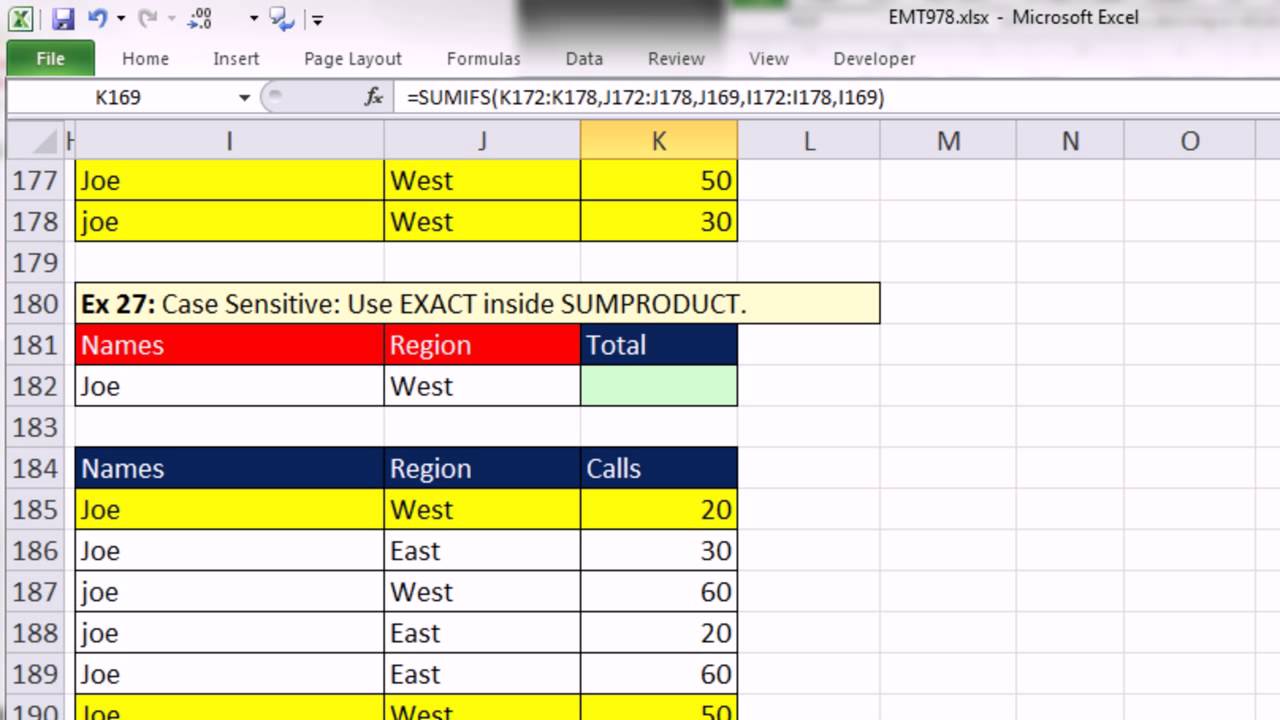 Excel Sumif Cell Value
https://i.ytimg.com/vi/pHFPnHdMLoY/maxresdefault.jpg
Summary To sum numbers when cells are equal to a specific value you can use the SUMIF or SUMIFS functions In the example shown the formula in cell I5 is SUMIFS F5 F16 C5 C16 red When this formula is entered the result is 192 This is the sum of numbers in the range F5 F16 when cells in C5 C15 contain Red
Pre-crafted templates use a time-saving service for producing a varied range of documents and files. These pre-designed formats and designs can be made use of for numerous personal and professional jobs, consisting of resumes, invitations, leaflets, newsletters, reports, discussions, and more, improving the content creation procedure.
Excel Sumif Cell Value
Sum If Cells Contain Specific Text Excel Formula Exceljet

How To Use The Excel SUMIF Function Exceljet

Use SUMIF Function In Excel SUMIF range Criteria Sum range With Example
Excel Sumif Color My XXX Hot Girl

Download Using The Sumif Function In Excel Gantt Chart Excel Template
How To Use SUMIF Function Excel SUMIF Excel Range Criteria
To sum values in C2 C8 if a cell in column A contains any text value including zero length strings SUMIF A2 A8 C2 C8 Both of the above formulas ignore non text values such as numbers dates errors and Booleans How to use Excel SUMIF with dates Using dates as SUMIF criteria is very much like using numbers
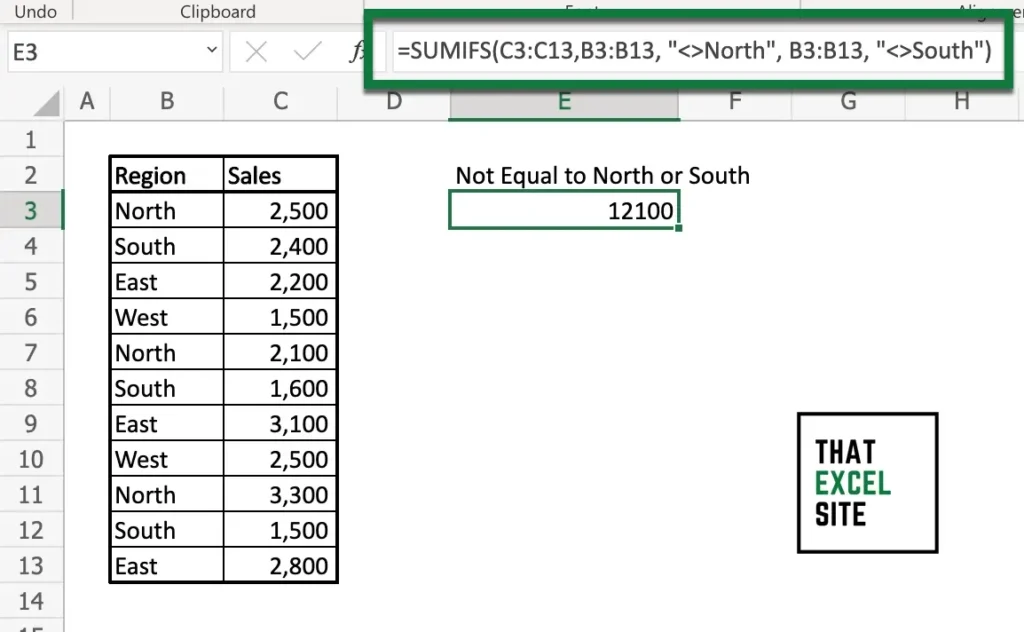
The SUMIF function sums cells in a range that meet a single condition referred to as criteria The SUMIF function is a common widely used function in Excel and can be used to sum cells based on dates text values and numbers Note that SUMIF can only apply one condition To sum cells using multiple criteria see the SUMIFS function Syntax

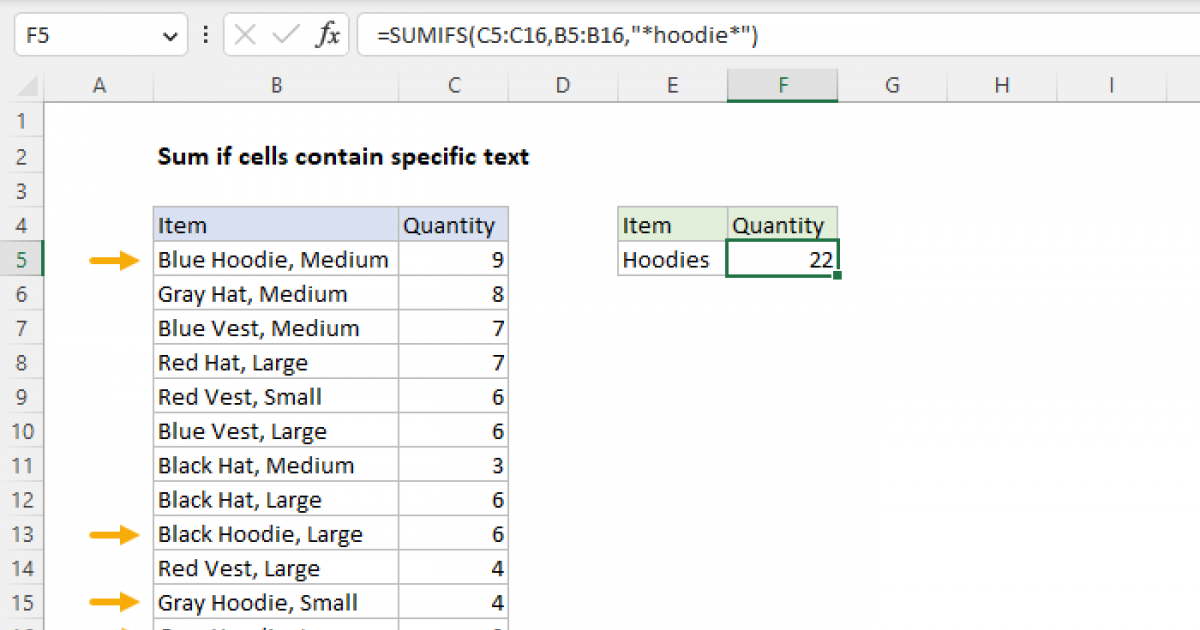
To sum numbers if cells contain text in another cell you can use the SUMIFS function or the SUMIF function with a wildcard In the example shown the formula in cell F5 is SUMIFS data Amount data Location E5 Where data is an Excel Table in the range B5 C16 As the formula is copied down it returns a sum for each state in column E Note the formula is using a wildcard and

You could add values in a cell range only if they are greater than a certain amount Enter the following formula replacing the cell references and criteria with your own SUMIF C2 C7 25000 This formula adds the numbers in the cell range C2 through C7 only if they are greater than 25 000 On the flip side you can add numbers that are
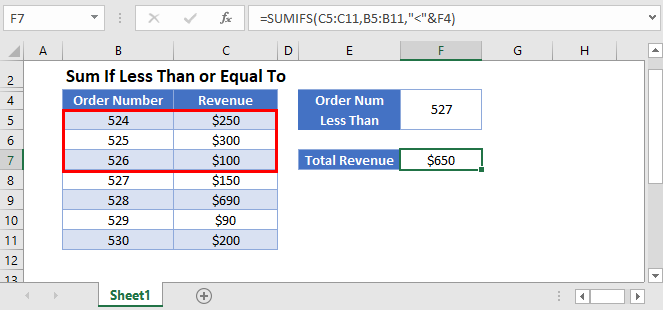
As you type the SUMIFS function in Excel if you don t remember the arguments help is ready at hand After you type SUMIFS Formula AutoComplete appears beneath the formula with the list of arguments in their proper order Looking at the image of Formula AutoComplete and the list of arguments in our example sum range is D2 D11 the
Sum range optional argument This is an array of numeric values or cells containing numeric values that are to be added together if the corresponding range entry satisfies the supplied criteria If the sum range argument is omitted the values from the range argument are summed instead How to use the SUMIF Excel Function The SUM function in Excel allows you to add up the values in a range of cells However sometimes you only want to add up the cells that meet certain criteria That s where the SUMIF function comes in handy along with the more capable SUMIFS function There are two common scenarios for using SUMIF
Range the range of cells to be evaluated by your criteria required criteria the condition that must be met required sum range the cells to sum if the condition is met optional As you see the syntax of the Excel SUMIF function allows for one condition only And still we say that Excel SUMIF can be used to sum values with multiple criteria