Excel Substitute Remove Special Characters How To Remove Special Characters In Excel Riset Remove Unwanted Characters Excel Formula Exceljet Remove Special Characters Excel Off The Grid Excel SUBSTITUTE Function 10 Examples Wikitekkee Excel Remove Special Characters From Your Sheets text Tools Help Web Feb 8 2023 nbsp 0183 32 If you want to remove only one special character you can use the SUBSTITUTE function see more in this article Remove Unwanted Characters If you do want to use a single formula to remove special characters you will need to use a User Defined Function UDF like RemoveSpecChar RemoveSpecChar B3
Web Dec 21 2023 nbsp 0183 32 Steps Select the dataset Under the Home tab go to Find amp Select gt Replace From the pop up Find and Replace box in the Find what field write the dot Leave the Replace with field blank Press Replace All This will erase all the dots from your dataset in Excel 2 Delete Specific Characters with SUBSTITUTE Function Web Mar 10 2023 nbsp 0183 32 Press Ctrl H to open the Find and Replace dialog In the Find what box type the character Leave the Replace with box empty Click Replace all As an example here s how you can delete the symbol from cells A2 through A6
Excel Remove Special Characters From Your Sheets text Tools Help H ng D n Excel Remove Special Characters How To Use SUBSTITUTE Function In Excel YouTube How To Remove Special Characters In Excel Free Excel Tutorial How Can We Replace A Entire Column In Excel Rookies UiPath Community Forum How To Remove Special Characters From Text Data In Excel YouTube SUBSTITUTE Vs REPLACE In Excel Easy Functions How To Remove Special Characters In Excel Riset Excel Support Blog How To Remove Special Characters From Excel Cell
Excel Substitute Remove Special Characters
 Excel Substitute Remove Special Characters
https://www.extendoffice.com/images/stories/doc-excel/remove-special-characters/doc-remove-special-characters-03.png
Web Using Built In Functions To remove specific characters from a text string in Excel use the SUBSTITUTE function This function is case sensitive and allows the removal of multiple characters through nested calls The syntax is SUBSTITUTE cell char quot quot
Templates are pre-designed documents or files that can be used for numerous functions. They can conserve time and effort by offering a ready-made format and layout for producing different type of content. Templates can be used for individual or expert jobs, such as resumes, invitations, flyers, newsletters, reports, discussions, and more.
Excel Substitute Remove Special Characters
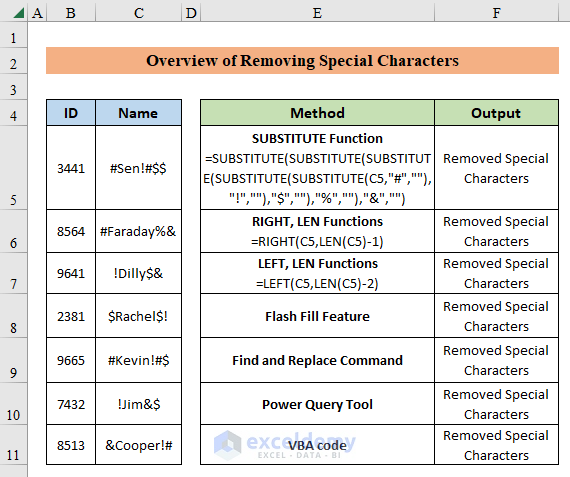
How To Remove Special Characters In Excel 5 Easy Methods
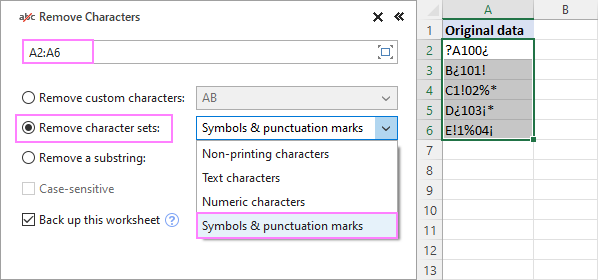
H ng D n Excel Remove Special Characters
How To Use SUBSTITUTE Function In Excel YouTube
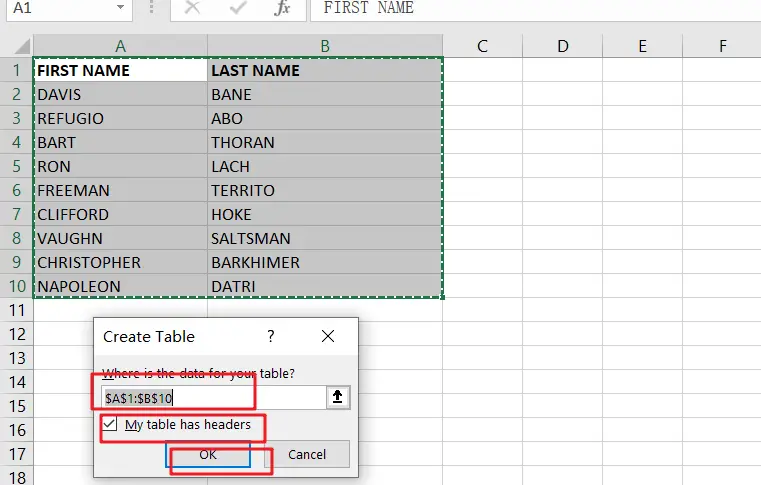
How To Remove Special Characters In Excel Free Excel Tutorial

How To Remove Special Characters From Text Data In Excel YouTube
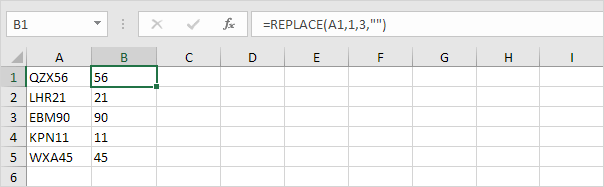
SUBSTITUTE Vs REPLACE In Excel Easy Functions

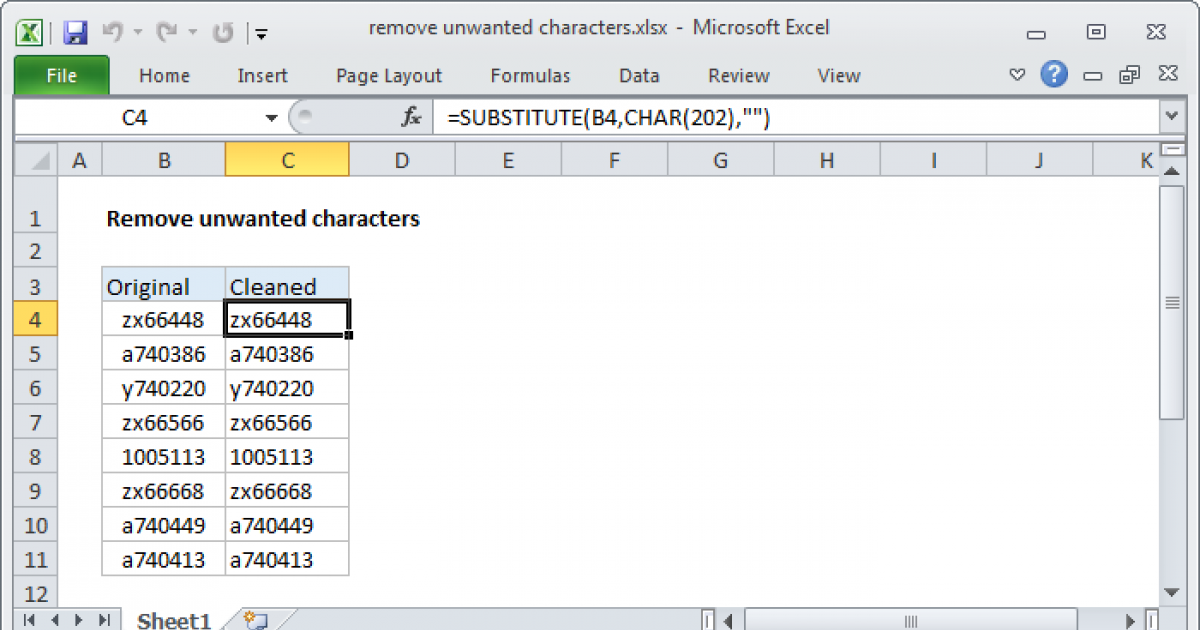
Web To remove specific unwanted characters in Excel you can use a formula based on the SUBSTITUTE function In the example shown the formula in C4 is SUBSTITUTE B4 CHAR 202 quot quot Which removes a series of 4 invisible characters at the start of each cell in column B Generic formula SUBSTITUTE B4 CHAR code quot quot Explanation
Web Dec 19 2023 nbsp 0183 32 Function Erase Special Characters Txt As String As StringDim xx As StringDim yy As Longxx quot amp quot For yy 1 To Len xx Txt Replace Txt Mid xx yy 1 quot quot NextErase Special Characters TxtEnd Function Code Explanation In this section we ll explain the VBA code used to remove special characters in Excel

Web By Zach Bobbitt May 31 2023 You can use the following formula to remove special characters from a cell in Excel SUBSTITUTE SUBSTITUTE SUBSTITUTE SUBSTITUTE SUBSTITUTE SUBSTITUTE SUBSTITUTE SUBSTITUTE SUBSTITUTE SUBSTITUTE A2 quot quot quot quot quot quot quot quot quot quot quot quot quot quot quot quot quot quot quot quot quot quot quot quot quot amp quot quot quot quot quot quot quot quot quot quot quot quot quot quot quot This particular formula

Web Dec 20 2023 nbsp 0183 32 Here we will learn 2 uses of the Find and Replace feature to replace special characters in Excel Case 1 Replacing characters from a selected range or whole worksheet workbook Case 2 Replacing a character with different characters each time Note Keep in mind that this feature replaces the values within the cell

Web 3 In the quot Find what quot field enter the special character you want to replace 4 Leave the quot Replace with quot field blank to remove the special character or enter the replacement character if you want to replace it with something else 5 Click quot Replace All quot to remove or replace all instances of the special character within the selected range B
Web Using the SUBSTITUTE function Step 1 Identify the special character that you want to remove from your data Step 2 In a blank column use the SUBSTITUTE function to replace the special character with an empty string Step 3 Drag the formula down to apply it to the entire column of data Web Choose your version of the formula from above Change the cell reference to the cell that needs to have characters removed in your worksheet Watch the Video above to learn everything about the formula and replacing special characters in Excel
Web To use the SUBSTITUTE function enter the formula quot SUBSTITUTE cell old text new text quot in a new cell where quot cell quot is the reference to the cell containing the text quot old text quot is the special character or text you want to replace and quot new text quot is what you want to replace it with