Excel Replace Last Character How To Replace Last Character On Every Line Notepad YouTube JavaScript Replace One Character With Another Excel Formula Exceljet Remove First Character Excel Formula Exceljet How To Find And Replace In Mac Excel Nanaxhotels Key takeaway Replacing characters at the end of a cell in Excel is possible through various built in functions such as RIGHT REPLACE and SUBSTITUTE These functions offer users flexibility and ease in manipulating data
To remove the last n characters from a text string you can use a formula based on the LEFT and LEN functions You can use a formula like this to strip the last 6 characters of a text string starting on the left In the example shown the formula in E6 is VALUE LEFT D6 LEN D6 6 Excel makes it easy to remove characters from the left of a string by providing two options Using the REPLACE function and Using the RIGHT function In this section you ll learn how to use both of these functions to strip characters using these two functions
How To Find And Replace In Mac Excel Nanaxhotels Excel Replace Character With Another Riset How To String Replace Last Character In PHP Excel REPLACE Function 11 Examples Wikitekkee Find And Replace Tab Character In Excel 2 Suitable Ways Chronique M canique Arc En Ciel Excel Replace String Tapoter Vibrer Lin Java String Replacing Characters Otosection Reverse String Search Formula LearnYouAndMe Excel Replace Symbol In String
Excel Replace Last Character
 Excel Replace Last Character
https://i.ytimg.com/vi/e2-ToKRVMxY/maxresdefault.jpg
Using the LEFT Formula Using Flash Fill Using VBA Macro Code Using the LEFT Formula to Remove the Last Character Let s start with an easy formula Below I have a dataset where I have some product IDs in column A and I want to remove the last character which is a number To do this I can use the below formula in column B LEFT A2 LEN A2 1
Templates are pre-designed documents or files that can be utilized for different purposes. They can save effort and time by supplying a ready-made format and design for developing different kinds of content. Templates can be used for individual or professional tasks, such as resumes, invitations, flyers, newsletters, reports, presentations, and more.
Excel Replace Last Character

Excel REPLACE Function Exceljet
Excel Replace Character With Another Riset

How To String Replace Last Character In PHP
Excel REPLACE Function 11 Examples Wikitekkee
Chronique M canique Arc En Ciel Excel Replace String Tapoter Vibrer Lin
Java String Replacing Characters Otosection
To delete the last character in a cell the generic formula is LEFT string LEN string 1 In this formula you subtract 1 from the total string length and pass the difference to the LEFT function for it to extract that many characters from the

How to Remove Last Character in Excel 6 Ways Here I have a dataset where I am showing four columns Student Id Name Course No and Email Id Using this data I will try to show you the ways of removing the last character and extracting the necessary data Method 1 Merge VALUE LEN REPLACE Functions to Remove Last
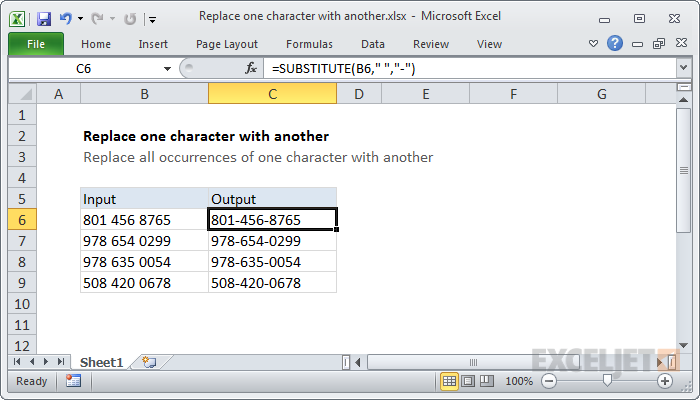
1 Remove the last character in Excel using REPLACE and LEN functions 2 Remove last two characters in Excel using the LEFT and LEN functions 3 Remove the last character in Excel using the MID and LEN functions 4 Remove the last character in Excel using the FLASH FILL feature
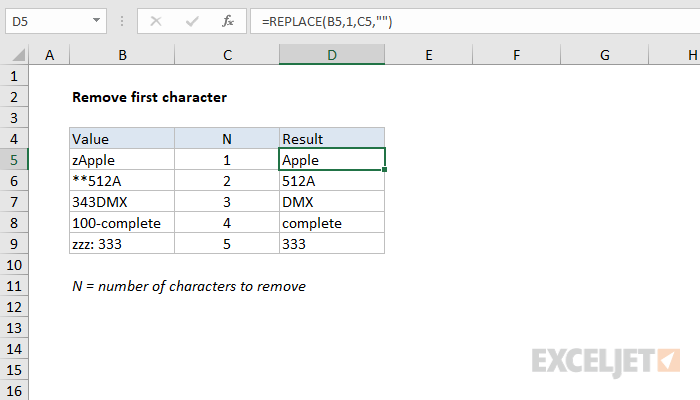
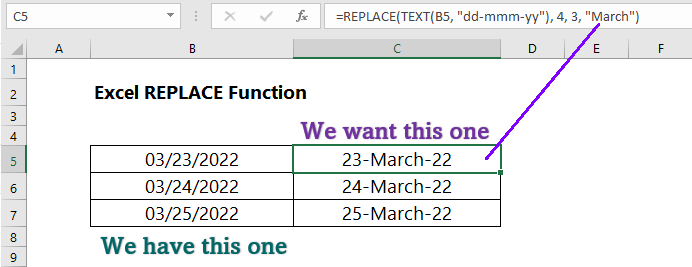
REPLACEB old text start num num bytes new text The REPLACE and REPLACEB function syntax has the following arguments Old text Required Text in which you want to replace some characters Start num Required The position of the character in old text that you want to replace with new text Num chars Required
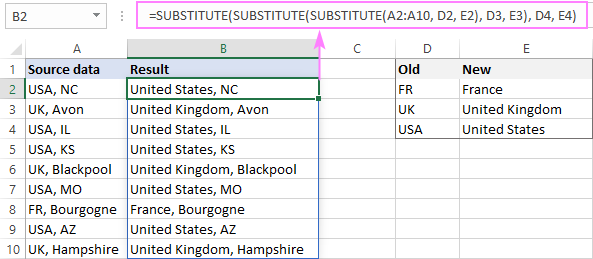
The SUBSTITUTE function in Excel replaces one or more instances of a given character or text string with a specified character s The syntax of the Excel SUBSTITUTE function is as follows SUBSTITUTE text old text new text instance num
Formulas that allow you to quickly and easily remove the first or last character from a cell in Excel Sections Remove First Character from a Cell Remove Last Character from a Cell Notes Remove First Character from a Cell Select All RIGHT A2 LEN A2 1 The RIGHT function gets the text from the right side of the cell RIGHT A2 LEN A2 1 RIGHT Function to remove first character s in Excel The above formula takes the content of cell A2 calculates its length using the LEN function and then subtracts 1 to exclude the first character This is because the formula is reading the string text from right to left due to the RIGHT function being used
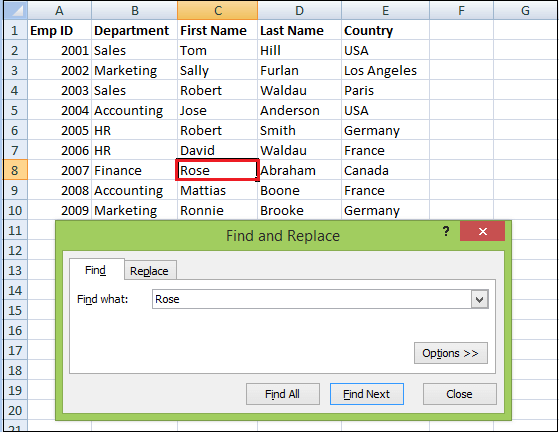
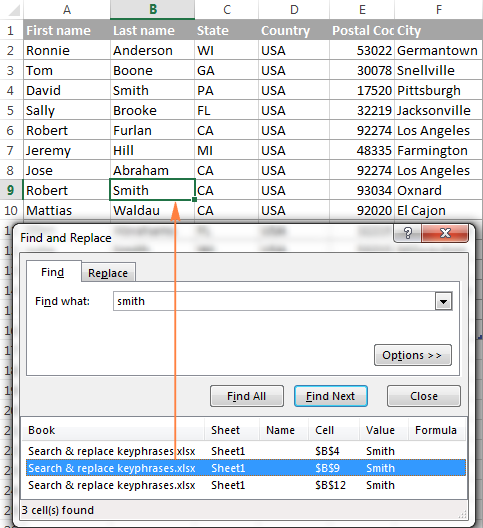
Press Ctrl H to open the Find and Replace dialog In the Find what box enter one of the following combinations To eliminate text before a given character type the character preceded by an asterisk char To remove text after a certain character type the character followed by an asterisk char