Excel Replace Colour With Text Excel REPLACE Function Exceljet REPLACE Function In Excel Replace Text String Excel Unlocked How To Use REPLACE Function In Excel 3 Suitable Examples ExcelDemy How To Find And Replace Character With Superscript In Excel Sheetaki Excel Replace Text Formula Example Riset Web May 28 2020 nbsp 0183 32 In the Find What section click on the button Format and click on the option Format Now choose the color that you want to replace This option can be used only when you know the exact fill in the cell Also Read How to Change Tab Color in Excel
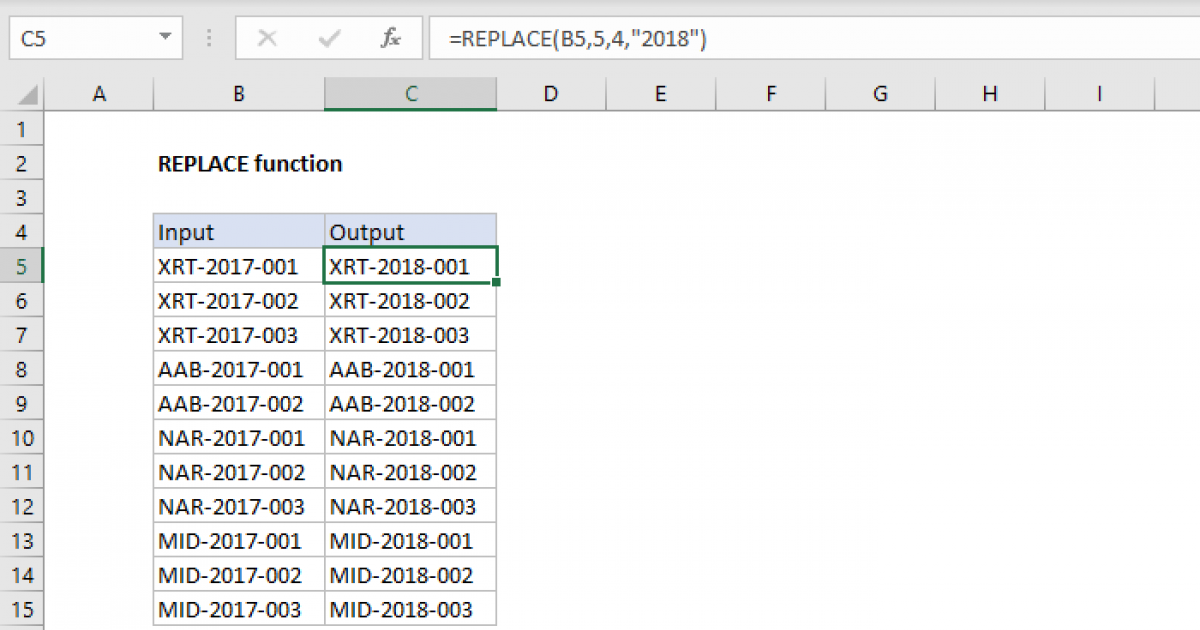
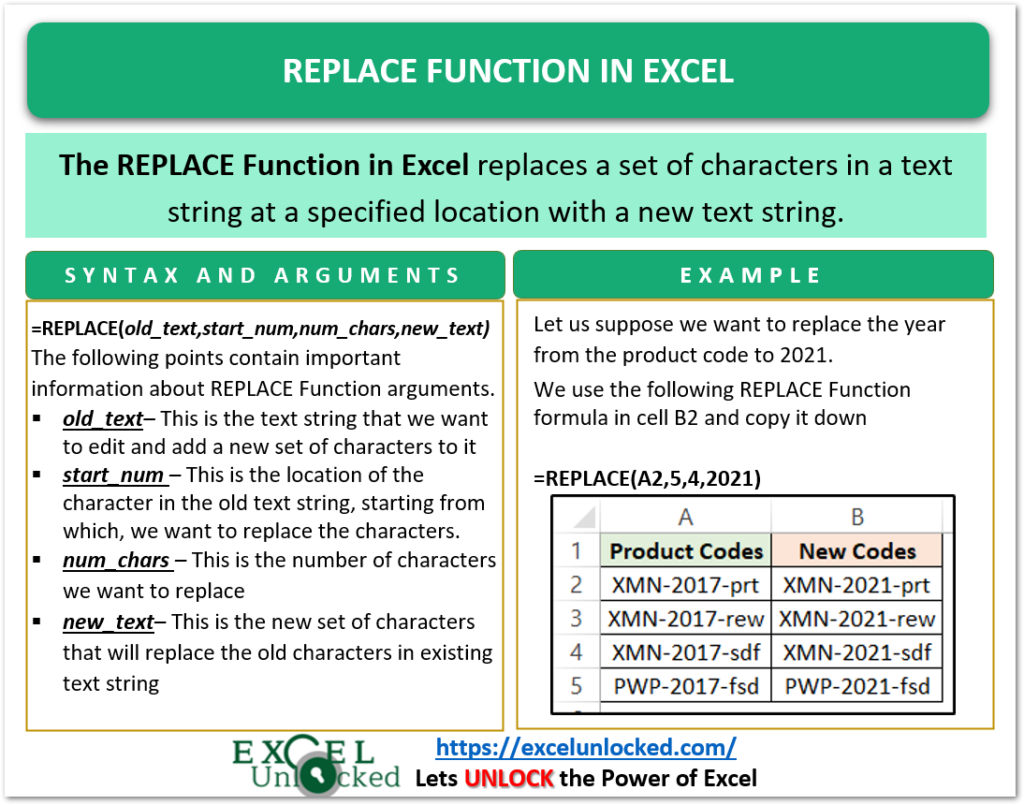
Web Mar 21 2023 nbsp 0183 32 The REPLACE function in Excel is designed to work with text strings Of course you can use it to replace numeric characters that are part of a text string for example REPLACE A2 7 4 quot 2016 quot Notice that we enclose quot 2016 quot in double quotes as you usually do with text values Web Feb 7 2023 nbsp 0183 32 In the Replace Format dialogue box click on the Color dropdown and select the color that should replace the existing color of the specified text
Excel Replace Text Formula Example Riset How To Replace Text In A String In Excel Using Replace Function Riset How To Replace Date In Excel Earn Excel How To Select And Change Colors In Photoshop PHLEARN Find And Replace On Mac Excel Ulsdao Riset What Is RenderForm RenderForm SUBSTITUTE Function Replace Text In A Text String In Excel 2013 YouTube Find And Replace Command Printable Templates Free Excel REPLACE Function A Powerful Tool For Data Manipulation
Excel Replace Colour With Text
 Excel Replace Colour With Text
https://exceljet.net/sites/default/files/styles/og_image/public/images/functions/main/exceljet replace function.png
Web Replace text from end of a string starting from variable position To replace text from the end of the string we use the REPLACE function The REPLACE function uses the position of text in the string to replace
Templates are pre-designed files or files that can be utilized for numerous functions. They can conserve time and effort by offering a ready-made format and design for developing different kinds of material. Templates can be used for personal or expert tasks, such as resumes, invitations, leaflets, newsletters, reports, presentations, and more.
Excel Replace Colour With Text
12 Replace Text In Excel Using SUBSTITUTE 2 YouTube
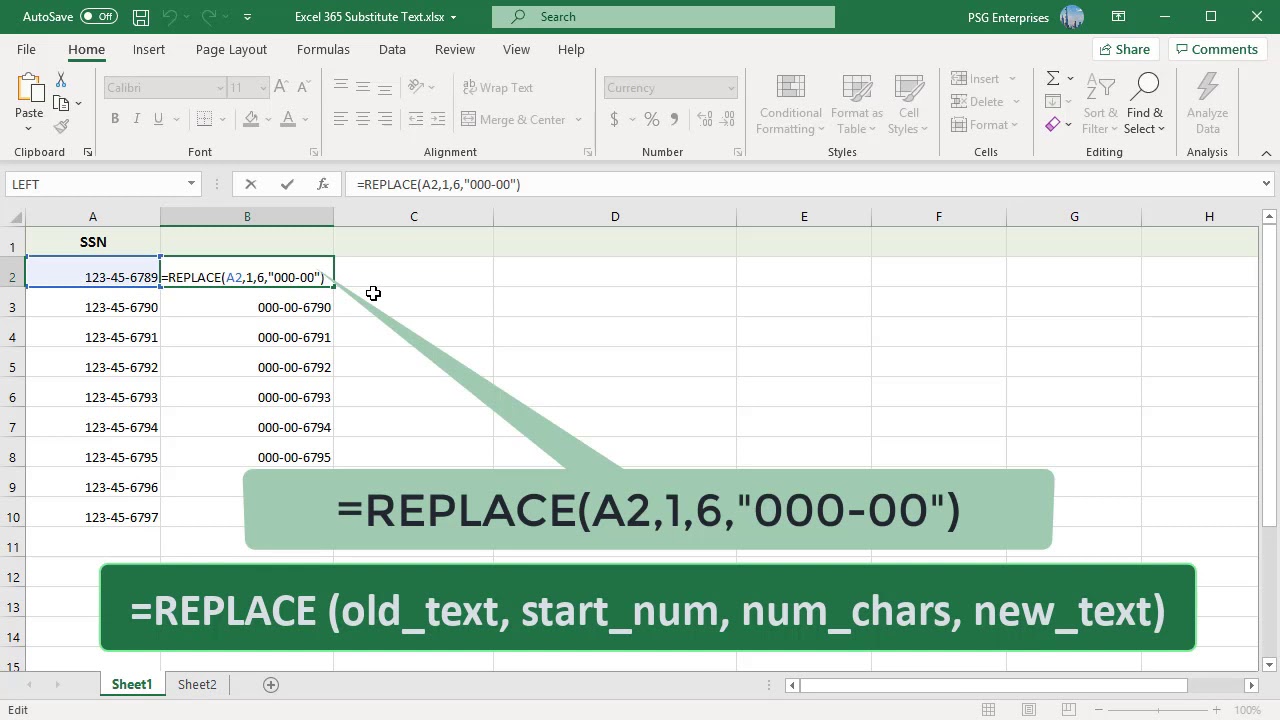
How To Replace Text In A String In Excel Using Replace Function Riset

How To Replace Date In Excel Earn Excel

How To Select And Change Colors In Photoshop PHLEARN

What Is RenderForm RenderForm
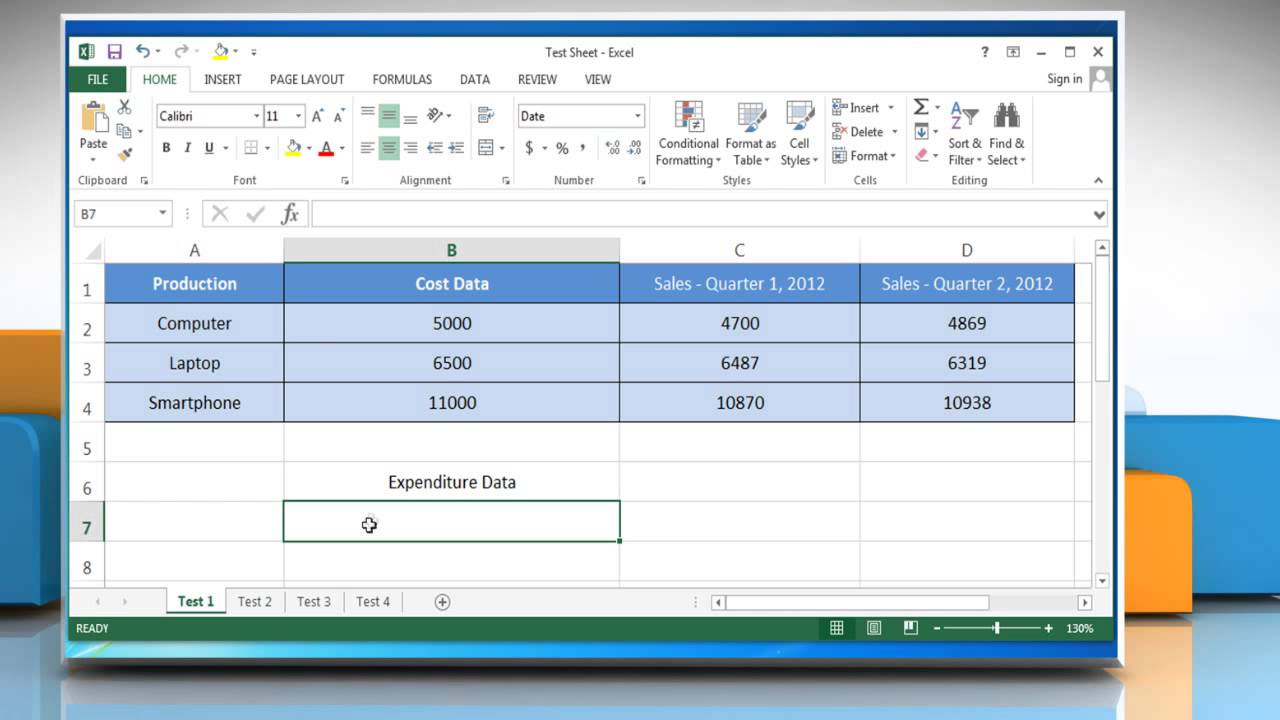
SUBSTITUTE Function Replace Text In A Text String In Excel 2013 YouTube
Web Dec 20 2023 nbsp 0183 32 1 Using Find and Replace Feature to Change Text Color This is the fastest method to find a particular Text and change its font color where we ll apply the Find and Replace feature of Excel Let s look at the steps below Steps Firstly select the range of cells from where you need to find the Text
Web Oct 18 2023 nbsp 0183 32 Excel Formula to Change Cell Color Based on Text 2 Easy Ways You can make your Excel data more visually appealing and easier to understand only if you know the tricks In this article We will help you to learn 2 simple ways to use Excel formula to change color based on text We will use the following dataset to demonstrate the process

Web Dec 21 2023 nbsp 0183 32 How to Color Code Cells in Excel 3 Methods VBA to Change Cell Color Based on Value in Excel 3 Easy Examples How to Fill Cell with Color Based on Percentage in Excel 6 Methods Uses of CELL Color A1 in Excel 3 Examples How to Change Text Color with Formula in Excel 2 Methods How to Fill Color in Cell Using

Web Apr 30 2020 nbsp 0183 32 You have to be in edit mode in that cell either click in the formula bar hit F2 or double click the cell Then select the desired text to color You ll see a pop up menu with formatting options If you do not see the pop up menu with the text selected navigate to the Home tab and format from there

Web Method 1 Using Formula within Conditional Formatting Method 2 Using the Format Cells that Contain Option Change Cell Color Based on Value in Another Cell Using Formula Conditional Formatting is a feature in Excel that allows you to format cells based on particular criteria or conditions
Web Excel Enter and format data Format data Use conditional formatting to highlight information in Excel Excel for Microsoft 365 Excel for the web Excel 2021 Excel 2019 Excel 2016 Conditional formatting can help make patterns and trends in Web Last updated Dec 21 2023 While dealing with a huge database you may need to change the row color of some specific cells based on a text value to identify them quickly Excel has many features to do that Conditional Formatting is one of them
Web Mar 4 2023 nbsp 0183 32 2 Ways to Find and Replace Text Color in ExcelStep by step explained