Excel Replace All Cells With Value Lowell Miles Blood Drive Miles Fiberglass Excel REPLACE Function Exceljet Fullsafari blogg se April 2022 Kutools Excel Replace Multiple Values Lanaprotection Simple Excel Find And Replace For Formulas Stack Overflow Web Syntax SUBSTITUTE text old text new text instance num The SUBSTITUTE function syntax has the following arguments Text Required The text or the reference to a cell
Web Jan 14 2020 nbsp 0183 32 If you want to change the occurrences of a value with something else click the quot Replace quot tab Type the text or number you want to use as a replacement value within the quot Replace With quot text box Click Web This tutorial provides one Excel method that can be applied to find and replace cells with a specific value in a selected range This method replaces all of the values in the selected range If a cell captures this
Simple Excel Find And Replace For Formulas Stack Overflow How To Find All Cells With Value In Google Sheets Sheets For Marketers How To Replace All Negative Values With Zero In Excel Printable Forms Lowell Miles Blood Drive Miles Fiberglass REPLACE Formula In Excel How To Use REPLACE Formula In Excel Excel VBA Replace Function 6 Ways To Fix Excel Find And Replace Not Working Issue J Jaru Excel Replace Cells With A Header Of Column Find Replace In Excel CustomGuide
Excel Replace All Cells With Value
 Excel Replace All Cells With Value
https://www.milesfiberglass.com/wp-content/uploads/2022/12/Sign.jpg
Web The REPLACE and REPLACEB function syntax has the following arguments Old text Required Text in which you want to replace some characters Start num Required The
Templates are pre-designed files or files that can be utilized for various purposes. They can save time and effort by supplying a ready-made format and layout for creating various sort of content. Templates can be utilized for individual or expert tasks, such as resumes, invites, flyers, newsletters, reports, presentations, and more.
Excel Replace All Cells With Value

How Hydra Regrow Their Heads Inside Science

How To Find All Cells With Value In Google Sheets Sheets For Marketers

How To Replace All Negative Values With Zero In Excel Printable Forms

Lowell Miles Blood Drive Miles Fiberglass
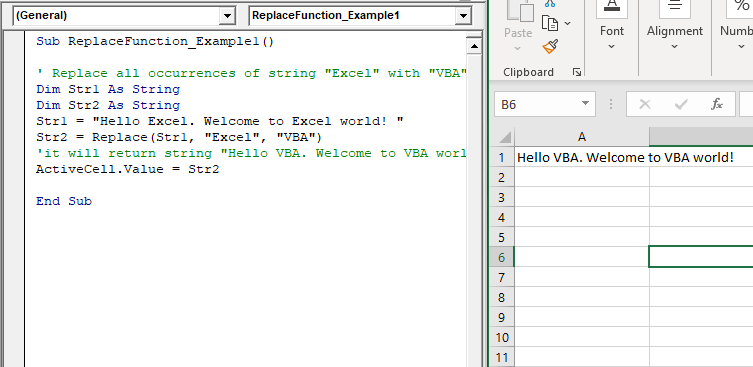
Excel VBA Replace Function

6 Ways To Fix Excel Find And Replace Not Working Issue

Web Jun 30 2021 nbsp 0183 32 The easiest way to find and replace multiple entries in Excel is by using the SUBSTITUTE function The formula s logic is very simple you write a few individual functions to replace an old value with a new one

Web 1 Select the data range that you want to replace only the value cells 2 And then press Ctrl H to open the Find and Replace dialog box in the Find and Replace dialog under Replace tab type in the Find what

Web Sep 29 2015 nbsp 0183 32 Open the Excel Find and Replace dialog by pressing the Ctrl F shortcut Alternatively go to the Home tab gt Editing group and click Find amp Select gt Find In the Find what box type the characters text or

Web Mar 21 2023 nbsp 0183 32 REPLACE quot sun quot 2 1 quot o quot And if you put the original word in some cell say A2 you can supply the corresponding cell reference in the old text argument REPLACE A2 2 1 quot o quot Note If the start num or

Web Mar 7 2016 nbsp 0183 32 Bring up the Find and Replace dialog box e g by typing Ctrl H For the Find what field enter For the Replace with field enter Member Check the Match
Web Accessibility center With Power Query you can replace one value with another value in a selected column Web Oct 5 2017 nbsp 0183 32 EXCEL Find and Replace Change Entire Cell Value Ask Question Asked 5 years 11 months ago Modified 2 years 7 months ago Viewed 14k times 3 I want to
Web Mar 22 2023 nbsp 0183 32 You need to replace its results with values Just follow the simple steps below Select all the cells with formulas that you want to convert Press Ctrl C or Ctrl