Excel Remove Text In Cell Formula Excel Remove Specific Text From Cell Specific String Specific How To Delete Formula In Pivot Table Brokeasshome How To Remove Only Text From Cells That Containing Numbers And Texts In How To Remove Numbers From Text Cells In Excel AuditExcel co za How To Remove Numbers From Cells Which Containing Texts And Numbers In WEB Feb 7 2023 nbsp 0183 32 To find and remove specific text in Excel we can use the SUBSTITUTE function Let s say we have hyphen signs in a text and we want to remove it We can do this with SUBSTITUTE function by using the following formula SUBSTITUTE B3 quot quot quot quot
WEB Mar 13 2023 nbsp 0183 32 Select all the cells where you want to delete text Press Ctrl H to open the Find and Replace dialog In the Find what box enter one of the following combinations To eliminate text before a given character type the character preceded by an asterisk char To remove text after a certain character type the character followed by an WEB Mar 13 2023 nbsp 0183 32 Formulas and custom functions to remove numbers from a string in Excel or delete text characters keeping numeric ones You will also learn how to split text and numbers into two separate columns
How To Remove Numbers From Cells Which Containing Texts And Numbers In Remove Specific Text From A Cell In Excel Google Sheets Automate Excel Excel Function To Remove All Text OR All Numbers From A Cell How To Remove Quote Marks Around Text From Cell In Excel How To Use The FIND Function In Excel YouTube How To Split Text By Space comma delimiter In Excel Militarugabriel Excel Remove Formula But Keep Data With Source Formatting Mobile How To Trim Or Remove Text In Excel Doovi How To Remove Texts Before Or After A Specific Character From Cells In
Excel Remove Text In Cell Formula
 Excel Remove Text In Cell Formula
https://i.ytimg.com/vi/lwJubQx_7EU/maxresdefault.jpg
WEB Learn 3 methods to remove text after a specific character in Excel including Find and Replace Formulas and VBA Also remove text after the nth instance of a character
Pre-crafted templates provide a time-saving solution for developing a varied range of documents and files. These pre-designed formats and layouts can be utilized for numerous individual and expert jobs, consisting of resumes, invites, flyers, newsletters, reports, discussions, and more, improving the content production procedure.
Excel Remove Text In Cell Formula

How Do I Remove Certain Text From A Cell In Excel Stack Overflow
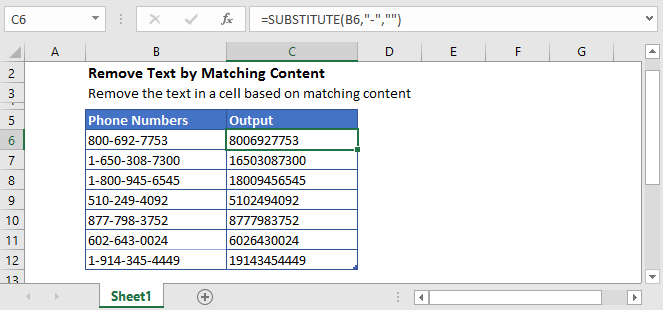
Remove Specific Text From A Cell In Excel Google Sheets Automate Excel
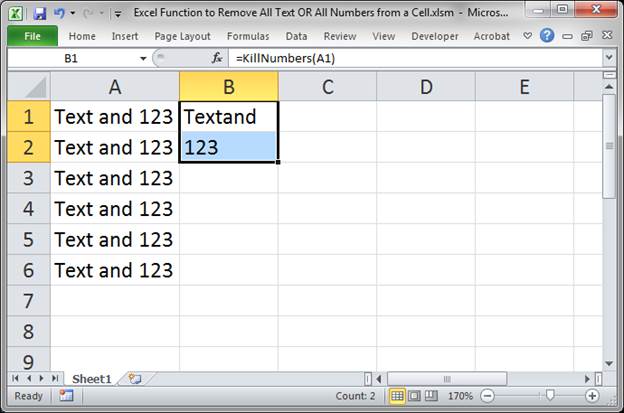
Excel Function To Remove All Text OR All Numbers From A Cell
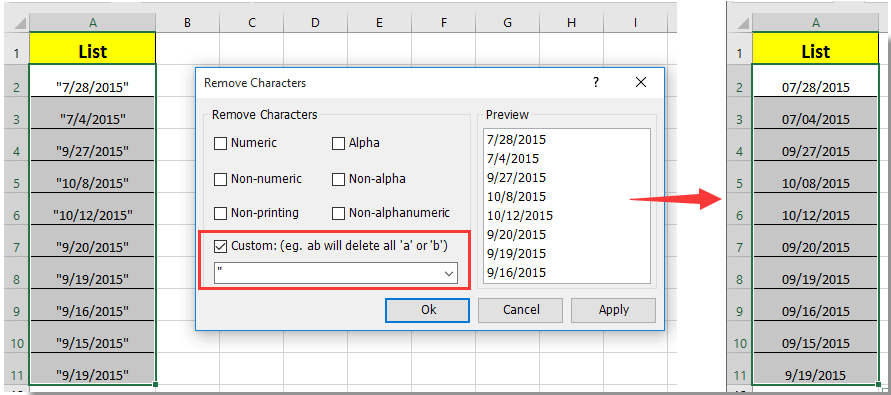
How To Remove Quote Marks Around Text From Cell In Excel
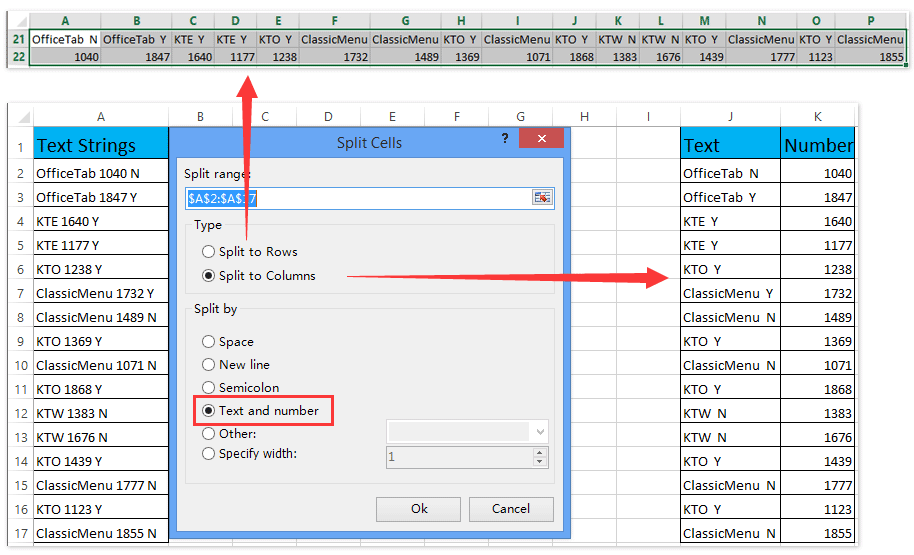
How To Split Text By Space comma delimiter In Excel Militarugabriel
Excel Remove Formula But Keep Data With Source Formatting Mobile
WEB Mar 10 2023 nbsp 0183 32 See how to quickly remove characters from Excel cells using formulas or Find amp Replace feature delete certain text from multiple cells at once strip off first or last character remove spaces before text and more
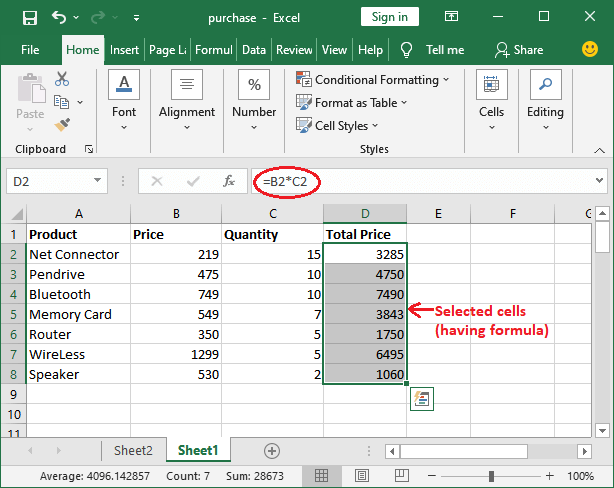
WEB Jun 21 2024 nbsp 0183 32 Method 1 Using the Find and Replace Option to Remove a Specific Text from Cells in Excel We will remove the ending XYZ string from Product Code cells

WEB To remove specific unwanted characters in Excel you can use a formula based on the SUBSTITUTE function In the example shown the formula in C4 is SUBSTITUTE B4 CHAR 202 quot quot Which removes a series of 4 invisible characters at the start of each cell in column B

WEB May 20 2023 nbsp 0183 32 The replace function is the easiest way to remove text from a cell It works great for removing a specific character set of characters or word s from the entire cell at once Directions Select the cells from which you want to remove the text Click CTRL H or go to the Find amp Replace option under Home menu tab

WEB Dec 21 2023 nbsp 0183 32 There are primarily three major ways to remove text in Excel We can delete them using Flash Fill and Find and Replace features and using formulas 1 Remove Part of Text with Flash Fill Feature Flash Fill is a feature available in Microsoft Excel that automatically fills in values based on patterns
WEB To remove text from a cell by position you can use the REPLACE function In the example shown the formula in C6 is REPLACE B6 1 24 quot quot which replaces the first 24 characters in the text with an empty string quot quot WEB In this tutorial we saw how you can use various Excel functions formulas and features to remove specific characters from a string If you know what the character you want to remove is you can use either the Find and Replace feature or the SUBSTITUTE function
WEB In the workbook below we re going to use CHAR and Substitute to remove text from the cell In the case we re going to remove the second instance of the url DunderMifflin Imagine we don t need to show two instances of the same url in one cell Let s erase the second one using substitute