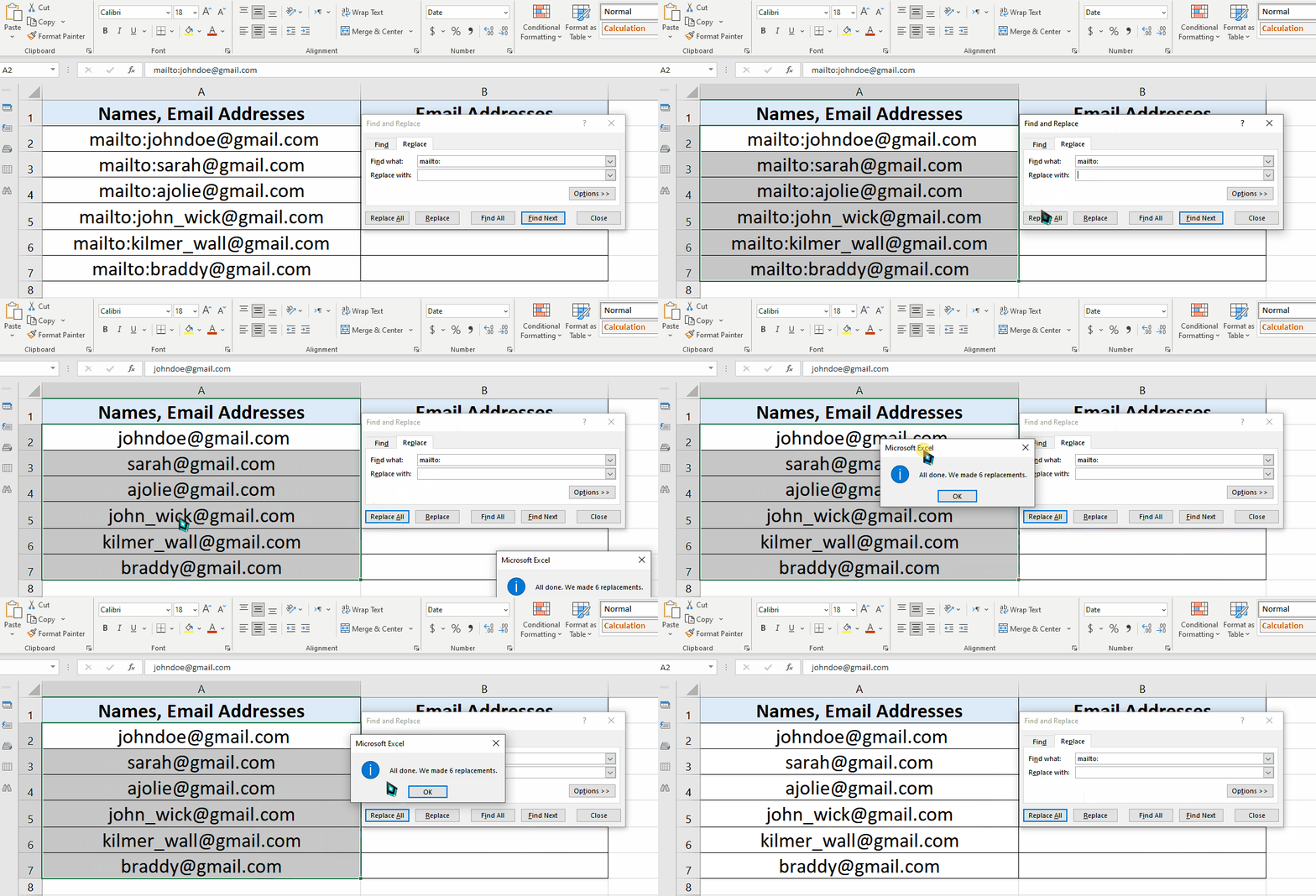
Excel Remove Text From Cell How To Remove Numbers From Text In Excel Free Excel Tutorial Gambaran How To Trim Or Remove Text In Excel Doovi Excel How To Remove Specific Text From Cells Statology Remove Text By Position Excel Formula Exceljet Excel Remove Text To Display Hyperlink Printable Templates Free Web May 20 2023 nbsp 0183 32 The replace function is the easiest way to remove text from a cell It works great for removing a specific character set of characters or word s from the entire cell at once Directions Select the cells from which you want to remove the text Click CTRL H or go to the Find amp Replace option under Home menu tab
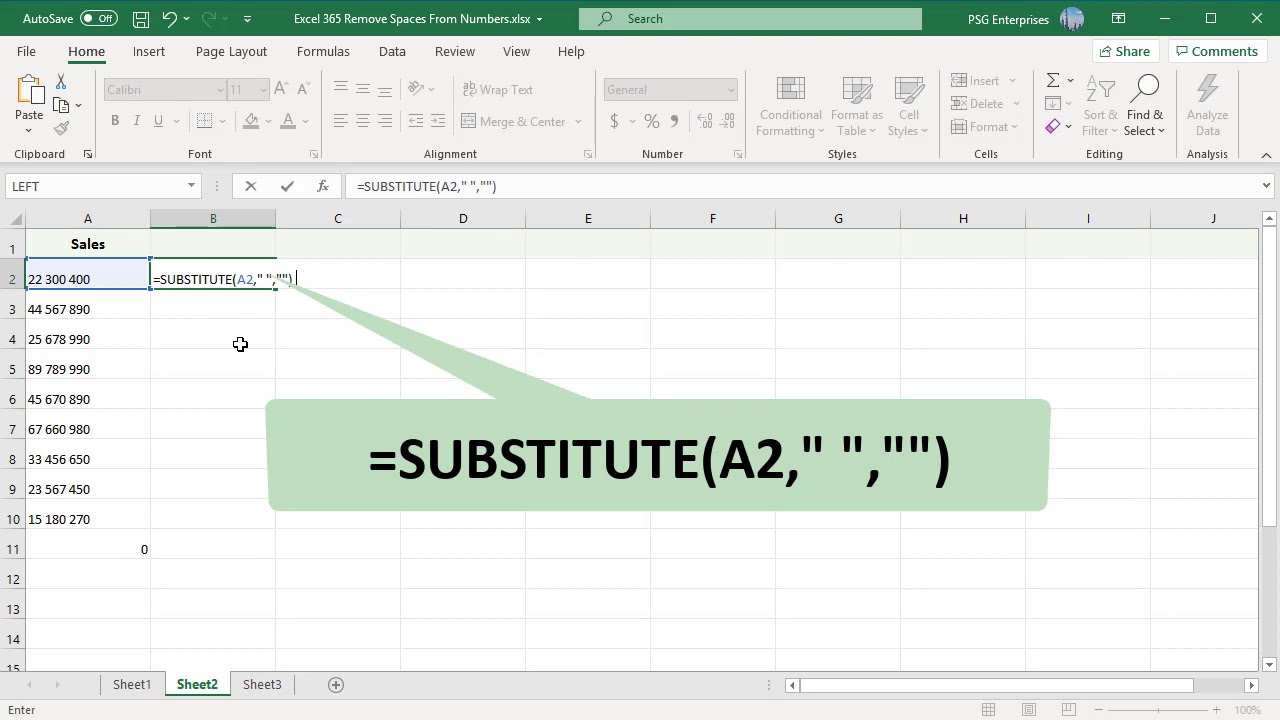
Web To remove specific unwanted characters in Excel you can use a formula based on the SUBSTITUTE function In the example shown the formula in C4 is SUBSTITUTE B4 CHAR 202 quot quot Which removes a series of 4 invisible characters at the start of each cell in column B Generic formula SUBSTITUTE B4 CHAR code quot quot Explanation Web Problem In the workbook below we re going to use CHAR and Substitute to remove text from the cell In the case we re going to remove the second instance of the url DunderMifflin Imagine we don t need to show two instances of the same url in one cell Let s erase the second one using substitute Here s the formula
Excel Remove Text To Display Hyperlink Printable Templates Free Excel Remove Spaces Before And After Text Youtube Riset How To Remove Text From A Cell In Excel 9 Easy Ways Excel Remove Specific Text From Cell Specific String Specific Excel Remove Text From Cell Keep Numbers Formula YouTube How To Remove Specific Text From Cell In Excel Easiest 11 Ways How To Remove Specific Text From Cell In Excel Easiest 11 Ways Extract Text Between Two Strings Excel Printable Templates Free How To Remove Text From Excel Cell 9 Easy Ways Exceldemy Vrogue
Excel Remove Text From Cell
 Excel Remove Text From Cell
https://www.auditexcel.co.za/wp-content/uploads/2017/07/How-to-remove-numbers-from-text-cells-in-Excel-5.png
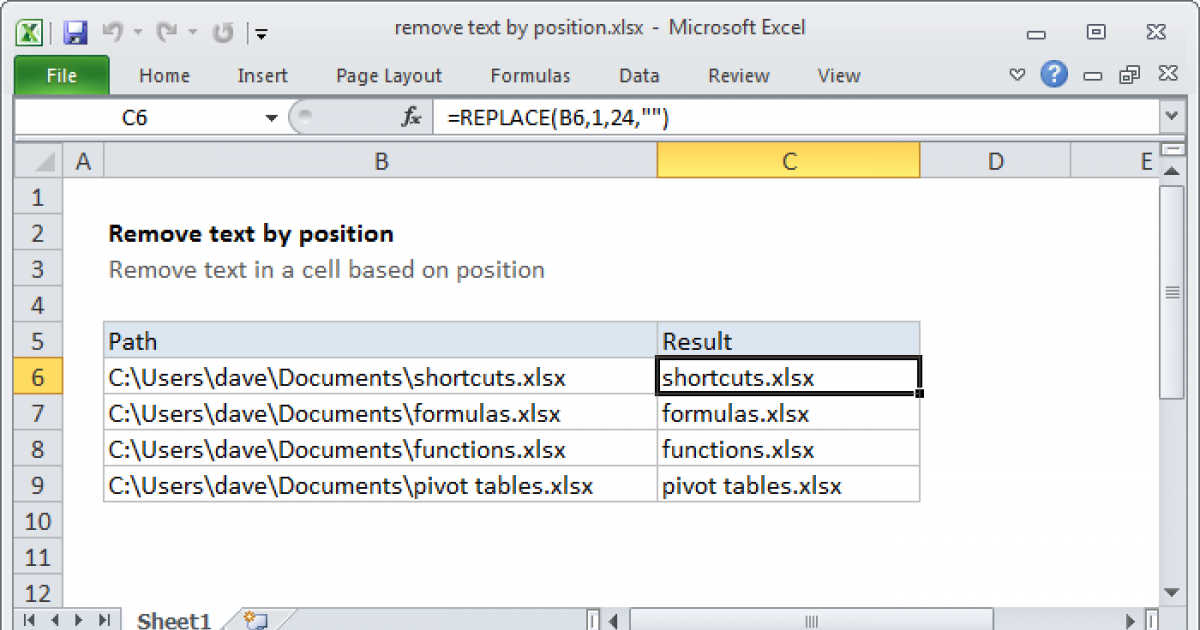
Web To remove text from a cell by position you can use the REPLACE function In the example shown the formula in C6 is REPLACE B6 1 24 quot quot which replaces the first 24 characters in the text with an empty string quot quot
Templates are pre-designed documents or files that can be utilized for different functions. They can save time and effort by offering a ready-made format and design for creating different sort of material. Templates can be utilized for personal or professional tasks, such as resumes, invitations, leaflets, newsletters, reports, presentations, and more.
Excel Remove Text From Cell
How To Remove Text From Cell In Excel SpreadCheaters
Excel Remove Spaces Before And After Text Youtube Riset

How To Remove Text From A Cell In Excel 9 Easy Ways

Excel Remove Specific Text From Cell Specific String Specific

How To Remove Specific Text From Cell In Excel Easiest 11 Ways

How To Remove Specific Text From Cell In Excel Easiest 11 Ways

Web Mar 10 2023 nbsp 0183 32 To remove specific text from each cell in a selected range press Ctrl H to display the Find and Replace dialog and then Enter the unwanted text in the Find what box Leave the Replace with box blank
Web Dec 19 2023 nbsp 0183 32 While working with Excel and dealing with large datasets sometimes it becomes necessary to delete some text from a cell You can do this manually but it will waste your valuable time Let s dive into the article and get some of the easiest ways to remove specific text from cells in Excel

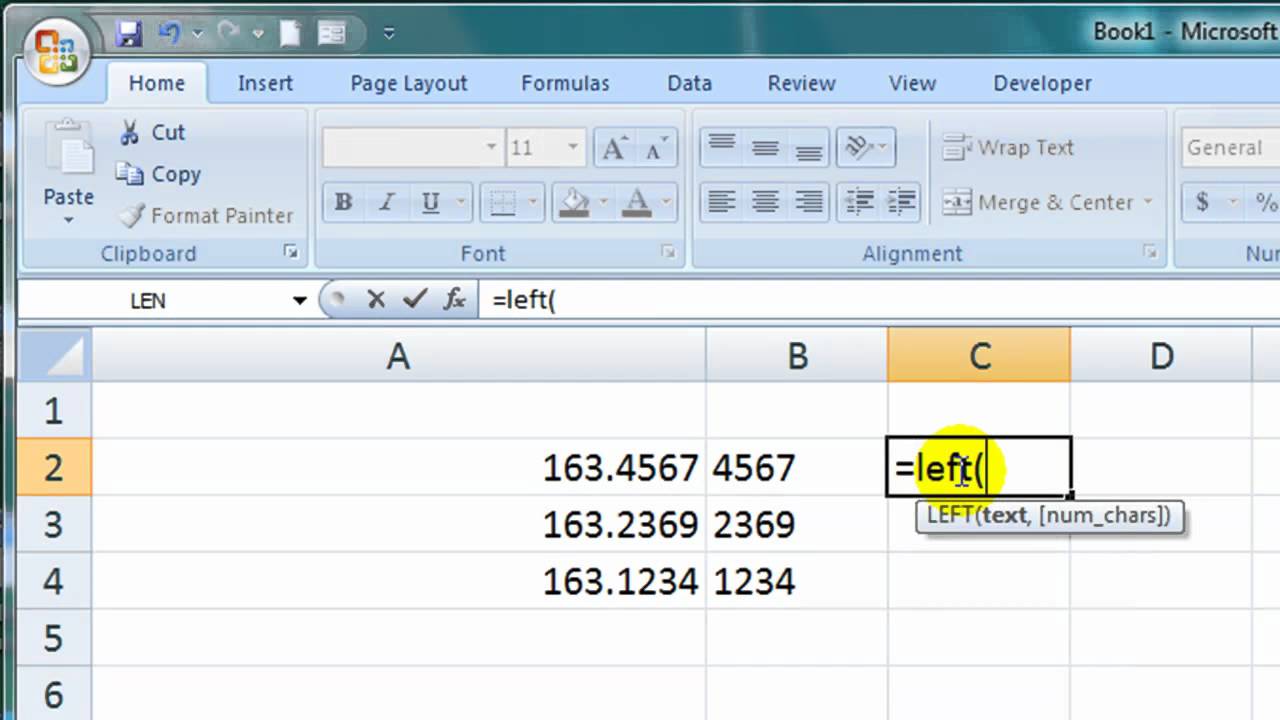
Web Dec 21 2023 nbsp 0183 32 To remove the first 3 characters from a text string in Excel you can use the RIGHT function along with the LEN function Here s a simple formula RIGHT A1 LEN A1 3 Replace A1 with the cell reference containing your text string
Web Mar 13 2023 nbsp 0183 32 Select all the cells where you want to delete text Press Ctrl H to open the Find and Replace dialog In the Find what box enter one of the following combinations To eliminate text before a given character type the character preceded by an asterisk char To remove text after a certain character type the character followed by an

Web Mar 13 2023 nbsp 0183 32 Remove text by its position Split cells by symbol string or mask Replace unwanted characters Eliminate leading zeros Swap text in your cells Find extract replace and remove strings by means of regexes Merge columns rows or cells into one Combine rows by duplicates
Web Remove Text Using Formulas If you need more control over how to find and replace text before or after a specific character it s better to use the inbuilt text formulas in Excel Suppose you have the below data set Where you want to remove all the text after the comma Below is the formula to do this Web Step by step guide on using Find and Replace Step 1 Open the Excel workbook and navigate to the worksheet containing the data you want to modify Step 2 Select the range of cells in which you want to remove unwanted text Step 3 Go to the quot Home quot tab in the Excel ribbon and click on the quot Find amp Select quot dropdown menu
Web Jun 27 2023 nbsp 0183 32 The first and simplest technique is to simply select the cell containing the text you want to remove and press the delete key