Excel Remove Gaps Between Cells How To Remove Gaps Between Cells In Excel Printable Templates Remove Gaps In Between Graphs CanvasJS Charts How To Remove Gaps In Between An Excel Graph 2 Solutions YouTube How To Remove Cell Lines In Excel Printable Forms Free Online How To Use Orthofill Bands Simply Follow These 3 Quick And Easy Steps Web When working with data in Excel it s important to be able to identify and remove any gaps or blank cells that may be present This ensures that your data is accurate and complete Here are two methods for identifying and selecting gaps in Excel A Use the filter function to identify and select blank rows Click on the Data tab in the Excel ribbon
Web Sep 28 2021 nbsp 0183 32 The keyboard shortcut for this is Ctrl H That will bring up the Find and Replace window On the Replace tab place one blank space in the Find what field Make sure there is nothing in the Replace with field Hitting Replace All keyboard shortcut Alt A will remove any instances of a space in the data set that you selected Web Nov 30 2021 nbsp 0183 32 In Excel to remove the leading trailing and extra spaces between words in a particular string use the TRIM function This function deletes all spaces except for single spaces between words To remove all spaces including the ones between words use Excel s Replace feature
How To Use Orthofill Bands Simply Follow These 3 Quick And Easy Steps How To Remove Gaps From Your Video In Clipchamp Microsoft Support Pairwise Alignment And Remove Gaps Unipro UGENE The Easiest Way To Fill Hair Gaps In Photoshop Photoshop Photo Excel Get Rid Of Gaps In Line Chart Super User How To Remove Gaps In Between An Excel Graph Super User Trying To Remove Tiny Holes gaps On Layers Duet3D Forum How To Remove Spaces Between Characters And Numbers In Excel How To Remove Gaps Between These Two Elements HTML CSS The
Excel Remove Gaps Between Cells
 Excel Remove Gaps Between Cells
https://i.ytimg.com/vi/AtEGjtusPog/maxresdefault.jpg
Web Syntax TRIM text The TRIM function syntax has the following arguments Text Required The text from which you want spaces removed Example Copy the example data in the following table and paste it in cell A1 of a new Excel worksheet For formulas to show results select them press F2 and then press Enter
Pre-crafted templates use a time-saving service for producing a varied range of documents and files. These pre-designed formats and layouts can be used for various personal and professional jobs, consisting of resumes, invitations, leaflets, newsletters, reports, presentations, and more, streamlining the material production procedure.
Excel Remove Gaps Between Cells

1 Click Delete Or Remove Gaps Between Clips DaVinci Resolve 16 2019

How To Remove Gaps From Your Video In Clipchamp Microsoft Support
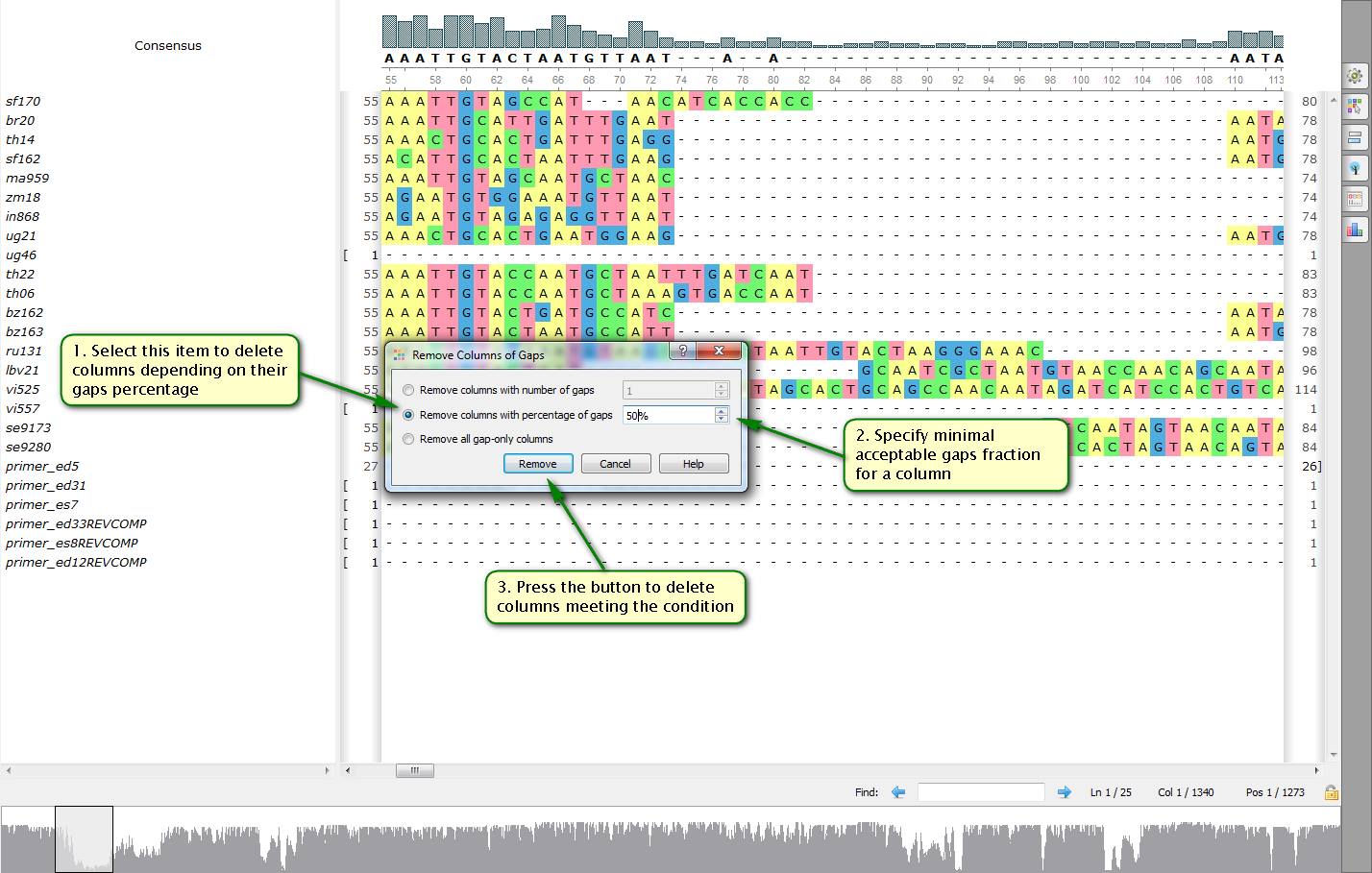
Pairwise Alignment And Remove Gaps Unipro UGENE

The Easiest Way To Fill Hair Gaps In Photoshop Photoshop Photo

How To Remove Gaps In Between An Excel Graph Super User
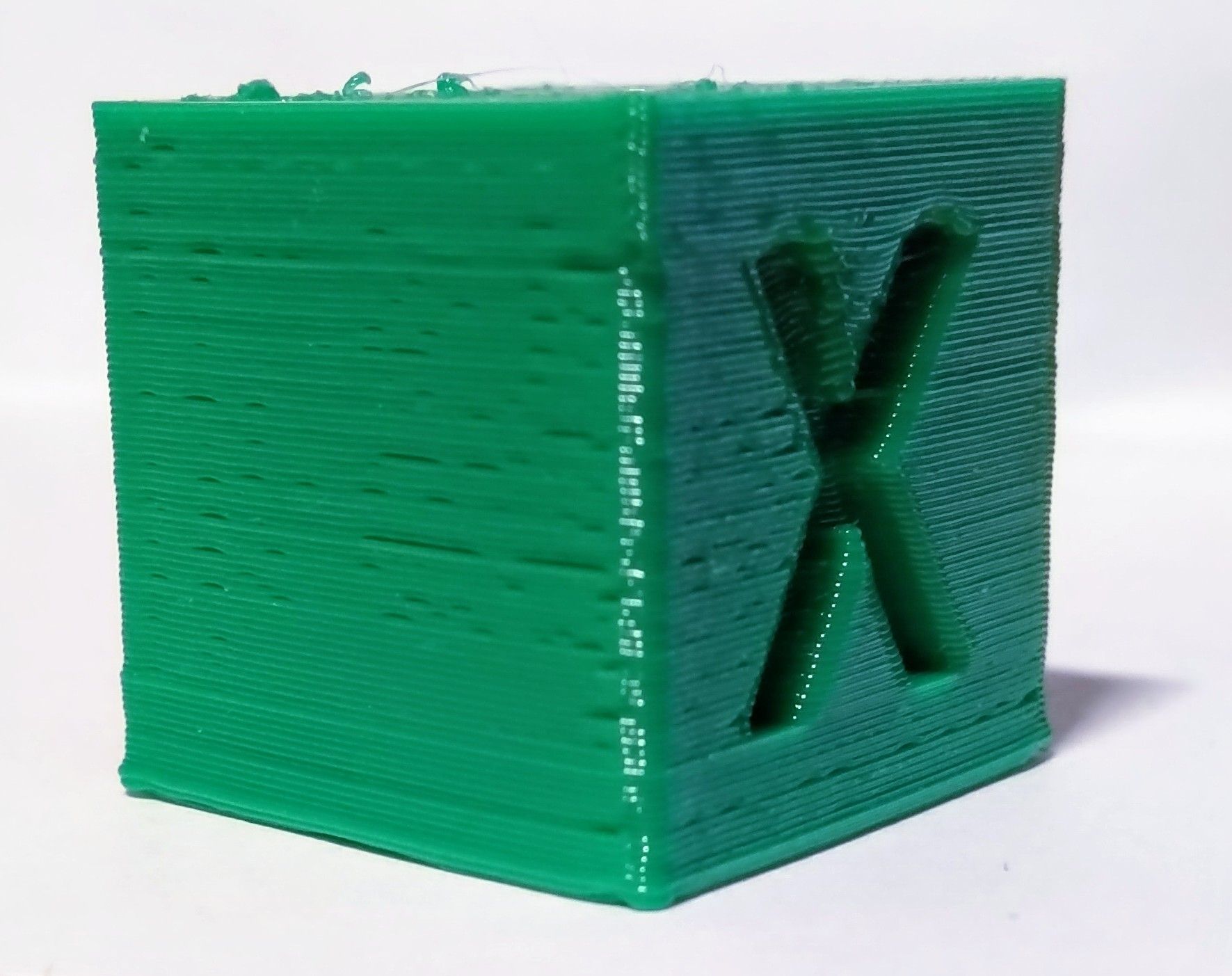
Trying To Remove Tiny Holes gaps On Layers Duet3D Forum

Web Mar 23 2023 nbsp 0183 32 3 quick ways to remove extra spaces between words or delete all spaces from Excel cells This tip works in Microsoft Excel 2021 2019 2016 and lower Ablebits blog
Web Nov 10 2023 nbsp 0183 32 Method 1 Use TRIM Function Method 2 Use CLEAN and TRIM Functions Method 3 Use CLEAN TRIM amp SUBSTITUTE Functions Method 4 Use CLEAN and SUBSTITUTE Functions Method 5 Use Find and Replace Option What Are We Dealing With Extra Spaces Extra spaces are the spaces which we don t require

Web Dec 19 2023 nbsp 0183 32 The syntax of the TRIM function is TRIM text The text argument refers to the cell reference from where you want to remove the space Use the below formula in any blank cell to get space removed entries as shown in the following image TRIM B5 To apply the formula in other cells use the Fill Handle first in the below cell

Web Mar 16 2023 nbsp 0183 32 See how to remove blanks in Excel quickly and safely delete empty cells from a selected range remove blank rows and columns after the last cell with data extract a list of data ignoring blanks Ablebits blog

Web Mar 20 2023 nbsp 0183 32 by Svetlana Cheusheva updated on March 20 2023 The tutorial explains how to remove blank spaces in Excel using formulas and the Text Toolkit tool You will learn how to delete leading and trailing spaces in a cell eliminate extra spaces between words get rid of non breaking white space and non printing characters
Web Type SUBSTITUTE into the cell where you want the text to appear Select the text from which you want to remove spaces Type a comma and then input quot quot making sure to have a space between the double quotation marks Type a comma and then input quot quot making sure to NOT have anything between the double quotation marks Web Dec 4 2019 nbsp 0183 32 How to get rid of a HUGE space between rows in excel Super User Ask Question Asked 4 years 4 months ago Modified 3 years 7 months ago Viewed 5k times 0 When I m entering data into an excel spreadsheet sometimes all of a sudden there is a huge space gap between rows
Web Mar 10 2014 nbsp 0183 32 When I type a long sentence or more than one sentence into more than one cell in a row and apply the Text Wrap option to these cells the cells have an extra blank line on the bottom of them There are no extra spaces after my text I have put the cursor at the end of the text and used the Delete key