Excel Remove Characters From Cell Formula Excel Formula To Remove First Two Characters In A Cell Printable Templates Free Remove Characters From Right In Excel Quick Guide Excelkid EXCEL TEMPLATES How To Remove Initials In Excel Remove Unwanted Characters Excel Formula Exceljet Remove Characters From Right Excel Formula Examples To remove numeric characters from a text string you can use a formula based on the TEXTJOIN function In the example shown the formula in C5 is In the example shown the formula in C5 is
Select Replace This will open the Find and Replace dialog box Type in the text box next to Find what Leave the text box next to Replace with blank This is because you want to remove any instance of the This formula removes the character from the value in cell A1 and replaces it with no character Instead of replacing it with nothing you can also use a
Remove Characters From Right Excel Formula Examples How To Split Text In A Cell In Excel Doyal Dertuary56 How To Remove Letters In Excel Cell Howtoremoveb How Remove Characters From Left In Excel Remove Characters From Left Or CLOUD HOT GIRL Remove First Character Excel Formula Exceljet How To Remove Formula In Excel Riset Riset Riset Remove Characters From Right In Excel Quick Guide Excelkid Remove Characters From Left In Excel Easy Formulas Trump Excel Excel Remove Characters From Right 7 Simple Methods
Excel Remove Characters From Cell Formula
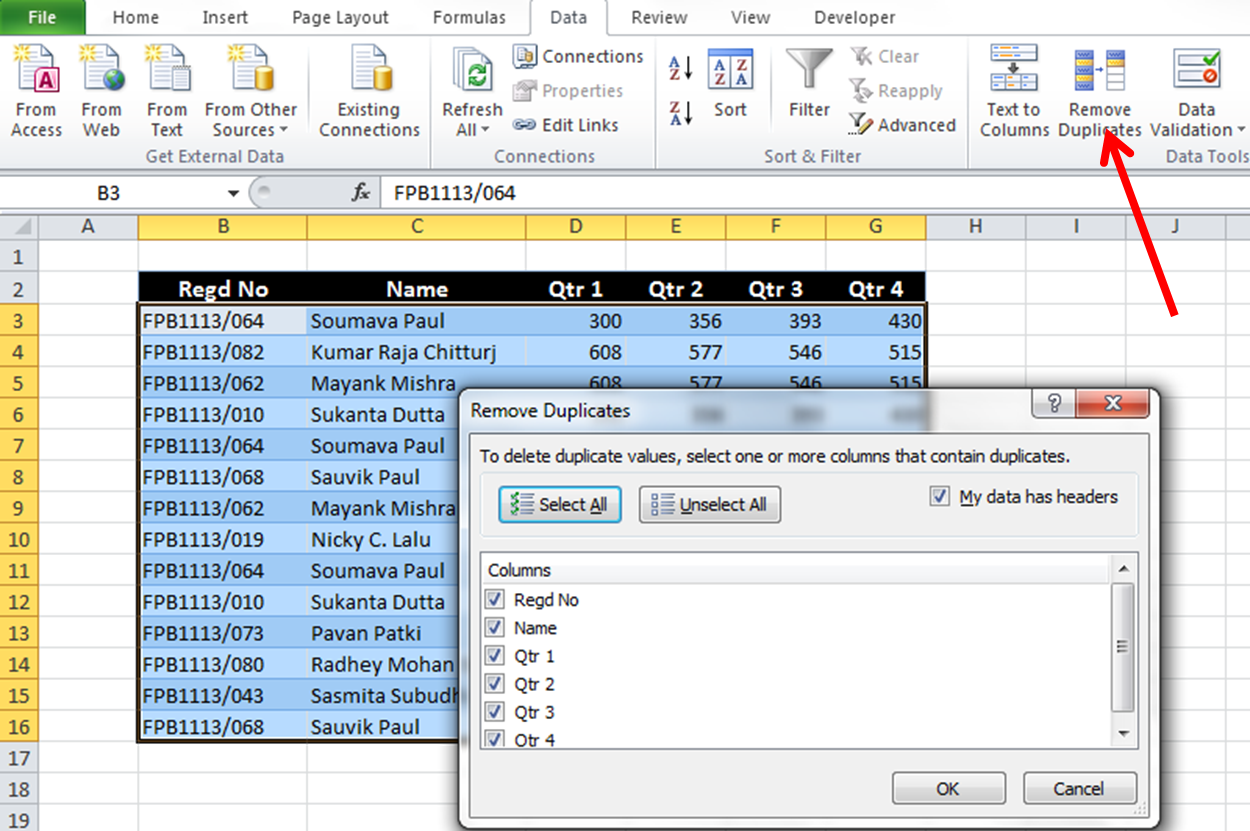 Excel Remove Characters From Cell Formula
https://thinkandbegin.files.wordpress.com/2012/05/remove-dup-2.png
RIGHT TRIM A2 LEN TRIM A2 FIND TRIM A2 The above formula will remove everything to the left of the space character including the space character and you will get the rest of the text last name in
Templates are pre-designed files or files that can be used for numerous purposes. They can save effort and time by providing a ready-made format and layout for developing various type of material. Templates can be used for personal or expert projects, such as resumes, invitations, flyers, newsletters, reports, presentations, and more.
Excel Remove Characters From Cell Formula

Excel Remove Characters From Right 7 Simple Methods
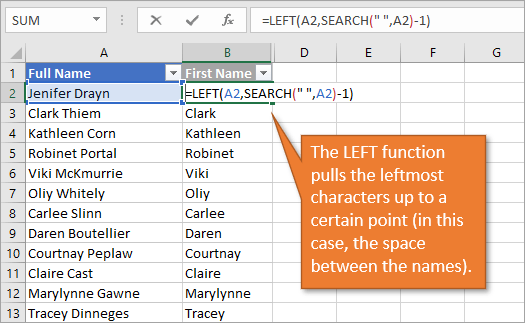
How To Split Text In A Cell In Excel Doyal Dertuary56
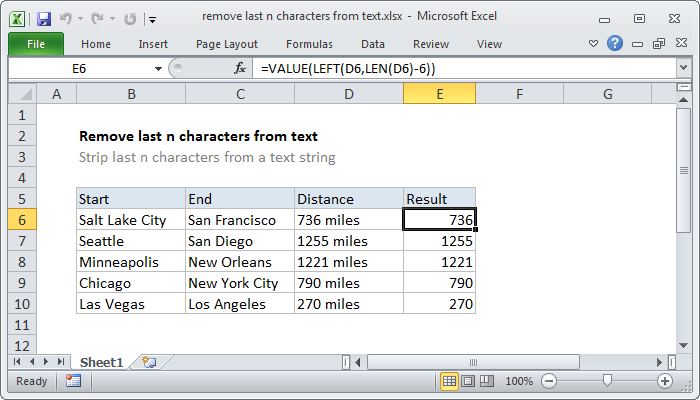
How To Remove Letters In Excel Cell Howtoremoveb
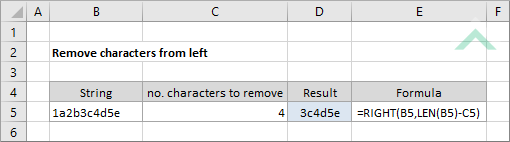
How Remove Characters From Left In Excel Remove Characters From Left Or CLOUD HOT GIRL
How To Remove Formula In Excel Riset Riset Riset
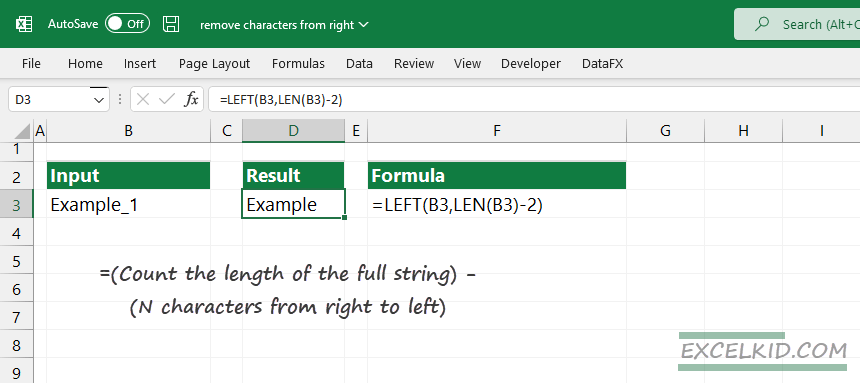
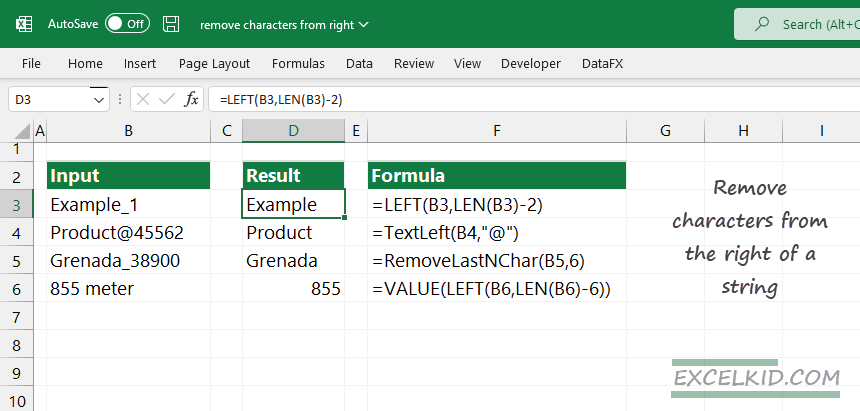
Remove Characters From Right In Excel Quick Guide Excelkid

Delete text from multiple cells with Find Replace Remove part of text from a cell with a formula Remove Nth occurrence of specific character Delete first
For example to remove the first character from cell A2 the formulas go as follows REPLACE A2 1 1 RIGHT A2 LEN A2 1 Remove characters from
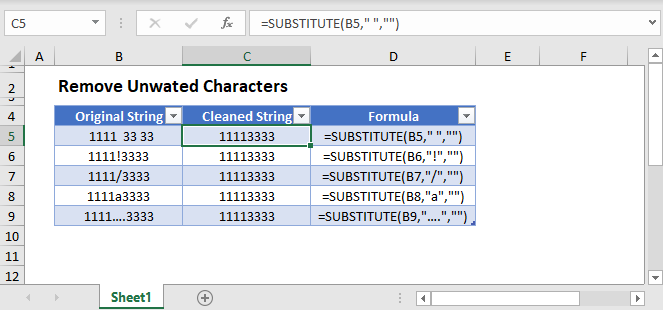
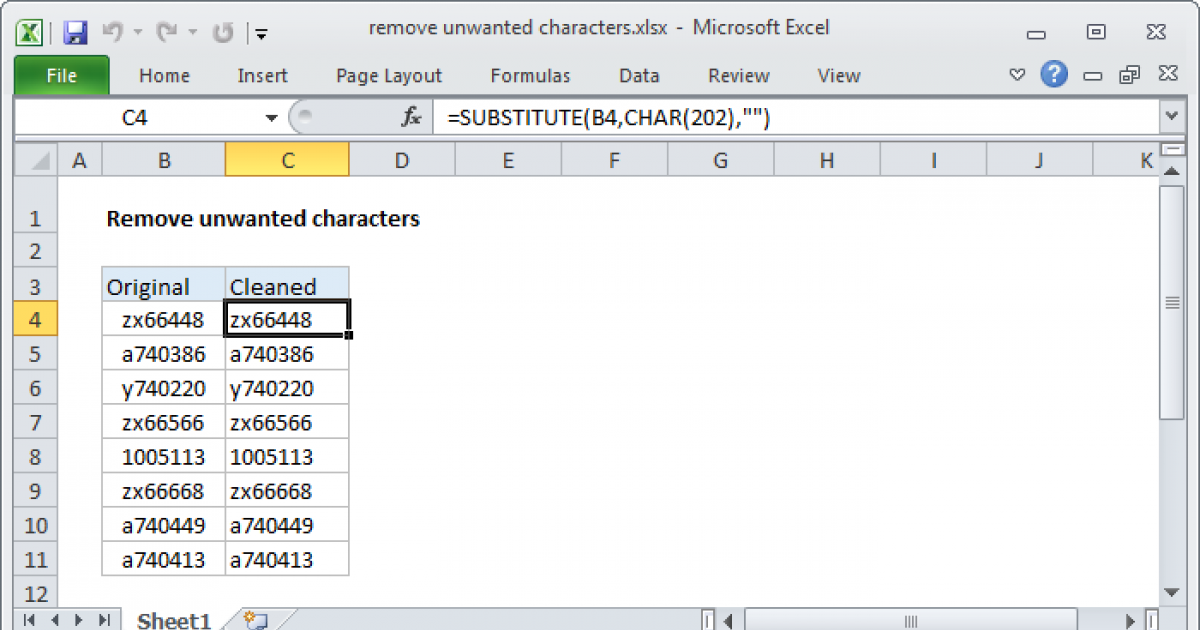
Remove Unwanted Characters If you want to remove unwanted characters from a cell use the SUBSTITUTE Function to
This article describes the formula syntax and usage of the CLEAN function in Microsoft Excel Any worksheet information from which you want to remove nonprintable

For convenience we input unwanted characters in some cell say D2 To remove those characters from A2 the formula is RemoveChars A2 D 2 For the formula to work correctly please
When you know a specific character to remove from the cell value just use that character as remove char in the formula Use the formula SUBSTITUTE A3 As you can Microsoft Excel 2019 introduced a few new functions that are not available in earlier versions and we are going to use one of such functions namely TEXTJOIN to
In Excel you can use the RIGHT and LEFT functions to remove the certain number of characters from the beginning or the end of the strings please do as this 1 Type or