Excel Remove Blank Cell Formula How To Delete Blank Rows In Excel YouTube Filter Exclude Blank Values Excel Formula Exceljet Excel Formula To Remove First Two Characters In A Cell Printable Remove Blank Rows In Excel Examples How To Delete Blank Rows How To Remove Blank Cells In Excel No Cells Were Found Solved Excel Table of Contents hide How to Remove Blank Cells from a Range in Excel 9 Methods 1 Excel Go To Special Option to Delete Empty Cells from a Range 2 Remove Blank Cells from a Range Using
Step 1 Select the range of cells that you want to remove blanks from Step 2 Press the Ctrl G keys on your keyboard or click on Edit Go To in the Excel Delete an array formula To delete an array formula make sure you select all cells in the range of cells that contains the array formula To do that Click a cell in the array formula On the Home tab in the Editing group
How To Remove Blank Cells In Excel No Cells Were Found Solved Excel How To Remove Blank Cells In Excel How To Find Blank Cells In Excel Using The Go To Feature VLOOKUP If Blank Return Blank Excel Formula Exceljet How To Use An If Statement In Excel To Delete Blank Rows Microsoft Excel Delete Blank Rows Access Excel Tips Excel Remove Blank Cells From List Excel Online Training Cell Learn New Things How To Delete Multiple Blank Cells At A Time In MS Shortcut Key To Delete Multiple Blank Rows Columns In MS Excel YouTube
Excel Remove Blank Cell Formula
 Excel Remove Blank Cell Formula
https://i.ytimg.com/vi/33a1Q0zf_WQ/maxresdefault.jpg
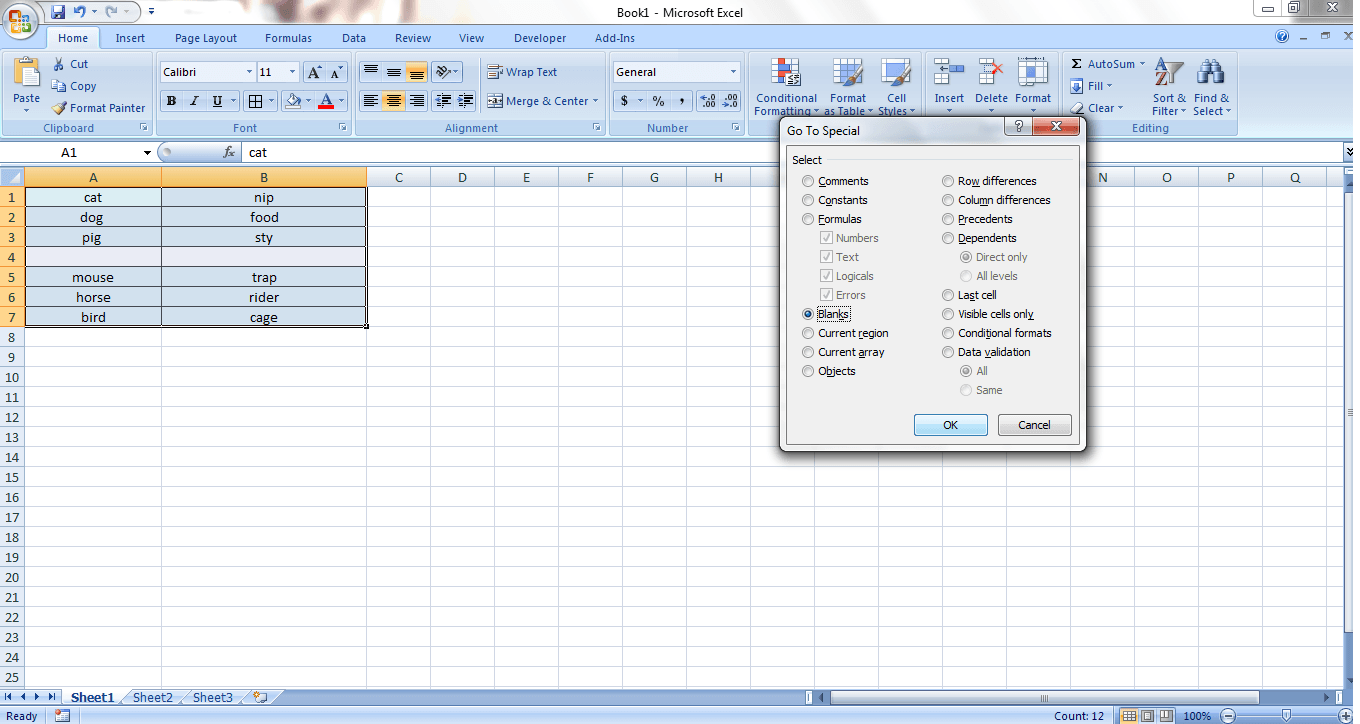
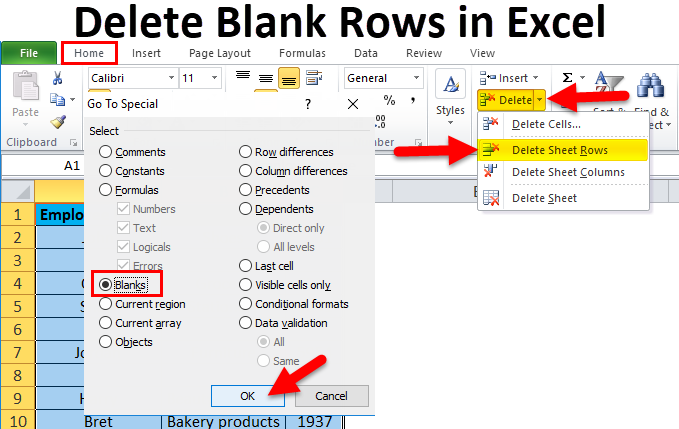
Manual Select Column C Press F5 then Special Check Blanks then OK see this step in the pic at bottom Delete the rows that are now selected e g right click in selection Delete cells Entire row or
Templates are pre-designed files or files that can be used for various functions. They can conserve effort and time by offering a ready-made format and design for producing various type of content. Templates can be used for personal or professional projects, such as resumes, invitations, leaflets, newsletters, reports, presentations, and more.
Excel Remove Blank Cell Formula
How To Delete All Blank Rows At Once In Excel Tip DotTech
How To Remove Blank Cells In Excel
How To Find Blank Cells In Excel Using The Go To Feature
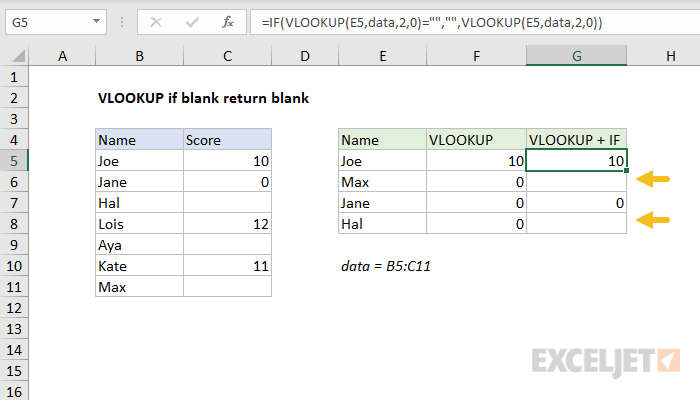
VLOOKUP If Blank Return Blank Excel Formula Exceljet
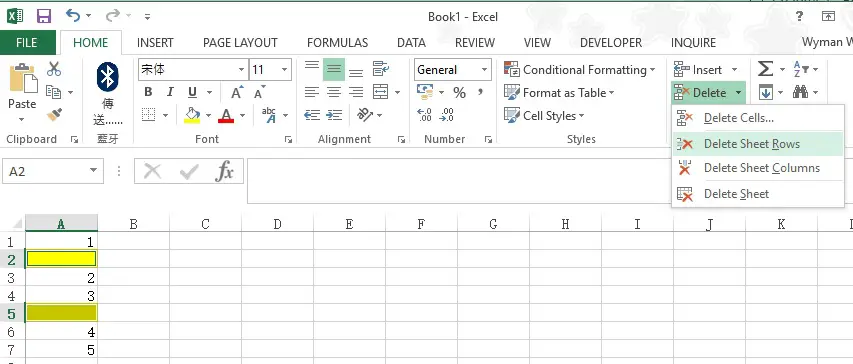
Excel Delete Blank Rows Access Excel Tips

Excel Remove Blank Cells From List Excel Online Training Cell
1 Delete blank rows and columns instead of cells If your data is organized in a table where columns and rows contain related information deleting empty cells will
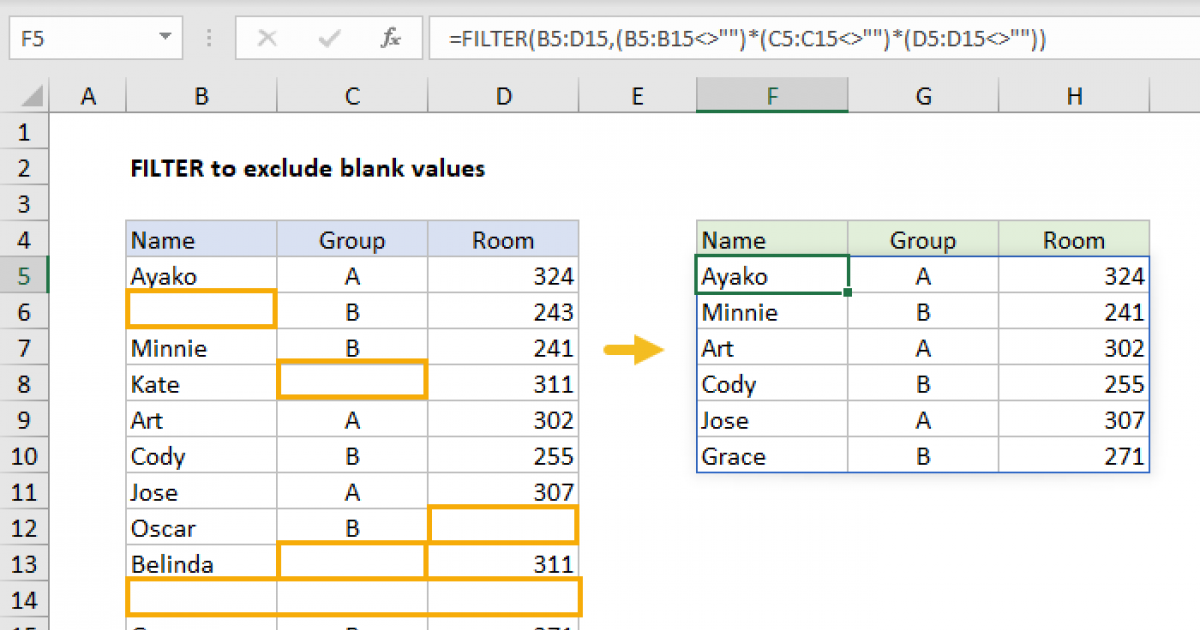
To remove blank empty rows from a range you can use a formula based on the FILTER function and the BYROW function In the worksheet shown the formula in cell G5 is

Re remove blank cells with formula I ve seen this solution suggested here and at superuser forums but it doesn t work for me I ve modified it
The formula to remove blanks from a range is this one IFERROR INDEX A 2 A 9 SMALL IF LEN A 2 A 9 0 ROW A 2 A 9 MIN ROW A 2 A 9 1 ROW A1 You can

All the blank rows in your selected dataset are now highlighted To remove your blank rows in the Cells section at the top choose Delete Delete Sheet Rows Excel has removed your empty
1 Answer Sorted by 2 You need to use the following code Sub ClearCell Dim Rng As Range Set Rng ActiveSheet Range A1 Dim i As Long For i 1 To 10 If To filter out rows with blank or empty cells you can use the FILTER function with boolean logic In the example shown the formula in F5 is FILTER B5 D15 B5 B15
Select the cells rows or columns that you want to clear Tip To cancel a selection of cells click any cell on the worksheet On the Home tab in the Editing group click the arrow