Excel Record Time When Cell Changes How To Insert Timestamp In Excel When Cell Changes YouTube How To Insert Excel Timestamp When Cell Changes Without VBA 3 Ways How To Insert Timestamp In Excel When Cell Changes 2 Effective Ways ExcelMadeEasy Vba Activate Macro When Cell Changes In Excel How To Insert Excel Timestamp When Cell Changes Without VBA 3 Ways First of all select Cell D5 and press Ctrl on the keyboard It will insert the date in that particular cell Secondly select Cell E5 and type Ctrl Shift on the keyboard to enter the time As we don t have any shortcuts to enter the time and date together we need to insert them in separate cells
See also Show timestamp when cell is changed How to add time stamp in Excel Enter timestamp when value is selected from drop down Excel automatic date changed field for each column of data and Excel 2013 Time Date Stamp upon change in cell value 1 Select any sheet range or single cell 2 Right click to open the context menu and select Show Changes Note If you or others edit the workbook while this pane is open select the See New Changes button to update the changes
How To Insert Excel Timestamp When Cell Changes Without VBA 3 Ways Save An Excel Workbook When A Cell Changes Solved Excel VBA Run A Macro When A Cell Is Changed 9to5Answer How To Insert Excel Timestamp When Cell Changes Without VBA 3 Ways How To Record Time Of Data Entry In Excel 2 Effective Ways Solved Basics Of How To Make A VBA Procedure Run In 9to5Answer How To Timestamp When A Cell Changes In Microsoft Excel Excel Wizard Records Management Process Understanding Records Lifecycle How To Insert Excel Timestamp When Cell Changes Without VBA 3 Ways
Excel Record Time When Cell Changes
 Excel Record Time When Cell Changes
https://i.ytimg.com/vi/BBPdMbmpjlU/maxresdefault.jpg
Step 1 Add timestamp fields to a table Create fields to store the information Open the table in Design view Do one or both of the following Create a field to store the date In the Field Name column of the design window type Date Modified in a new row and then select Date Time in the Data Type column
Pre-crafted templates use a time-saving solution for producing a varied variety of documents and files. These pre-designed formats and layouts can be used for numerous personal and expert jobs, including resumes, invitations, leaflets, newsletters, reports, discussions, and more, enhancing the material development procedure.
Excel Record Time When Cell Changes
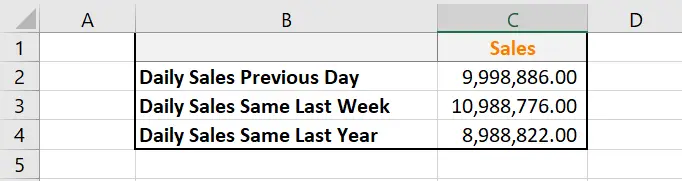
How To Save A Workbook When A Specific Cell Is Changed

Save An Excel Workbook When A Cell Changes

Solved Excel VBA Run A Macro When A Cell Is Changed 9to5Answer

How To Insert Excel Timestamp When Cell Changes Without VBA 3 Ways

Solved Basics Of How To Make A VBA Procedure Run In 9to5Answer

How To Timestamp When A Cell Changes In Microsoft Excel Excel Wizard

1 Use IF AND NOW and Other Functions to Insert Timestamp in Excel Follow the steps below to get a timestamp using formulas when a cell changes Steps First press ALT F T to open Excel Options Then go to the Formulas tab Next check the Enable iterative calculation checkbox Then set the Maximum Iterations to 1 After that click OK

How to record date and time automatically when cell changes Record date and time automatically when cell changes with VBA code Record date and time automatically when cell changes with VBA code Amazing Using Efficient Tabs in Excel Like Chrome Edge Firefox and Safari

1 Select the cell where you need to insert a timestamp in an open worksheet 2 Afterward use the keyboard shortcut key Ctrl do this by pressing and holding the control key first then press the semicolon sign 3 Your cell will be in edit mode Press Ctrl Shift keys
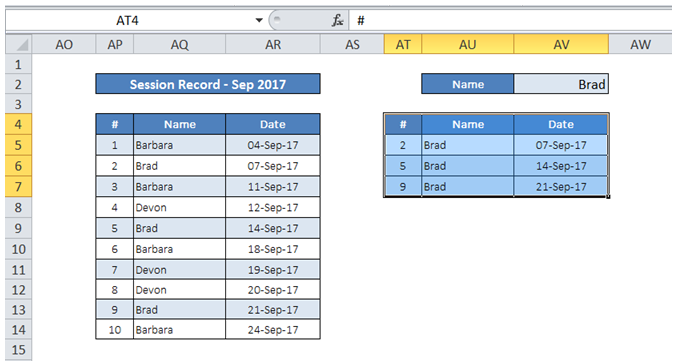
1 From the Review tab click the Track Changes button and choose Highlight Changes 2 Check tick the option for Track Changes while editing 3 Click in the Where box and then select highlight the cells you want to track audit 4 Click OK Give it a go I ll wait here for you

Like the answer to many other questions choosing a right Excel formula can help you saving a lot time and effort 1 Before entering the data creating a column to insert the entry time 2 Enter this formula IF A2 IF B2 NOW B2 to B2 It means displaying the entry time of A2 in B2 You can adjust it according to
To add a datestamp to a cell in Excel when the value in another cell changes you can use the following formula IF A2 A2 TODAY This formula will return a blank value if the value in cell A2 has not changed and will return the current date if the value in cell A2 has changed You can then copy and paste this formula into the other Excel Record Date And Time Automatically When Cell Changes VBA Stack Overflow Excel Record Date And Time Automatically When Cell Changes VBA Ask Question Asked 2 years 1 month ago Modified 2 years 1 month ago Viewed 600 times 1 I am using the following VBA code to automatically timestamp dates when I edit or change cells
How to insert current timestamp when data in another cell changes in Excel Insert current timestamp when data in another cell changes with VBA code Microsoft Visual Basic for Applications VBA code Insert current timestamp when data in another cell changes Microsoft Visual Basic for Applications Download and try it now 30 day free trail