Excel Quarter End Date Formula Get Quarter From Date Excel Formula Exceljet Sum By Quarter Excel Formula Exceljet Get Project End Date Excel Formula Exceljet How To Calculate The Quarter In Microsoft Excel Gambaran Images And Get Quarter In Excel From Date Fast And Easy Data Cornering Calculating a quarter from a date is reasonably straightforward when working with calendar years We can use a combination of the MONTH and ROUNDUP functions The formula in cell B2 is ROUNDUP MONTH A2 3 0 Let s break down this formula to understand what s happening ROUNDUP MONTH A2 3 0
The recent query related to calculating the quarter end dates for quarters ending in Feb May Aug and Nov See the image below with all the quarters showing The formula for normal quarters Mar Jun Sep and Dec is in cell B2 and has been copied down It is EOMONTH A2 MOD 3 MONTH A2 3 Get Quarter End date from a Date OK so you need the end date of a quarter instead of the start date or the number and for this the formula which we can use is DATE YEAR A2 INT MONTH A2 1 3 1 3 1 1 1 For 26 May 18 it returns on 30 Jun 18 which is the last date of the quarter
Get Quarter In Excel From Date Fast And Easy Data Cornering Formule Excel Obtenir Le Trimestre Partir De La Date Template Period End Template Period End JapaneseClass jp How To Get QUARTER Formula From A Date In Excel Fiscal Calendar How To Calculate Due Date In Excel Haiper DATE Function In Excel Get Date Using Excel Formula Excel Unlocked How To Calculate Quarter End Date In Excel Haiper How To Find Quarter End Date In Excel Haiper How To Calculate The End Date Based On The Start Date And Term Duration
Excel Quarter End Date Formula
 Excel Quarter End Date Formula
https://exceljet.net/sites/default/files/styles/og_image/public/images/formulas/get quarter from date.png
Excel Formula Return the last day of the current quarter Updated 01 February 2024 Return the last day of the current quarter blank Related Formulas
Templates are pre-designed documents or files that can be used for various functions. They can save time and effort by supplying a ready-made format and layout for developing various sort of content. Templates can be used for personal or professional jobs, such as resumes, invites, flyers, newsletters, reports, presentations, and more.
Excel Quarter End Date Formula

Quarter Formula In Excel Easy Excel Tutorial
Formule Excel Obtenir Le Trimestre Partir De La Date
Template Period End Template Period End JapaneseClass jp

How To Get QUARTER Formula From A Date In Excel Fiscal Calendar
DATE Function In Excel Get Date Using Excel Formula Excel Unlocked
How To Calculate Quarter End Date In Excel Haiper
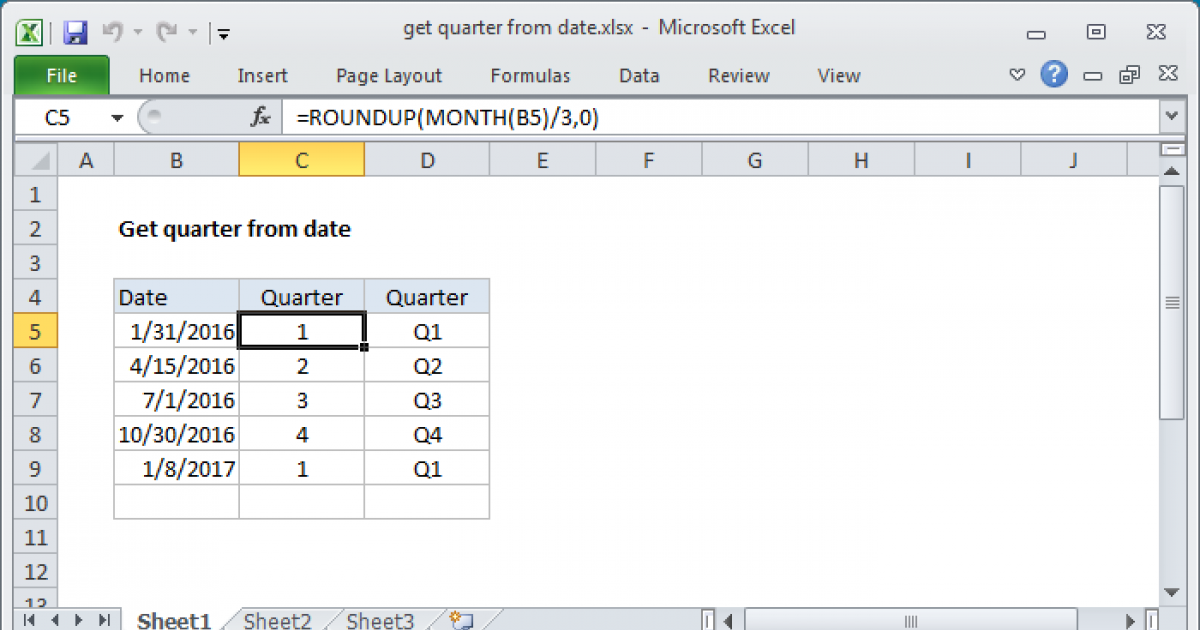
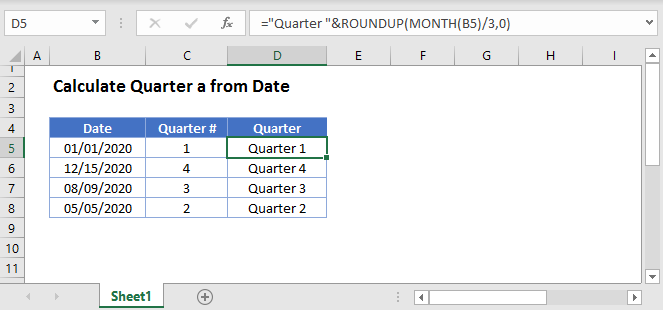
Summary To calculate the quarter i e 1 2 3 4 for a given date you can use the ROUNDUP function together with the MONTH function In the example shown the formula in cell C5 is ROUNDUP MONTH B5 3 0 The result is
Below is the formula that will give the correct quarter value for dates in a financial year IF ROUNDUP MONTH A2 3 0 1 0 4 ROUNDUP MONTH A2 3 0 1 In this formula I have used the same ROUNDUP function that I used in the previous example to calculate the quarter for a calendar year and subtracted 1 from it
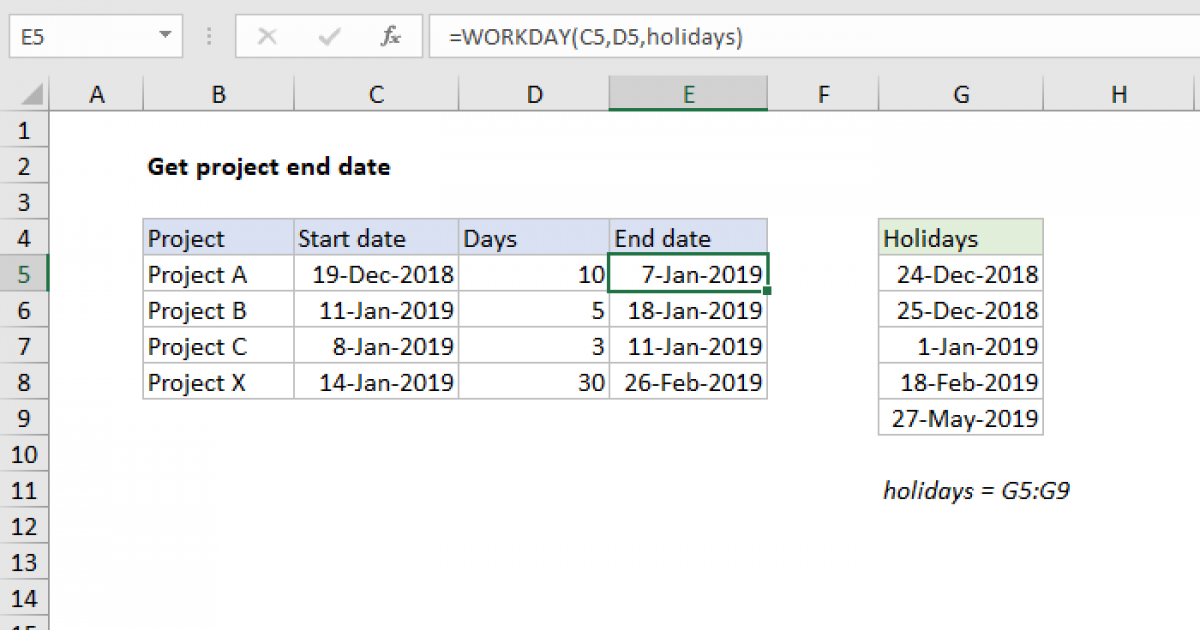
To calculate the end date of a quarter based on a date Please apply this formula DATE YEAR A2 INT MONTH A2 1 3 1 3 1 1 1 into a blank cell where you want to output the result and drag the fill handle down to the cells which you want to apply this formula and all the end dates of the quarter by the given dates have been calculated
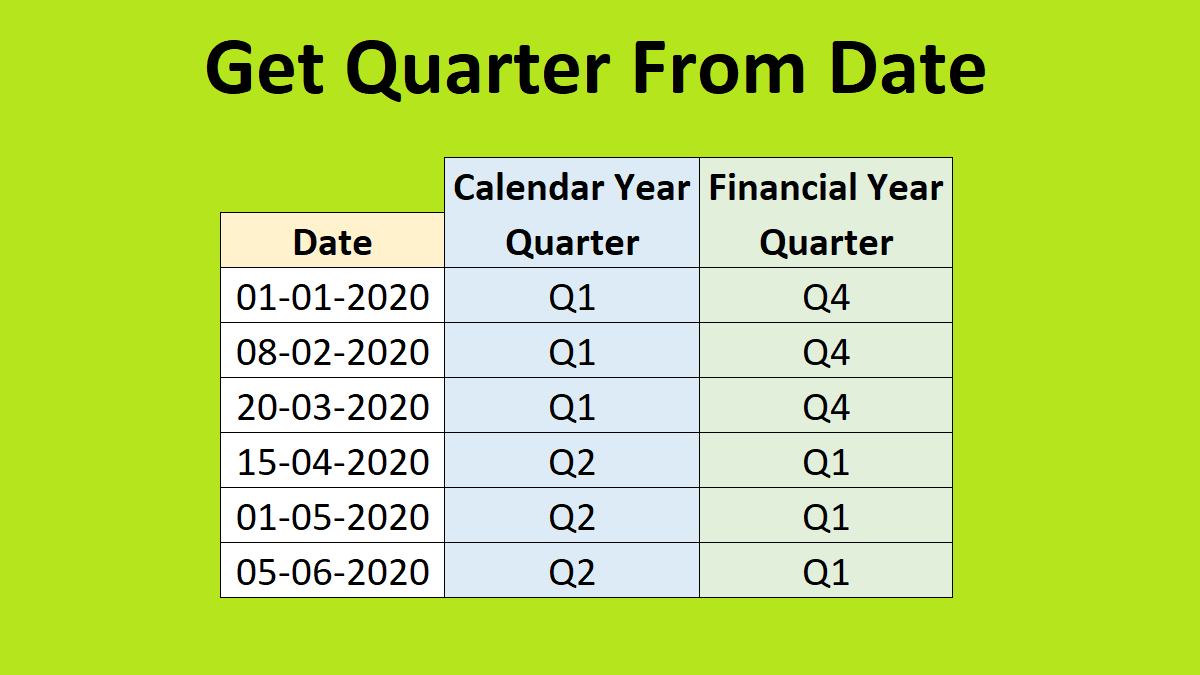
How do you extract the quarter from an Excel date This blog post explains all the different ways to extract the quarter from an Excel date You can choose the method best suited to your situation whether it be formulas VBA Power Query Pivot Table Power Pivot or Office Scripts
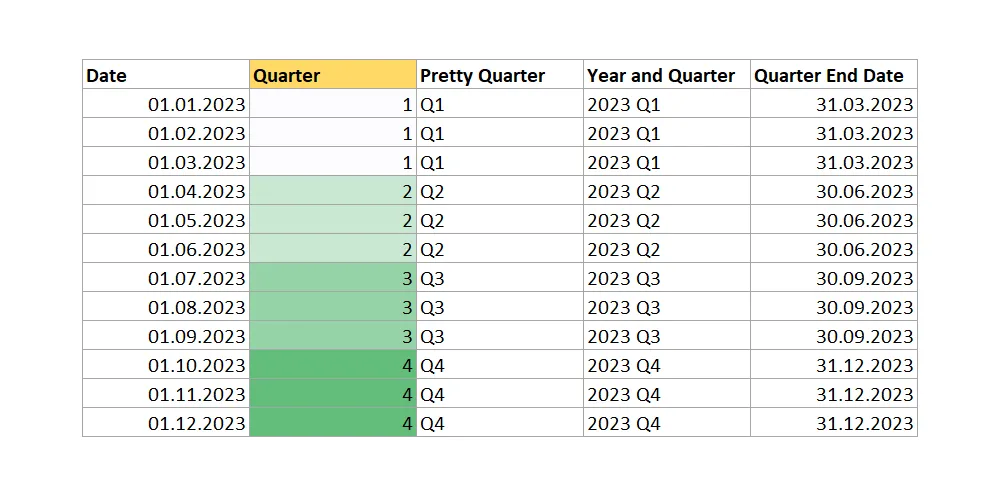
The formula converts the dates into calendar quarters displayed in column B Explanation of the Formula ROUNDUP MONTH A2 3 0 This formula converts a date to a calendar quarter by dividing the month by 3 and rounding up the result to the nearest whole number Let s break down the formula
Get quarter from date In this example the goal is to return a number that represents quarter i e 1 2 3 4 for any given date In other words we want to return the quarter that the date resides in ROUNDUP formula solution In the example shown the formula in cell C5 is ROUNDUP MONTH B5 3 0 The ROUNDUP function To get the quarter from a date in Excel use the following function ROUNDUP MONTH A2 3 0 The function will divide the month number by 3 and round the value up to its nearest whole number Let s take a look at how this function works MONTH A2 Excel first gets the month number from a date which returns a number from 1 through 12
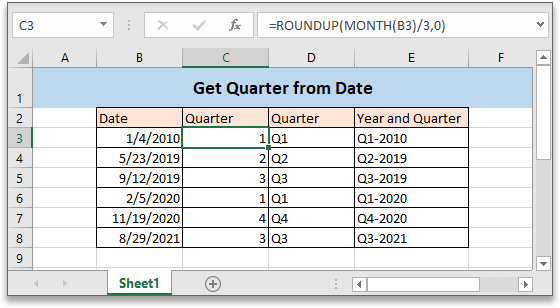
Example 1 In our example we have dates in column B Date while in column C we want to get a quarter from a date Quarter from date Let s look at the formula ROUNDUP MONTH B3 3 0 Figure 1 Get quarter from date The MONTH B3 will return 6 as the date in the cell B3 is in month June