Excel Model Formatting Best Practices Financial Model Formatting 3 Core Best Practices Financial Model Formatting Numbers Financial Edge Arbitration Tech Toolbox Damages Expert Evidence Using Sensitivity 25 New How To Format Excel Spreadsheet Riset 9 Effective Data Management Best Practices Oct 9 2019 nbsp 0183 32 excel amp
Jan 16 2021 nbsp 0183 32 Excel 1 Excel Excel IF B1 IF 1 gt 2 quot quot FALSE
9 Effective Data Management Best Practices Startup Excel Financial Model Template Eloquens My XXX Hot Girl Daily Financial Liquidity Projection Excel Model Template A Comprehensive Guide To Documenting Your Excel Model Excel Model Management And Casting Darwin AGIKgqNGsb1diPejGRgSdrqwZA2U0wzvPPOC FudGJ9E s900 c k c0x00ffffff no rj Creating An Excel Spreadsheet The World Of Technology And More Riset Excel Symbols Cheat Sheet Dareloskins Best Practices For Software License Optimization With FlexNet Manager
Excel Model Formatting Best Practices
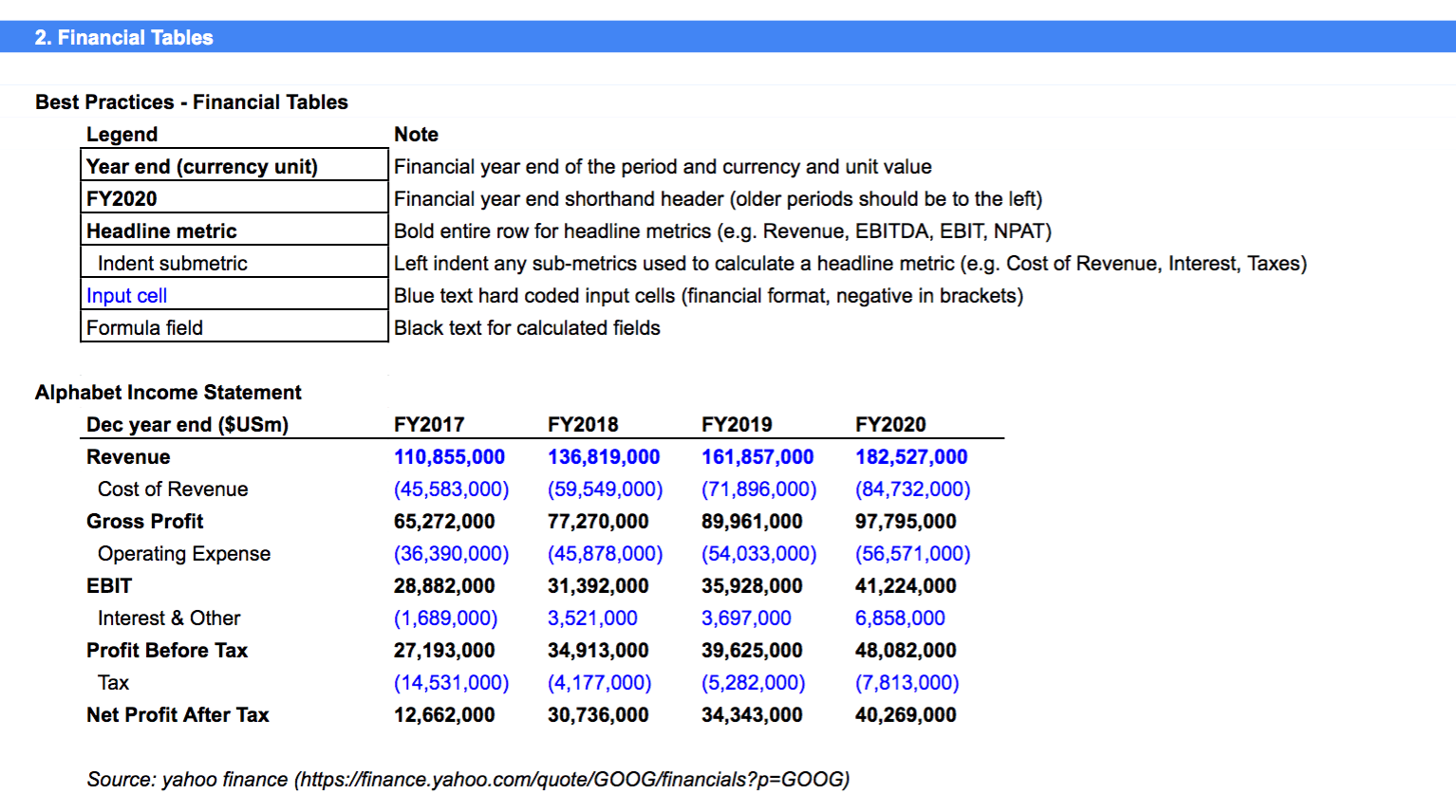 Excel Model Formatting Best Practices
https://images.ctfassets.net/vwq10xzbe6iz/1HaM9TUGNg0UkczOVAIDgl/98d7bb87c0cda476c90562f9a85056f5/TABLE.png
Sep 26 2016 nbsp 0183 32 excel
Templates are pre-designed documents or files that can be used for various functions. They can save effort and time by supplying a ready-made format and layout for creating various kinds of material. Templates can be utilized for individual or professional jobs, such as resumes, invitations, flyers, newsletters, reports, discussions, and more.
Excel Model Formatting Best Practices

Startup SME Cap Table Excel Model With Multiple Investing Rounds

Startup Excel Financial Model Template Eloquens My XXX Hot Girl

Daily Financial Liquidity Projection Excel Model Template

A Comprehensive Guide To Documenting Your Excel Model

AGIKgqNGsb1diPejGRgSdrqwZA2U0wzvPPOC FudGJ9E s900 c k c0x00ffffff no rj
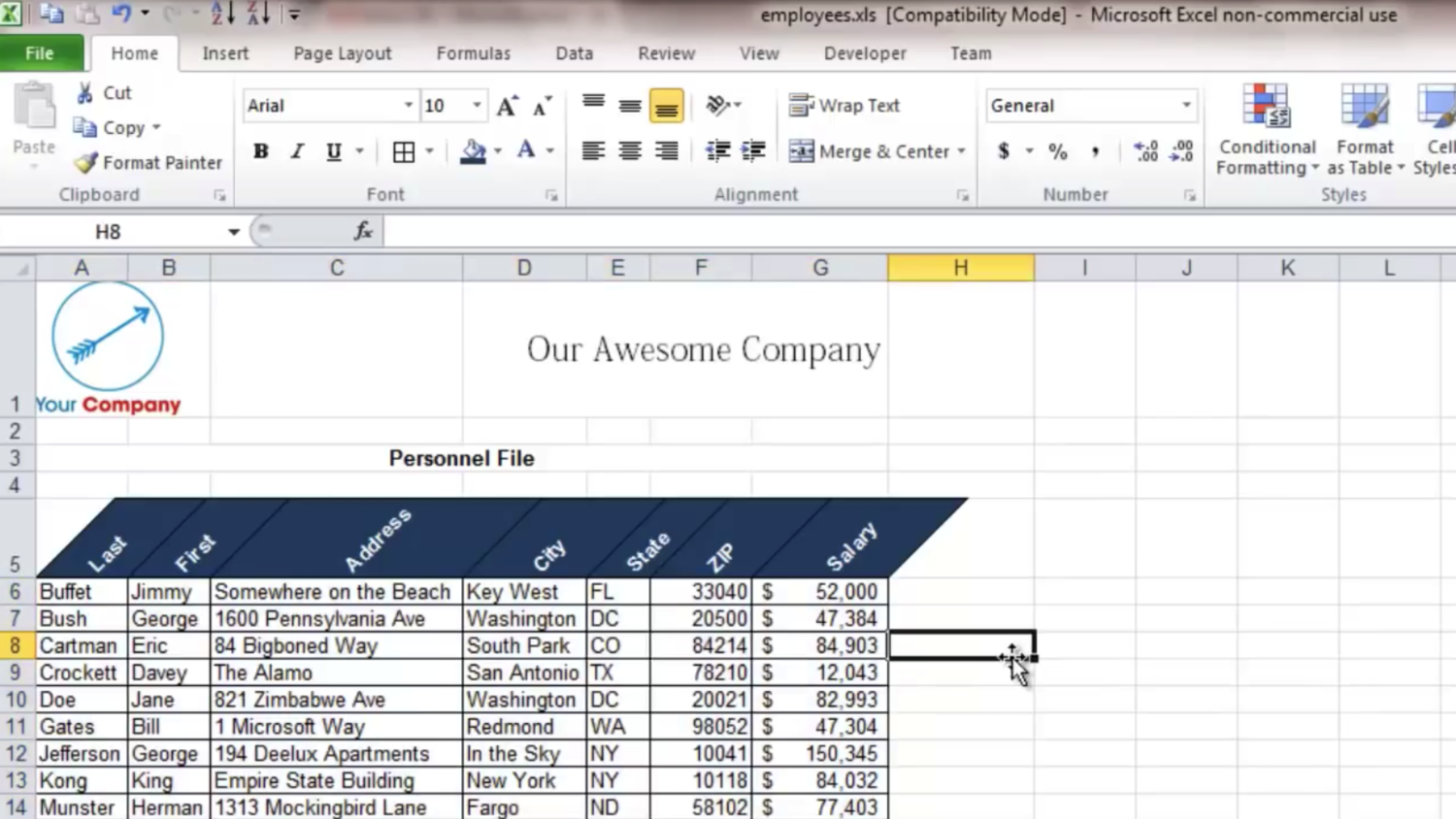
Creating An Excel Spreadsheet The World Of Technology And More Riset

Feb 19 2025 nbsp 0183 32 number1
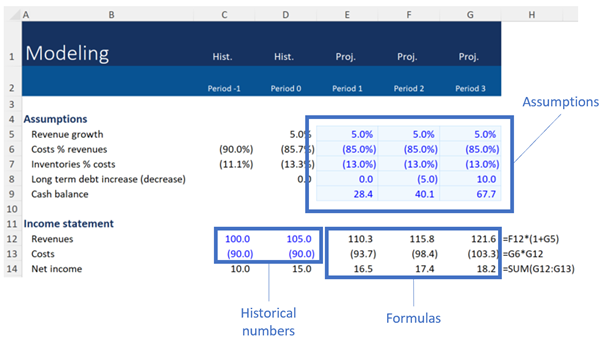
Jan 2 2020 nbsp 0183 32 Excel
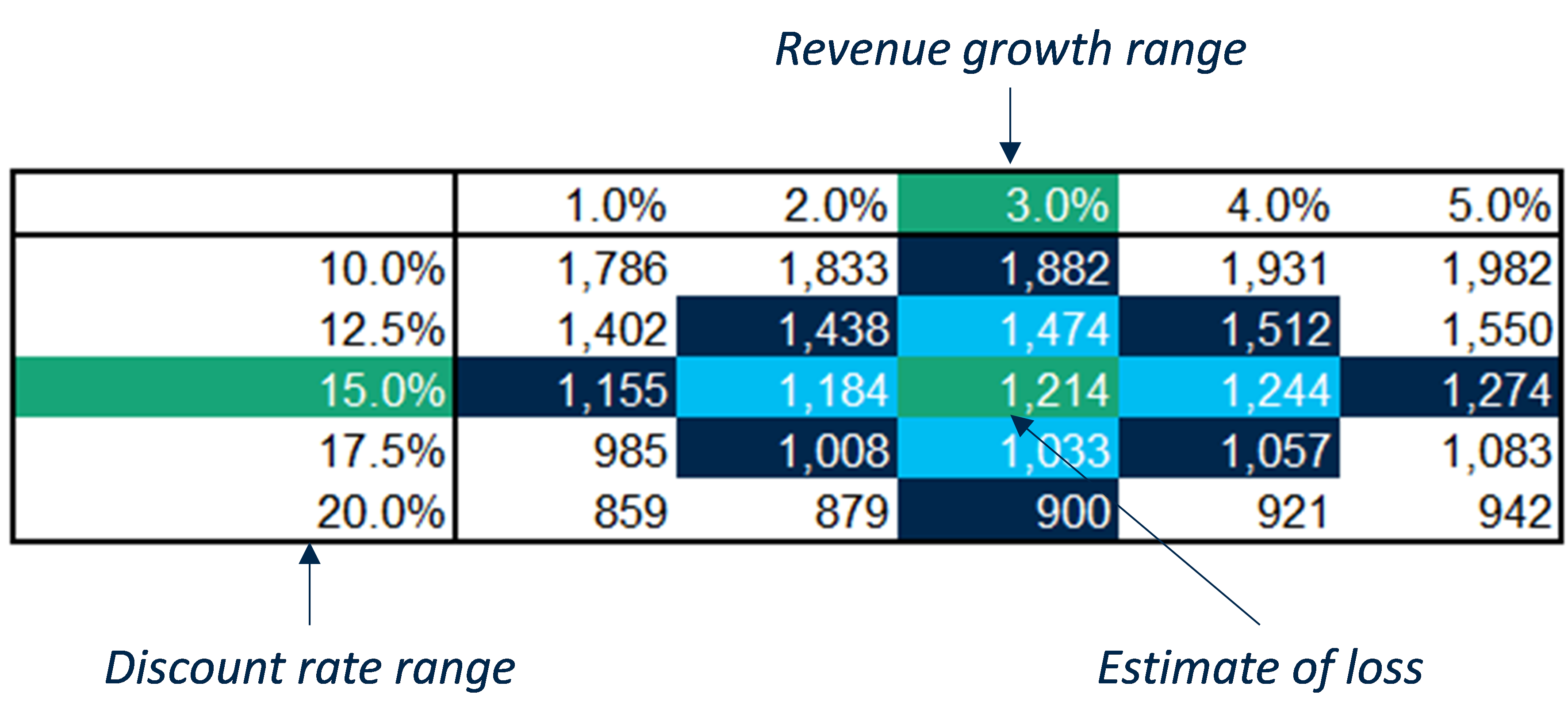
Excel AVERAGE
Office Excel Office excel Word PPT excel

May 31 2018 nbsp 0183 32 WORD Enter quot EXCEL
[desc-11] [desc-12]
[desc-13]