Excel Lookup Value From Two Columns Excel VLOOKUP For Two Values 2024 Guide Coupler io Blog Lookup Value Between Two Numbers Excel Formula Exceljet Excel Formula Two way Lookup With VLOOKUP Exceljet How To Use Vlookup In Excel For Multiple Values Likoshh Two way Lookup With INDEX And MATCH Excel Formula Exceljet VLOOKUP formula examples two way lookup nested vlookup with multiple criteria and more Vlookup with Sum and Sumif look up and sum matching
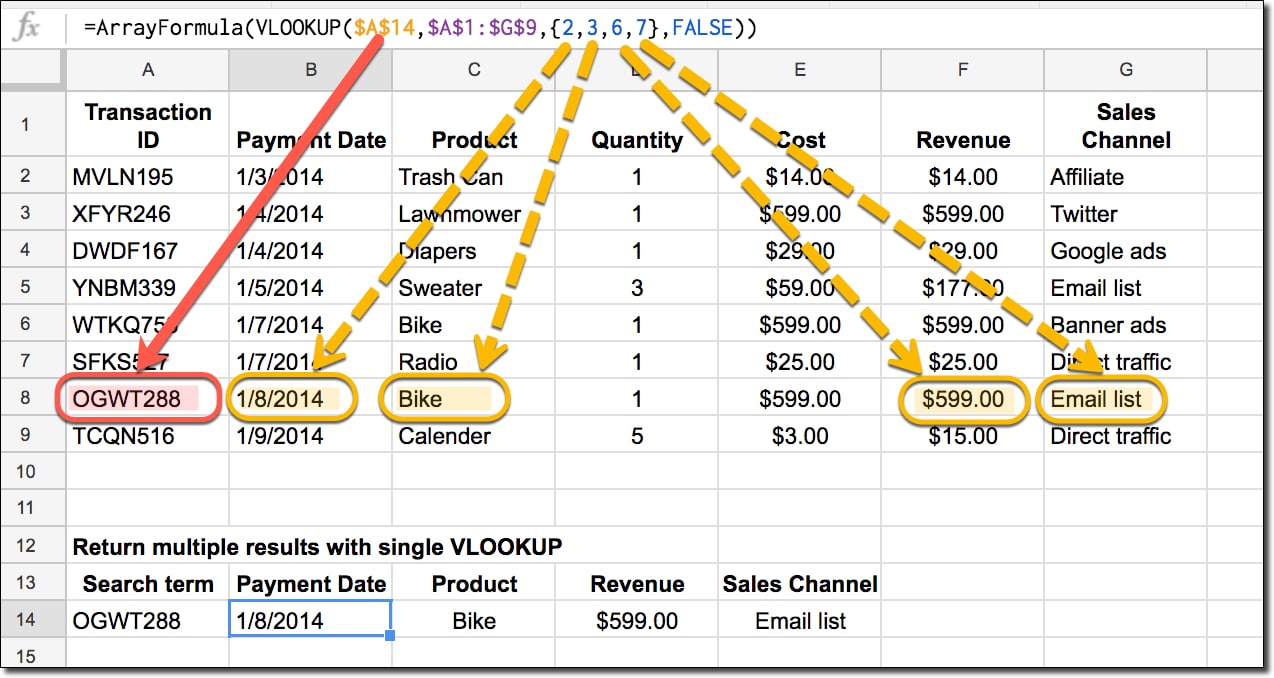
Method 1 Using the helper column Helper columns consolidate data from two or more columns for the VLOOKUP function to search through multiple data types Step 1 Example Step 2 Specify the Cell Range You Look In Step 2 Example Step 3 Create an Array with the Numbers of the Multiple Columns with the Values to Return
Two way Lookup With INDEX And MATCH Excel Formula Exceljet How To Apply Vlookup In Multiple Columns In Excel Printable Forms How To Use Vlookup In Excel For Multiple Values Cigarkurt Excel Vlookup Multiple Columns Formula Example Coupler io Blog How To Vlookup And Return Matching Data Between Two Values In Excel XLOOKUP With Multiple Criteria Excel Formula Exceljet Excel Formula VLOOKUP With Multiple Criteria Exceljet Advanced VLOOKUP In Excel Multiple Double Nested VLOOKUP Multiple Values In Multiple Columns My Online Training Hub
Excel Lookup Value From Two Columns
 Excel Lookup Value From Two Columns
https://blog.coupler.io/wp-content/uploads/2021/07/4-vlookup-two-values-formula.png
A2 B2 The above formula will give you a TRUE if both the values are the same and FALSE in case they are not Now if you need to know all the values that match simply apply a filter and only show all the TRUE
Pre-crafted templates use a time-saving service for developing a diverse series of documents and files. These pre-designed formats and designs can be made use of for different personal and professional jobs, including resumes, invites, flyers, newsletters, reports, discussions, and more, improving the content development procedure.
Excel Lookup Value From Two Columns
Excel VLOOKUP Multiple Values My Online Training Hub
How To Apply Vlookup In Multiple Columns In Excel Printable Forms
How To Use Vlookup In Excel For Multiple Values Cigarkurt
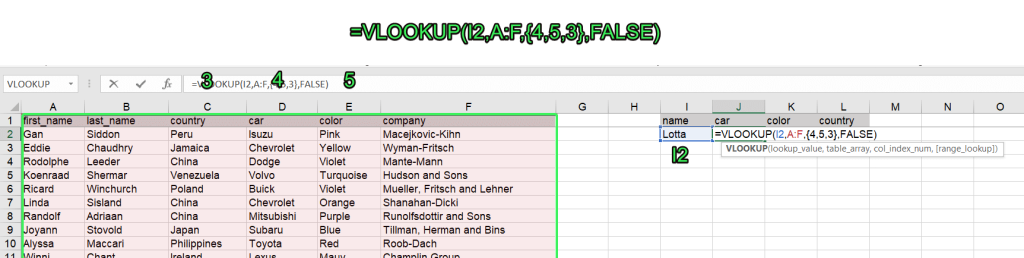
Excel Vlookup Multiple Columns Formula Example Coupler io Blog
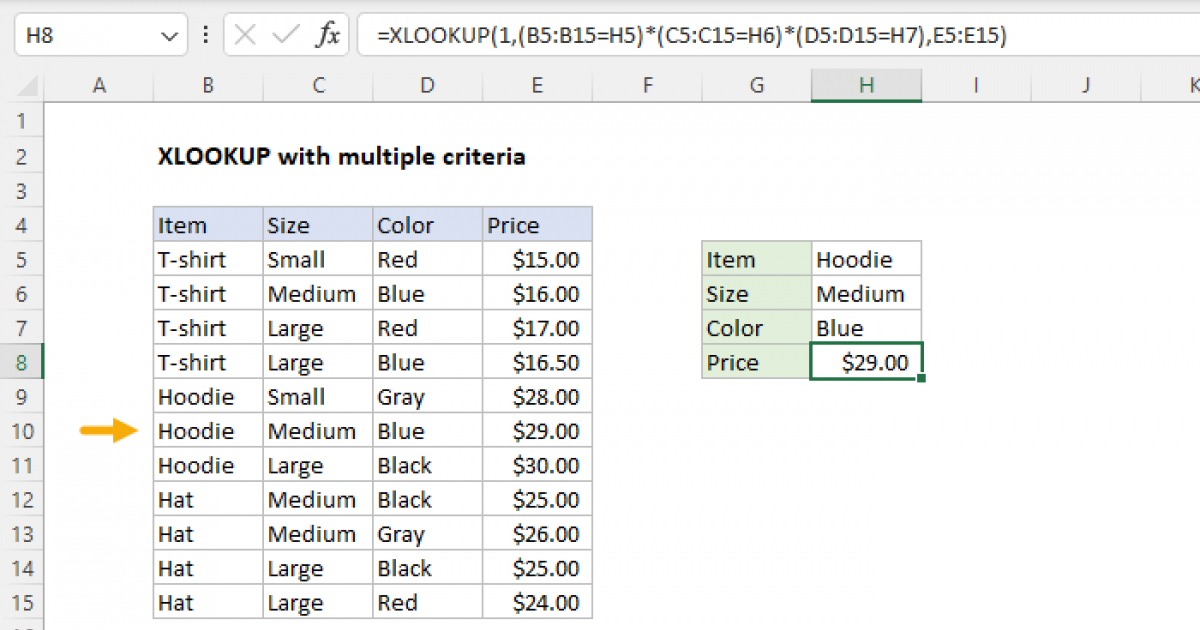
XLOOKUP With Multiple Criteria Excel Formula Exceljet
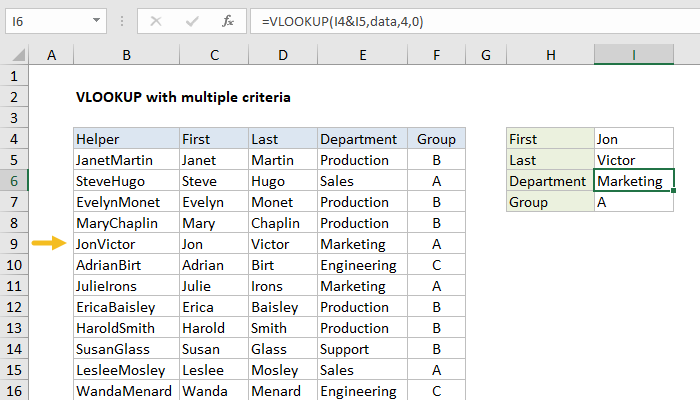
Excel Formula VLOOKUP With Multiple Criteria Exceljet

Now we have a single lookup column that can be used with a traditional lookup function such as VLOOKUP The report can be populated by looking up the combined names within the new lookup
To compare 2 columns in Excel to find differences you can proceed in this way Write the core formula to search for the first value

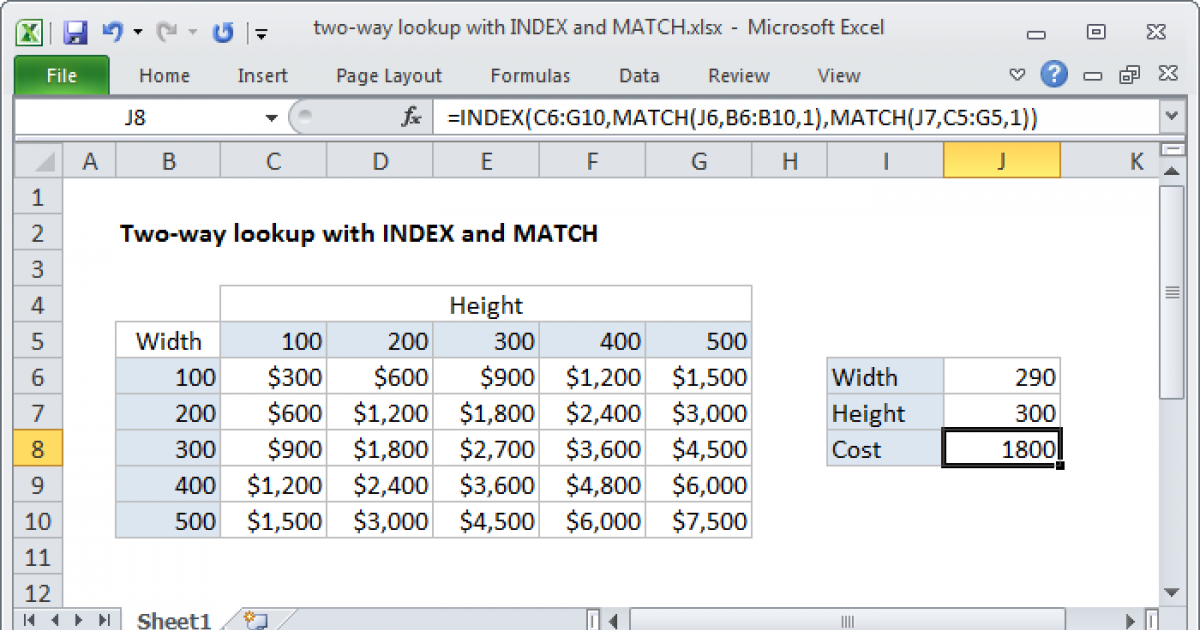
To create a lookup formula that returns two columns from the source data you can use an INDEX and MATCH formula In the example shown the formulas in K11 and K12 are respectively INDEX data XMATCH
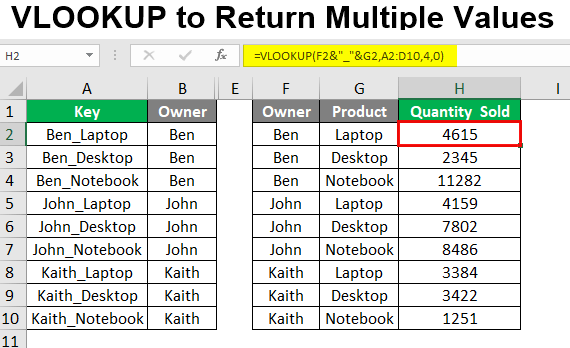
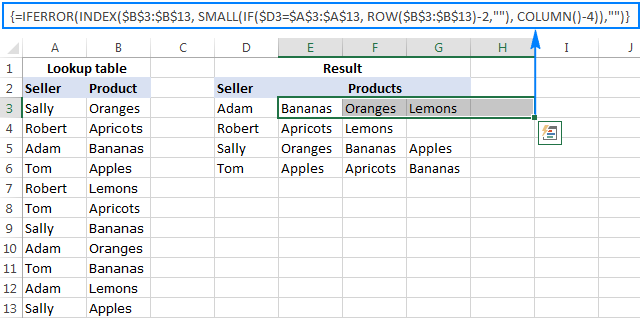
Excel allows a user to do a multi column lookup using the INDEX and MATCH functions The MATCH function returns a row for a value in a table while the INDEX returns a value for that row This step by step tutorial
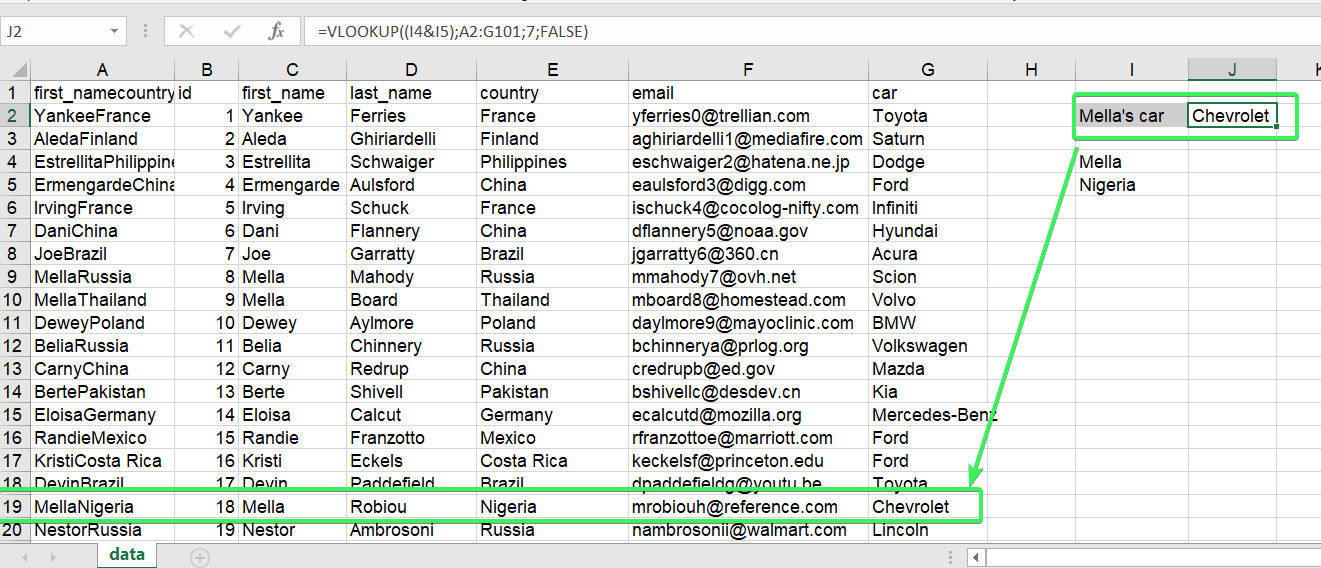
B2 C2 And then use a standard VLOOKUP formula and place both criteria in the lookup value argument separated with a space VLOOKUP Jeremy
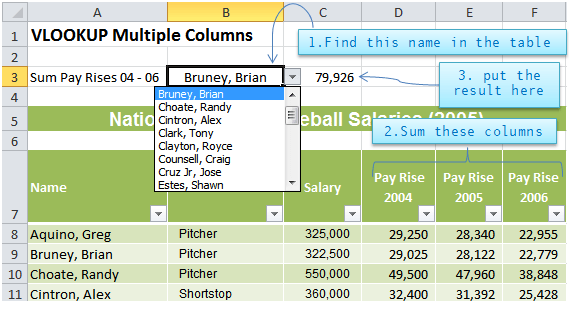
Method 1 Using Conditional Formatting Download Article 1 Select the columns you would like to compare Using conditional formatting in Excel will allow you to The formula returns the matches for the lookup value from columns 2 and 3 of the table array SUM VLOOKUP F5 B 5 D 12 2 3 FALSE Now the SUM
VLOOKUP will help us compare the values from these columns to identify the values that are present in all of the columns The logic of the formula is the