Excel Insert Calendar Dropdown In Cell How To Insert Calendar Template In Word Printable Templates Free Calendar Year Excel Formula Calendar Printables Free Templates How To Create Drop Down List In Excel Dynamic Editable Searchable Insert Calendar In Excel Examples To Create And Insert Calendar In Excel How To Create A Calendar Selection In Excel Printable Form Templates Verkko You can improve your work efficiently by using a drop down calendar for data collection The drop down calendar can significantly minimize the data entry errors for dates Step 1 Click quot Insert quot from quot Developer quot Tab
Verkko Create a drop down list calendar in Excel For creating a drop down calendar in Excel please do as follows Note This method works with Microsoft Excel 2007 and 32 bit versions of Excel 2016 2013 and Verkko Create a list of valid entries for the drop down list typed on a sheet in a single column or row without blank cells Select the cells that you want to restrict data entry in On the Data tab under Tools select Data
How To Create A Calendar Selection In Excel Printable Form Templates How To Create A Drop Down Calendar In Excel ExcelNotes How To Create A Drop Down List In MS Excel Studytonight Excel Date Picker Insert Dates Into Excel Cells In A Click Inserting A Dropdown Calendar In Excel Free Calendar Template Cara Membuat Drop Down List Tanggal Di Excel IMAGESEE Make A Timeline In Word In 2020 Excel Tutorials Excel Spreadsheets Date And Time Picker Excel 2010 64 Bit Pipekurt Insert Calendar Icon In Excel Yes The Calendar Will Display The
Excel Insert Calendar Dropdown In Cell
 Excel Insert Calendar Dropdown In Cell
https://nomadedigital.net/wp-content/uploads/2020/08/insert-calendar-in-excel-examples-to-create-and-insert-inside-insert-calendar-in-excel.png
Verkko Click on the Date Picker icon the utility is activated Now you can select a cell right click it and see a new option in the drop down menu Select date from calendar If you choose this option the pop up calendar
Templates are pre-designed files or files that can be used for various functions. They can save time and effort by providing a ready-made format and design for creating different type of content. Templates can be utilized for personal or expert jobs, such as resumes, invites, leaflets, newsletters, reports, presentations, and more.
Excel Insert Calendar Dropdown In Cell
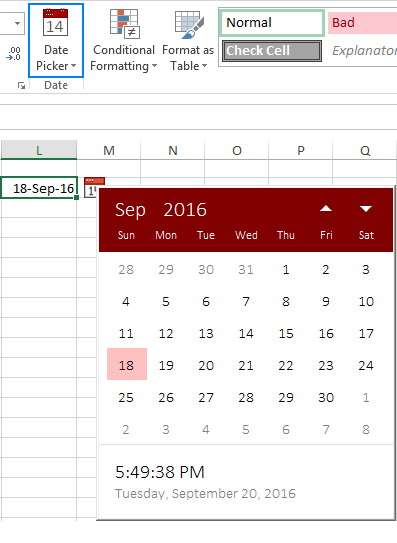
Calendar Drop Down In Excel For Mac Lasoparoad
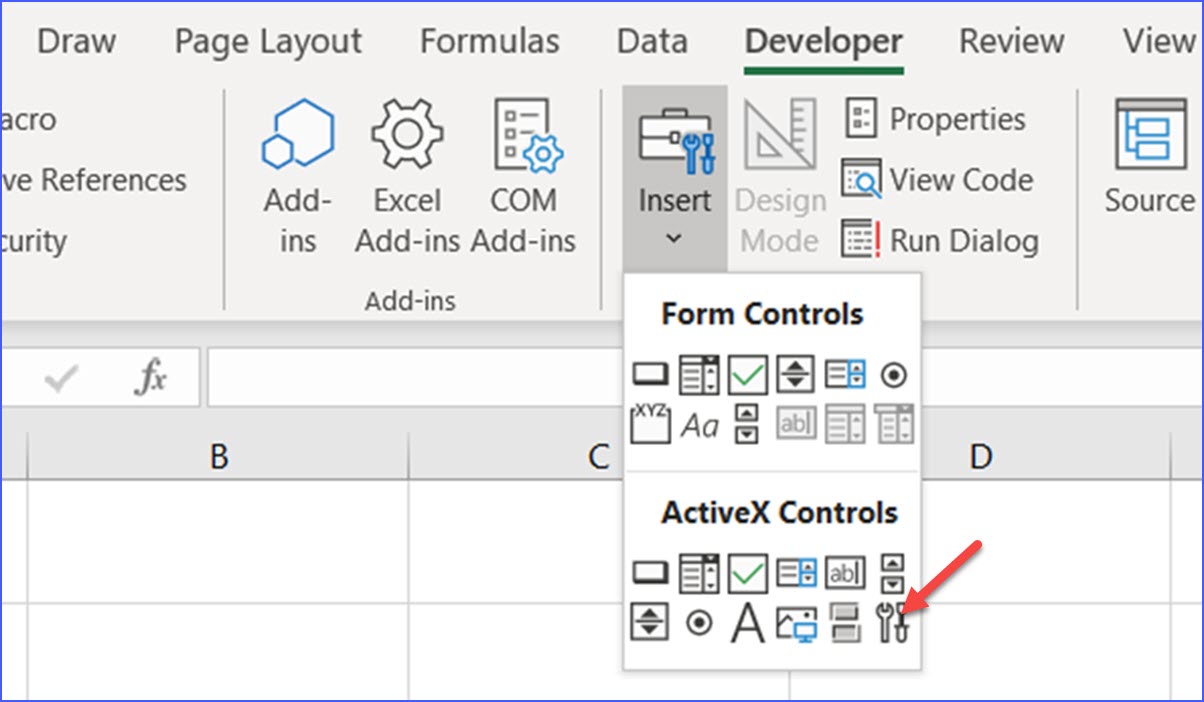
How To Create A Drop Down Calendar In Excel ExcelNotes
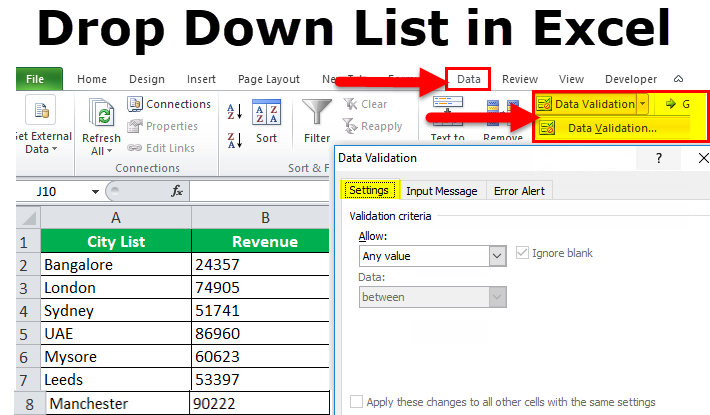
How To Create A Drop Down List In MS Excel Studytonight
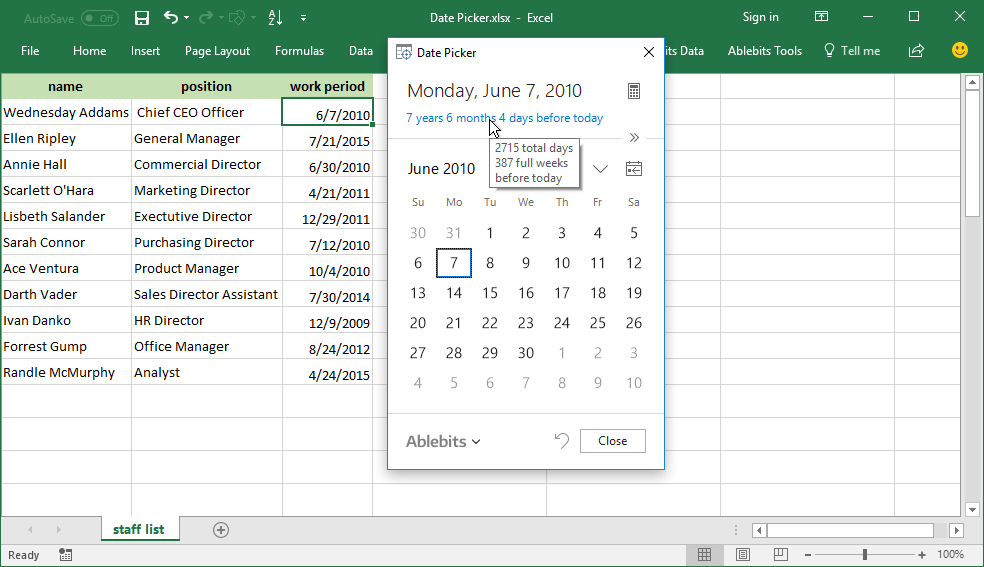
Excel Date Picker Insert Dates Into Excel Cells In A Click

Cara Membuat Drop Down List Tanggal Di Excel IMAGESEE

Make A Timeline In Word In 2020 Excel Tutorials Excel Spreadsheets

Verkko 12 lokak 2016 nbsp 0183 32 2 Insert a calendar control A drop down calendar in Excel is technically called Microsoft Date and Time Picker Control To insert it in your sheet
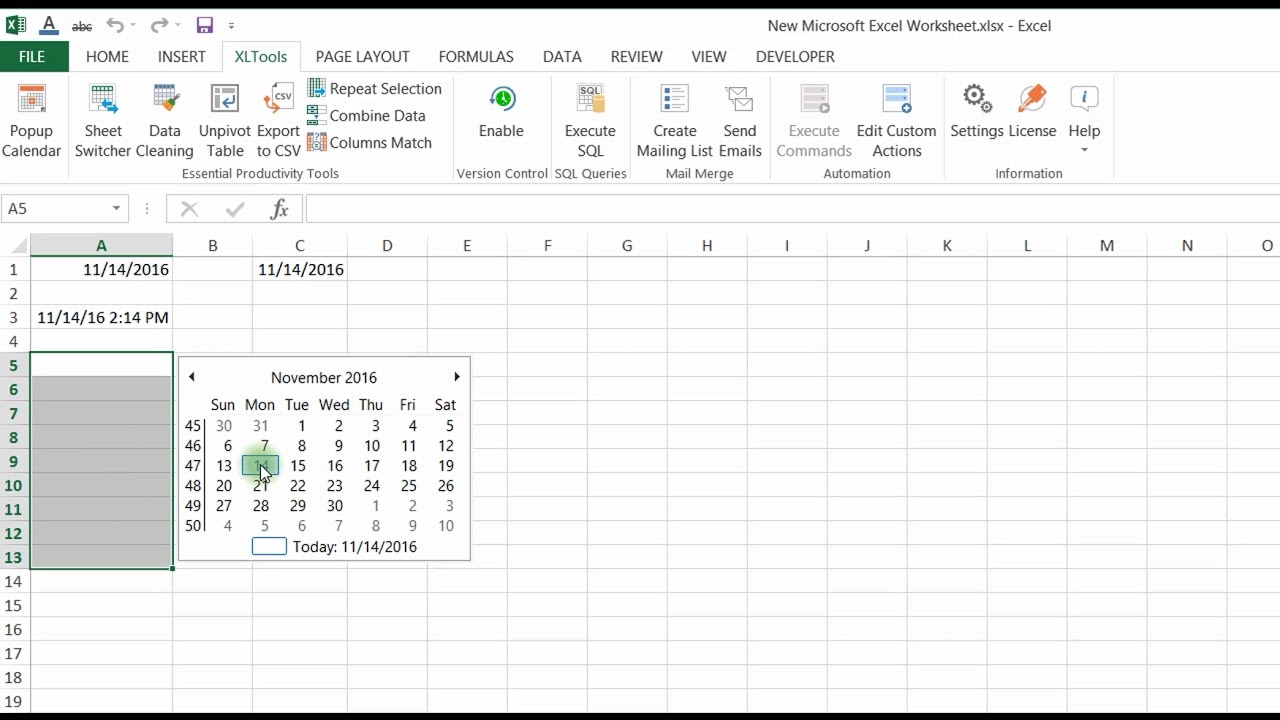
Verkko The different methods to create an Excel Calendar Drop Down are Create a Dates Drop Down List We can create a drop down using
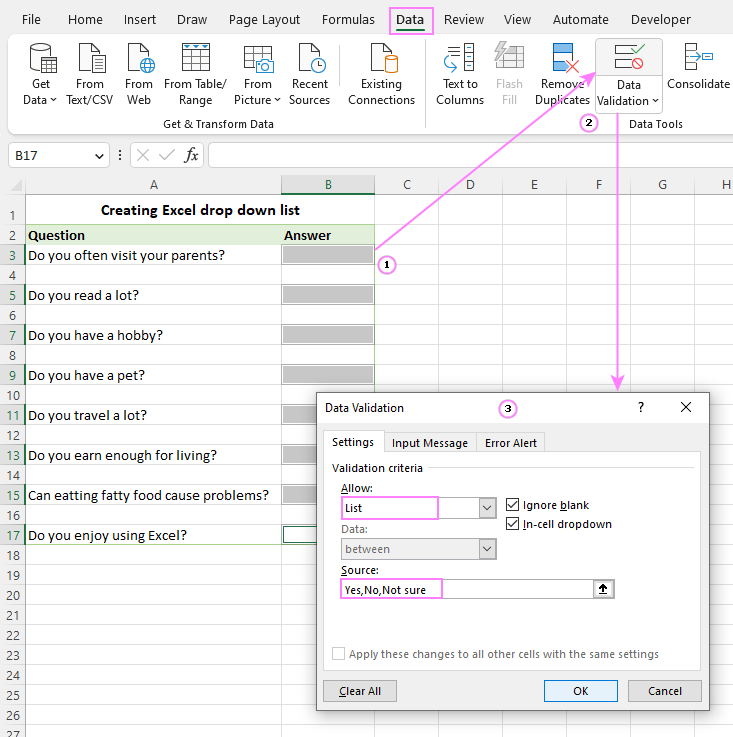
Verkko To open the pop up calendar users click the calendar icon When the calendar appears users can click the date that they want on the calendar or use the right and left arrow buttons to scroll through the
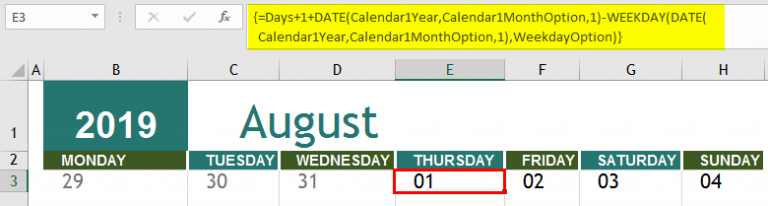
Verkko Last updated on June 30 2023 This tutorial demonstrates how to insert a drop down calendar with the date picker control in Excel There are numerous ActiveX controls
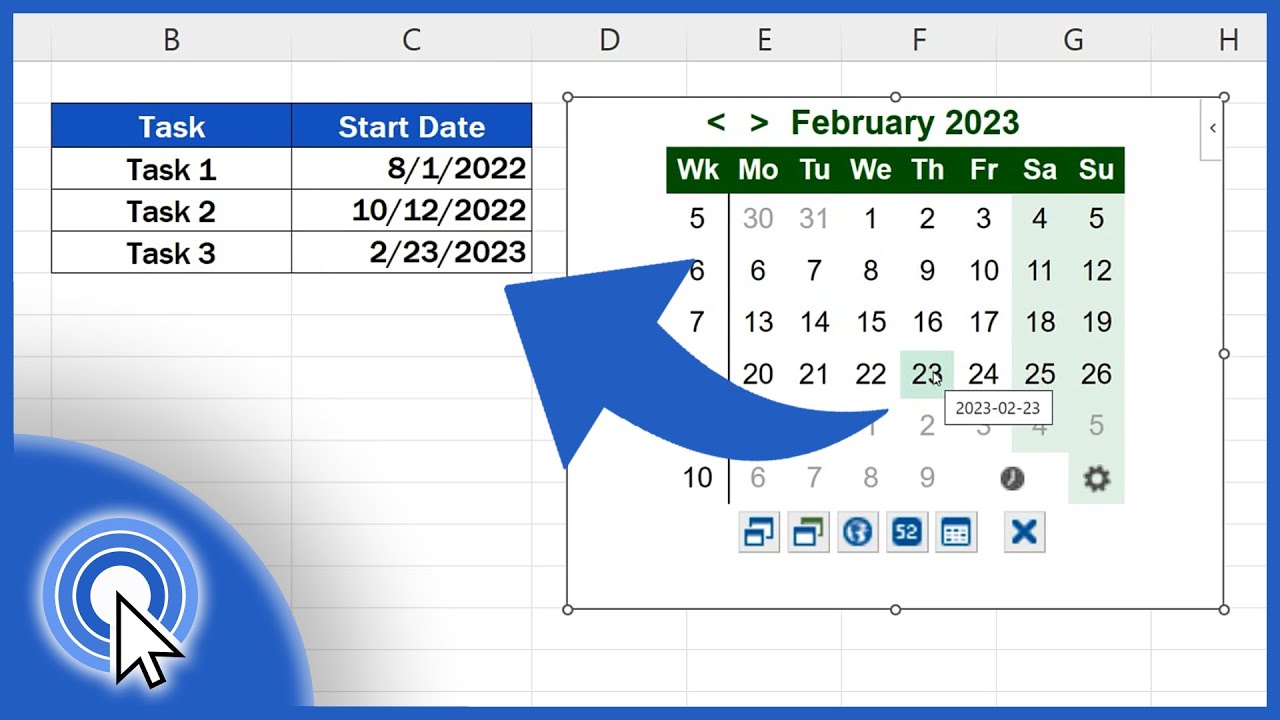
Verkko 25 syysk 2022 nbsp 0183 32 To insert a calendar drop down in Excel follow these steps Select the cell where you want to insert the calendar drop down Go to the Data tab in the ribbon and click on the Data Validation
Verkko 7 elok 2022 nbsp 0183 32 Excel Tutorials by EasyClick Academy 215K subscribers Join Subscribe 222K views 1 year ago Excel Tutorials Microsoft Excel Quick and Easy Today we ll Verkko 13 maalisk 2023 nbsp 0183 32 insert a drop down calendar using an ActiveX control Go to Developer tab gt Insert gt More Controls Find and select Microsoft Date and Time
Verkko 6 syysk 2023 nbsp 0183 32 To add a drop down list in Excel use the Data Validation feature and name the range of cells containing the options Then enter the name of the cell range