Excel Import Csv Set Delimiter How To Import CSV Text File Into Excel YouTube How To Change Excel CSV Delimiter How To Change Excel CSV Delimiter To Comma Or Semicolon Convert Csv To Excel How To Import Csv Files Into Excel Spreadsheets Import CSV Delimiter PowerShell ALI TAJRAN Web 1 Launch Microsoft Excel and click on the quot File quot tab 2 Click on quot Open quot and navigate to the location of your CSV file 3 Select the file and click quot Open quot to import it into Excel
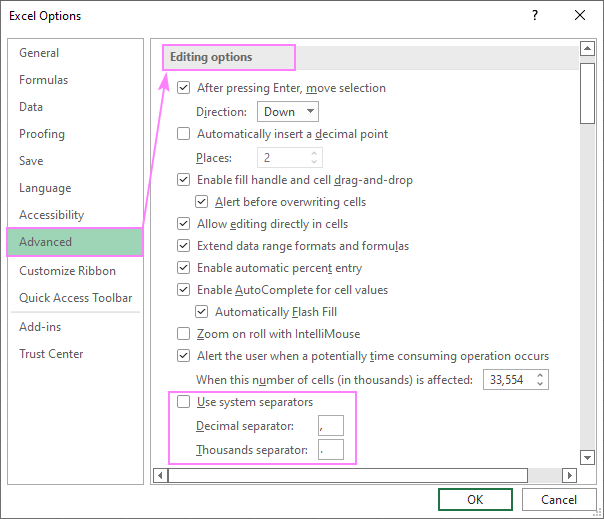
Web Dec 24 2023 nbsp 0183 32 Steps First click on the File from the worksheet Then from the starting menu click on Options Then a new window Excel Options will Open Then click on Advanced After then you make sure that the Use system separators box is unchecked The in the Decimal separator place period In the thousands box place Comma And Web Indicate the desired delimiter directly within a specific CSV file This practice overrides the default List separator for that file alone Using Excel s Text Import Wizard For Excel versions prior to 2016 use the Text Import Wizard to set a custom delimiter when importing a CSV file In Excel 2016 enable the From Text Legacy feature to
Import CSV Delimiter PowerShell ALI TAJRAN Import CSV Delimiter PowerShell ALI TAJRAN 1 Laravel Excel Export Data In Excel CSV Multiple Sheet Export How To Import Excel CSV Files Into Your Account In 7 Easy Steps WebApp Excel Import Xml File Keep Syntax Code Split Values Lasopamh Effective Bulk Data Import Into Neo4j Part 3 DZone Excel Open A CSV File With Custom Delimiter Stack Overflow Import export CSV Files To Excel Ecwid Help Center Tab Separated Values Tab separated Values JapaneseClass jp
Excel Import Csv Set Delimiter
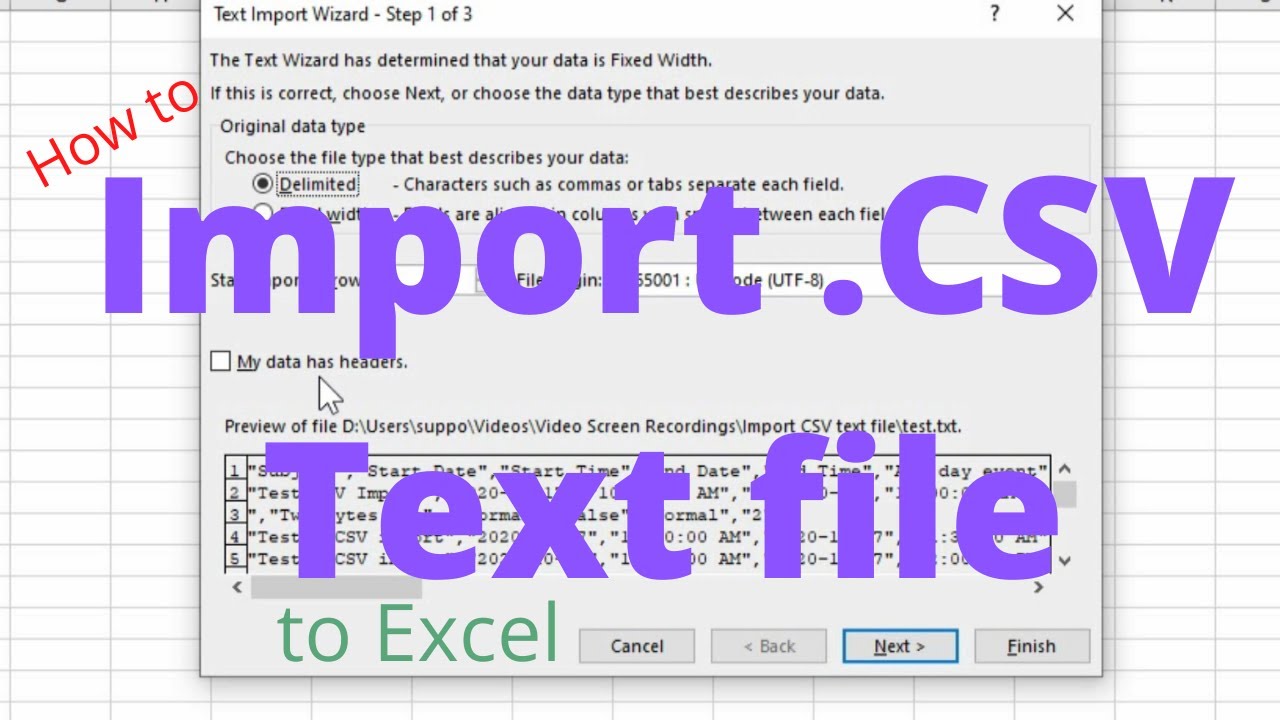 Excel Import Csv Set Delimiter
https://i.ytimg.com/vi/qTYouqGLcNA/maxresdefault.jpg
Web Jan 24 2024 nbsp 0183 32 STEP 1 Go to the File gt Options STEP 2 In the Excel Options dialog box select Advanced STEP 3 Under Editing Options uncheck the Use system separators check box STEP 4 Set the Decimal separator to dot and the Thousand separator to
Templates are pre-designed documents or files that can be used for various functions. They can conserve time and effort by offering a ready-made format and layout for developing various type of content. Templates can be utilized for personal or professional tasks, such as resumes, invites, flyers, newsletters, reports, presentations, and more.
Excel Import Csv Set Delimiter
Office Anwendungen So Importieren Sie Eine Csv Datei In Excel Ist How
Import CSV Delimiter PowerShell ALI TAJRAN

1 Laravel Excel Export Data In Excel CSV Multiple Sheet Export

How To Import Excel CSV Files Into Your Account In 7 Easy Steps WebApp

Effective Bulk Data Import Into Neo4j Part 3 DZone

Excel Open A CSV File With Custom Delimiter Stack Overflow
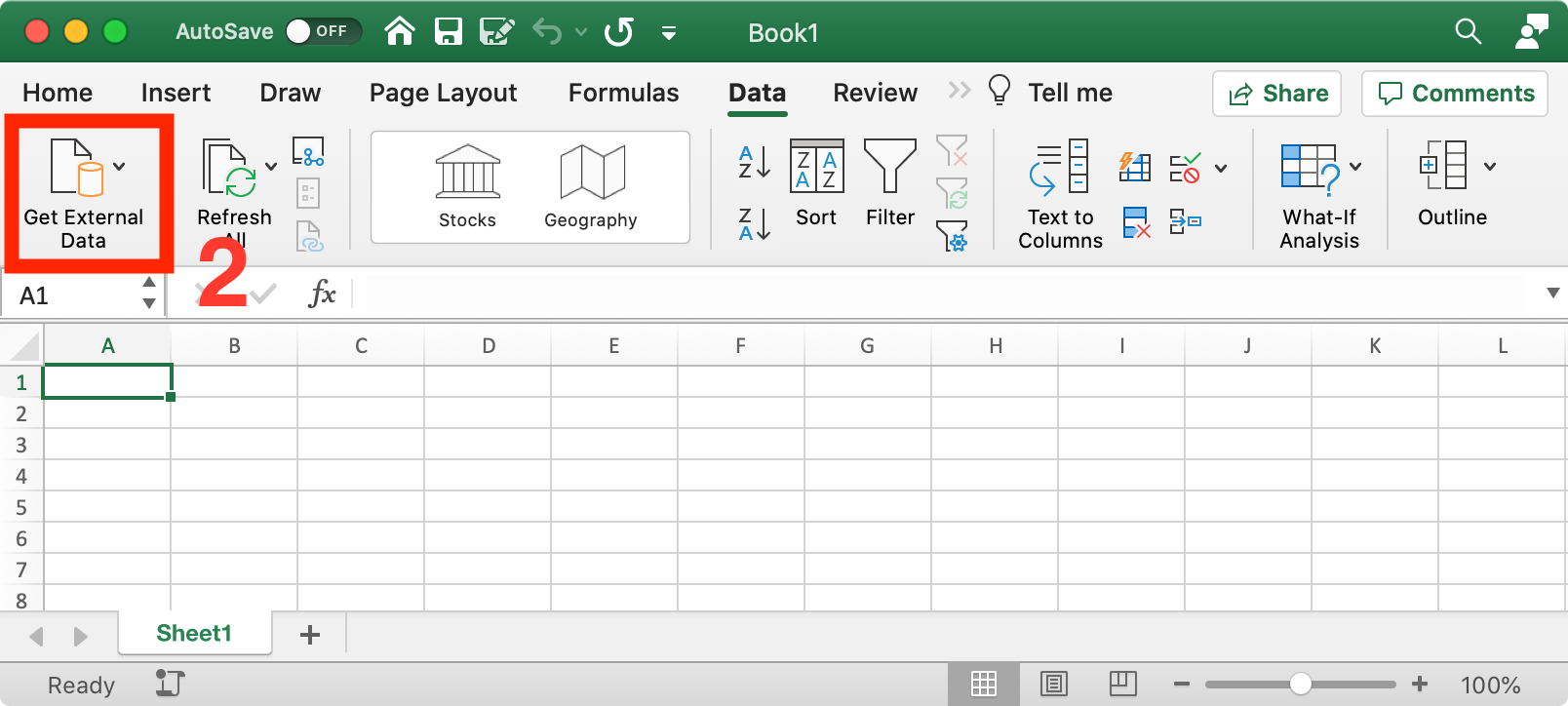
Web Dec 21 2023 nbsp 0183 32 First go to the Data tab Then in the Get amp Transform Data section click From Text CSV As a result the Import Data dialog box will pop out Select the desired CSV file and press Import Consequently another dialog box will appear containing the dataset Here specify your delimiter After that press Load

Web The way you change the delimiter when importing is different depending on how you import the text If you use Get amp Transform Data gt From Text CSV after you choose the text file and click Import choose a character to use from the list under Delimiter
Web Jun 1 2011 nbsp 0183 32 I want to import a CSV file to Excel The CSV file has comma separated data go figure but the delimiter in the Text Import Wizard is set to quot Tab quot by default How can I change the default to quot Comma quot instead
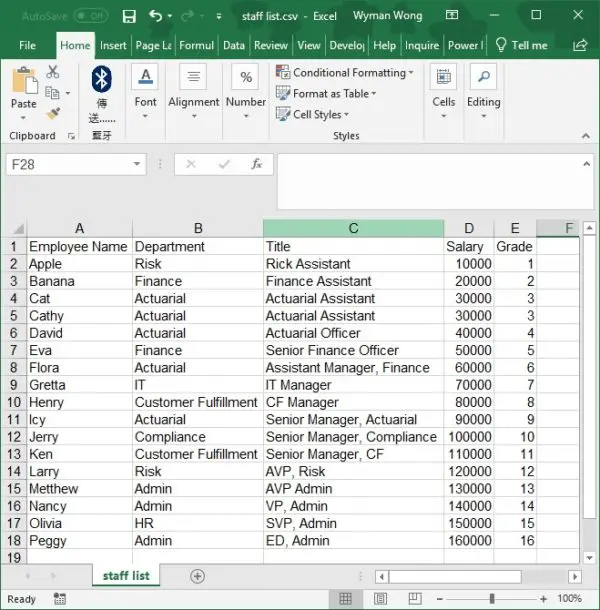
Web Feb 24 2022 nbsp 0183 32 In the Editing options section find Use system operators Uncheck it to override the system settings Set Decimal separator to comma and Thousands separator to period Clicking OK ensures that Excel uses semicolon as the delimiter This setting allows Excel to save CSV files with semicolons

Web Mar 31 2012 nbsp 0183 32 Apparently Excel uses a Windows 7 regional setting for the default delimiter for CSVs which is apparently a tab by default You can change that setting like so However I don t know what other repercussions this will have
Web To change the delimiter for CSV files in Excel modify the List separator in Windows Regional settings This alters the delimiter for creating opening and saving CSV files in Excel Importing CSV with Custom Delimiter In Excel 2013 and earlier use the Text Import Wizard to choose a custom delimiter Web Mar 10 2023 nbsp 0183 32 Specify delimiter when importing CSV file to Excel Instead of opening a csv file in Excel import it using either Text Import Wizard in all versions or Power Query in Excel 365 2016 The Text Import Wizard Data tab gt From Text provides a few choices for delimiters in step 2 Generally you d choose Comma for comma separated values files
Web Jun 18 2017 nbsp 0183 32 Office 2013 Excel 2013 2016 How to change CSV delimiter character Sunday 18 June 2017 by Adrian Gordon Last updated Thursday 25 May 2023 By default when saving a CSV file in Excel each column will be separated using a comma as the delimiter hence the name Comma Separated Values CSV