Excel If Vlookup Return Cell Value VLOOKUP If Blank Return Blank Excel Formula Exceljet How To Return A Value If A Cell Contains A Specific Text In Excel VLOOKUP To Return Multiple Values Function With Examples How To Use Vlookup In Excel To Separate Text In A Cell Weehrom How To Vlookup To Return Multiple Values In One Cell In Excel Verkko The IF function allows you to make a logical comparison between a value and what you expect by testing for a condition and returning a result if True or False IF
Verkko VLOOKUP with IF statement in Excel In Excel combine VLOOKUP with IF to get a result conditional on the value returned by VLOOKUP yes no true false In this Verkko 2 huhtik 2019 nbsp 0183 32 I check if it exists in the column by using located in sheet1 cell R8 COUNTIF E2 E20 R7 gt 0 So if this query is FALSE then it s ok to use the VLOOKUP above but if it returns TRUE it
How To Vlookup To Return Multiple Values In One Cell In Excel Solved How To Return Value From VLOOKUP Into A Cell VBA Excel VLOOKUP With Multiple Criteria Excel Formula Exceljet How To Vlookup To Return The SUM Of Two Or More Columns In Excel Free 4 New Use Of Vlookup Learn How To Apply Vlookup MS Excel Vlookup How To Vlookup Return Value In Adjacent Or Next Cell In Excel How To Use The VLOOKUP Function In Excel 2023 Have VLOOKUP Return Multiple Columns In Google Sheets IF VLOOKUP Formula In Excel Use Of IF VLOOKUP Formula In Excel
Excel If Vlookup Return Cell Value
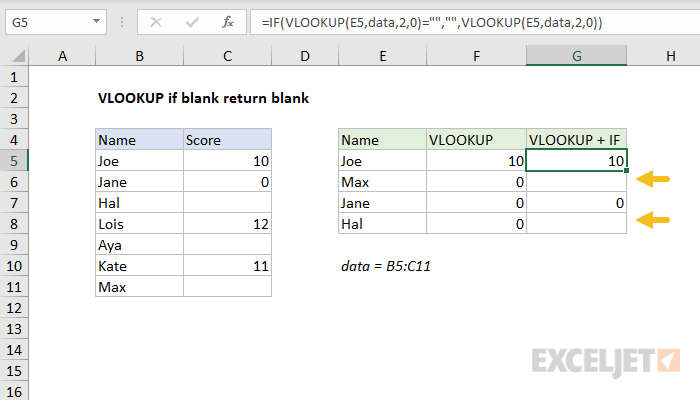 Excel If Vlookup Return Cell Value
https://exceljet.net/sites/default/files/styles/original_with_watermark/public/images/formulas/VLOOKUP if blank return blank.png
Verkko 23 elok 2023 nbsp 0183 32 Tip In Excel 365 and Excel 2021 you can use the XLOOKUP function which is a more flexible and powerful successor of VLOOKUP VLOOKUP syntax The syntax for the VLOOKUP function
Templates are pre-designed files or files that can be used for numerous purposes. They can conserve effort and time by supplying a ready-made format and layout for producing various type of material. Templates can be used for individual or professional tasks, such as resumes, invitations, leaflets, newsletters, reports, presentations, and more.
Excel If Vlookup Return Cell Value
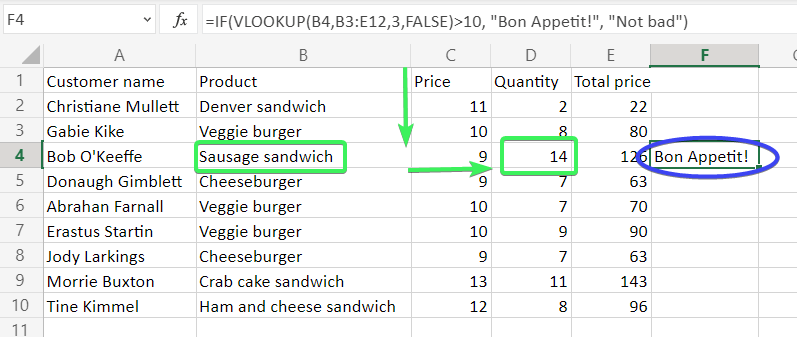
If And Vlookup Functions In Excel

Solved How To Return Value From VLOOKUP Into A Cell VBA Excel
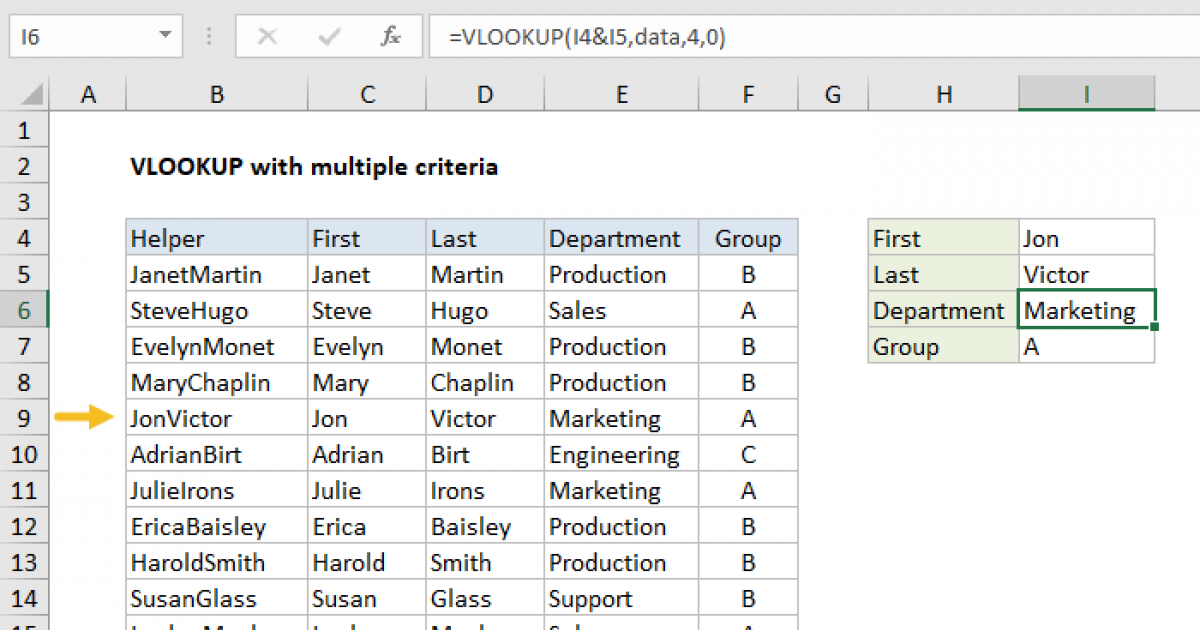
VLOOKUP With Multiple Criteria Excel Formula Exceljet
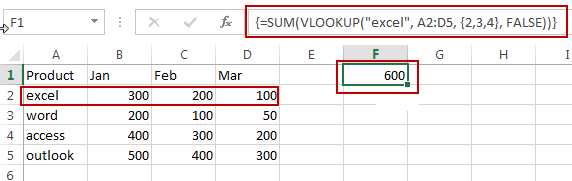
How To Vlookup To Return The SUM Of Two Or More Columns In Excel Free
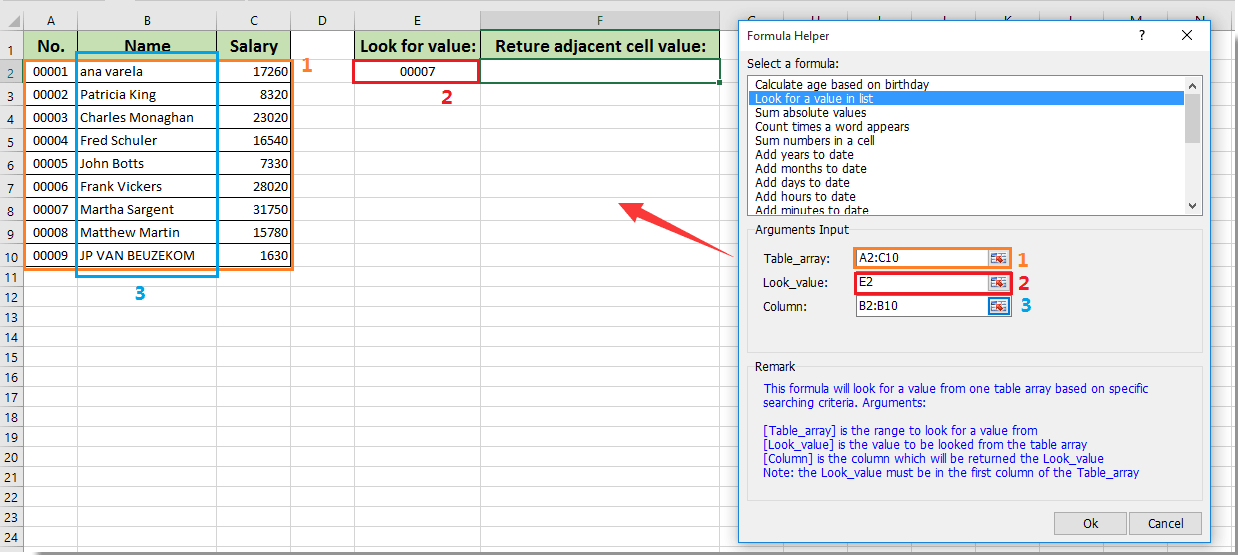
How To Vlookup Return Value In Adjacent Or Next Cell In Excel
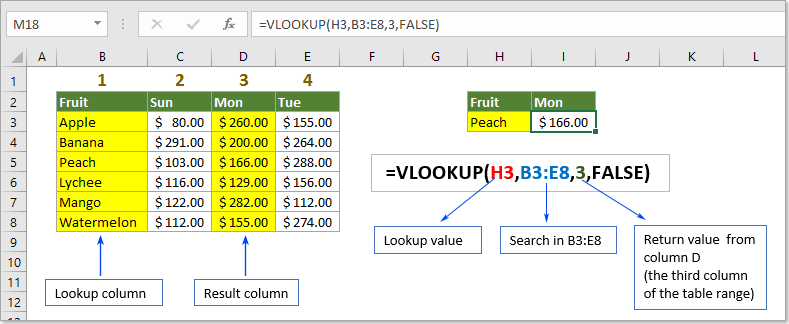
How To Use The VLOOKUP Function In Excel 2023

Verkko 19 lokak 2023 nbsp 0183 32 1 Looking Up a Specific Value Combining VLOOKUP with IF Condition 2 Comparing Two Lists for Matches Using VLOOKUP IF and ISNA Functions in Excel 3 Using VLOOKUP and IF
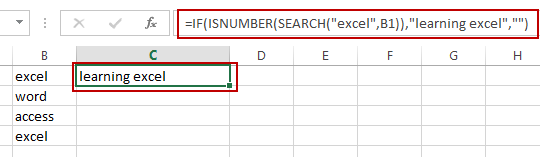
Verkko 33 rivi 228 nbsp 0183 32 Using an approximate match searches for the value 1 in
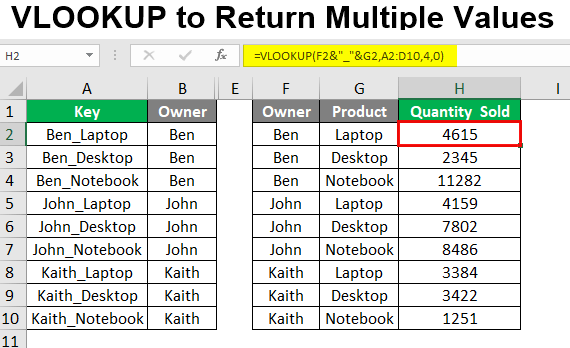
Verkko For example if table array spans cells B2 D7 then your lookup value must be in column B Lookup value can be a value or a reference to a cell table array required The range of cells in which the VLOOKUP

Verkko 1 Answer Sorted by 1 You are on track with the first example the IFERROR VLOOKUP B8 Pd Rollers F 9 J 427 3 FALSE cell quot content quot except it

Verkko Return value The matched value from a table Arguments lookup value The value to look for in the first column of a table table array The table from which to retrieve a value
Verkko 15 toukok 2023 nbsp 0183 32 Arguments Lookup value This refers to a cell value or a text that you are looking for Table array Defines the range of cells or sources where you want to look for the value Col index number Verkko 15 lokak 2023 nbsp 0183 32 VLOOKUP starts from a given column and returns a value in a referenced column n columns to the right starting from the start column 1 So
Verkko 22 maalisk 2023 nbsp 0183 32 In situation when you have just two or three lookup sheets you can use a fairly simple VLOOKUP formula with nested IF functions to select the correct