Excel Get Cell Value How To Get Cell Value By Address In Excel 6 Simple Methods How To Get Cell Value By Address In Excel 6 Simple Methods Microsoft 365 Excel Get Cell Value Questetra Support How To Get Cell Value By Address In Excel 6 Simple Methods How To Get Cell Value By Address In Excel 6 Simple Methods Web See Also Excel functions by category Excel functions alphabetical Excel comes with multiple Lookup and Reference functions that let you find matching values Use this article to decide which function is best for your needs
Web Mar 16 2023 nbsp 0183 32 Get address of cell with highest or lowest value Get column letter from column number Return address of named range in Excel 2019 2007 Get address of named range in Excel 365 and Excel 2021 Excel ADDRESS function Web Mar 16 2023 nbsp 0183 32 The CELL function in Excel returns various information about a cell such as cell contents formatting location etc The syntax of the CELL function is as follows CELL info type reference Where info type required the type of information to return about the cell reference optional the cell for which to retrieve information
How To Get Cell Value By Address In Excel 6 Simple Methods How To Get Cell Value By Address In Excel 6 Simple Methods Get Cell Value Rinkt Documentation MATCH In Excel Formula Examples How To Use MATCH Function Microsoft 365 Excel Get Cell Value Questetra Support Formula To Vlookup Multiple Matches And Return Results In Rows Multiple Excel Lookup Table Excel Get Cell Value By Referencing Text Of Another Cell without Using VBA Stack Overflow C mo Obtener El Valor De La Celda Seg n Los N meros De Fila Y Columna En Excel Excel Get Cell Value But Skip Row If Wrong ITecNote
Excel Get Cell Value
 Excel Get Cell Value
https://www.exceldemy.com/wp-content/uploads/2022/09/excel-get-cell-value-by-address-2-1536x1036.png
Web The Excel ADDRESS function returns the cell address for a given row number and column letter It has a large but simple syntax that reads as follows ADDRESS row num column num abs num a1 sheet text In order to address the first cell Cell A1 Write the ADDRESS function as follows ADDRESS 1 1
Templates are pre-designed files or files that can be utilized for numerous functions. They can conserve effort and time by providing a ready-made format and layout for producing various sort of material. Templates can be utilized for personal or professional tasks, such as resumes, invites, flyers, newsletters, reports, presentations, and more.
Excel Get Cell Value
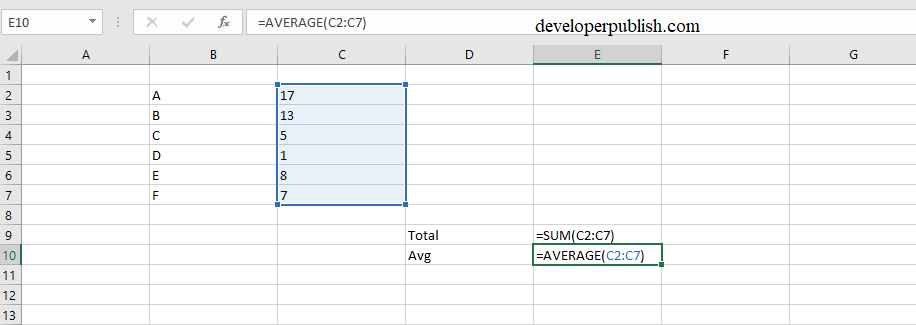
How To Get And Set Cell Value In Microsoft Excel VBA

How To Get Cell Value By Address In Excel 6 Simple Methods
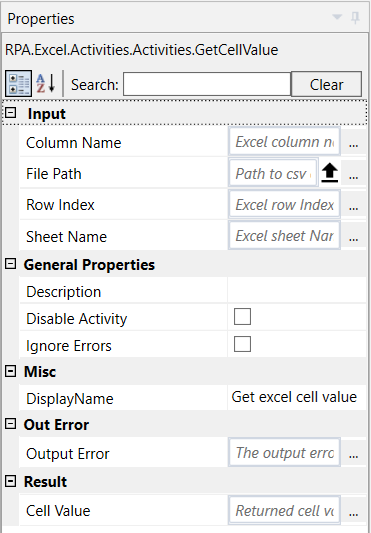
Get Cell Value Rinkt Documentation
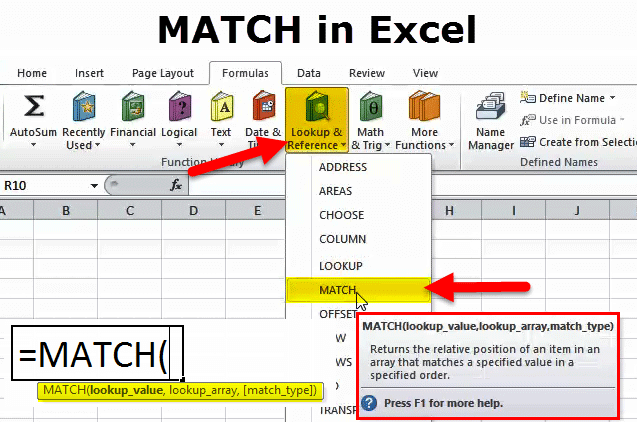
MATCH In Excel Formula Examples How To Use MATCH Function

Formula To Vlookup Multiple Matches And Return Results In Rows Multiple Excel Lookup Table

Excel Get Cell Value By Referencing Text Of Another Cell without Using VBA Stack Overflow

Web To retrieve the cell value at a specific row and column number you can use the ADDRESS function together with the INDIRECT function In the example shown the formula in G6 is INDIRECT ADDRESS G4 G5 The result is quot Mango quot the value in cell C9 at row 9 and column 3 of the worksheet

Web Jul 24 2023 nbsp 0183 32 The formula looks through the range A1 J10 checks the cell in Row 3 and Column 5 E3 and returns its value Success Get Cell Value With the INDIRECT Function Another option for getting the value of a cell by its address is to use the INDIRECT Function We can use the INDIRECT Function here in two different ways

Web The CELL function returns information about the formatting location or contents of a cell For example if you want to verify that a cell contains a numeric value instead of text before you perform a calculation on it you can use the following formula IF CELL quot type quot A1 quot v quot A1 2 0

Web Looks up quot B quot in row 1 and returns the value from row 3 that s in the same column Because an exact match for quot B quot is not found the largest value in row 1 that is less than quot B quot is used quot Axles quot in column A 5 HLOOKUP quot Bolts quot A1 C4 4 Looks up quot Bolts quot in row 1 and returns the value from row 4 that s in the same column column C 11

Web The INDIRECT C 6 returns the cell value at C6 cell As you can see the formula returns the value for a given row amp column number Notes The function returns an error if the address returned by the ADDRESS function is not valid The function returns 0 if the cell value is blank Use the INDEX function as INDIRECT function is a volatile function
Web Mar 29 2023 nbsp 0183 32 This tutorial will teach you how to interact with Cell Values using VBA Set Cell Value To set a Cell Value use the Value property of the Range or Cells object Range Value amp Cells Value There are two ways to reference cell s in VBA Range Object Range A2 Value Cells Object Cells 2 1 Value Web Get information about a cell Return value A text value Syntax CELL info type reference info type The type of information to return about the reference reference optional The reference from which to extract information How to use Use the CELL function to return a wide range of information about a reference
Web Mar 21 2022 nbsp 0183 32 Find values in your spreadsheet based on their locations Quick Links The INDEX Function in Excel Use INDEX in Array Form Use INDEX in Reference Form When you need to obtain a value that resides in a particular spot in your spreadsheet you ll want one of Excel s lookup and reference functions